
2 layers316 × 119 mm
Teensy Grovebox
jerry20091103/Teensy_Grovebox
A portable synth and music multi-tool made with Teensy 4.1
142 parts150MIT

Pro Microを裏側実装する関係で、実装の順番を間違えると面倒なことになる 1. 基板にスタビライザーを取り付け 2. 基板にピンヘッダを半田付け 3. 周辺部分のキースイッチを取り付け 4. スタビライザーの動作確認…
Ts68 is an open-source printed circuit board by sadaoikebe, from the sadaoikebe/thumbshift68key repository on GitHub, published under the CC0-1.0 licence. It is a 2-layer board of 304.8 × 95.3 mm with 142 parts on 92 nets, routed with 882 tracks and 34 vias.
It belongs with the AVR (ATmega, ATtiny) boards of this library.
分割3uスペースキーをもつ 68% キーボード
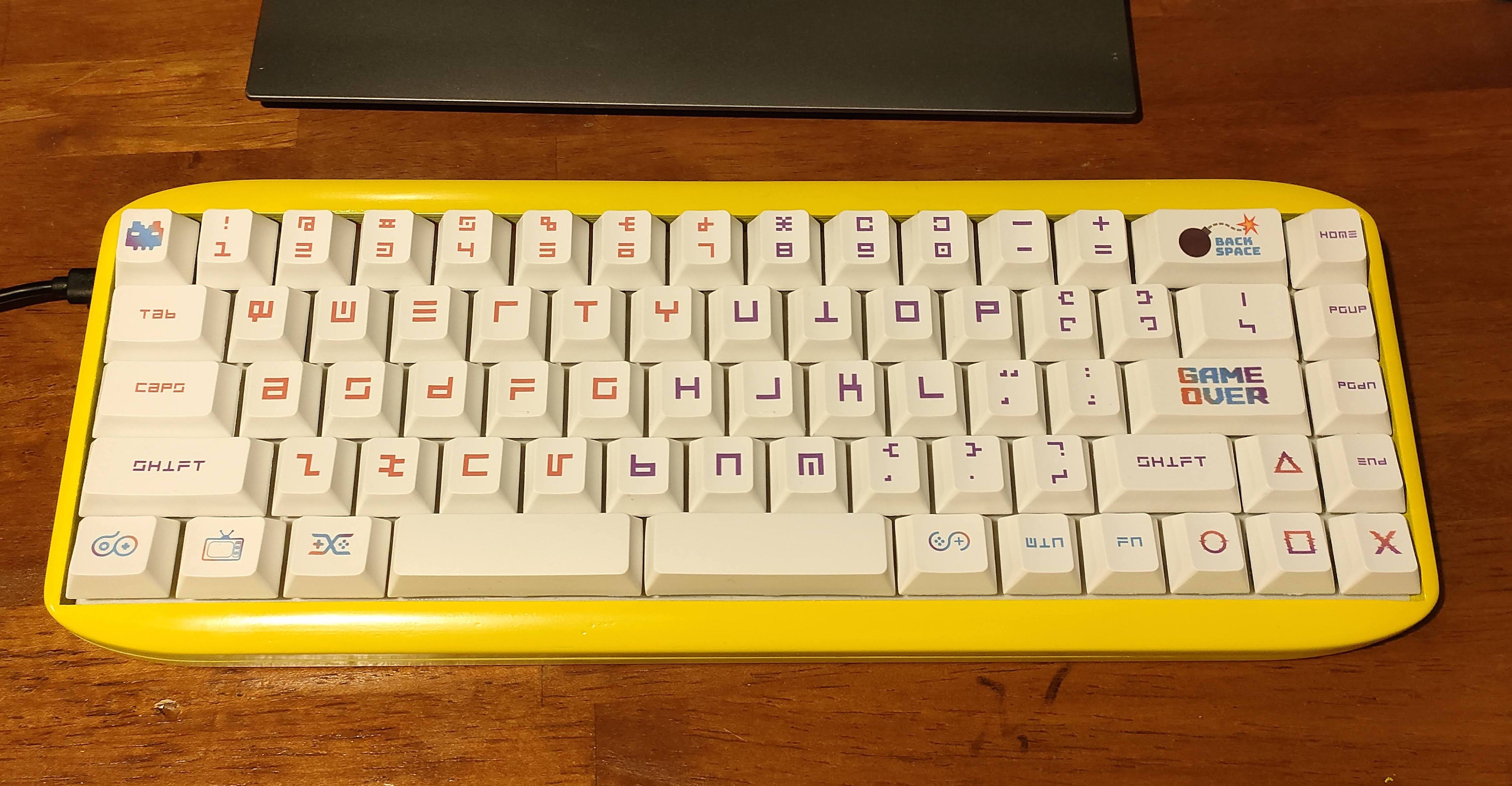
Pro Microは同等品のType-Cやコンスルー版などのほうが良いかも。MicroUSB版を使うならばコネクタモゲないようにエポキシ接着剤などで補強したほうがよい
Pro Microを裏側実装する関係で、実装の順番を間違えると面倒なことになる
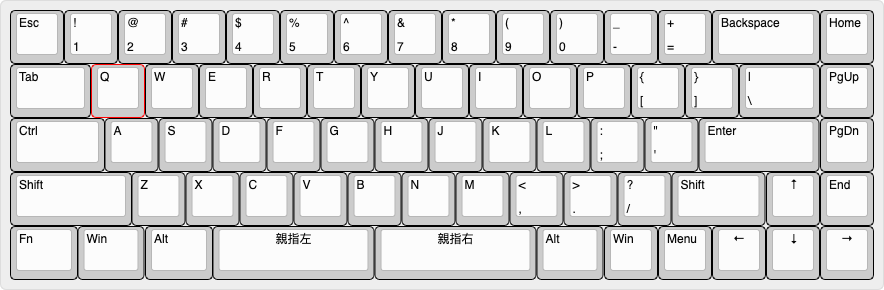
バックスペースキーの部分だけカスタマイズ可能だがそれ以外は固定。
バックスペースキーの場所には2つのキーを割り当てて H*KBのような配置にすることもできる。
今後親指キーに3u以外(2.75u, 2.25uなど) も使えるようにしたバージョンを作りたかったりはする。
| Qty | Value | Footprint | References |
|---|---|---|---|
| 70 | D | Diode_SMD:D_SOD-123 | D1, D2, D10, D11, D12, D13, D14, D15, D16, D17, D18, D19, D20, D21, D22, D23 +54 |
| 58 | MX-NoLED | MX_Only:MXOnly-1U-NoLED | MX1, MX10, MX11, MX12, MX13, MX15, MX16, MX17, MX18, MX19, MX20, MX21, MX22, MX24, MX25, MX26 +42 |
| 4 | MX-NoLED | MX_Only:MXOnly-1.25U-NoLED | MX5, MX9, MX14, MX49 |
| 2 | MX-NoLED | MX_Only:MXOnly-1.75U-NoLED | MX3, MX57 |
| 2 | MX-NoLED | MX_Only:MXOnly-2.25U-NoLED | MX4, MX60 |
| 2 | MX-NoLED | MX_Only:MXOnly-3U-ReversedStabilizers-NoLED | MX23, MX40 |
| 2 | MX-NoLED | MX_Only:MXOnly-1.5U-NoLED | MX2, MX64 |
| 1 | MX-NoLED | MX_Only:MXOnly-2U-NoLED | MX62 |
| 1 | PRO_MICRO | Boards:SPARKFUN_PRO_MICRO | B1 |
jerry20091103/Teensy_Grovebox
A portable synth and music multi-tool made with Teensy 4.1

sekigon-gonnoc/torabo-tsuki-lp
torabo-tsuki lp is low profile split keyboard with trackball(s)

PhysicsDptAngers/polyUAnalog
Open source, analog and polyphonic synthesizer

danwerner21/vic2020
A Vic-20 clone created with [almost] all readily available parts


It measures 304.8 × 95.3 mm and has 2 copper layers, 1.6 mm thick.
142 parts. The full list of its parts is on this page, with links to each part's symbol and footprint where PCBKit's library has them.
From the sadaoikebe/thumbshift68key repository on GitHub, at the commit this page was made from: the board is ts68.kicad_pcb. PCBKit opens the board in the browser, with nothing to install.
Its repository publishes it under the CC0-1.0 licence: you may reuse it on that licence's terms (keep the author's notice, and for a copyleft licence share your changes alike).