2 layers140.5 × 30 mm
Type e
google/mozc-devices
Circuit diagrams and firmware source code for Gboard DIY keyboards
16 parts3kApache-2.0

 rzuehlsd/DUPLO_Train_Remote_Controller5
ESP32 Remote Controller for Lego DUPLO Trains with Record/Replay Function
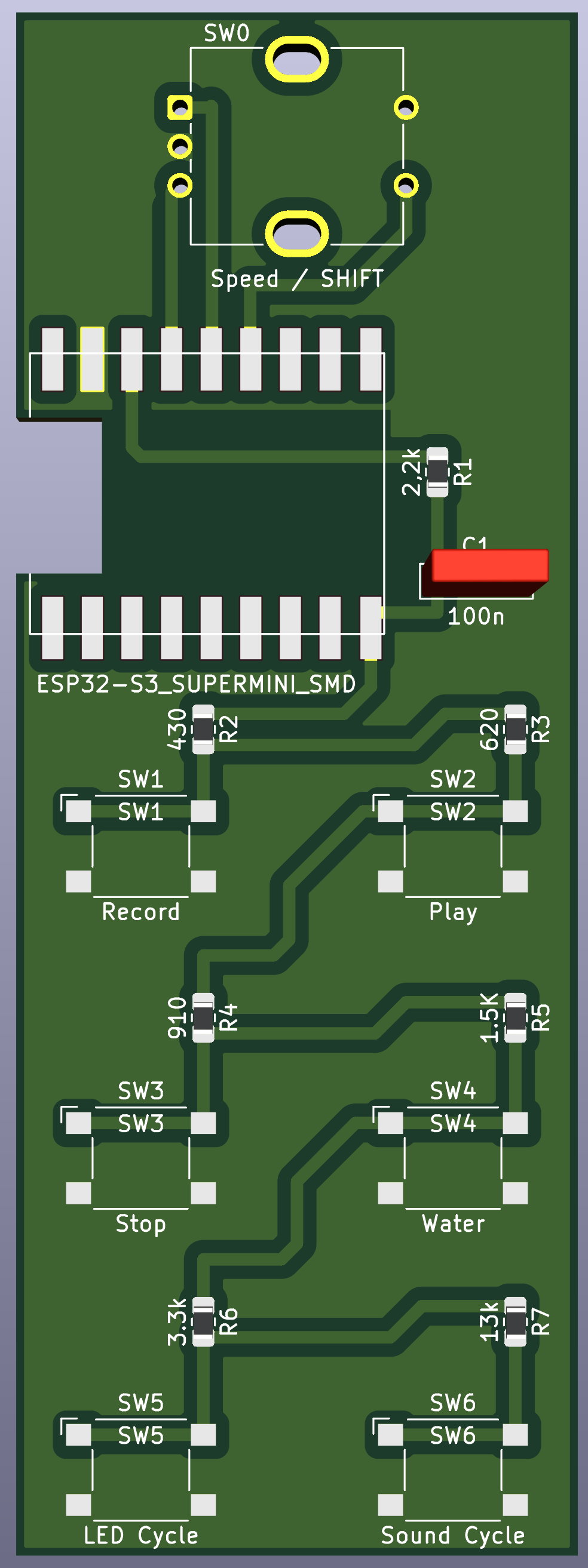
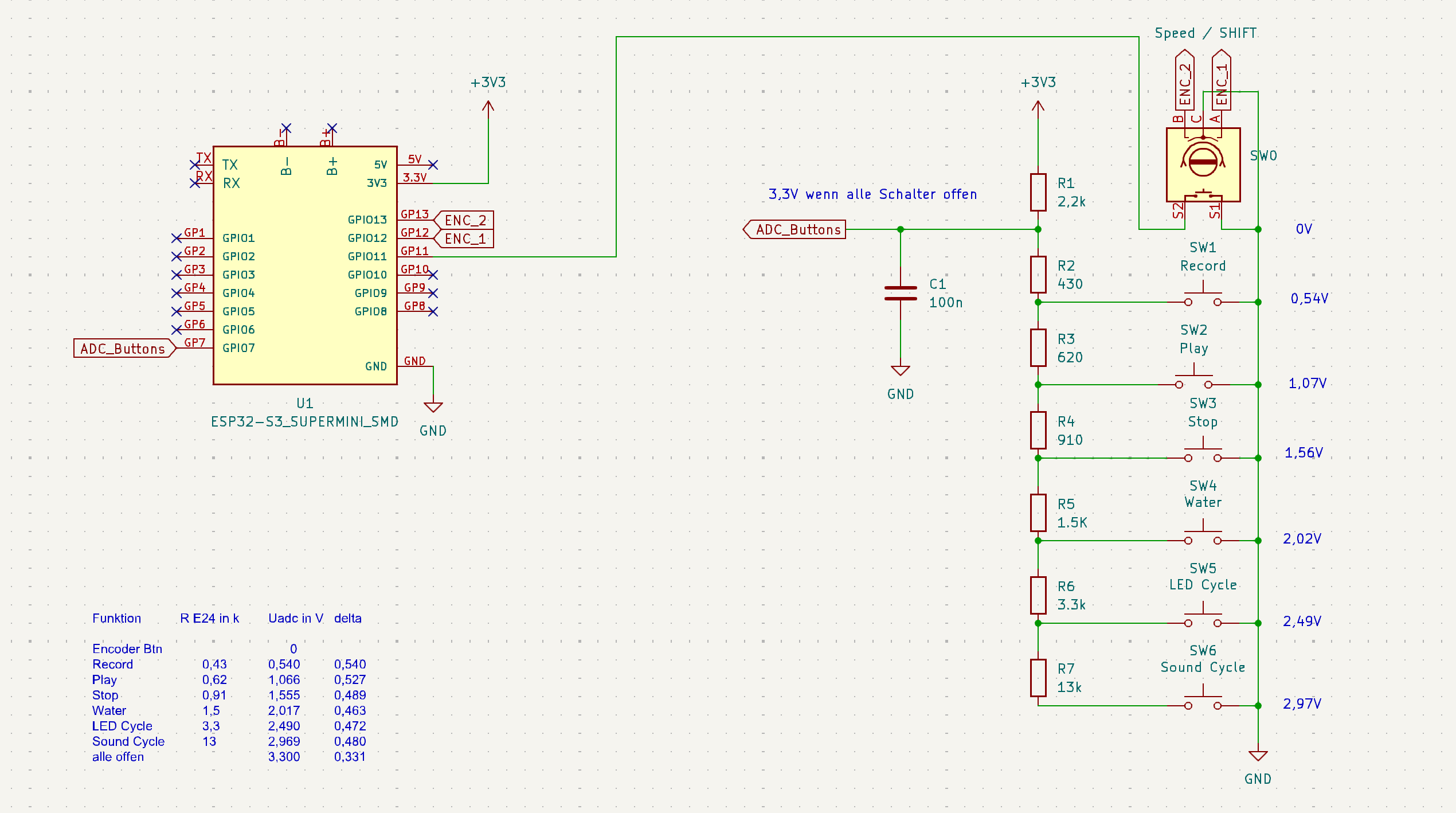
DuploTrainController NG is an open-source printed circuit board by rzuehlsd, from the rzuehlsd/DUPLO_Train_Remote_Controller repository on GitHub. It is a 2-layer board of 34.1 × 99 mm with 16 parts on 26 nets, routed with 55 tracks and 0 vias.
Its parts include 7 resistors, 7 switches, 1 capacitor and 1 IC. It belongs with the radio and wireless boards and the ESP32 boards of this library.
ESP32-S3-based handheld controller for LEGO DUPLO trains, implementing BLE communication, deterministic command handling, replay/record, sensor routing, and low-power sleep/wake behavior.
LEGO and DUPLO are trademarks and copyrighted properties of the LEGO Group. This project is an independent, community-driven development and is not affiliated with, authorized, endorsed, or sponsored by the LEGO Group.
This repository contains the complete implementation package for the controller:
The target hardware is an ESP32-S3 board with one RGB status LED, six front-panel buttons connected through an ADC resistor ladder, and one rotary encoder with push button.
At runtime, the firmware separates BLE processing from UI/control logic and uses queue-based cross-task communication. The resulting behavior is:
The short feature demonstration is available here:
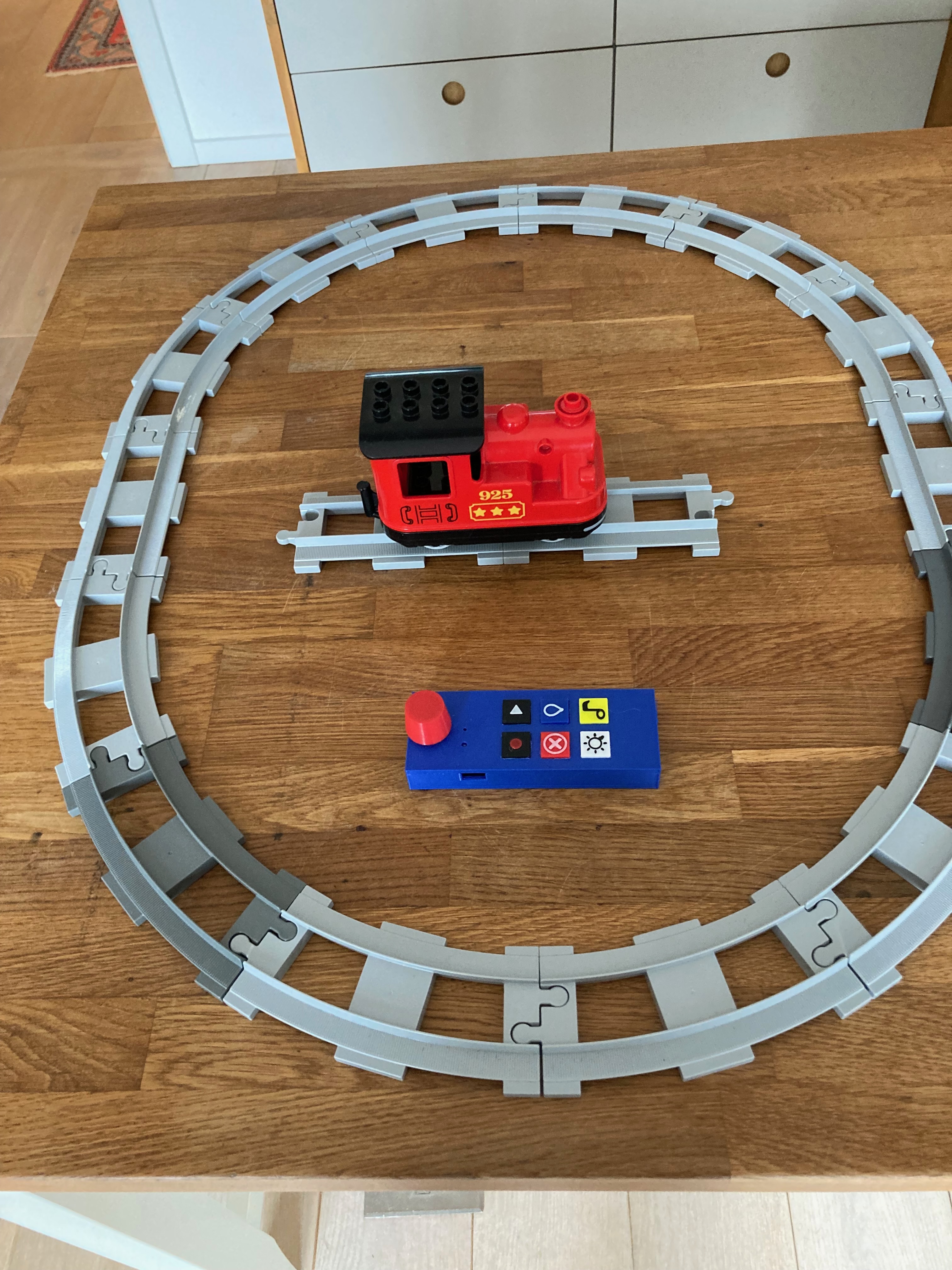
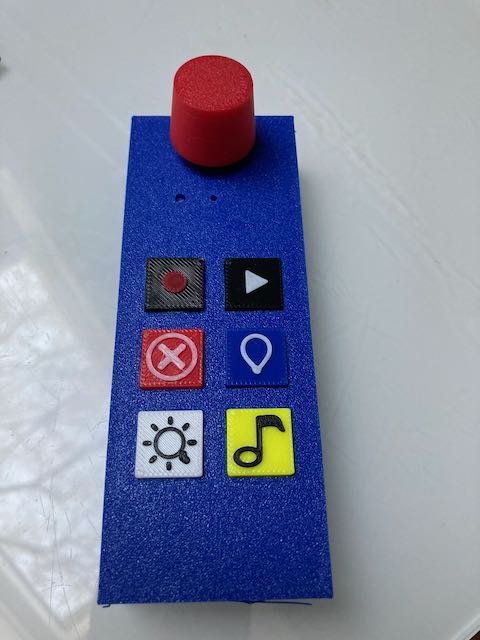
I have been using PCBWay for PCB manufacturing for many years and have consistently had a great experience with production quality, lead time, shipping reliability, and overall pricing.
For this controller revision, I also used the PCB assembly service. The result was especially positive: when I made a few minor part-selection mistakes in the BOM, PCBWay engineering proactively reached out, clarified the issues, and helped resolve everything quickly before production. For future, more complex designs, especially boards with a higher SMD component density, this assembly workflow is now my preferred path.
Implemented features (high level):
The controller LED indicates the current state as follows:
Important: Green now explicitly means not just "connected" but "ready for commands".
The following color bricks of the DUPLO Train are also recognized:
DuploHub)TrainController)commandQueue -> BLE-TaskresponseQueue -> Main LoopDetails are documented in ARCHITECTURE.md.
Main environment:
platformio run -e esp32-s3-fh4r2Upload:
platformio run -e esp32-s3-fh4r2 --target uploadSerial monitor:
platformio device monitor --environment esp32-s3-fh4r2Diagnostic environment for the ADC monitor:
platformio run -e esp32-s3-input-monitorTrainController.cpp contains the full application logic, input processing, sleep/wake, and UI state.DuploHub.cpp encapsulates BLE lifecycle, queue processing, sensor routing, and replay/record.myLegoHub.cpp contains DUPLO-specific Legoino helper logic.Currently most relevant:
myLegoHubThe detailed work list is in ToDo.md.
| Qty | Value | Footprint | References |
|---|---|---|---|
| 1 | 1.5K | Resistor_SMD:R_0805_2012Metric_Pad1.20x1.40mm_HandSolder | R5 |
| 1 | 100n | Capacitor_SMD:C_0805_2012Metric | C1 |
| 1 | 13k | Resistor_SMD:R_0805_2012Metric_Pad1.20x1.40mm_HandSolder | R7 |
| 1 | 2,2k | Resistor_SMD:R_0805_2012Metric_Pad1.20x1.40mm_HandSolder | R1 |
| 1 | 3.3k | Resistor_SMD:R_0805_2012Metric_Pad1.20x1.40mm_HandSolder | R6 |
| 1 | 430 | Resistor_SMD:R_0805_2012Metric_Pad1.20x1.40mm_HandSolder | R2 |
| 1 | 620 | Resistor_SMD:R_0805_2012Metric_Pad1.20x1.40mm_HandSolder | R3 |
| 1 | 910 | Resistor_SMD:R_0805_2012Metric_Pad1.20x1.40mm_HandSolder | R4 |
| 1 | ESP32-S3_SUPERMINI_SMD | ESP32-S3_SUPERMINI_SMD:MODULE_ESP32-S3_SUPERMINI_SMD | U1 |
| 1 | LED Cycle | Button_Switch_SMD:SW_SPST_Omron_B3FS-101xP | SW5 |
| 1 | Play | Button_Switch_SMD:SW_SPST_Omron_B3FS-101xP | SW2 |
| 1 | Record | Button_Switch_SMD:SW_SPST_Omron_B3FS-101xP | SW1 |
| 1 | Sound Cycle | Button_Switch_SMD:SW_SPST_Omron_B3FS-101xP | SW6 |
| 1 | Speed / Wakeup | Rotary_Encoder:RotaryEncoder_Bourns_Vertical_PEC12R-3x17F-Sxxxx | SW0 |
| 1 | Stop | Button_Switch_SMD:SW_SPST_Omron_B3FS-101xP | SW3 |
| 1 | Water | Button_Switch_SMD:SW_SPST_Omron_B3FS-101xP | SW4 |
It measures 34.1 × 99 mm and has 2 copper layers, 1.6 mm thick.
16 parts. The full list of its parts is on this page, with links to each part's symbol and footprint where PCBKit's library has them.
From the rzuehlsd/DUPLO_Train_Remote_Controller repository on GitHub, at the commit this page was made from: the board is hardware/DuploTrainController NG/DuploTrainController NG.kicad_pcb and its schematic hardware/DuploTrainController NG/DuploTrainController NG.kicad_sch. PCBKit opens the board in the browser, with nothing to install.
Its repository states no licence, so its author keeps all rights: ask rzuehlsd before reusing the design.
google/mozc-devices
Circuit diagrams and firmware source code for Gboard DIY keyboards

conorpp/u2f-zero
U2F USB token optimized for physical security, affordability, and style

rusefi/rusefi
rusefi - GPL internal combustion engine control unit

VoronDesign/Voron-Hardware
Cool Hardware designed by the Voron Design group

hoglet67/RGBtoHDMI
Bare-metal Raspberry Pi project that provides pixel-perfect sampling of Retro Computer RGB/YUV video and conversion to HDMI

hackclub/OnBoard
💡 Join 1,000 teenagers and make your first PCB with a $100 grant!

