2 layers22.4 × 29.8 mm

 qvinhdao/ESP32_UniversalRemote3
Universal IR Hub
Hardware UniversalRemote is an open-source printed circuit board by qvinhdao, from the qvinhdao/ESP32_UniversalRemote repository on GitHub. It is a 2-layer board with 58 parts on 71 nets, routed with 416 tracks and 10 vias.
It is built around the CH340C, ESP32-WROOM-32U and HS0038BD, with the LM1117T-3.3, IR333-A and S8050 among its other parts. Its parts include 17 resistors, 11 capacitors, 9 diodes, 7 transistors and 4 ICs. It belongs with the ESP32 boards of this library.


A universal remote control powered by ESP32.
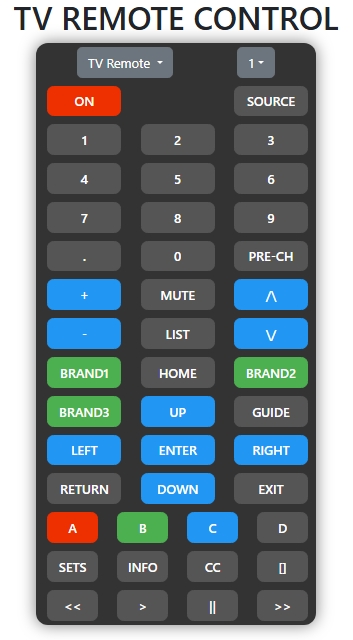
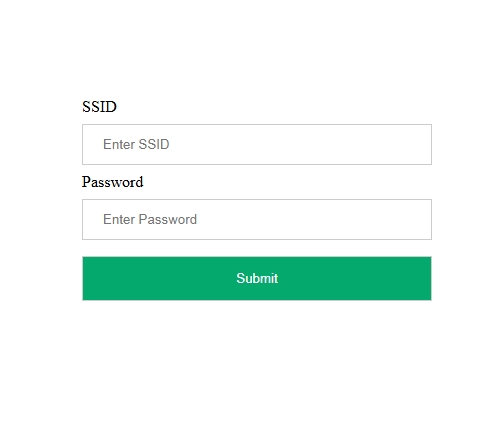
remote.localesp32remote Wi-Fi networkremote.localSubmit
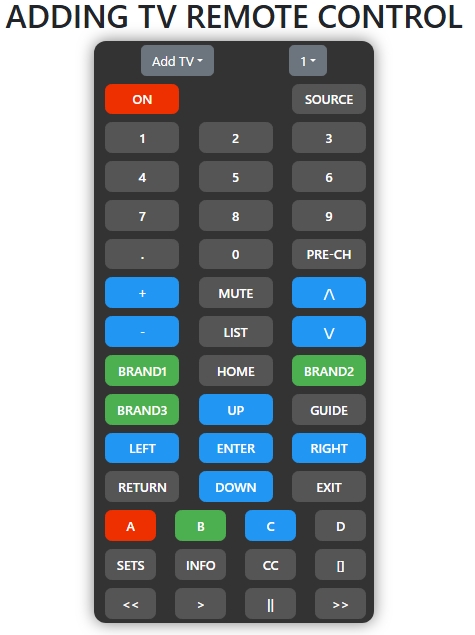
remote.local
| Command | Description |
|---|---|
led on | Turn on the LED |
led off | Turn off the LED |
send ir _protocol _address _command | Send IR code (all values in decimal). Refer to irmpprotocols.h for _protocol values |
set wifi _ssid+_pwd | Set Wi-Fi SSID and password |
add tv ir _ir_code _remote_id | Add new IR command to _remote_id. LED will blink while waiting for input |
reset wifi | Enter AP mode (same as pressing user button) |
restart | Restart the device |
| Qty | Value | Footprint | References |
|---|---|---|---|
| 7 | 10k | Resistor_THT:R_Axial_DIN0207_L6.3mm_D2.5mm_P7.62mm_Horizontal | R1, R3, R5, R8, R10, R11, R16 |
| 6 | IR333-A | LED_THT:LED_D5.0mm_Horizontal_O3.81mm_Z9.0mm | D4, D5, D6, D7, D8, D9 |
| 6 | S8050 | Package_TO_SOT_THT:TO-92_Inline | Q1, Q3, Q4, Q5, Q6, Q7 |
| 5 | 1k | Resistor_THT:R_Axial_DIN0207_L6.3mm_D2.5mm_P7.62mm_Horizontal | R2, R4, R9, R13, R15 |
| 5 | 5.6R | Resistor_THT:R_Axial_DIN0414_L11.9mm_D4.5mm_P15.24mm_Horizontal | R6, R7, R12, R14, R17 |
| 5 | TestPoint | TestPoint:TestPoint_Pad_D2.5mm | TP1, TP2, TP3, TP4, TP5 |
| 3 | 0.1uF | Capacitor_THT:C_Disc_D3.4mm_W2.1mm_P2.50mm | C1, C4, C8 |
| 3 | 0.1uF/50V | Capacitor_THT:C_Disc_D3.4mm_W2.1mm_P2.50mm | C9, C10, C11 |
| 3 | SW_Push | Button_Switch_THT:SW_TH_Tactile_Omron_B3F-10xx | SW1, SW2, SW3 |
| 2 | 10uF | Capacitor_THT:CP_Radial_D4.0mm_P2.00mm | C3, C5 |
| 1 | 5.1V/1W | Diode_THT:D_DO-41_SOD81_P7.62mm_Horizontal | D1 |
| 1 | 750mA/13.5V | Fuse:Fuse_1812_4532Metric_Pad1.30x3.40mm_HandSolder | CB1 |
| 1 | BSS138 | Package_TO_SOT_SMD:SOT-23 | Q2 |
| 1 | CH340C | Package_SO:SOIC-16_3.9x9.9mm_P1.27mm | U4 |
| 1 | CP/100uF | Capacitor_THT:CP_Radial_D8.0mm_P3.50mm | C6 |
| 1 | CP/10uF | Capacitor_THT:CP_Radial_D5.0mm_P2.00mm | C2 |
| 1 | CP/4.7uF | Capacitor_THT:CP_Radial_D5.0mm_P2.00mm | C7 |
| 1 | ESP32-WROOM-32U | RF_Module:ESP32-WROOM-32U | U1 |
| 1 | HS0038B | Package_TO_SOT_THT:TO-92_Inline_Wide | U3 |
| 1 | IR333-A | LED_THT:LED_D5.0mm | D3 |
| 1 | LED | LED_THT:LED_D3.0mm | D2 |
| 1 | LM1117T-3.3 | Package_TO_SOT_THT:TO-220-3_Horizontal_TabDown | U2 |
| 1 | USB_B_Micro | Connector_USB:USB_Micro-B_Wuerth_629105150521 | J1 |


MukeshSethy/micromouse-runner
This is my repo for the first version of full size micromouse development.

tomrodinger/air_conditioner_energy_saver
This are all the open sources for a device that automatically controls your AC unit to turn it on or off


Mini-Touch/cursor-oled
Cursor Displayer: ESP32 HP20030-D status panel (PCB + Code)
58 parts, built around the CH340C, ESP32-WROOM-32U, HS0038BD and LM1117T-3.3. The full list of its parts is on this page, with links to each part's symbol and footprint where PCBKit's library has them.
From the qvinhdao/ESP32_UniversalRemote repository on GitHub, at the commit this page was made from: the board is Hardware_UniversalRemote/Hardware_UniversalRemote.kicad_pcb and its schematic Hardware_UniversalRemote/Hardware_UniversalRemote.kicad_sch. PCBKit opens the board in the browser, with nothing to install.
Its repository states no licence, so its author keeps all rights: ask qvinhdao before reusing the design.