2 layers

 pete529/PICO_Drone_Mk14
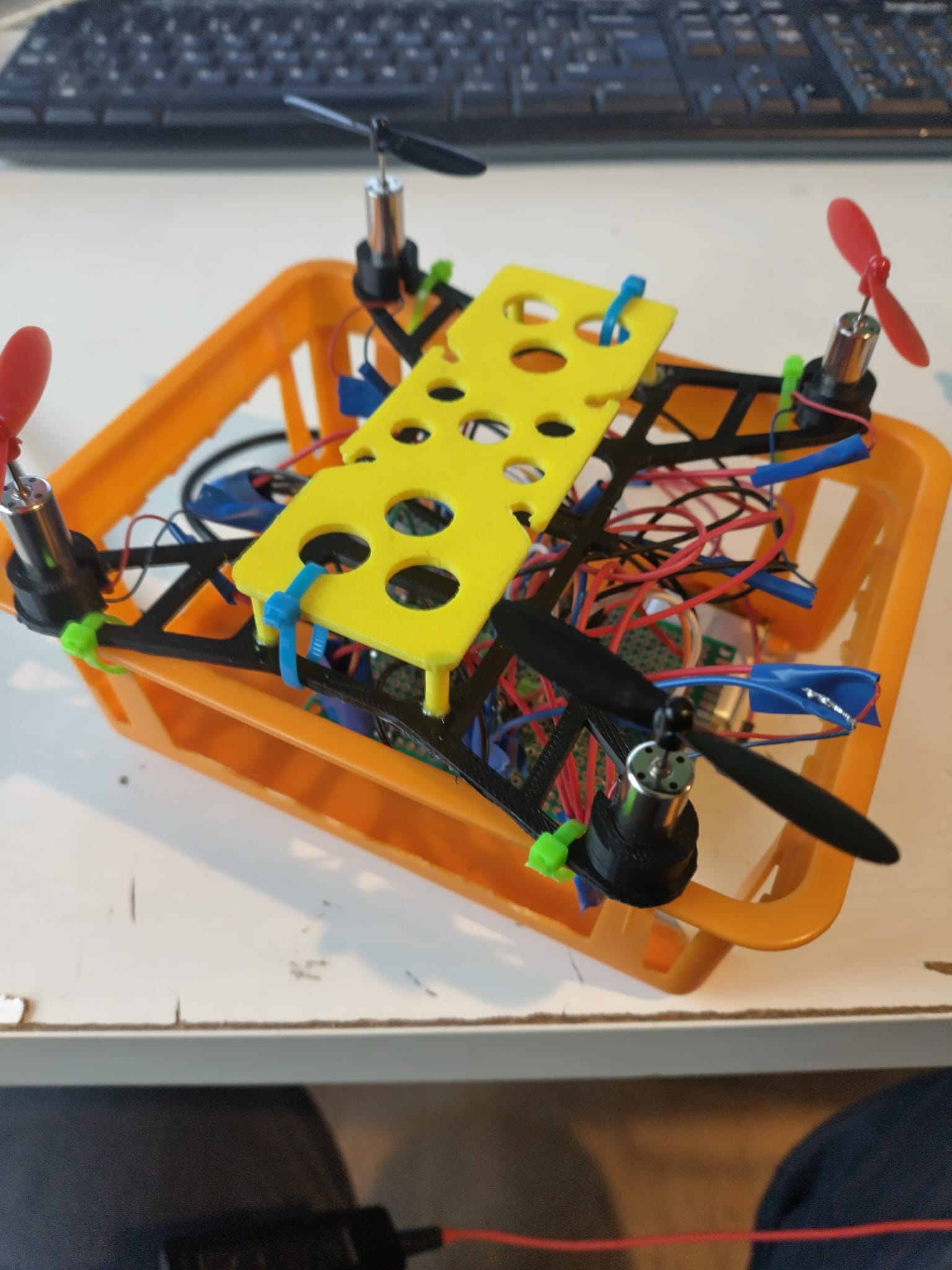
Raspberry Pi Pico 2W mini Drone Project
Layouts is an open-source printed circuit board by pete529, from the pete529/PICO_Drone_Mk1 repository on GitHub, published under the MIT licence. It is a 2-layer board with 21 parts on 64 nets, routed with 27 tracks and 3 vias.
Its parts include 6 ICs, 5 resistors, 5 connectors, 2 capacitors and 2 diodes. It belongs with the robots and motor control boards of this library.
Status: ✅ Hardware design complete and ATO builds are green. BOM is populated (see hardware/build/builds/default/default.bom.csv). All hardware has been procured and is ready for PCB assembly.
New: Complete user stories and GitHub issue management system available. See GitHub Issues Creation below.
This project is a complete Raspberry Pi Pico 2W based quadcopter featuring:
├── hardware/                    # Main atopile project directory
│   ├── main.ato                # Top-level quadcopter module with complete wiring
│   ├── ato.yaml                # Build configuration with multiple targets
│   ├── atopile/components/     # Custom component definitions
│   ├── layouts/                # KiCad PCB layouts (default + test targets)
│   ├── build/                  # Generated build artifacts
│   └── PART_PICKING_GUIDE.md   # Troubleshooting and part selection guide
├── firmware/                    # Drone firmware & shared protocol utils
│   ├── shared/
│   │   └── control_protocol.py  # CSV parser, deadzone/expo, failsafe smoother
│   └── pico/
│       ├── udp_server.py        # Pico W MicroPython UDP server (AP + UDP control)
│       └── drv8833_stub.py      # DRV8833 test mixer/PWM stub for bring‑up
├── android/                     # Android sender app (Compose)
│   ├── app/src/main/
│   │   ├── AndroidManifest.xml
│   │   └── java/com/petedrone/udpsender/MainActivity.kt
│   ├── app/build.gradle.kts
│   ├── settings.gradle.kts
│   ├── build.gradle.kts
│   └── gradle/wrapper/gradle-wrapper.properties
├── user_stories.md             # Complete user stories (6 epics, 25+ features)
├── create_github_issues.ps1    # Script to create GitHub issues from user stories
├── create_issues.bat           # Windows batch file for easy execution
├── GITHUB_ISSUES_README.md     # Documentation for issue management system
└── .github/workflows/ # CI/CD automationato build - all stages completeRequirements: Python 3.11+, Atopile 0.12.4
# Install atopile (Windows-friendly)
py -m pip install --upgrade atopile==0.12.4

# From repo root, verify and open the design viewer
ato --version
ato view                    # opens default build (App)

# Build the project (generates KiCad files, BOM, netlist)
ato build

# Build a specific target (pickable resistor demo)
ato build --build test_pickable
Build Output:
build/builds/default/ - Main quadcopter design filesbuild/builds/test_pickable/ - Component testing filesNote: The populated BOM is available at hardware/build/builds/default/default.bom.csv after a successful build.
This repo includes a MicroPython UDP server for Pico W and an Android sender app.
Files:
firmware/pico/udp_server.pyfirmware/shared/control_protocol.pyBehavior:
PicoDrone, password drone1234DRN,{throttle},{roll},{pitch},{yaw}\n (or without DRN,)
PING\n → replies ACK\nBring-up steps:
firmware/ to the board; set udp_server.py as main or run from REPL:
udp_server.py → Runap.ifconfig().Hooking motors: Replace the TODOs in udp_server.py with your motor mixer / ESC driver to apply (throttle, roll, pitch, yaw) each loop.
Server configuration (in udp_server.run_server):
ssid / password: AP SSID/PSK (default PicoDrone / drone1234)port: UDP port (default 8888)expect_signature: set True to require the DRN, packet prefixdeadzone / expo: attitude axis shaping (roll/pitch/yaw)mixer.configure_test_pins([2,3,4,5]) to your GPIOs (or remove to print only)Safety / failsafe:
Files:
android/app/src/main/java/com/petedrone/udpsender/MainActivity.ktandroid/app/src/main/AndroidManifest.xmlandroid/app/build.gradle.ktsControls & UX highlights:
Armed toggle that forces throttle to 0 when disabledDRN,) to satisfy strict firmware configsACK parsing for battery voltage (BAT=) and RSSI telemetry when availableBuild & install (Android Studio Hedgehog+ recommended):
android/ folder in Android StudioOptional (Gradle wrapper, from android/):
./gradlew assembleDebug   # build APK
./gradlew installDebug    # install to connected device
Connect to the Pico:
PicoDrone (password drone1234).192.168.4.1, Port 8888.DRN,{t},{r},{p},{y}\n at ~50 Hz.ACK in the app.📘 Documentation: See docs/mobile_app_user_guide.md for a complete walkthrough of installation, controls, telemetry, and troubleshooting tips.
Upcoming enhancements to consider next:
expect_signature=True)Run parser/failsafe tests locally (CPython):
py -m pip install pytest
py -m pytestato build (see Build System above)firmware/pico/udp_server.py in Thonny and RunPicoDrone is active; note IP (typically 192.168.4.1)PicoDrone Wi‑Fi (drone1234)android/ in Android Studio)192.168.4.1, Port 8888, enable DRN, if server expects it, Arm ONACK on replies✅ GitHub Actions runs on every push:
Download artifacts: Go to any workflow run → Artifacts section
This project includes a comprehensive user story system organized into 6 major epics:
Prerequisites:
repo scope)Quick Start:
# Windows - Double-click the batch file
create_issues.bat

# Or run PowerShell directly
.\create_github_issues.ps1 -GitHubToken "your_token_here"
This will create 25+ GitHub issues organized with labels:
epic - High-level business objectivesfeature - Major functional areasstory - Individual user requirementshardware, software, testing, documentation - Work categoriesSee: GITHUB_ISSUES_README.md for complete documentation
The script create_github_issues.ps1 is idempotent: it will not recreate issues that already exist (it checks both open and closed issues by exact title match).
Key features:
-GitHubToken if not already logged in with gh auth login)user_stories.md)-SummaryPath| Parameter | Required | Description |
|---|---|---|
-GitHubToken | No | Personal access token (PAT) with repo scope. Optional if already authenticated. |
-Owner | No | Repository owner (default: preset in script) |
-Repo | No | Repository name (default: preset in script) |
-SummaryPath | No | Path to write JSON summary of run (created, skipped, totals) |
# 1. First time (no existing gh auth session)
./create_github_issues.ps1 -GitHubToken $env:GITHUB_TOKEN

# 2. Already authenticated via gh
./create_github_issues.ps1

# 3. Capture a summary JSON
./create_github_issues.ps1 -SummaryPath .\issue_summary.json

# 4. Different fork or repo
./create_github_issues.ps1 -Owner YourUser -Repo ForkedRepo -SummaryPath out\summary.jsonChecking GitHub authentication...
Verifying repository access (owner/repo)...
Fetching existing issue titles...
Synchronizing labels...
Creating GitHub issues (idempotent)...
↷ Skipping (exists): Epic 1: Hardware Design & PCB Development
✓ Created: Story 2.2.1: Individual Motor Speed Control
...
🚀 Issue creation complete
Created: 57 Skipped: 42 Total Defined: 99 Elapsed: 12.4s{
"repository": "owner/repo",
"created": 57,
"skipped": 42,
"totalDefined": 99,
"elapsedSeconds": 12.4,
"timestamp": "2025-09-23T14:52:31.210Z"
}user_stories.md using the naming pattern (e.g. Story 2.4.1:).$issues array in create_github_issues.ps1.| Issue | Cause | Resolution |
|---|---|---|
| Auth error | Not logged in & no token | Run gh auth login or pass -GitHubToken |
| Label create warnings | Label exists / insufficient perms | Safe to ignore if labels appear in repo |
| Duplicate creation | Title manually changed on GitHub | Align local script title with existing issue |
| >500 existing issues | Pagination limit | (Future) add paging; currently first 500 open + 500 closed |
-DryRun preview mode-OnlyEpic 3 or -Match "Motor")Open an issue if you need one of these prioritized.
A newer v2 script parses a simple Markdown file and syncs GitHub issues idempotently.
# Epic, ## Feature, ### Story[labels: a, b] in the heading, or a Labels: line in the bodyEpic | Feature | StoryUsage:
# Basic: create missing issues only
./create_github_issues_v2.ps1 -StoriesPath user_stories.md

# Update existing issues (body + labels add). Use -ReplaceLabels to reconcile exactly
./create_github_issues_v2.ps1 -StoriesPath user_stories.md -UpdateExisting
./create_github_issues_v2.ps1 -StoriesPath user_stories.md -UpdateExisting -ReplaceLabels

# Dry run (no changes), plus write summary and markdown report
./create_github_issues_v2.ps1 -StoriesPath user_stories.md -DryRun -SummaryPath issues_summary_v2.json -MarkdownReportPath issues_report_v2.md

# Process a specific chunk (e.g. items 30-44) to avoid long-run hangs
./create_github_issues_v2.ps1 -StoriesPath user_stories.md -UpdateExisting -ReplaceLabels -FromIndex 30 -LimitItems 15 -SummaryPath chunk_30_44.json

# Run all chunks automatically (default size 15)
./run_issue_chunks.ps1 -ChunkSize 15 -UpdateExisting -ReplaceLabels
Tips:
gh auth login, or set GH_TOKEN / GITHUB_TOKEN env var-Owner/-Repo are not providedIf very large full runs occasionally stall (external gh CLI hang), you can process the backlog in deterministic chunks:
-FromIndex N starts processing at the zero-based index of the parsed markdown items.-LimitItems K caps how many items are processed in this invocation.[FromIndex, FromIndex + LimitItems).Helper script run_issue_chunks.ps1 orchestrates sequential chunks:
# Dry run all chunks (no changes)
./run_issue_chunks.ps1 -ChunkSize 20 -DryRun

# Live update with label reconciliation (body+labels) in 15-item windows
./run_issue_chunks.ps1 -ChunkSize 15 -UpdateExisting -ReplaceLabels

# Resume only remaining tail manually
./create_github_issues_v2.ps1 -UpdateExisting -ReplaceLabels -FromIndex 60 -LimitItems 20
Each chunk writes its own summary/report (issues_summary_v2_chunk_#.json). You can merge results later if desired. This strategy avoids losing progress to a mid-run stall.
The v2 script also supports advanced flags to make large synchronizations safer and faster:
| Flag | Purpose | Default | When to Use |
|---|---|---|---|
-GhTimeoutSeconds <n> | Kills and retries any single gh CLI call exceeding n seconds. | 60 | Full runs that occasionally hang mid-call. |
-SkipUnchanged | Skips body update when the existing GitHub issue body already matches the markdown (still reconciles labels). | Off | Re-running frequent syncs where most stories are unchanged. |
Examples:
# Run chunked with a 45s per-call timeout
./run_issue_chunks.ps1 -ChunkSize 15 -UpdateExisting -ReplaceLabels; \
	Get-ChildItem issues_summary_v2_chunk_*.json | Select Name

# Direct window with timeout + skip unchanged bodies
./create_github_issues_v2.ps1 -FromIndex 30 -LimitItems 15 -UpdateExisting -ReplaceLabels -GhTimeoutSeconds 45 -SkipUnchanged

# Speedy dry run sanity check
./create_github_issues_v2.ps1 -DryRun -SkipUnchanged -StoriesPath user_stories.md
Effect of -SkipUnchanged:
gh issue view --json body per issue on update.-ReplaceLabels.Timeout Behavior (-GhTimeoutSeconds):
gh invocation is launched in a separate process.-RetryCount / backoff).-999 (timeout) and other non-zero values are treated as transient until retries exhausted.See user_stories.template.md for a sample structure.
To eliminate occasional external gh CLI stalls, a REST-native script create_github_issues_v2_rest.ps1 provides near feature parity plus extra optimization options.
| Concern | CLI Variant | REST Variant |
|---|---|---|
| External process hangs | Possible on long runs | None (direct HTTP) |
| Per-call timeout | Manual wrapper | Native via Invoke-RestMethod timeout |
| Label ensure | Yes | Yes |
| Skip unchanged bodies | String compare | String or hash compare (optional) |
| Hash-based change detection | No | Yes (-UseBodyHash) |
| Parse-only mode | Yes (-ParseOnly in CLI via earlier improvements) | Yes (-ParseOnly) |
| Chunk window | Yes | Yes |
| Replace labels exactly | -ReplaceLabels | -ReplaceLabels |
| Flag | Purpose |
|---|---|
-ParseOnly | Parse markdown and write summaries/reports without any API calls (no token required). |
-UseBodyHash | Appends an HTML comment <!-- sync-hash:SHA256 --> to each issue body. Future runs compare only the hash for fast unchanged detection. |
-SkipUnchanged | When used with -UseBodyHash, hash comparison avoids fetching or diffing large bodies; otherwise falls back to canonical text compare. |
-HttpTimeoutSeconds | Timeout for each REST call (default 40s) with retries/backoff. |
-FilterTitle "regex" | Process only items whose title matches the supplied case-insensitive regex (applied before chunk window). |
# 1. Parse-only (no token required) with body hashing to preview generated issues
./create_github_issues_v2_rest.ps1 -ParseOnly -UseBodyHash -StoriesPath user_stories.md -SummaryPath rest_parse.json

# 2. First real creation pass (creates missing issues only)
./create_github_issues_v2_rest.ps1 -GitHubToken $env:GITHUB_TOKEN -UseBodyHash -SummaryPath rest_create.json

# 3. Update existing issues (body + label reconciliation) but skip unchanged using hashes
./create_github_issues_v2_rest.ps1 -UpdateExisting -SkipUnchanged -UseBodyHash -ReplaceLabels -GitHubToken $env:GITHUB_TOKEN -SummaryPath rest_update.json

# 4. Process a specific window (items 30-44) safely
./create_github_issues_v2_rest.ps1 -UpdateExisting -ReplaceLabels -FromIndex 30 -LimitItems 15 -SkipUnchanged -UseBodyHash -GitHubToken $env:GITHUB_TOKEN -SummaryPath rest_chunk_30_44.json

# 5. Pure dry run (no create/update) but still exercise label ensure logic
./create_github_issues_v2_rest.ps1 -DryRun -UpdateExisting -ReplaceLabels -UseBodyHash -SkipUnchanged -GitHubToken $env:GITHUB_TOKEN -SummaryPath rest_dryrun.json

# 6. Only sync WiFi or telemetry related items
./create_github_issues_v2_rest.ps1 -UpdateExisting -ReplaceLabels -FilterTitle "WiFi|Telemetry" -SkipUnchanged -UseBodyHash -GitHubToken $env:GITHUB_TOKEN -SummaryPath rest_wifi.json<!-- sync-hash:... --> marker before hashing.-SkipUnchanged -UseBodyHash, if existing and new hashes match, body update is skipped (labels still reconciled).| Scenario | Recommended? | Benefit |
|---|---|---|
| Large bodies with frequent re-sync | Yes | Fast equality check, minimal diff noise |
| Many runs with few edits | Yes | Avoids repeated PATCH calls |
| One-off initial import | Optional | Adds marker but no harm |
| Bodies manually edited on GitHub | Caution | Manual edits outside canonical format change hash; script will patch body to restore canonical + marker |
Adds useBodyHash boolean to previous schema:
{
	"repository": "owner/repo",
	"dryRun": true,
	"updateExisting": false,
	"replaceLabels": false,
	"useBodyHash": true,
	"createdCount": 0,
	"updatedCount": 0,
	"skippedCount": 0,
	"failedCount": 0,
	"totalFromMarkdown": 71,
	"elapsedSeconds": 0.4
}-ParseOnly -UseBodyHash to preview and inject hashes locally (no API calls).-UpdateExisting to add any new issues.-UpdateExisting -SkipUnchanged -UseBodyHash for maintenance cycles.-FromIndex/-LimitItems) only if you anticipate extremely large future backlogs; REST calls are typically stable without chunking.-FilterTitle when iterating on a subset (e.g., -FilterTitle "^Story 3\\.|WiFi").| Symptom | Cause | Resolution |
|---|---|---|
| Token error | Missing PAT | Provide -GitHubToken or set GH_TOKEN / GITHUB_TOKEN |
| 403 rate limit | Excessive rapid updates | Add -ThrottleMs 250 or re-run later |
| Skips expected update | Hash unchanged | Change markdown body or omit -SkipUnchanged once |
| Marker visible in UI | Expected | It's a harmless HTML comment; remove -UseBodyHash for future runs to stop adding it |
The legacy CLI script remains available; prefer the REST variant for reliability on large sets.
Use merge_issue_summaries.ps1 to consolidate JSON summaries from both CLI and REST scripts.
# Basic merge (auto-glob issues_summary_v2*.json)
./merge_issue_summaries.ps1

# Specify explicit files
./merge_issue_summaries.ps1 -Paths issues_summary_v2_rest_parseonly.json,rest_update_live.json

# Include distinct title lists and write to custom output
./merge_issue_summaries.ps1 -IncludeDetails -Output merged_detailed.json

# Dry run (print to console only)
./merge_issue_summaries.ps1 -DryRun -Glob "rest_*.json"
Merged output fields:
files, totalFilesrepositories (file count per repo)totals (created/updated/skipped/failed/defined/filtered)rollup (net summary)distinctTitles (only when -IncludeDetails)| Phase | Goal | Status | Issues |
|---|---|---|---|
| ✅ Phase 1 | Repository + CI/CD infrastructure | Complete | Epic 4 |
| ✅ Phase 2 | Hardware design + component integration | Complete | Epic 1 |
| ✅ Phase 3 | Atopile build system + PCB generation | Complete | Epic 1 |
| 🔄 Phase 4 | Component sourcing + BOM population | In Progress | Feature 1.2 |
| 📋 Phase 5 | Flight control software development | Planned | Epic 2 |
| 📋 Phase 6 | Wireless communication + web interface | Planned | Epic 3 |
| 📋 Phase 7 | Testing + validation + safety systems | Planned | Epic 5 |
| 📋 Phase 8 | Documentation + user guides | Planned | Epic 6 |
| 📋 Phase 9 | PCB manufacturing + assembly | Future | Feature 1.3 |
| 📋 Phase 10 | Flight testing + tuning | Future | Epic 2 |
Current Focus: Component sourcing and part selection for automated BOM generation
Configured by adding GitLab remote earlier. Optional combined push strategy (if desired) can be a script or additional push URL.
To add GitLab as additional push target on origin (alternative approach):
git remote set-url --add origin https://gitlab.com/pete529/PICO_Drone_Mk1.git(We kept a distinct gitlab remote instead to keep fetches clean.)
Push both manually:
git push origin main
git push gitlab mainWe'll start semantic versioning now. Create a new tag after meaningful milestones:
git tag -a v0.1.0 -m "Initial CI + scaffolding"
git push origin v0.1.0
An automated workflow (.github/workflows/bump-version.yml) inspects commit messages on main and will bump the version file (VERSION) using these rules:
feat: → minor (unless major bump triggered)BREAKING CHANGE or !: → majorTo disable auto bump for a commit, include [skip bump] in the commit message.
Currently private / personal R&D. Future contribution guidelines may include:
MIT – see LICENSE.
Electronics provided as-is; verify footprints, clearances, and power integrity before fabrication. Use at your own risk.
| Qty | Value | Footprint | References |
|---|---|---|---|
| 4 | Connector_2Pin_JST_PH:JST_PH_B2B-PH-SM4-TB | J1, J2, J3, J4 | |
| 4 | 10kΩ ±1% 62.5mW | UNI_ROYAL_0402WGF1002TCE:R0402 | R1, R2, R3, R5 |
| 2 | TI_DRV8833:TI_DRV8833 | U2, U3 | |
| 2 | 100nF ±10% 16V X7R | Samsung_Electro_Mechanics_CL05B104KO5NNNC:C0402 | C1, C2 |
| 1 | GY-91:GY-91 | U5 | |
| 1 | UBlox_NEO6M:UBlox_NEO6M | U4 | |
| 1 | Bosch_Sensortec_BMP280:LGA-8_L2.5-W2.0-P0.65_AMP6127 | U1 | |
| 1 | Hubei_KENTO_Elec_KT_0603G:LED0603-RD | LED1 | |
| 1 | ALPSALPINE_SKTDLDE010:KEY-SMD_SKTDLDE010 | SW1 | |
| 1 | AmigoPro_PIM485:AmigoPro_PIM485 | J5 | |
| 1 | Hubei_KENTO_Elec_KT_0603R:LED0603-RD | LED2 | |
| 1 | Raspberry_Pi_Pico_2W:Raspberry_Pi_Pico_2W | U6 | |
| 1 | 1kΩ ±1% 62.5mW | UNI_ROYAL_0402WGF1001TCE:R0402 | R4 |


gusmanb/logicanalyzer
24 channel, 100Msps logic analyzer hardware and software

mntmn/amiga2000-gfxcard
MNT VA2000, an Open Source Amiga 2/3/4000 Graphics Card (Zorro II/III), written in Verilog


hackclub/OnBoard
💡 Join 1,000 teenagers and make your first PCB with a $100 grant!

drandyhaas/KiCadRoutingTools
A set of Python/Rust tools to aid routing in KiCad

Arrow-air/project-quiver
Project Quiver documentation, designs, and project artifacts.


21 parts. The full list of its parts is on this page, with links to each part's symbol and footprint where PCBKit's library has them.
From the pete529/PICO_Drone_Mk1 repository on GitHub, at the commit this page was made from: the board is hardware/hardware/layouts/default/default.kicad_pcb. PCBKit opens the board in the browser, with nothing to install.
Its repository publishes it under the MIT licence: you may reuse it on that licence's terms (keep the author's notice, and for a copyleft licence share your changes alike).