

2 layers57.8 × 48.6 mm
Esp32-weather epd
Diabltica/esp32-weather-epd_pcb
A low-power E-Paper weather display powered by an ESP32 microcontroller. Utilizes the OpenWeatherMap API.
67 partsGPL-3.0

 overscore-media/luxigrid5
Luxigrid is a WiFi-enabled LED matrix for your desk, compatible with an ecosystem of 25+ apps.
Luxigrid is an open-source printed circuit board by overscore-media, from the overscore-media/luxigrid repository on GitHub, published under the MIT licence. It is a 2-layer board of 78 × 77 mm with 24 parts on 39 nets, routed with 200 tracks and 22 vias.
It is built around the BME680 and S8050. Its parts include 8 connectors, 2 resistors, 1 IC and 1 transistor. It belongs with the lEDs and displays and radio and wireless boards and the ESP32 boards of this library.
Luxigrid is a WiFi-enabled LED matrix for your desk, compatible with an ecosystem of 25+ apps and counting.
The hardware and software are open-source, so you can build one yourself. Or buy one pre-assembled or as a kit from our website!
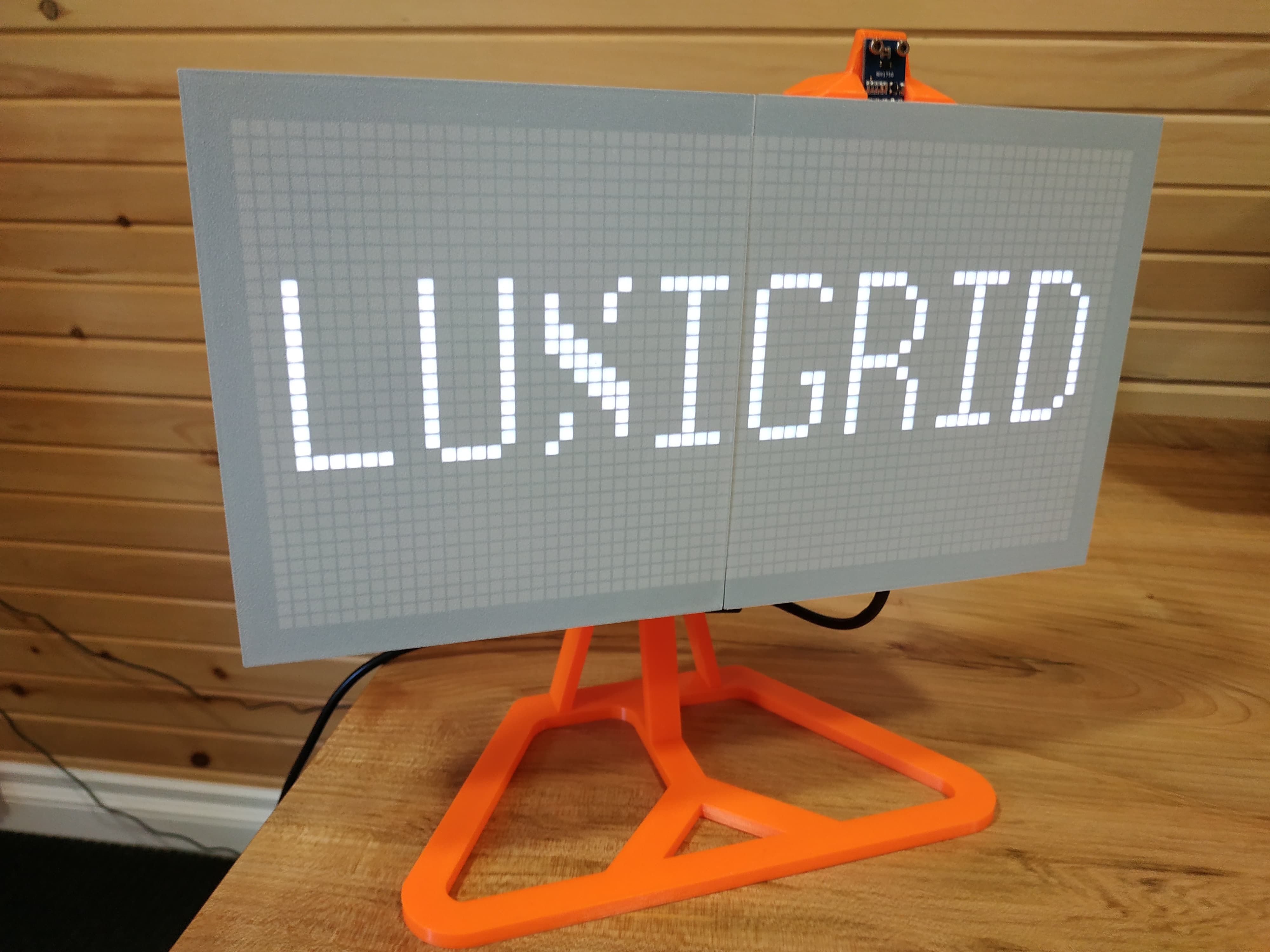
If you're looking for help setting up your Luxigrid, we've assembled a Quick Start Guide with answers to your most common questions and troubleshooting help.
View the latest version of the Quick Start Guide.
For technical support, you can also contact us on our website. Please note that we only provide official support for products purchased from our website. But we'd be happy to chat with you, regardless of whether you've purchased a Luxigrid from our website, or built your own from scratch.
64x32 LED matrix with 4mm pitch
ESP32-DevKitC V4 board
Custom PCB
Power Consumption: 5V DC - 3+ Amps at peak
The process of assembling your own Luxigrid is fairly intensive, but should be documented well enough to be a fair challenge. If you're building one from scratch, you'll need to have purchased the parts from the Bill of Materials, have access to a 3D Printer, and be comfortable with soldering. It's not too difficult, as far as these sorts of electronics projects go, but it may not be for the faint of heart.
View the full assembly instructions.
Alternatively, you can purchase a Luxigrid in kit form or pre-assembled from our website.
The Luxigrid software is split into two semi-distinct components - the C++ firmware that resides on the ESP32, and the HTML/CSS/JavaScript-based web interface that runs on your browser. Since the ESP32 also acts as a web server, there is a level of integration involved. But the most complicated part of the software is its ability to support an arbitrary number of apps. Only one app can be installed on a Luxigrid at a time, and each app must be compiled separately (with its own firmware and web interface). But apps can be swapped between on the fly, thanks to the ESP32's Over-The-Air (OTA) update capability.
Needless to say, the underlying setup to make all of this work is pretty complex. And there are still potential areas for improvement. But we've done what we can to document the process.
View the full development instructions.
Alternatively, you can download the latest compiled versions of the available apps from the official Luxigrid App Store, or the GitHub Releases page.
Let us know by creating an Issue on this GitHub repository. Or if you have a bugfix, feature, or new application you'd like to share, feel free to open a Pull Request. We also welcome GitHub stars, forks, and watchers.
For answers to specific questions, or if you just want to chat, drop us a line at luxigrid.overscore.media.
OverScore Media wishes to recognize the many giants whose shoulders this project stands upon. Thank you for your contributions to creativity and technology. We hope this project serves as an inspiration to others, like so many have been inspirations to us.
This includes the following individuals and teams. If we've missed any, please let us know. But be assured that their contributions have not gone unappreciated.
Where appropriate, additional copyright notices and software licenses have also been placed in the code. See also licenses/credits.md.
The following projects have served as direct inspiration for parts of the Luxigrid firmware.
That's right. Luxigrid's 3D-printed parts were designed with free and open-source software!
This excellent 3D model was used as the basis for the desk mount. Our modified version is a bit taller, and uses an M4 bolt instead of an M5.
These helpful tutorial creators have served as invaluable references during various parts of the concept, design, and production phases of this project. Thanks for sharing your knowledge!
These are some of the hardware projects and commercial products that have served as indirect inspirations for the development of Luxigrid. There were times when it seemed impractical to complete, but the existence of these projects gave us hope that it could be done. Hopefully this project can serve as such an inspiration to others. Your dreams may not be so unachievable, after all! :)
| Qty | Value | Footprint | References |
|---|---|---|---|
| 5 | LOGO | LOGO | G***, G***, G***, G***, G*** |
| 2 | 1K | Resistor_THT:R_Axial_DIN0309_L9.0mm_D3.2mm_P15.24mm_Horizontal | R1, R2 |
| 2 | Mounting Hole | MountingHole:MountingHole_3.2mm_M3_ISO14580_Pad | H1, H2 |
| 1 | +5V DC Input | Connector_BarrelJack:BarrelJack_Horizontal | J1 |
| 1 | BH1750 | Connector_PinSocket_2.54mm:PinSocket_1x04_P2.54mm_Vertical | J6 |
| 1 | BME680 | Connector_PinSocket_2.54mm:PinSocket_1x04_P2.54mm_Vertical | J5 |
| 1 | Buzzer | Buzzer_Beeper:Buzzer_TDK_PS1240P02BT_D12.2mm_H6.5mm | BZ1 |
| 1 | ESP32 DevKitC V4 | Luxigrid:ESP32 DevKitC V4 | U1 |
| 1 | HUB75 Connector | Connector_PinSocket_2.54mm:PinSocket_2x08_P2.54mm_Vertical | J4 |
| 1 | HUB75 Power | Luxigrid:7.62mm Barrier Block | J2 |
| 1 | RTC | Connector_PinSocket_2.54mm:PinSocket_1x04_P2.54mm_Vertical | J7 |
| 1 | S8050 | Luxigrid:SS8050DTA Transistor | Q1 |
| 1 | SD | Connector_PinSocket_2.54mm:PinSocket_1x06_P2.54mm_Vertical | J8 |
| 1 | Screw Terminal | Luxigrid:5mm Screw Terminal Block | J3 |
The 20 most common of 24 parts.
Diabltica/esp32-weather-epd_pcb
A low-power E-Paper weather display powered by an ESP32 microcontroller. Utilizes the OpenWeatherMap API.

MoreThanRobotsFR/MTR_C3_TempHum
A tiny temperature, humidity, gas, pressure, ambient light and presence detector (mmWave presence sensor) measurement unit for HomeAssistant using ESPHome

MrT-Stephens/Watchy-MrT-Stephens
This is my version of the Watchy by sqfmi and the website is "https://watchy.sqfmi.com".


jfm92/everAliveSensor
Solar-powered BLE environmental sensor (temp, humidity, pressure) with a 50F supercapacitor — potentially infinite lifetime, 19-day dark autonomy. ESP32 + BME680. Experimental.


teapotlaboratories/bwlr3d
Teapot BWLR3D: Asset Tracker and Environmental Sensor with Solar Energy Harvesting

It measures 78 × 77 mm and has 2 copper layers, 1.6 mm thick.
24 parts, built around the BME680 and S8050. The full list of its parts is on this page, with links to each part's symbol and footprint where PCBKit's library has them.
From the overscore-media/luxigrid repository on GitHub, at the commit this page was made from: the board is hardware/pcb/kicad/luxigrid.kicad_pcb and its schematic hardware/pcb/kicad/luxigrid.kicad_sch. PCBKit opens the board in the browser, with nothing to install.
Its repository publishes it under the MIT licence: you may reuse it on that licence's terms (keep the author's notice, and for a copyleft licence share your changes alike).