4 layers41.3 × 19 mm

 notaroomba/keybytes444
A truly modular keyboard
Keyword top is an open-source printed circuit board by notaroomba, from the notaroomba/keybytes repository on GitHub. It is a 4-layer board of 19.1 × 19 mm with 45 parts on 65 nets, routed with 210 tracks and 67 vias.
It is built around the W25Q16JVUXIQ, MLPF-WB-04D3 and NX2012SA-32.768KHZ-STD-MUB-2, with the XL-1608RGBC, YZ00615050R-08 and 2450AT18A100E among its other parts. Its parts include 18 capacitors, 6 connectors, 5 resistors, 5 ICs and 2 inductors. It belongs with the keyboards and input boards and the STM32 boards of this library.




Key Features • Video Demo • Connecting Keybits • PCB • Case • Credits • License
https://github.com/user-attachments/assets/19bec26d-6e01-4ee0-906e-7e69bace2f9c
Typing over USB:
https://github.com/user-attachments/assets/b6abd347-b68b-40f1-8e2d-c50744b8104e
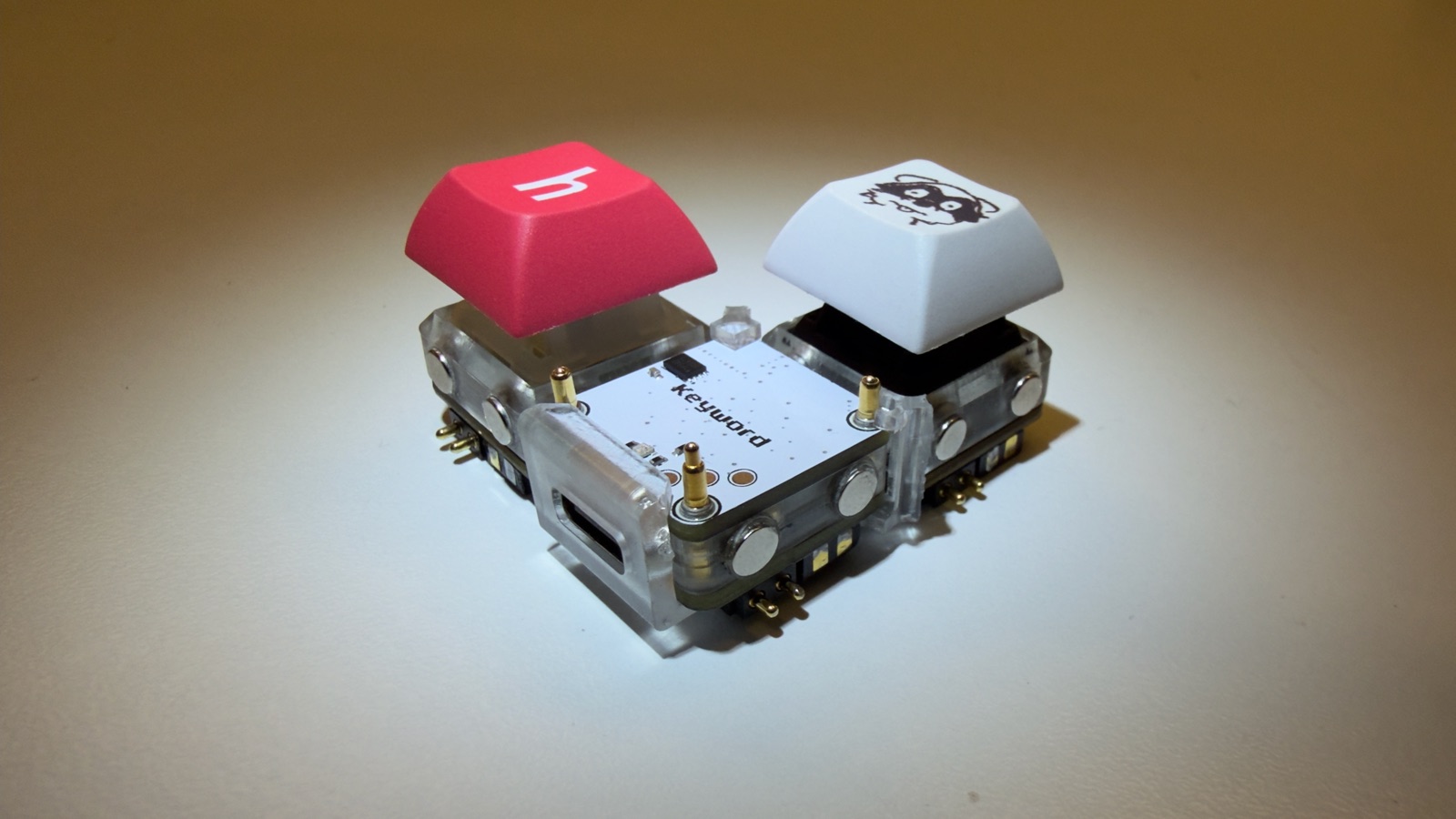
Going around a keybit, the pogo pins on the N and W sides are 3.3V, SDA, GND, SCL and on the E and S sides they are SCL, GND, SDA, 3.3V. So two keybits only work together when an N or W side touches an E or S side, which gives every joint two ways a keybit can be turned and still work: the usual way, or a quarter turn so the other matching side faces its neighbour. The left and top of the keyword take an E or S side and the right takes an N or W side.
If every keybit is the same way round any shape works, like a square with the keyword in one corner. A keybit turned the wrong way gets 3.3V on its SCL and GND on its SDA, so it gets no power and nothing behind it shows up until it's turned.
Status LED:
Updating keybits: the keyword carries the keybit firmware. After updating the keyword, put every keybit on the programming pins once and wait for green. Keybits on different firmware versions don't talk to each other, so do all of them.
Designed in KiCad! There are two boards, the Keybit and the Keyword, and both are 1u (19.05mm x 19.05mm).
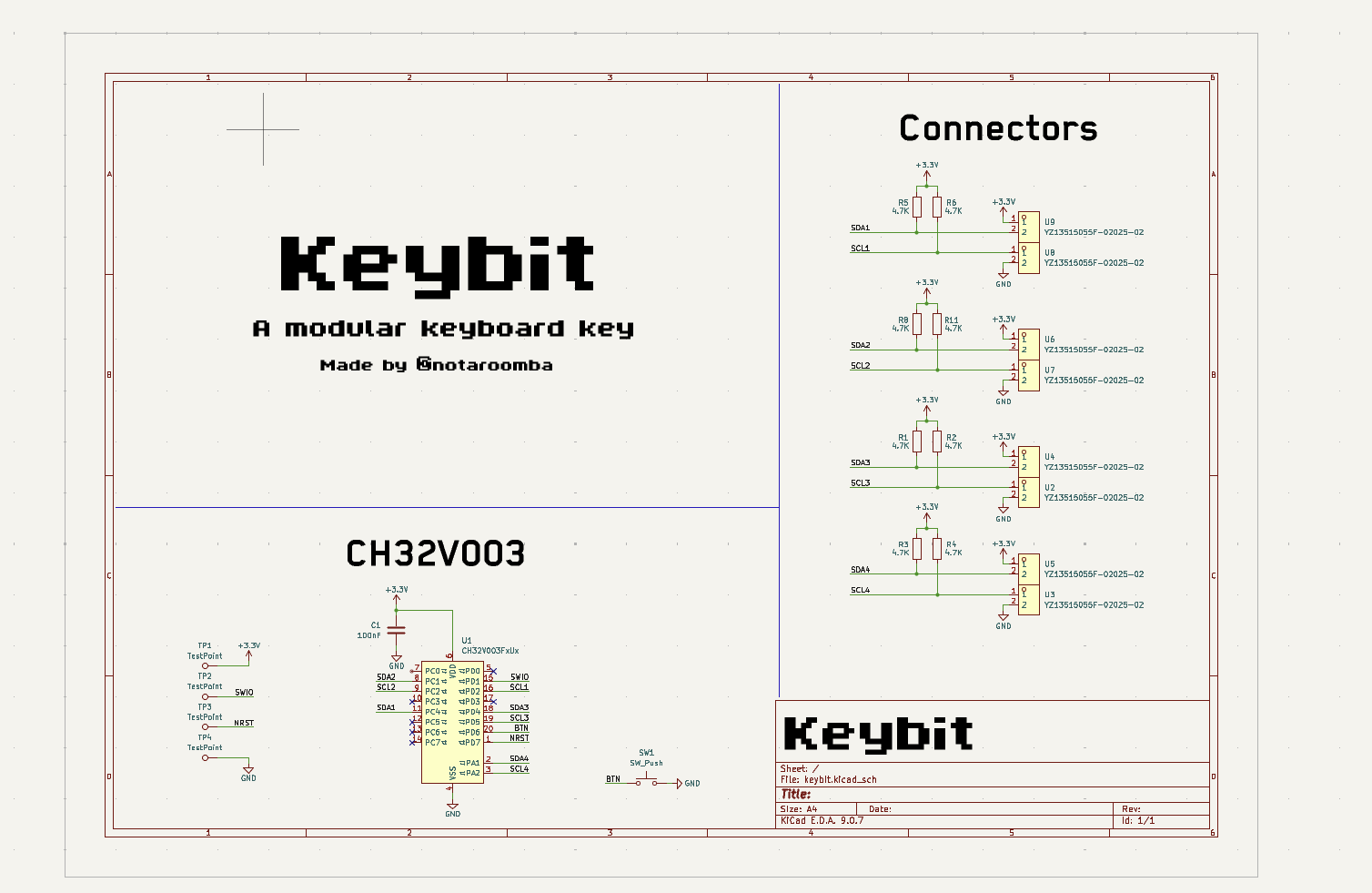
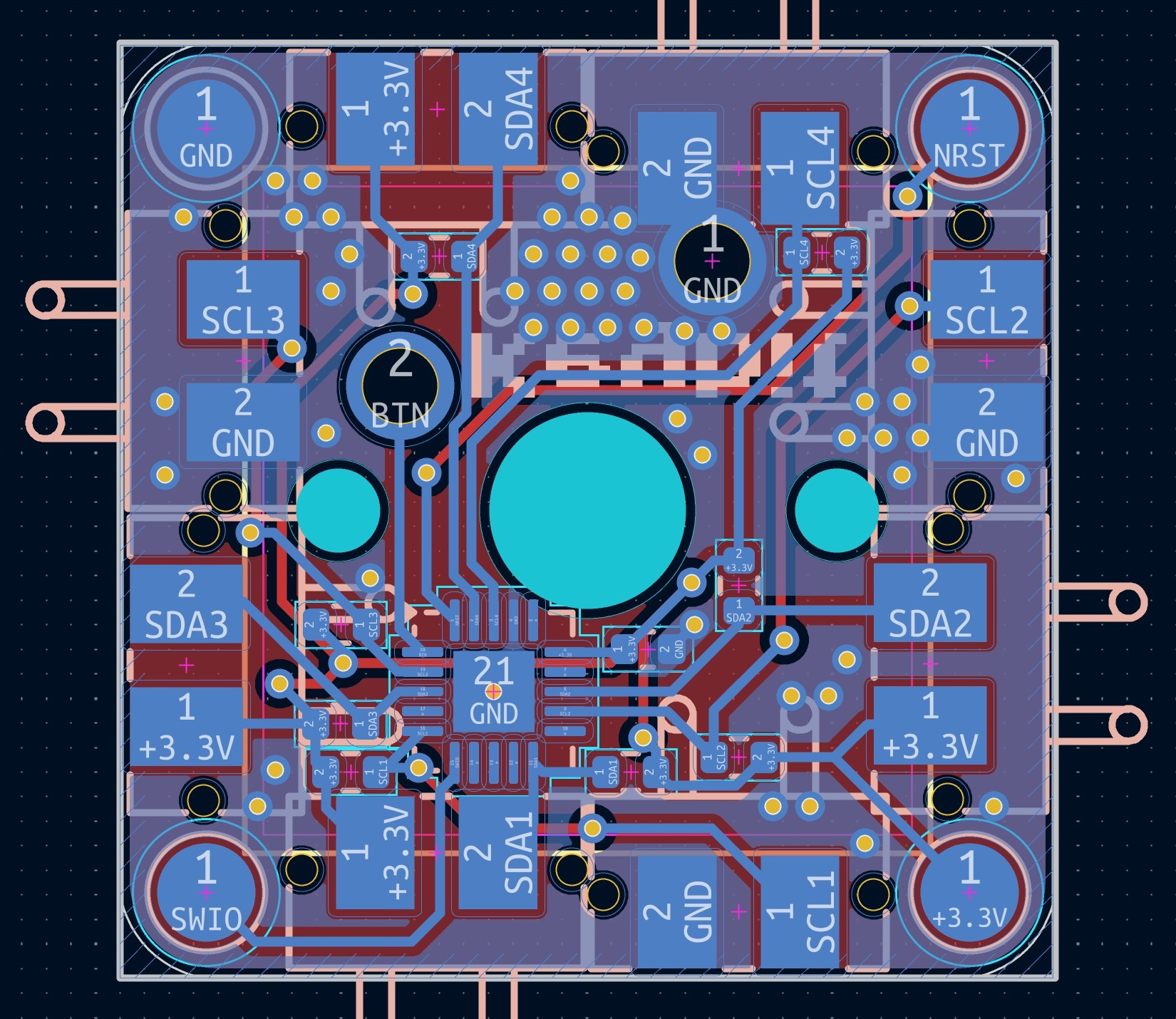
A single key with a Cherry MX switch and a CH32V003. Every side has pogo pins for 3.3V, GND and I2C so it can connect to the keyword or to other keybits, and the pads on the corners are for programming.
Schematic:
Layout:
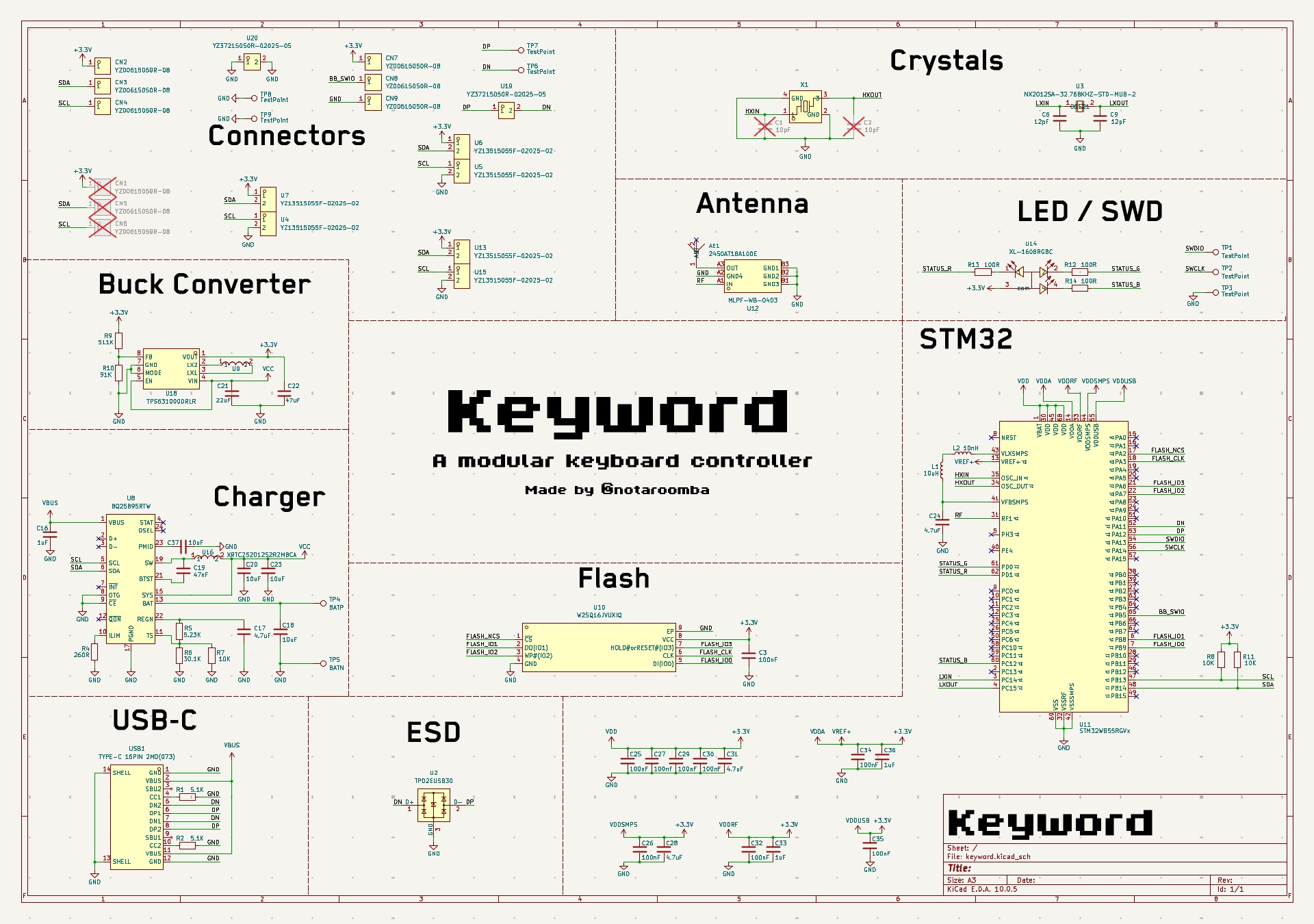
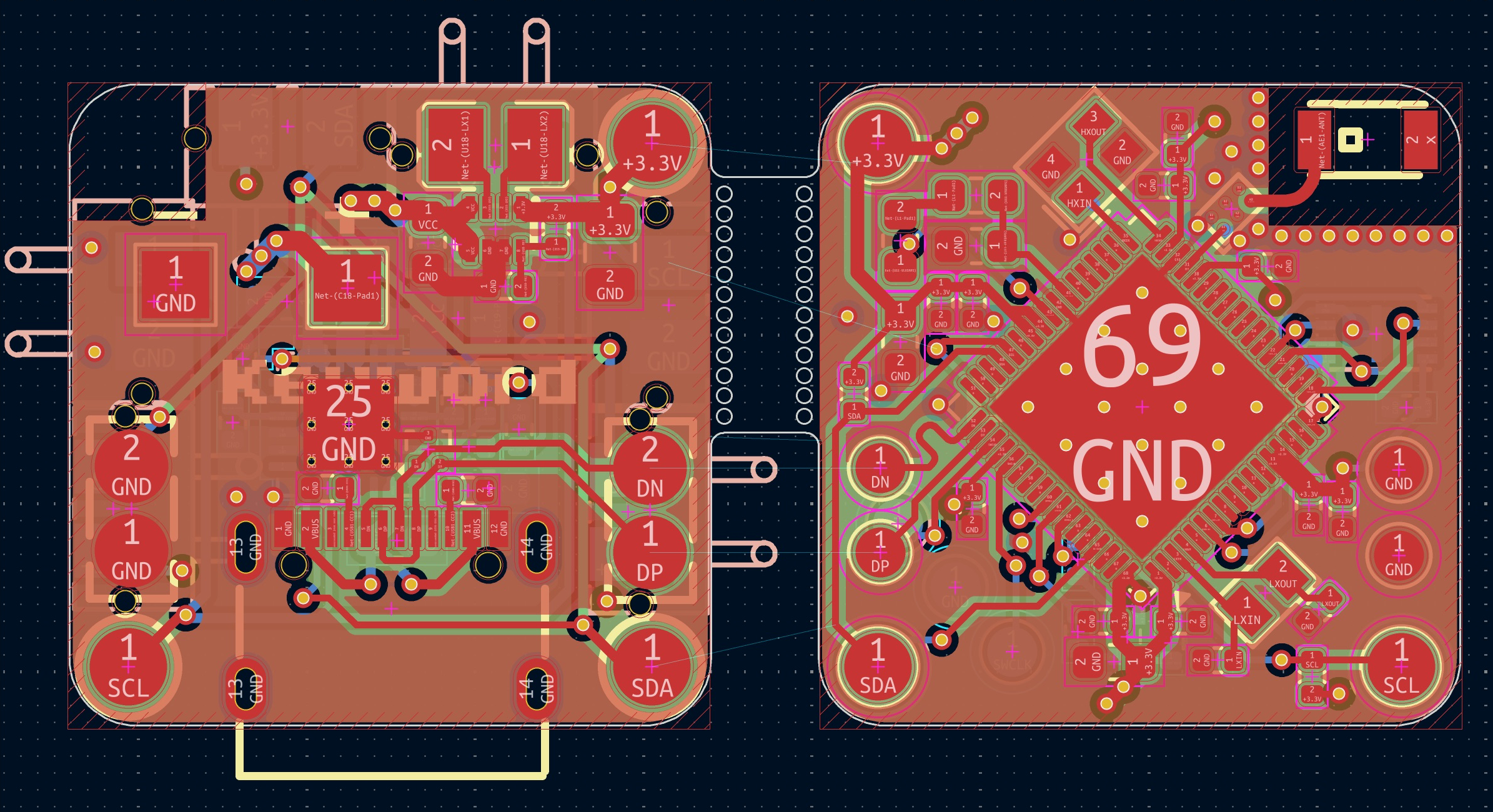
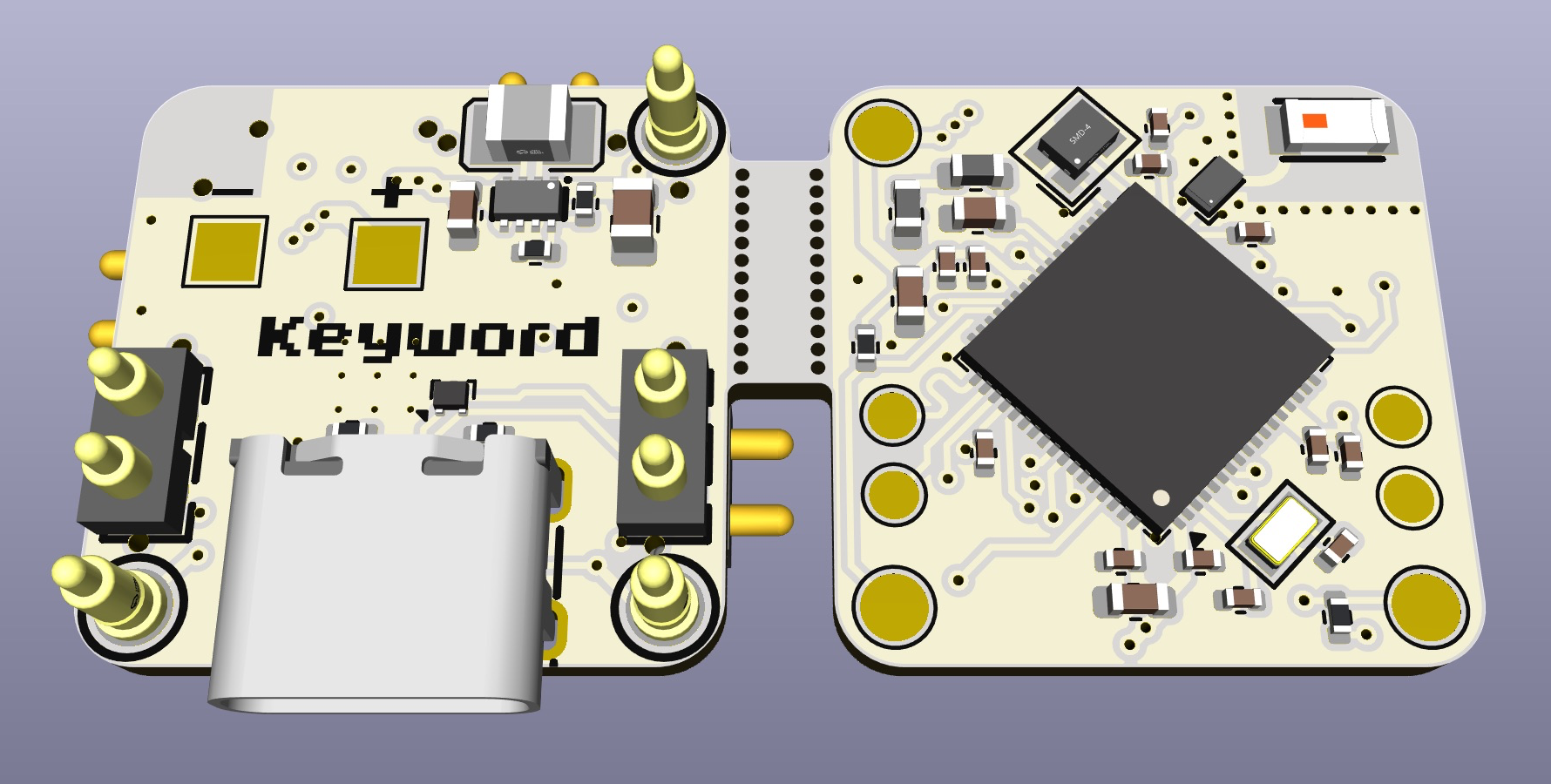
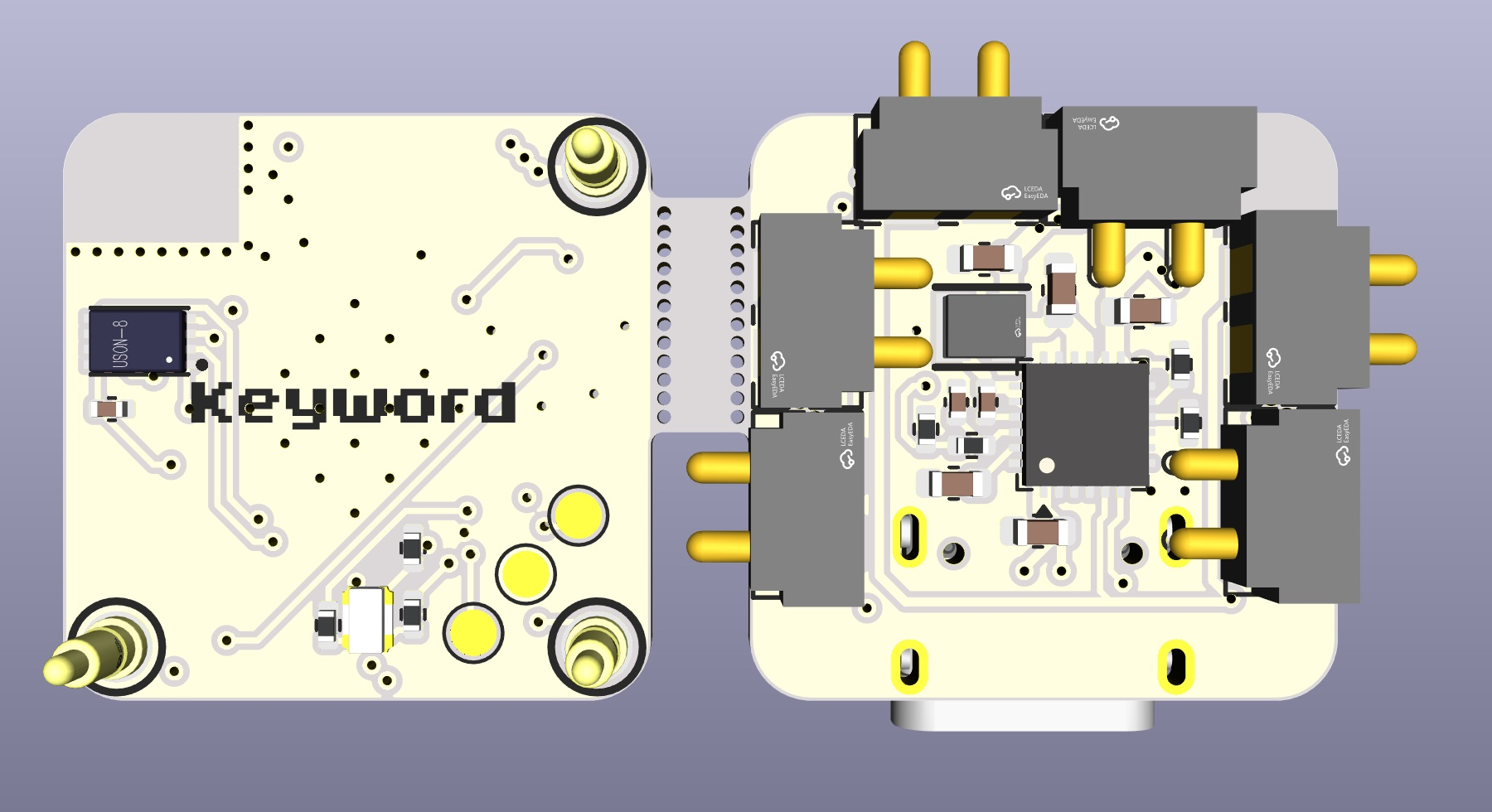
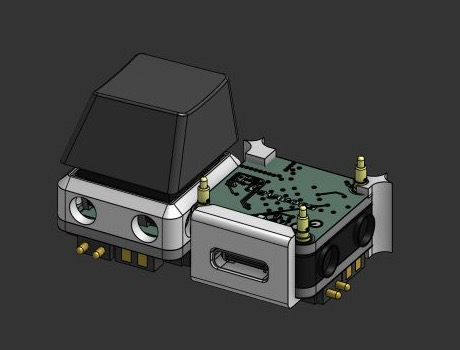
The main board that the keybits connect to. It is split into two PCBs that stack on top of each other. The top one has the STM32WB55RGV6, the antenna and the flash, and the bottom one has the USB-C, the charger and the buck-boost converter. The 3 pogo pins on the top are for programming the keybits.
Schematic:
Layout:
3D View:
Custom designed cases in Onshape, the STEP files are in the cad folder.
This project uses:
MIT
notaroomba.dev · GitHub @NotARoomba ·
| Qty | Value | Footprint | References |
|---|---|---|---|
| 9 | 100nF | Capacitor_SMD:C_0402_1005Metric | C3, C25, C26, C27, C29, C30, C32, C34, C35 |
| 7 | TestPoint | TestPoint:TestPoint_Pad_D1.5mm | TP1, TP2, TP3, TP6, TP7, TP8, TP9 |
| 4 | 10pF | Capacitor_SMD:C_0402_1005Metric | C1, C2, C6, C9 |
| 3 | 100R | Resistor_SMD:R_0402_1005Metric | R12, R13, R14 |
| 3 | 4.7uF | Capacitor_SMD:C_0603_1608Metric | C24, C28, C31 |
| 3 | YZ00615050R-08 | TestPoint:TestPoint_Pad_D2.0mm | CN1, CN5, CN6 |
| 3 | YZ00615050R-08 | lcsc:TESTPOINT-SMD_BD2.0-H5.0 | CN7, CN8, CN9 |
| 2 | 1uF | Capacitor_SMD:C_0402_1005Metric | C33, C36 |
| 2 | 4.7K | Resistor_SMD:R_0402_1005Metric | R8, R11 |
| 1 | 10nH | Inductor_SMD:L_0603_1608Metric | L2 |
| 1 | 10uH | Inductor_SMD:L_0603_1608Metric | L1 |
| 1 | 2450AT18A100E | lcsc:ANT-SMD_L3.2-W1.6 | AE1 |
| 1 | MLPF-WB-04D3 | lcsc:CSPG-6_L1.6-W1.0-P0.50-TL_MLPF-WB-04D3 | U12 |
| 1 | NX2012SA-32.768KHZ-STD-MUB-2 | lcsc:CRYSTAL-SMD_L2.0-W1.2 | U3 |
| 1 | NX2016SA-32MHZ-STD-CZS-5 | lcsc:OSC-SMD_4P-L2.0-W1.6-BL | X1 |
| 1 | STM32WB55RGVx | Package_DFN_QFN:QFN-68-1EP_8x8mm_P0.4mm_EP6.4x6.4mm | U11 |
| 1 | W25Q16JVUXIQ | lcsc:USON-8_L3.0-W2.0-P0.50-BL-EP | U10 |
| 1 | XL-1608RGBC | lcsc:LED-SMD_4P-L1.6-W0.8-BL | U14 |


OdaiJ/stm32-bt-board
My attempt at following the Phil's Lab KiCad V7 tutorial on YouTube


iMike78/nest-mini-drop-in-pcb
Drop-in PCB replacement for the Google Nest Mini v2 with ESP32-S3, ESP32-P4 and optional ESP32-C6. Inspired by Onju Voice and Home Assistant Voice PE.


OpenDrone-hw/OpenAIO
Open-source AIO for 2-6S toothpick quads: flight controller, 4-in-1 AM32 ESC and ExpressLRS receiver, 25.5x25.5 mm.
It measures 19.1 × 19 mm and has 4 copper layers, 1.58 mm thick.
45 parts, built around the W25Q16JVUXIQ, MLPF-WB-04D3, NX2012SA-32.768KHZ-STD-MUB-2 and XL-1608RGBC. The full list of its parts is on this page, with links to each part's symbol and footprint where PCBKit's library has them.
From the notaroomba/keybytes repository on GitHub, at the commit this page was made from: the board is hardware/keyword/keyword_top.kicad_pcb and its schematic hardware/keybit/keybit.kicad_sch. PCBKit opens the board in the browser, with nothing to install.
Its repository states no licence, so its author keeps all rights: ask notaroomba before reusing the design.