

4 layers70 × 72 mm
 noahlessard/2040Listener1
DIY MITM Keyboard Sniffer, with custom PCB
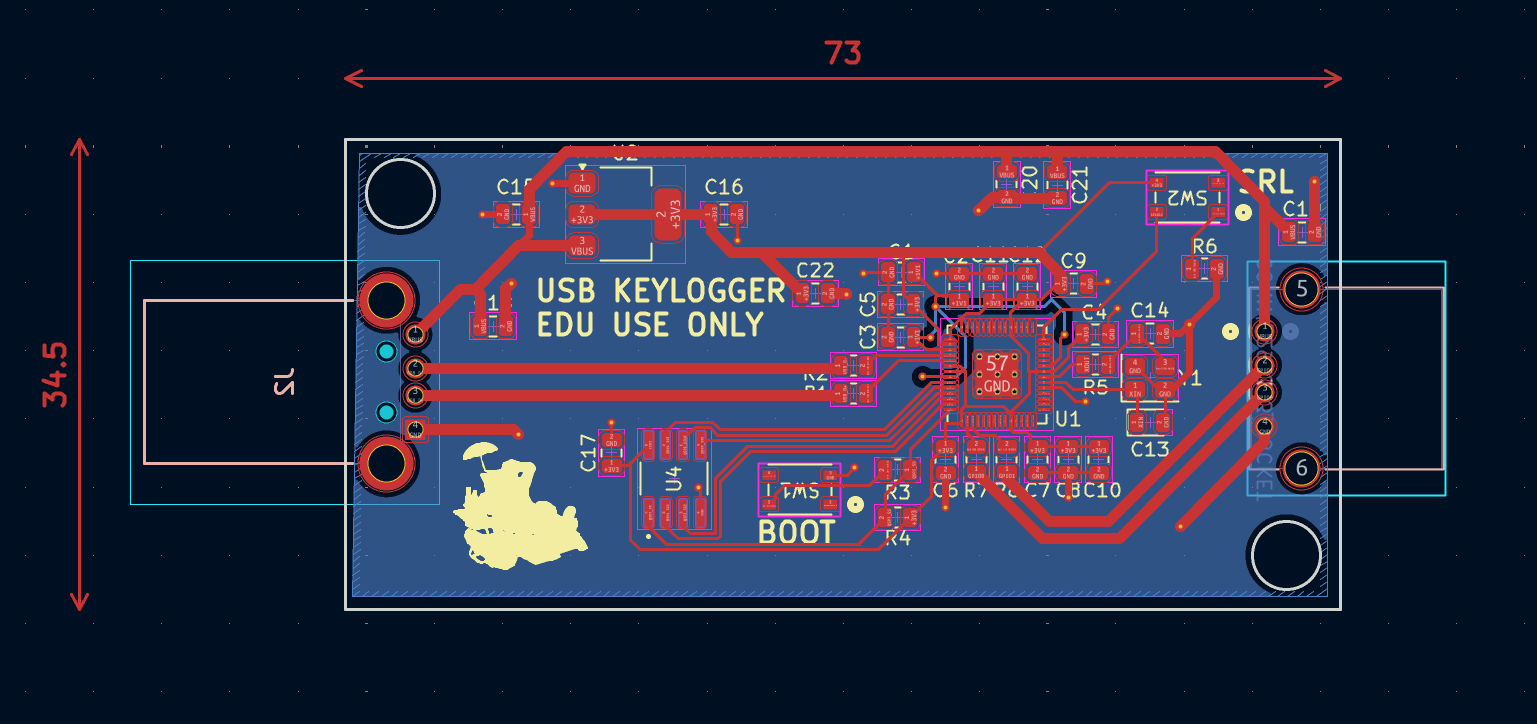
2040Listener is an open-source printed circuit board by noahlessard, from the noahlessard/2040Listener repository on GitHub, published under the MIT licence. It is a 2-layer board of 73 × 34.5 mm with 39 parts on 57 nets, routed with 247 tracks and 24 vias.
It is built around the RP2040 and ABM8-272-T3. Its parts include 22 capacitors, 8 resistors, 3 ICs, 2 connectors and 2 switches. It belongs with the keyboards and input boards and the RP2040 boards of this library.
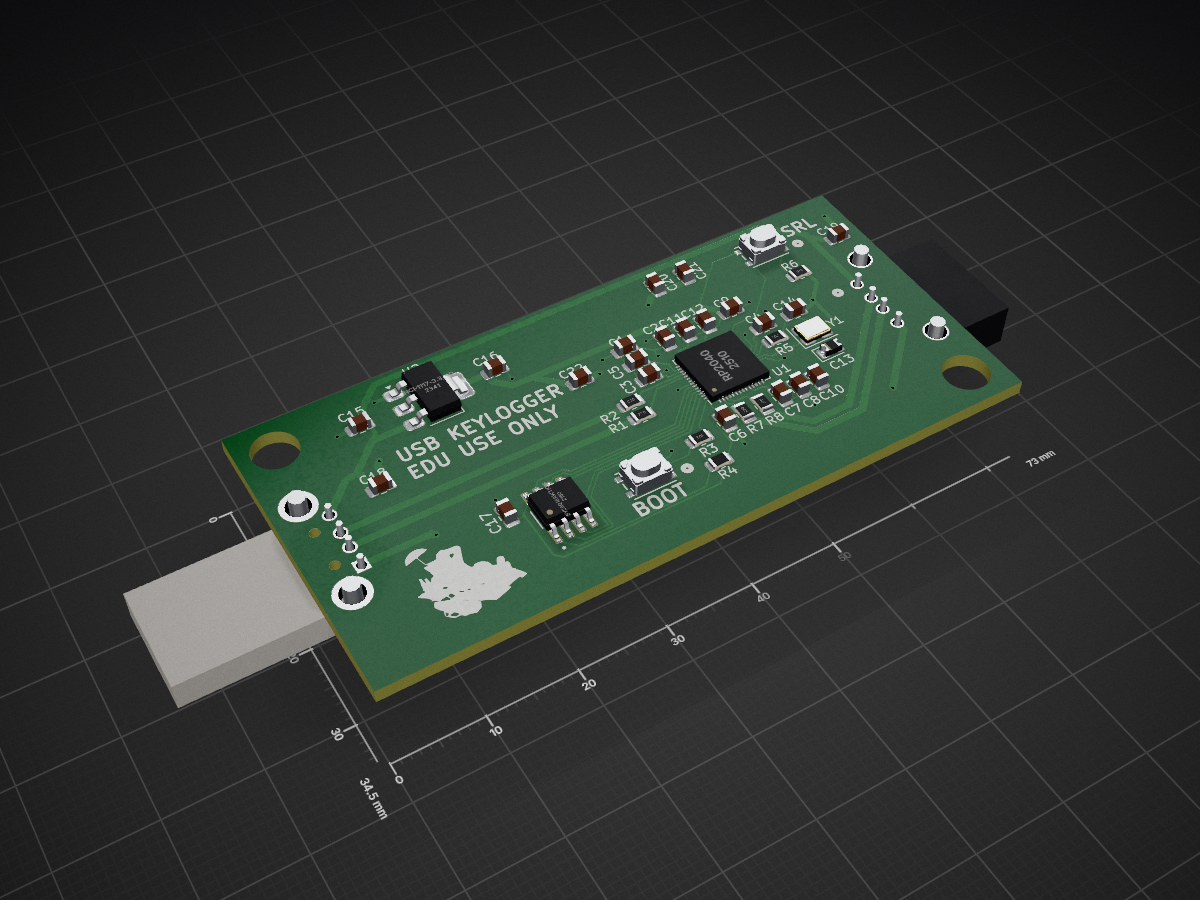
This project contains the Raspberry Pi Pico C SDK Project, and Kicad PCB Project, to manufacture an open source MITM style keystroke interceptor. This style of device intercepts a host's computer request to get keystrokes, relays it to a real USB keyboard, and while returning the responses of typed keys, logs it to a LittleFS file stored in flash memory. This memory persists, and can be accessed through a CDC serial port. This port can be toggled on/off for a "stealth" mode.
USB host/device communication is done using the PIO of Raspberry Pi Pico (RP2040). I built the software with the VSCode Pico Project Extension. It uses several other open source libraries, which can be found in the credits section at the bottom of this readme.
The PCB is designed around the 0805 footprint for easier soldering, and a simple 2 layer board for cheaper manufacturing.
The general idea of the firmware architecture is that core0 of the 2040 acts as a "fake" USB device to the victim computer, sending both HID and CDC data over USB. Core1 acts as a "fake" host stack to a keyboard. Core1 handles getting data from the HID devices, parsing out what the keystroke is and writes to the 2040's LittleFS file before core0 actually transmits. For more details, see my blog post: https://nlessard.online/projects/2040listener/.
If you decide to build this device yourself, please use it for educational purposes only, and never use it on a computer that you don't control!
(This section is useful for testing on a normal Pico board, where access to GP pins is easier.)
| VCC | VBUS |
|---|---|
| D- | GP 1 |
| D+ | GP 0 |
| CNC Toggle | GP 17 |
| Ground | GND |
Dual host + device listener example from here: https://github.com/brendena/pico_device_and_host, although I used a fork for the Pico VS Code extension: https://github.com/TheLowSpecPC/pico_device_and_host_updated. LittleFS was ported to Pico in this library: https://github.com/tjko/pico-lfs. I used the Raspberry Pi's foundation for a lot of advice during hardware design: https://pip-assets.raspberrypi.com/categories/814-rp2040/documents/RP-008279-DS-1-hardware-design-with-rp2040.pdf
| Qty | Value | Footprint | References |
|---|---|---|---|
| 10 | 100n | Capacitor_SMD:C_0805_2012Metric | C1, C2, C4, C6, C7, C8, C10, C11, C12, C17 |
| 8 | 10u | Capacitor_SMD:C_0805_2012Metric | C9, C15, C16, C18, C19, C20, C21, C22 |
| 4 | 27 | Resistor_SMD:R_0805_2012Metric | R1, R2, R7, R8 |
| 3 | 1k | Resistor_SMD:R_0805_2012Metric | R3, R5, R6 |
| 2 | 1u | Capacitor_SMD:C_0805_2012Metric | C3, C5 |
| 2 | PTS815 SJM 250 SMTR LFS | Library:SW4_PTS815 SJM 250 SMTR LFS_CNK | SW1, SW2 |
| 1 | 15p | Diode_SMD:D_0805_2012Metric | C13 |
| 1 | 15p | Capacitor_SMD:C_0805_2012Metric | C14 |
| 1 | ABM8-272-T3 | Crystal:Crystal_SMD_3225-4Pin_3.2x2.5mm | Y1 |
| 1 | BY25Q16AWTIG(R) | Library:SOIC127P600X175-8N | U4 |
| 1 | CONN4_292303_SOCKET | Library:CONN4_292303_TEC | J1 |
| 1 | DNF | Resistor_SMD:R_0805_2012Metric | R4 |
| 1 | LOGO | LOGO | G*** |
| 1 | NCP1117-3.3_SOT223 | Package_TO_SOT_SMD:SOT-223-3_TabPin2 | U2 |
| 1 | RP2040 | Library:RP2040-QFN-56 | U1 |
| 1 | USB-AP-S-RA-PLUG | Library:USBAPSRA | J2 |

jackw01/scanlight
A better light source for scanning color negative film

HandHeldLegend/GC-Ultimate
The 3D shell, buttons, and other associated models are licensed under a Creative Commons Attribution 4.0 International License .


ikajdan/katia
A split keyboard with 6 by 3 column staggered keys and 3 thumb keys, based on the Crkbrd design

alvarop/swd2usbc
Have you ever wanted to debug your device over USB-C? Sometimes there's not enough room for a JTAG/SWD connector, or even Tag-Connect pads!

It measures 73 × 34.5 mm and has 2 copper layers, 1.6 mm thick.
39 parts, built around the RP2040 and ABM8-272-T3. The full list of its parts is on this page, with links to each part's symbol and footprint where PCBKit's library has them.
From the noahlessard/2040Listener repository on GitHub, at the commit this page was made from: the board is PCB/2040Listener/2040Listener.kicad_pcb and its schematic PCB/2040Listener/2040Listener.kicad_sch. PCBKit opens the board in the browser, with nothing to install.
Its repository publishes it under the MIT licence: you may reuse it on that licence's terms (keep the author's notice, and for a copyleft licence share your changes alike).