A mains current monitor built on an ESP32 and an SX1262 radio. It measures AC current through an ACS712 hall-effect sensor and reports it over LoRaWAN as an OTAA Class A device.
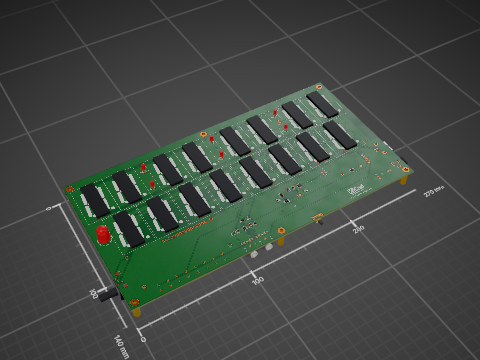
Desk power monitor mini32 ac is an open-source printed circuit board by netrondev, from the netrondev/netron_esp32_lora_ac repository on GitHub, published under the Apache-2.0 licence. It is a 2-layer board of 31 × 39 mm with 25 parts on 50 nets, routed with 143 tracks and 5 vias.
It is built around the 220UF 10V 5*7, CY75-220UH and MB10S(46MIL), with the US1M among its other parts. Its parts include 5 capacitors, 5 resistors, 5 connectors, 4 diodes and 2 ICs. It belongs with the ESP32 and RISC-V boards of this library.
A mains current monitor built on an ESP32 and an SX1262 radio. It measures AC
current through an ACS712 hall-effect sensor and reports it over LoRaWAN as an
OTAA Class A device. The repo also includes a small network server so you can
receive the reports and configure devices remotely, plus the KiCad hardware.
Everything is written in Rust except the payload codec, which is plain
JavaScript so it can be pasted into ChirpStack, The Things Network or Node-RED.
The gateway's own network server is not used. It has no usable downlink
route: there's no HTTP endpoint, and its MQTT application forwarder reboots the
gateway. Without downlinks there's no remote configuration. So the gateway runs
as a plain packet forwarder, and software/lorans does the network server's
job. software/lorans/README.md has the details.
Any gateway that speaks the Semtech UDP protocol should work in place of the
UG63. Alternatively, the devices can join a standard network server such as
ChirpStack, using the codec in software/loradecode.
Minimal MQTT broker, kept for diagnosing the gateway's MQTT forwarding
docs/PROTOCOL.md
Uplink channel map and downlink command set
diagram/
System overview: power supply, sensing, MCU and radio
hardware/
KiCad schematics, PCBs and JLCPCB fabrication outputs
scripts/
Build, flash and monitor helpers
Hardware
MCU: ESP32 Mini32 (Wemos D1 Mini ESP32 form factor)
Radio: Ai-Thinker Ra-01SH (SX1262), 868 MHz
Sensor: ACS712-20A on GPIO34 through a voltage divider. RMS current is
computed over one 50 Hz cycle of oversampled ADC readings
Power: MB10S bridge rectifier into a BP2525 non-isolated buck, 5 V from
230 V mains
SX1262
ESP32
NSS
GPIO5
RESET
GPIO27
DIO1
GPIO26
SCK
GPIO18
MISO
GPIO19
MOSI
GPIO23
BUSY isn't wired to the ESP32. The driver waits a fixed settling time after
each command instead, and detects TxDone/RxDone from DIO1. The status LED is
on GPIO2.
Warning: the power supply is non-isolated, so the whole board sits at
mains potential. Don't touch it or connect USB while it's powered from
mains.
Device identity and keys
DevEUI
Derived from the ESP32's MAC: OUI FF FE NIC
JoinEUI
0000000000000000
AppKey
The DevEUI repeated, e.g. E08CFEFFFE34C3AC → E08CFEFFFE34C3ACE08CFEFFFE34C3AC
This follows the Milesight convention, so a device can be onboarded from
nothing but its join request. It also means the AppKey is not a secret.
That's fine for a private network on a private gateway. If you need real
over-the-air security, give each device a random AppKey. docs/PROTOCOL.md
covers this, along with the payload format.
Getting started
Toolchain
The ESP32 needs Rust's Xtensa toolchain. Install it with
espup, which writes ~/export-esp.sh, then
install espflash:
bash
cargo install espup espflash
espup install
Alternatively, build inside Docker with the image in firmware/. scripts/build.sh
and scripts/flash.sh use it:
bash
docker build -t esp32-rust firmware/
Flash and monitor a device
The scripts find the serial port automatically, or you can pass it explicitly:
bash
./scripts/flash_native.sh            # host toolchain: build, flash, print the MAC
./scripts/flash.sh /dev/ttyUSB0      # same, building in Docker
./scripts/monitor.sh                 # serial monitor in Docker (CTRL+R resets, CTRL+C exits)
Run the network server
Point the gateway's packet forwarder at this host on UDP port 1700, then start
the network server:
bash
cargo run --manifest-path software/lorans/Cargo.toml
It accepts joins, decodes uplinks and queues downlinks. Commands go to a
control socket on 127.0.0.1:7788. A queued downlink is sent in the receive
window after the device's next uplink. Intervals are in seconds:
Copy software/milesight_d4/config.json.example to config.json and add the
gateway's address and login. Then:
bash
cargo run --manifest-path software/milesight_d4/Cargo.toml -- status
cargo run --manifest-path software/milesight_d4/Cargo.toml -- set-forwarder semtech 192.168.1.100
Firmware behaviour
Joins by OTAA, retrying with exponential backoff
Samples current every sample seconds and accumulates min/avg/max
Sends one confirmed, aggregated report every report seconds, offset by a
random ± jitter seconds so devices don't collide. An unacknowledged
report is retried once
Re-joins if the network stops acknowledging
Applies configuration downlinks (intervals, jitter, reboot) and echoes each
applied setting back as confirmation
Keeps cumulative energy (mAh), frame counters, the join nonce and its
configuration in flash across power cycles
LED
Pattern
Meaning
Short blink every ~0.5 s
Not joined yet, trying to join
Short blink per sample
Joined and measuring normally
Rapid triple blink
ADC error: sensor disconnected, or the reading saturated at 0 or 4095
Troubleshooting
xtensa-esp32-elf-gcc not found: run source ~/export-esp.sh first.
Permission denied on the serial port: add yourself to the dialout
group, or sudo chmod 666 /dev/ttyUSB0.
Device not found: check ls /dev/ttyUSB* /dev/ttyACM*.
espflash asks for a chip or port inside Docker: pass
--chip esp32 -p <port> explicitly.
Flashing fails to connect: hold BOOT while flashing, and release it
after "Connecting...".
Unless you explicitly state otherwise, any contribution intentionally submitted
for inclusion in this work by you, as defined in the Apache-2.0 license, shall
be dual licensed as above, without any additional terms or conditions.
A mains current monitor built on an ESP32 and an SX1262 radio. It measures AC current through an ACS712 hall-effect sensor and reports it over LoRaWAN as an OTAA Class A device.
A mains current monitor built on an ESP32 and an SX1262 radio. It measures AC current through an ACS712 hall-effect sensor and reports it over LoRaWAN as an OTAA Class A device.
DigiSlate+ is based on the DigiSlate and is inspired by the DIY timecode generator from mitkunz. The aim for the DigiSlate+ is not only to be able to read and display timecode, but also to generate it itself.
130 parts
Questions
How big is the Desk power monitor mini32 ac PCB?
It measures 31 × 39 mm and has 2 copper layers, 1.6 mm thick.
What parts does the Desk power monitor mini32 ac use?
25 parts, built around the 220UF 10V 5*7, CY75-220UH, MB10S(46MIL) and US1M. The full list of its parts is on this page, with links to each part's symbol and footprint where PCBKit's library has them.
Where can I download the Desk power monitor mini32 ac KiCad files?
From the netrondev/netron_esp32_lora_ac repository on GitHub, at the commit this page was made from: the board is hardware/desk_power_monitor_mini32_ac-2026-02-23_102841/desk_power_monitor_mini32_ac.kicad_pcb and its schematic hardware/desk_power_monitor_mini32_ac-2026-02-23_102841/desk_power_monitor_mini32_ac.kicad_sch. PCBKit opens the board in the browser, with nothing to install.
Can I use the Desk power monitor mini32 ac design in my own project?
Its repository publishes it under the Apache-2.0 licence: you may reuse it on that licence's terms (keep the author's notice, and for a copyleft licence share your changes alike).