
4 layers51.4 × 61 mm

 NebraLtd/FlashStick9
Open source USB Adapters for popular compute modules
FlashStickCM4 is an open-source printed circuit board by NebraLtd, from the NebraLtd/FlashStick repository on GitHub. It is a 2-layer board of 80 × 40 mm with 20 parts on 148 nets, routed with 190 tracks and 61 vias.
It is built around the 74LVC1G07. Its parts include 3 resistors, 3 diodes, 2 connectors, 1 capacitor and 1 IC. It belongs with the computers and single-board computers boards of this library.
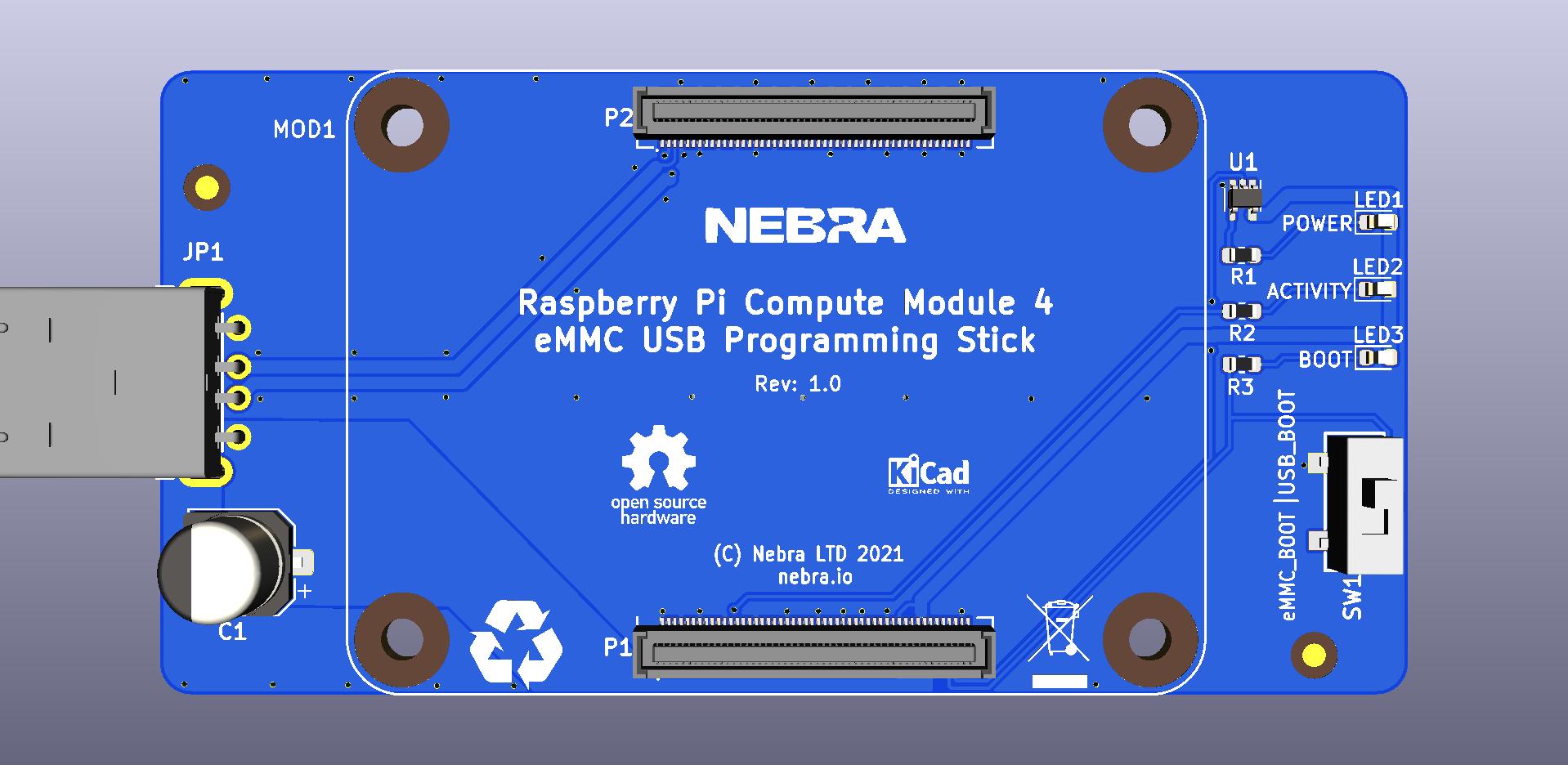
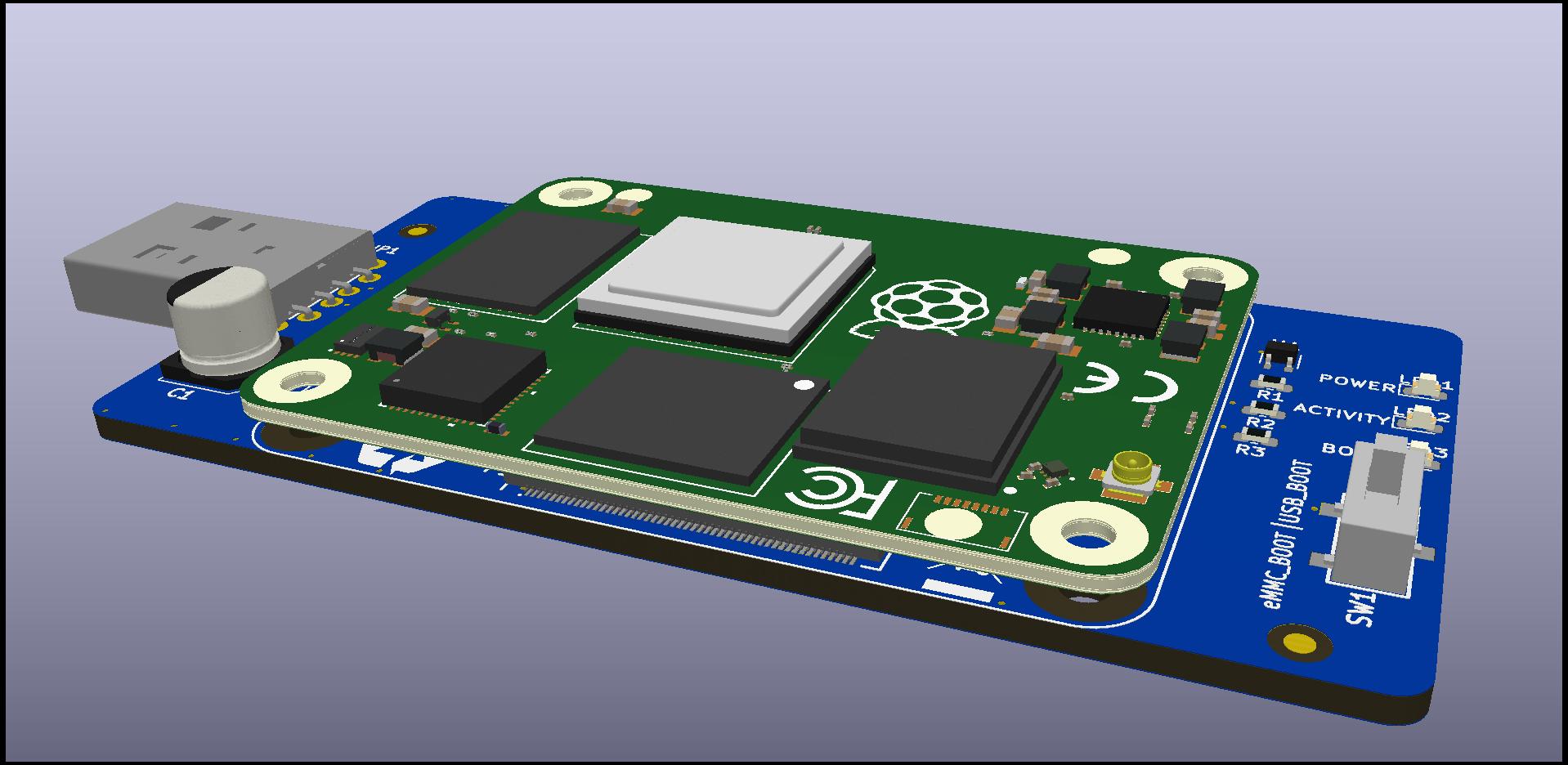
This FlashStick is designed for programming the Raspberry Pi Compute Module version 4.
Operation should be as simple as:
Care should be taken when handling the module and CM, handle from edge to reduce risk of ESD
This PCB can be quickly ordered directly from PCB companies using the following links:
Or upload the Gerbers / design files to your choice of Fab!
The BOM for shopping is in this folder.
Alternatively it's also available at Octopart or on Digi-key
We'll produce a little guide showing how we assemble them, and recommended pick and place order when doing it manually.
It's highly recommended for a Stencil to be used.
This project is released under the license shown here and is also certified as open source hardware by the Open Source Hardware Association:
| Qty | Value | Footprint | References |
|---|---|---|---|
| 3 | 1k | Resistor_SMD:R_0603_1608Metric | R1, R2, R3 |
| 2 | Fiducial | Fiducial:Fiducial_1.5mm_Mask3mm | FID1, FID2 |
| 1 | 330uF | Capacitor_SMD:CP_Elec_6.3x5.9 | C1 |
| 1 | 74LVC1G07 | Package_TO_SOT_SMD:SOT-353_SC-70-5 | U1 |
| 1 | BLUE | LED_SMD:LED_0603_1608Metric | LED3 |
| 1 | GREEN | LED_SMD:LED_0603_1608Metric | LED2 |
| 1 | KiCad | FlashStickCM4:Logo_KiCad | LG2 |
| 1 | Nebra | FlashStickCM4:nebra | LG1 |
| 1 | Open Source | FlashStickCM4:open_source | LG3 |
| 1 | RED | LED_SMD:LED_0603_1608Metric | LED1 |
| 1 | Recycling | FlashStickCM4:Logo_Recycling | LG4 |
| 1 | Rpi_CM4_ConnA | FlashStickCM4:DF40HC(3.0)-100DS-0.4v-CM4A | P1 |
| 1 | Rpi_CM4_ConnB | FlashStickCM4:DF40HC(3.0)-100DS-0.4v-CM4B | P2 |
| 1 | Rpi_CM4_Module | FlashStickCM4:RPi_Compute_Module_4 | MOD1 |
| 1 | SW_SPDT | FlashStickCM4:SW_SPDT_CL-SB-12B | SW1 |
| 1 | USB_A | FlashStickCM4:USB_A_H_PLUG_CNCTech_TH | JP1 |
| 1 | WEEE | Symbol:WEEE-Logo_4.2x6mm_SilkScreen | LG5 |
It measures 80 × 40 mm and has 2 copper layers, 1.6 mm thick.
20 parts, built around the 74LVC1G07. The full list of its parts is on this page, with links to each part's symbol and footprint where PCBKit's library has them.
From the NebraLtd/FlashStick repository on GitHub, at the commit this page was made from: the board is Raspberry_Pi_Compute_Module_4/FlashStickCM4.kicad_pcb. PCBKit opens the board in the browser, with nothing to install.
Its repository states no licence, so its author keeps all rights: ask NebraLtd before reusing the design.


NabuCasa/yellow
Home Assistant Yellow - hardware for Home Assistant which grows with your needs.


OpenJBOD/rp2040
This repository contains the hardware design files OpenJBOD RP2040 Baseboard.

