2 layers41 × 24.5 mm
USBIsolator.alt
NanashiTheNameless/USBIsolator
A simple USB Isolator board with some simple functions that I find useful!
4 parts1

 NanashiTheNameless/USBIsolator1
A simple USB Isolator board with some simple functions that I find useful!
USBIsolator is an open-source printed circuit board by NanashiTheNameless, from the NanashiTheNameless/USBIsolator repository on GitHub. It is a 2-layer board of 41 × 40.5 mm with 8 parts on 10 nets, routed with 42 tracks and 0 vias.
It is built around the DSWB02LHGET, DSWB05LHGET and GT-2A001F-CGNG1. It belongs with the interfaces and adapters boards of this library.


Simple USB isolator board project (compact production version).
This is the smaller and simpler variant currently used in production.
SW1:
1 -> USB1: VCC =  USB2: VCC (DEFAULT: ON)
2 -> USB1: D-  =  USB2: D-  (DEFAULT: ON)
3 -> USB1: D+  =  USB2: D+  (DEFAULT: ON)
4 -> USB1: GND =  USB2: GND (DEFAULT: ON)
5 -> USB1: SH  =  USB2: SH  (DEFAULT: ON)

SW2:
1 -> USB2: SH  =  USB2: GND (DEFAULT: OFF)
2 -> USB1: SH  =  USB1: GND (DEFAULT: OFF)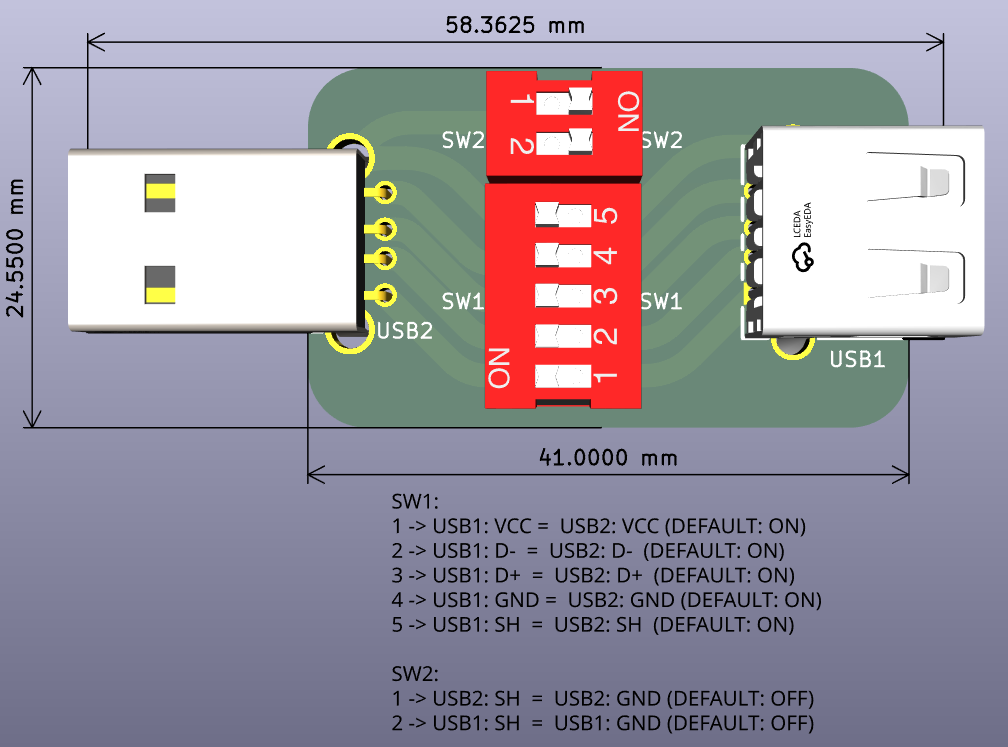
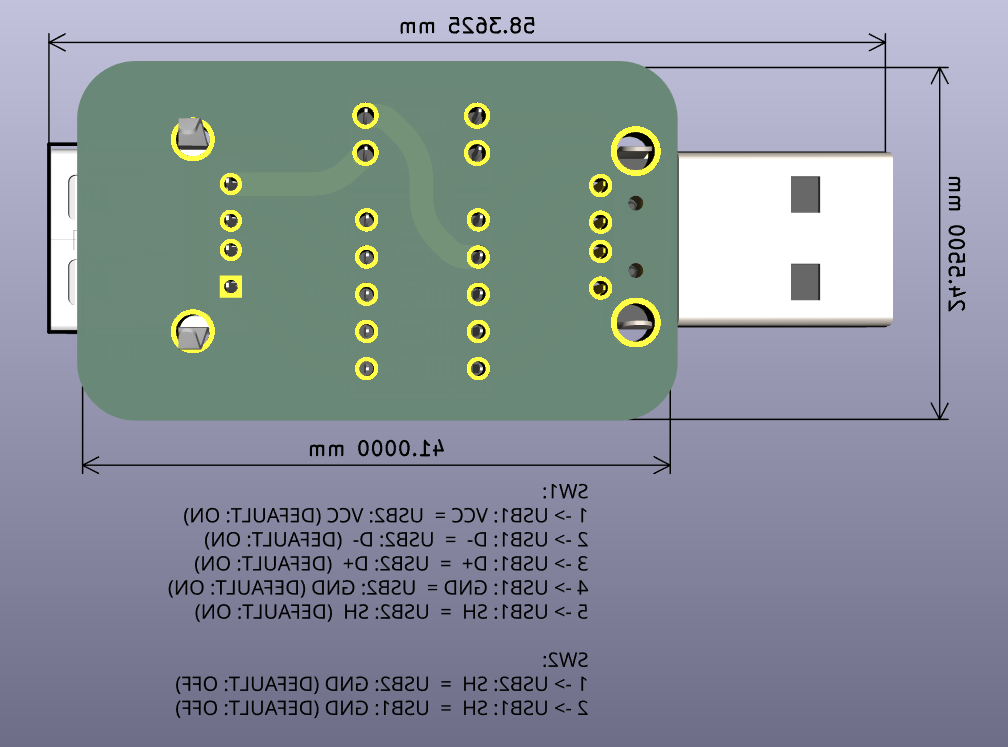
| Qty | Value | Footprint | References |
|---|---|---|---|
| 2 | G*** | kibuzzard-678211B2 | kibuzzard-678211B2, kibuzzard-678211B2 |
| 2 | G*** | kibuzzard-67821188 | kibuzzard-67821188, kibuzzard-67821188 |
| 1 | DSWB02LHGET | easyeda2kicad:SW-TH_DSWB02LHGET | SW2 |
| 1 | DSWB05LHGET | easyeda2kicad:SW-TH_DSWB05LHGET | SW1 |
| 1 | GT-2A001F-CGNG1 | easyeda2kicad:USB-A-TH_AF-90-ZJWG-ZB | USB1 |
| 1 | USB-CONN-AM90 | easyeda2kicad:USB-A-TH_AM90 | USB2 |
NanashiTheNameless/USBIsolator
A simple USB Isolator board with some simple functions that I find useful!


Robast-GmbH/PCB_Designs
This repository contains all the necessary files and instructions for the PCBs that are designed using KiCad. Here is an overview of the main components: - .github: Contains Github-specific configurations, including…


joeycastillo/Sensor-Watch
A board replacement for the classic Casio F-91W wristwatch

rusefi/rusefi
rusefi - GPL internal combustion engine control unit

hoglet67/RGBtoHDMI
Bare-metal Raspberry Pi project that provides pixel-perfect sampling of Retro Computer RGB/YUV video and conversion to HDMI

shanteacontrols/OpenDeck
A platform for building interactive control and sensing devices using MIDI and OSC built with Zephyr RTOS.

hackclub/OnBoard
💡 Join 1,000 teenagers and make your first PCB with a $100 grant!
It measures 41 × 40.5 mm and has 2 copper layers, 1.6 mm thick.
8 parts, built around the DSWB02LHGET, DSWB05LHGET and GT-2A001F-CGNG1. The full list of its parts is on this page, with links to each part's symbol and footprint where PCBKit's library has them.
From the NanashiTheNameless/USBIsolator repository on GitHub, at the commit this page was made from: the board is USBIsolator/USBIsolator.kicad_pcb and its schematic USBIsolator.alt/USBIsolator.alt.kicad_sch. PCBKit opens the board in the browser, with nothing to install.
Its repository states no licence, so its author keeps all rights: ask NanashiTheNameless before reusing the design.