2 layers132 × 66.4 mm
Lighthouse display
mwuerms/lighthouse_hardware
+ lighthouse + buoy: hand sender, ble advertising
137 partsMIT

 mwuerms/lighthouse_hardware
+ lighthouse + buoy: hand sender, ble advertising
Lighthouse buttons is an open-source printed circuit board by mwuerms, from the mwuerms/lighthouse_hardware repository on GitHub, published under the MIT licence. It is a 2-layer board of 128 × 8 mm with 8 parts on 6 nets, routed with 57 tracks and 4 vias.
Its parts include 7 switches and 1 connector.
buoy will be soldered together using wire only, no pcb for this.
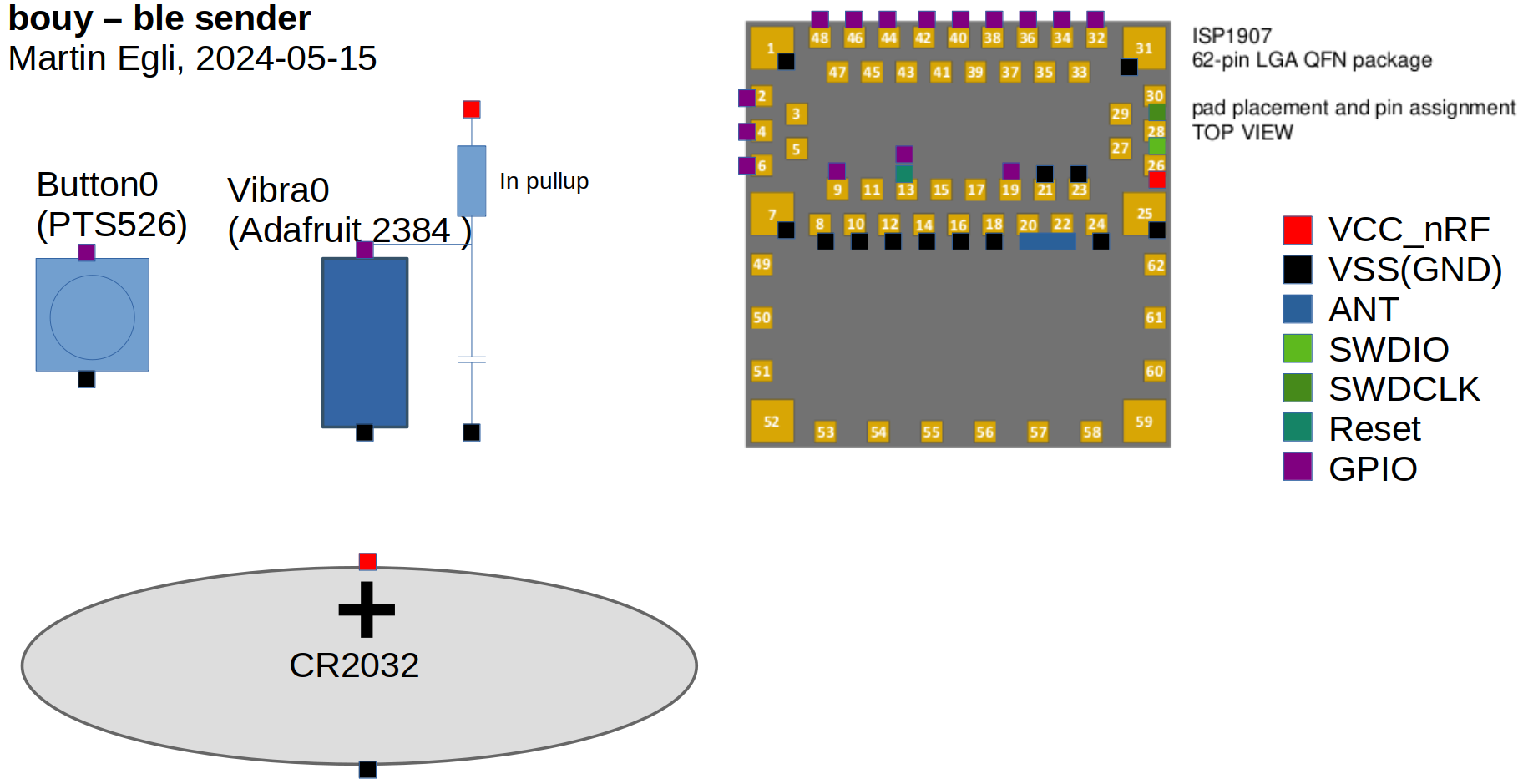
just a collection of (maybe) useful links
| Qty | Value | Footprint | References |
|---|---|---|---|
| 7 | ~ | Lighthouse1:PTS526 | SW1, SW2, SW3, SW4, SW5, SW6, SW7 |
| 1 | Conn_01x06_Pin | lighthouse:con_1x6_1.27mm_long_pads | J1 |
mwuerms/lighthouse_hardware
+ lighthouse + buoy: hand sender, ble advertising

mwuerms/lighthouse_hardware
+ lighthouse + buoy: hand sender, ble advertising


joeycastillo/Sensor-Watch
A board replacement for the classic Casio F-91W wristwatch

rusefi/rusefi
rusefi - GPL internal combustion engine control unit

hoglet67/RGBtoHDMI
Bare-metal Raspberry Pi project that provides pixel-perfect sampling of Retro Computer RGB/YUV video and conversion to HDMI

shanteacontrols/OpenDeck
A platform for building interactive control and sensing devices using MIDI and OSC built with Zephyr RTOS.

hackclub/OnBoard
💡 Join 1,000 teenagers and make your first PCB with a $100 grant!

dangiu/PicoMemcard
Emulating PSX Memory Card (or controller) using a Raspberry Pi Pico

OLIMEX/DIY-LAPTOP
Do It Yourself Open Source Hardware and Software Modular Hacker's Friendly Laptop
It measures 128 × 8 mm and has 2 copper layers, 1.6 mm thick.
8 parts. The full list of its parts is on this page, with links to each part's symbol and footprint where PCBKit's library has them.
From the mwuerms/lighthouse_hardware repository on GitHub, at the commit this page was made from: the board is kicad/lighthouse_buttons/lighthouse_buttons.kicad_pcb and its schematic kicad/lighthouse_base/lighthouse_base.kicad_sch. PCBKit opens the board in the browser, with nothing to install.
Its repository publishes it under the MIT licence: you may reuse it on that licence's terms (keep the author's notice, and for a copyleft licence share your changes alike).