2 layers43.9 × 27.7 mm

 Mitansh05/Macropad
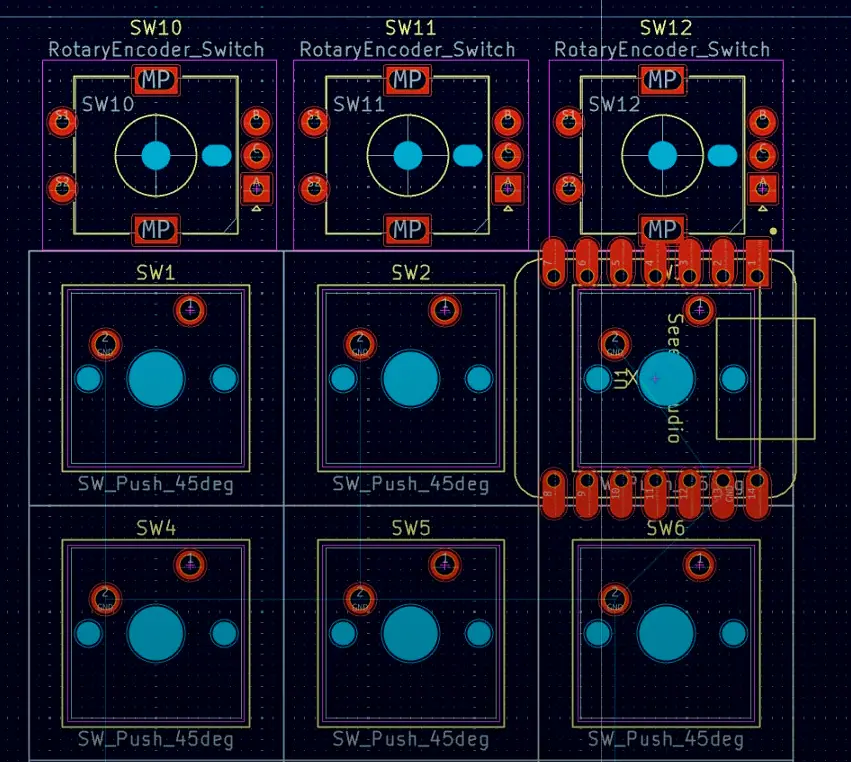
This is my open source 9-key macropad, this project is mainly built around the Seeed Studio XIAO RP2040, but I have also provided some files that will help you if you want to use the Micro Pico.
Macropad is an open-source printed circuit board by Mitansh05, from the Mitansh05/Macropad repository on GitHub. It is a 2-layer board of 100 × 66.7 mm with 19 parts on 23 nets, routed with 78 tracks and 0 vias.
Its parts include 9 diodes, 9 switches and 1 IC. It belongs with the keyboards and input boards of this library.
This is my open source 9-key macropad, this project is mainly built around the Seeed Studio XIAO RP2040, but I have also provided some files that will help you if you want to use the Micro Pico.
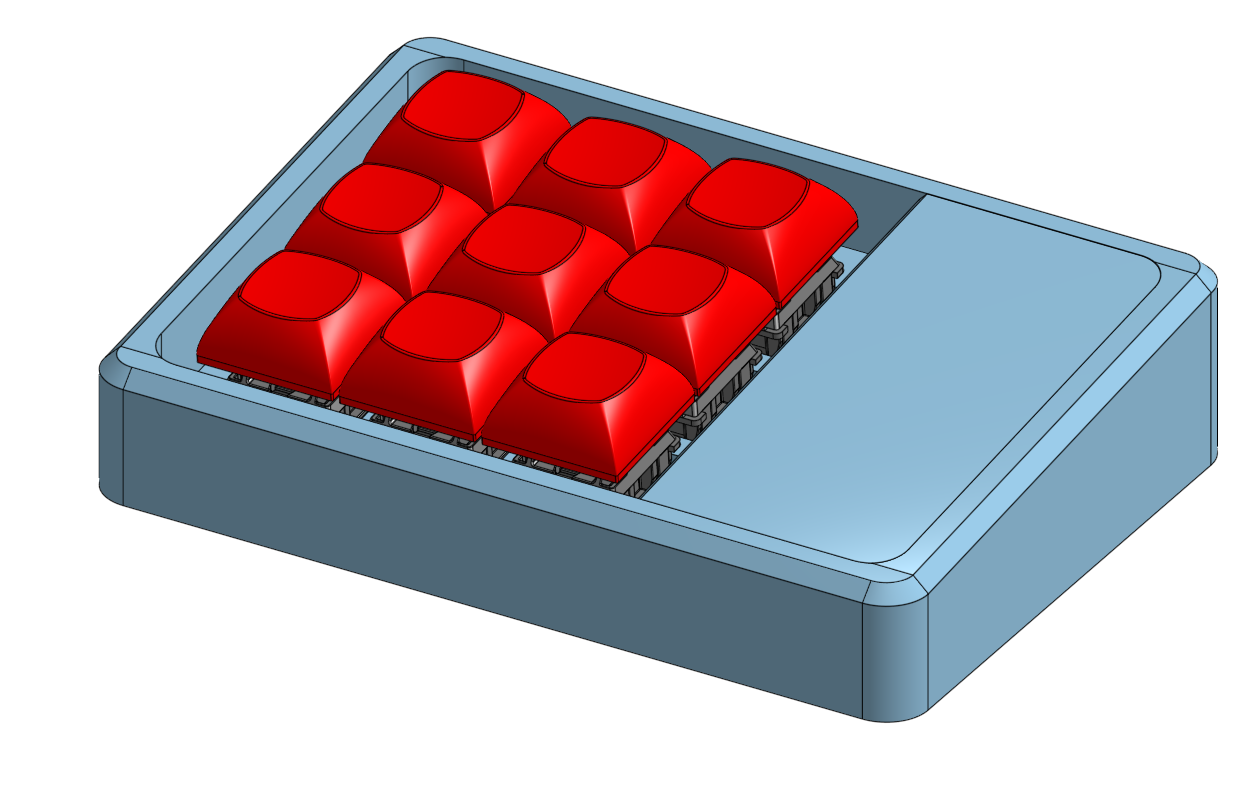
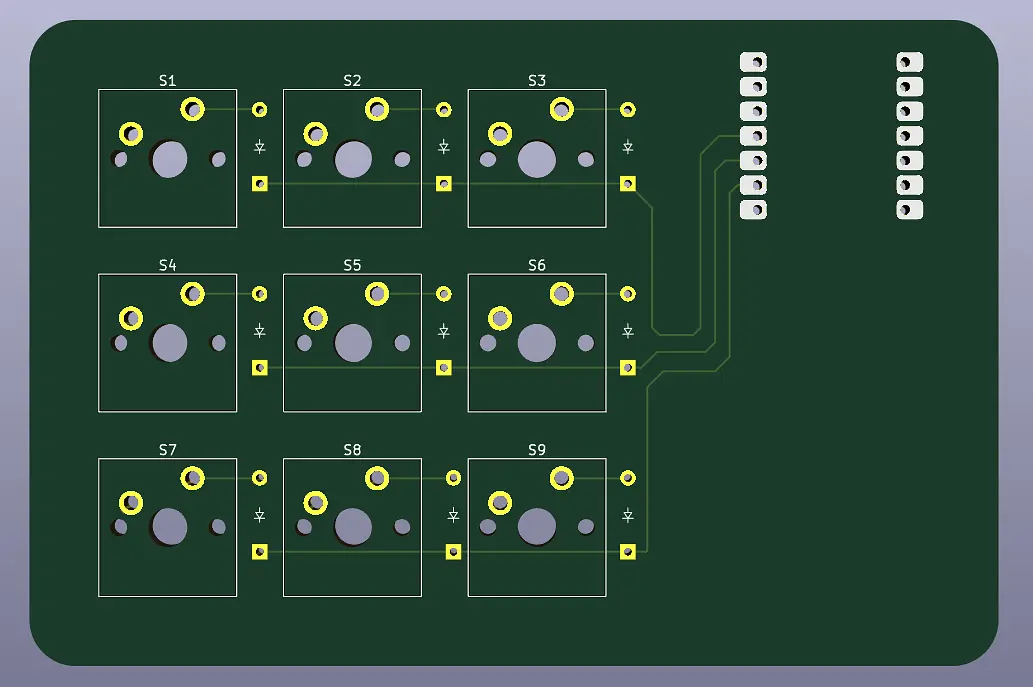
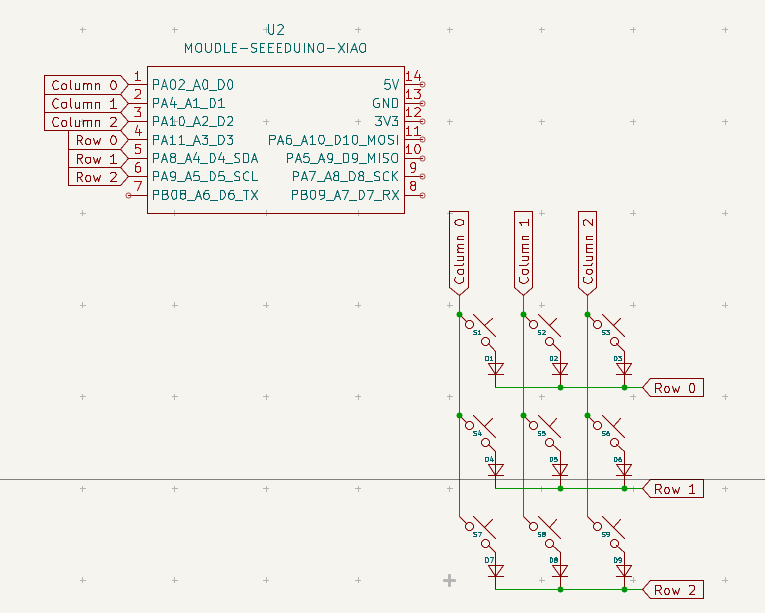
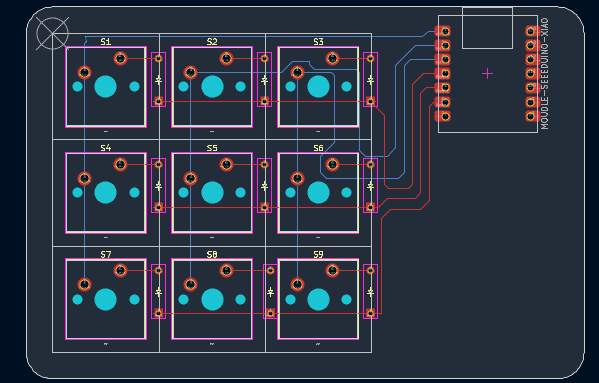
BOOT / BOOTSEL button on your Seeed XIAO board.Firmware folder (kmk, boot.py, code.py, keymap.py) into the CIRCUITPY inside the XIAO.This is the 9 key layout that is pre-loaded on the macropad.
| Left Column | Center Column | Right Column |
|---|---|---|
📑 CopyPin D0 | 📋 PastePin D1 | 📊 CalculatorPin D2 |
🎵 Play / PausePin D3 | ⏮️ Prev TrackPin D4 | 🔇 Panic MutePin D5 |
🛠️ Task ManagerPin D6 | ✂️ Snipping ToolPin D7 | 🔒 Lock ScreenPin D8 |
| Qty | Value | Footprint | References |
|---|---|---|---|
| 9 | ~ | ScottoKeebs_MX:MX_PCB_1.00u | S1, S2, S3, S4, S5, S6, S7, S8, S9 |
| 9 | ~ | ScottoKeebs_Components:Diode_DO-35 | D1, D2, D3, D4, D5, D6, D7, D8, D9 |
| 1 | MOUDLE-SEEEDUINO-XIAO | ScottoKeebs_MCU:Seeed_XIAO_RP2040 | U2 |
It measures 100 × 66.7 mm and has 2 copper layers, 1.6 mm thick.
19 parts. The full list of its parts is on this page, with links to each part's symbol and footprint where PCBKit's library has them.
From the Mitansh05/Macropad repository on GitHub, at the commit this page was made from: the board is PCB/Macropad.kicad_pcb and its schematic PCB/Macropad.kicad_sch. PCBKit opens the board in the browser, with nothing to install.
Its repository states no licence, so its author keeps all rights: ask Mitansh05 before reusing the design.

hackclub/OnBoard
💡 Join 1,000 teenagers and make your first PCB with a $100 grant!

polpo/picogus
Emulation of ISA sound cards and CD-ROM on Raspberry Pi Pico (GUS, SB/Adlib, MPU-401, Tandy, CMS, Panasonic CD-ROM) with USB mouse/joystick support


nkitanov/iaq_board
IAQ Board is a DIY (Do-It-Yourself) device for measuring internal air quality


Ardumower/ardumower
Develop an open source robotic lawn mower (HW+SW reference platform)

zmaker/arduino_cookbook
gli sketch del nuovo progetto Arduino Cookbook e dei video di YouTube