2 layers102 × 85 mm
Superflat
hackclub/OnBoard
💡 Join 1,000 teenagers and make your first PCB with a $100 grant!
94 parts915

 martisak/skoldpad1
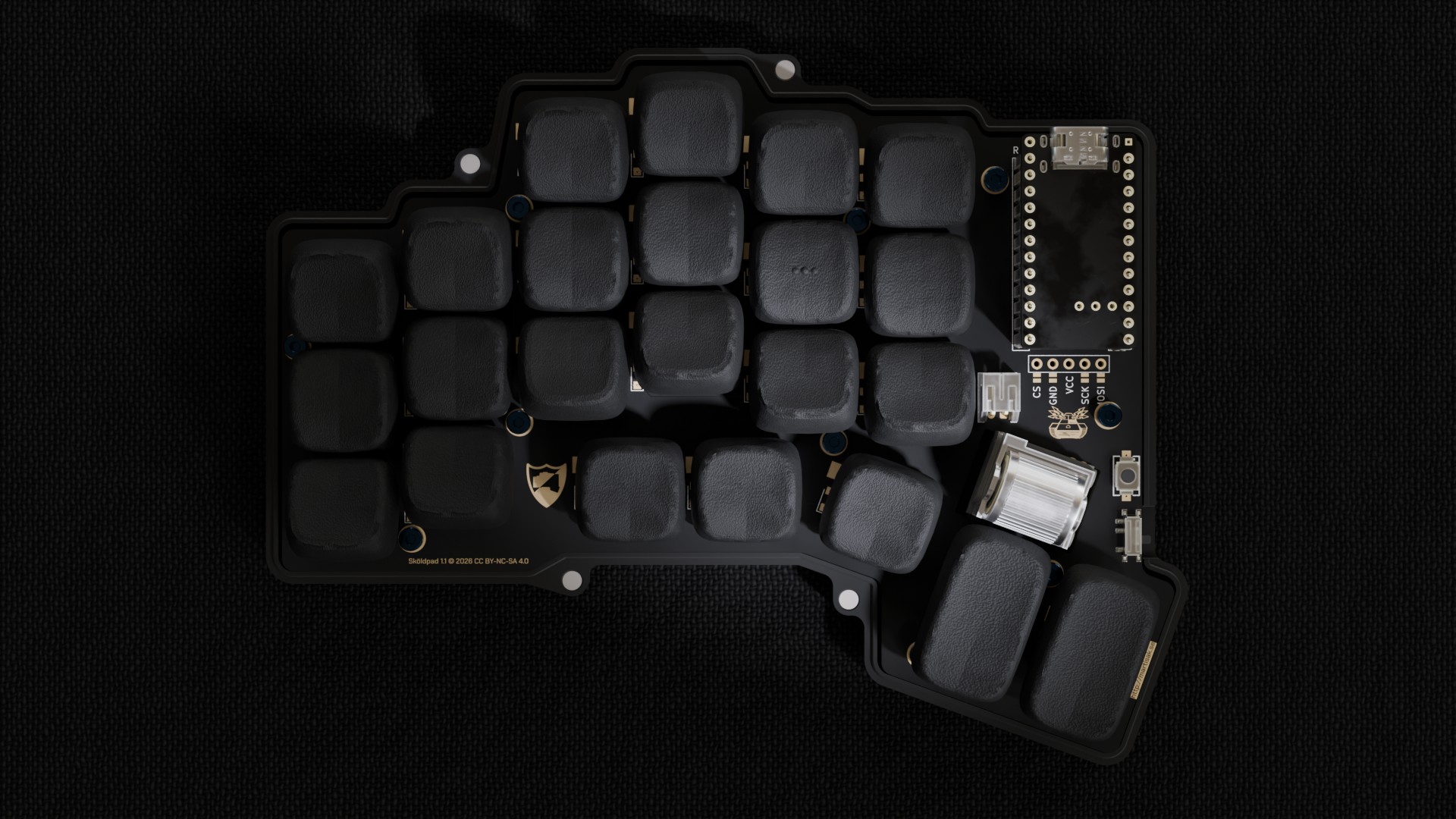
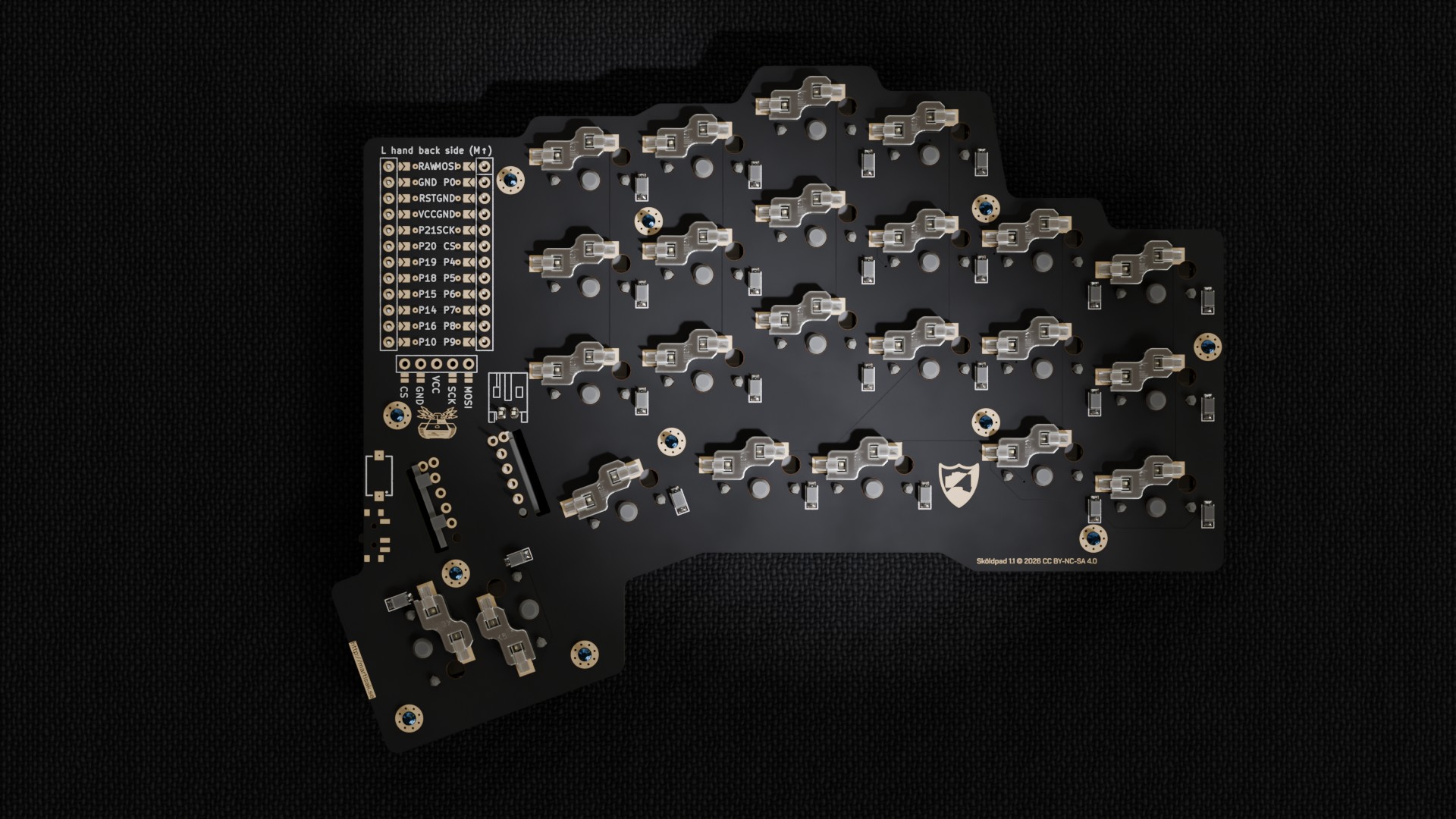
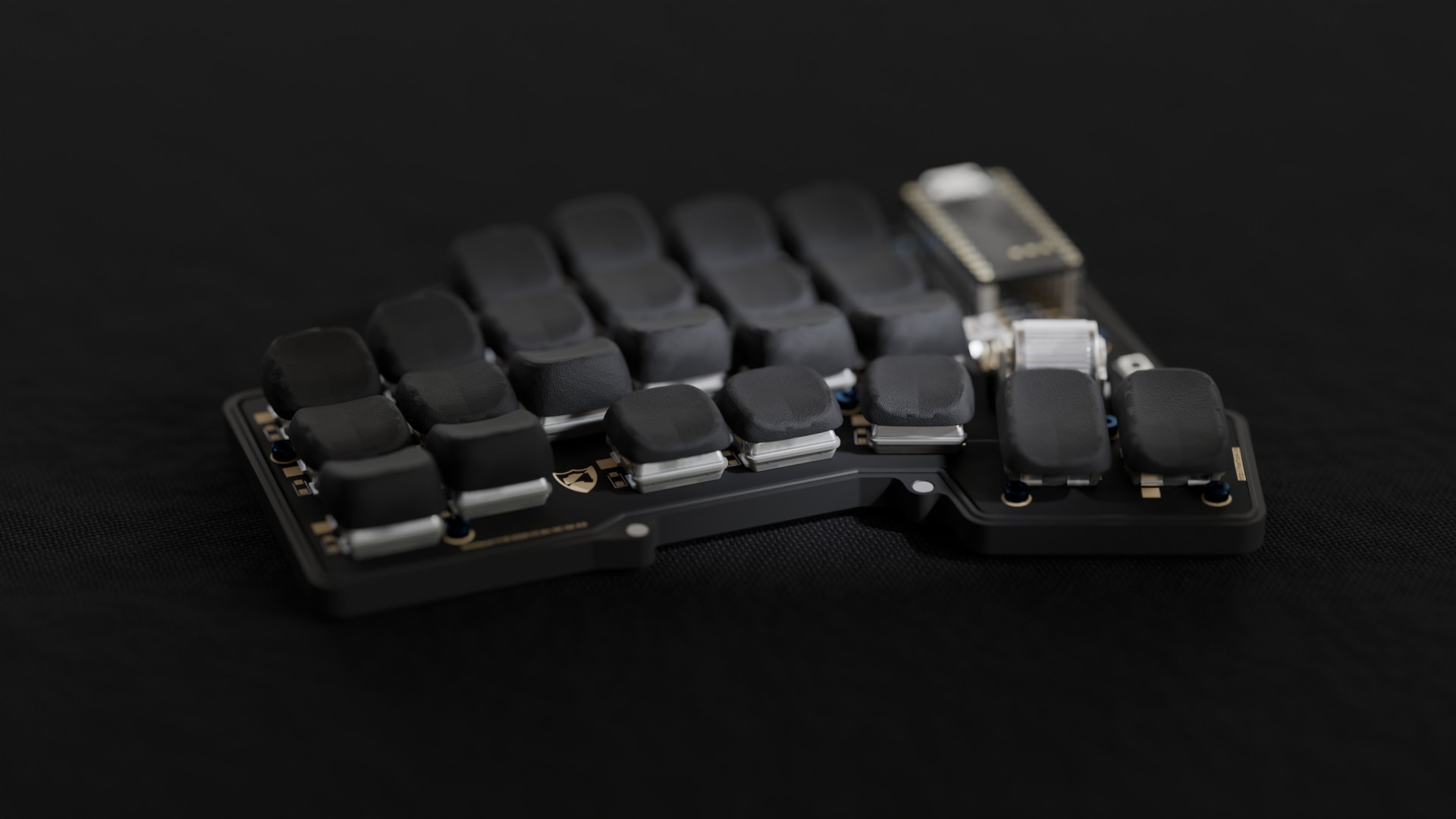
Sköldpad 1.0 - a columnar-staggered split keyboard built with ergogen and KiCad
Skoldpad is an open-source printed circuit board by martisak, from the martisak/skoldpad repository on GitHub. It is a 2-layer board of 141.8 × 109.2 mm with 94 parts on 74 nets, routed with 968 tracks and 8 vias.
Its parts include 47 switches and 23 diodes. It belongs with the keyboards and input boards and the nRF52 and nRF5x boards of this library.

A split, columnar-staggered keyboard built around a nice!nano MCU with a rotary encoder, laid out with ergogen and routed in KiCad. It's based on/inspired by josukey (MIT licensed), an ergogen-based Corne clone.
Firmware (ZMK, with a custom keymap tuned for Swedish input and coding symbols) lives in its own repo: martisak/zmk-config.
git clone https://github.com/martisak/skoldpad.git
cd skoldpad
npm iThe layout lives in ergogen/config.yaml.
Runs Ergogen and builds all of the output files (outlines, case, PCB skeleton) into ergogen/output.
npm run ergogen:buildWatches config.yaml and the footprints directory and re-runs the build on changes.
npm run ergogen:watchThe hand-routed PCB lives at ergogen/kicad/skoldpad.kicad_pcb
(along with the schematic, 3D step model, and the custom Skoldpad.pretty footprint library it
depends on) — open ergogen/kicad/skoldpad.kicad_pro in KiCad.

Regenerate these from the routed board with make schematics (requires kicad-cli and Python 3
on PATH); see the Makefile.
Firmware and keymap are maintained separately at martisak/zmk-config:
git clone git@github.com:martisak/zmk-config.gitIt's a nice!nano ZMK build with its own keymap (not
based on Miryoku), tuned for the macOS Swedish layout — base layer plus NUM, FUNC, and
directional layers. Builds run in GitHub Actions on every push; grab the .uf2 artifacts from
the latest successful run.
The PCB footprints support a nice!view display — this should work but hasn't been tested yet.
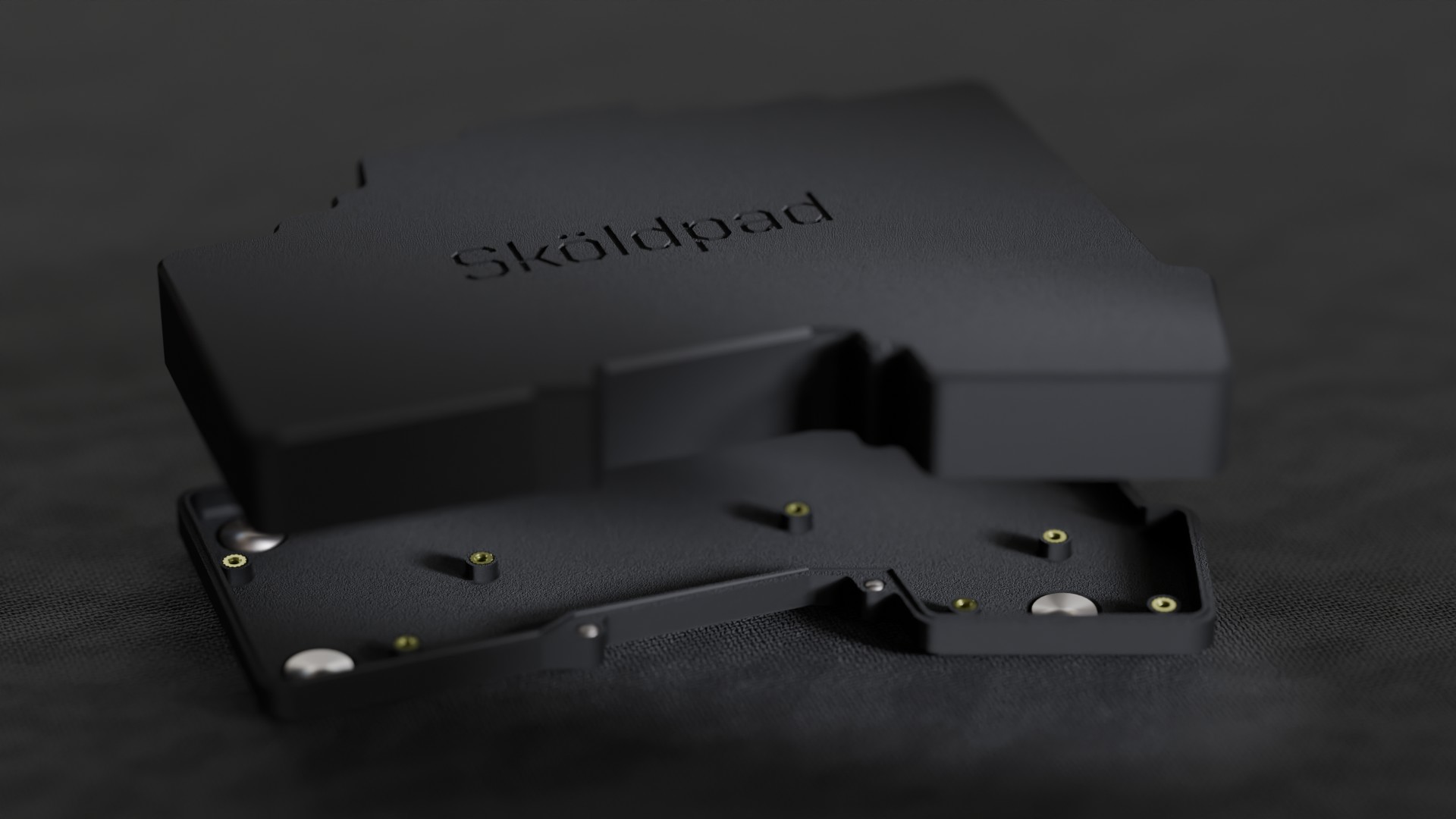
The case is designed in Shapr3D
(viewable in 3D at that link) and 3D printed. STL files for both halves (top and bottom shells)
are in case/:
Quantities below are per half; this design is one hand's PCB, fabricated twice (one normal, one mirrored) for a complete pair — double everything for a full two-hand build.
This PCB is Choc v1 (PG1350) only. The switch footprint's center hole and stabilizer-leg positions don't match Choc v2 or MX, so neither is a drop-in substitution — see Future Work.
| Part | Qty/half | Notes |
|---|---|---|
| nice!nano | 1 | MCU, one per half (each half is an independent BLE unit) |
| nice!view | 1 | Display — untested, see Known Issues; optional |
| Panasonic EVQWGD001 rotary encoder | 1 | ⚠️ Discontinued by Panasonic — check old-stock listings (e.g. Jotrin) or plan to substitute a pin-compatible EVQW-series encoder |
| Kailh Choc v1 switch | 23 | See Future Work — v2 is the recommended switch going forward |
| Kailh PG1350 hotswap socket | 23 | Choc v1 hotswap socket, e.g. Chosfox |
| SOD-123W diode (e.g. 1N4148W) | 23 | Standard keyboard-matrix switching diode |
| JST PH 2-pin connector (S2B-PH-K, 2.0mm) | 1 | Battery connector |
| LiPo battery (JST PH 2-pin) | 1 | Capacity not specified by the design — pick to fit the case |
| Kailh PCM12 SPDT slide switch | 1 | Power on/off |
| Würth WS-TASV SMT tactile switch (434121025816) | 1 | Reset button |
| M2 screws + threaded inserts/standoffs | 11 sets | One per mounting point in config.yaml (screw_* positions) |
| 1u keycap (Choc profile) | 21 | |
| 1.5u keycap (Choc profile) | 2 | Thumb keys — see Known Issues re: rotation |
Not in the PCB itself but needed to finish a build: the 3D-printed case (see Case section above) and a filament of your choice.
Code (footprint generator scripts, build tooling) is MIT. The hardware design (PCB, schematic, case, and ergogen layout) is CC BY-NC-SA 4.0, matching the license of the nice!nano and nice!view footprints it incorporates (see Thanks below).
Claude (Anthropic) assisted with README and documentation polish — drafting and formatting text (including the BOM table and general presentation of this repo) from the author's own notes and decisions. The design, PCB, firmware, fabrication work, and content substance (including Known Issues and Future Work) are the author's own.
| Qty | Value | Footprint | References |
|---|---|---|---|
| 46 | PG1350 | S1, S2, S10, S11, S12, S13, S14, S15, S16, S17, S18, S19, S20, S21, S22, S23 +30 | |
| 23 | Nexperia_CFP3_SOD-123W | Diode_SMD:Nexperia_CFP3_SOD-123W | D1, D2, D10, D11, D12, D13, D14, D15, D16, D17, D18, D19, D20, D21, D22, D23 +7 |
| 11 | MountingHole_2.2mm_M2_Pad_Via | H1, H2, H3, H4, H5, H6, H7, H8, H9, H10, H11 | |
| 4 | lib:text | , , , | |
| 2 | LOGO | Skoldpad:tank | G***, G*** |
| 2 | LOGO | Skoldpad:shieldpad | G***, G*** |
| 1 | Button_Switch_SMD:SW_SPDT_PCM12 | T1 | |
| 1 | nice_nano | MCU1 | |
| 1 | 434121025816 | S48 | |
| 1 | Connector_JST:JST_PH_S2B-PH-K_1x02_P2.00mm_Horizontal | _1 | |
| 1 | nice!view | DISP1 |
The 93 most common of 94 parts.
hackclub/OnBoard
💡 Join 1,000 teenagers and make your first PCB with a $100 grant!

eddyem/stm32samples
Code samples and ready projects based on bare-metal STM32


apuder/TRS-IO
TRS-IO gives a TRS-80 Model 1/III online capabilities and provides access to a variety of services. TRS-IO currently features the following capabilities:


It measures 141.8 × 109.2 mm and has 2 copper layers, 1.6 mm thick.
94 parts. The full list of its parts is on this page, with links to each part's symbol and footprint where PCBKit's library has them.
From the martisak/skoldpad repository on GitHub, at the commit this page was made from: the board is ergogen/kicad/skoldpad.kicad_pcb and its schematic ergogen/kicad/skoldpad.kicad_sch. PCBKit opens the board in the browser, with nothing to install.
Its repository states no licence, so its author keeps all rights: ask martisak before reusing the design.