2 layers120 × 93 mm

 lprib/sbc3
single board computer thingy
Keyboard is an open-source printed circuit board by lprib, from the lprib/sbc3 repository on GitHub. It is a 2-layer board of 205.5 × 64.2 mm with 110 parts on 94 nets, routed with 892 tracks and 132 vias.
It is built around the RS485, 74HC595 and SP3485EN-Y, with the LL4148 and X322516MLB4SI among its other parts. Its parts include 40 diodes, 31 switches, 17 capacitors, 15 resistors and 3 ICs. It belongs with the computers and single-board computers and keyboards and input boards and the STM32 boards of this library.


Self contained board that can be easily programmed on target for fun little games or GUIs. Inspired by the environment presented by TI calculators and TI-BASIC.
sbc3
|_ art: various images for putting on PCB and for on-screen graphics
|_ cubemx: STM32 CubeMX projects for pinmapping
|_ docs: datasheets etc
|  |_ cpu_hardware: hardware support and layout for STM32s
|  |_ hardware: various datasheets for parts used
|  \_ sofware: CPU ref manuals etc
|_ img: images for docs
|_ keyboard_v1: kicad project for keyboard
|_ main_board_v1: kicad project for main board
|_ rust_firmware: Firmware and screen driver in Rust (abandoned for now)
\_ software: (mostly c++) software and firmware
   |_ cmake: cmake scripts
   |_ firmware: firmware for main_board_v1
   |  |_ app: main application sources
   |  \_ (other dirs): supporting libraries unchanged from CubeMX/FreeRTOS upstream
   \_ vm: virtual machine
      |_ analysis: jupyter notebook for vm stat calculations
      |_ engine: main vm sources (portable)
      |_ pc_port: raylib port of VM for desktop
      |_ programs: sbc3 assembly programs
      |_ tests: vm unit tests (lol)
      |_ vscode-extension-sbcs-syntax: syntax support in VSCode for SBC3 assembly
      \_ as2.py: sbc3 vm bytecode assembler
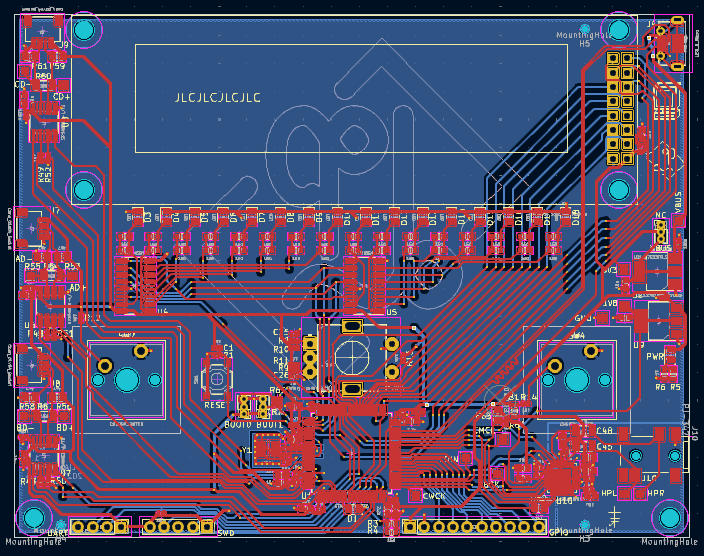
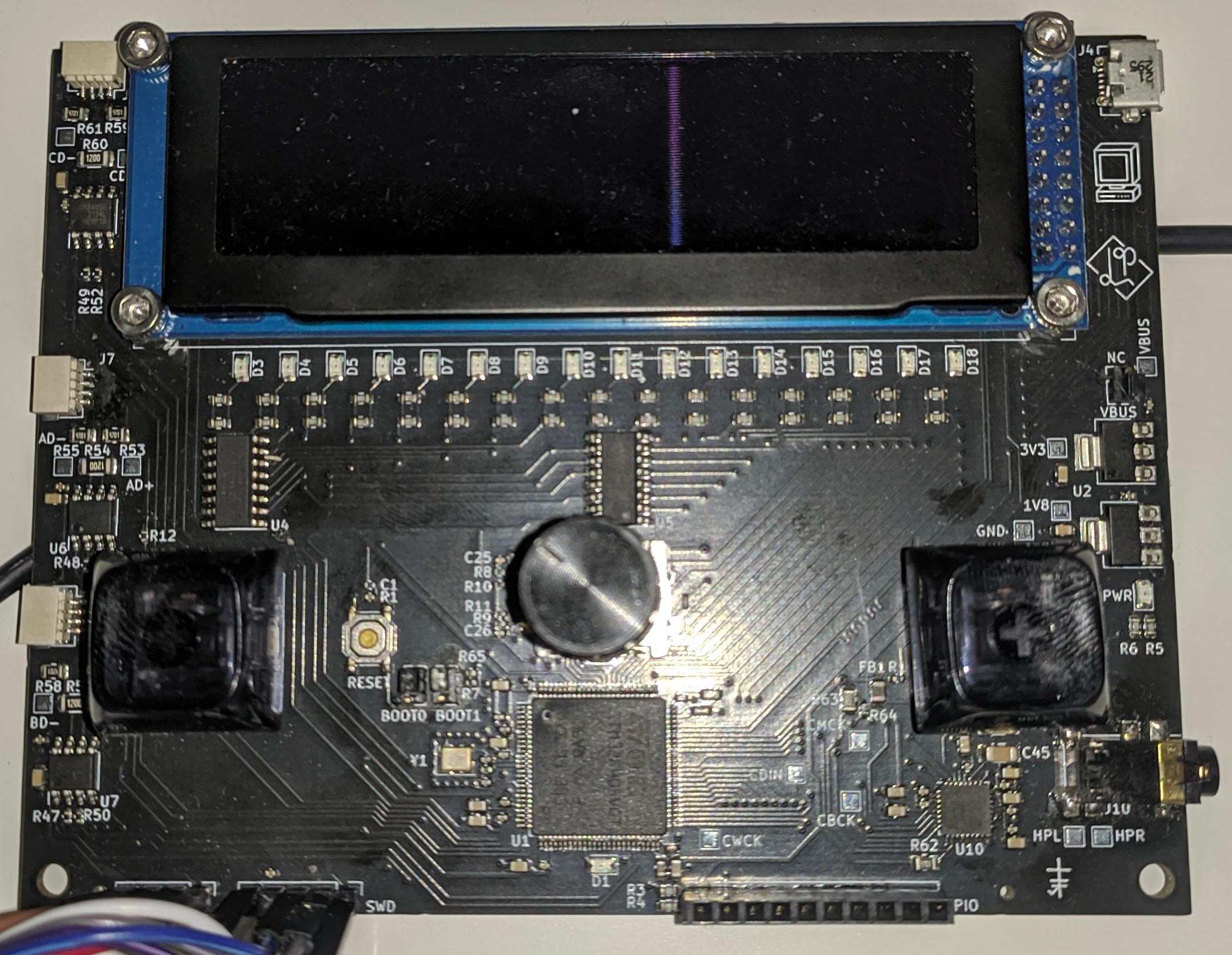

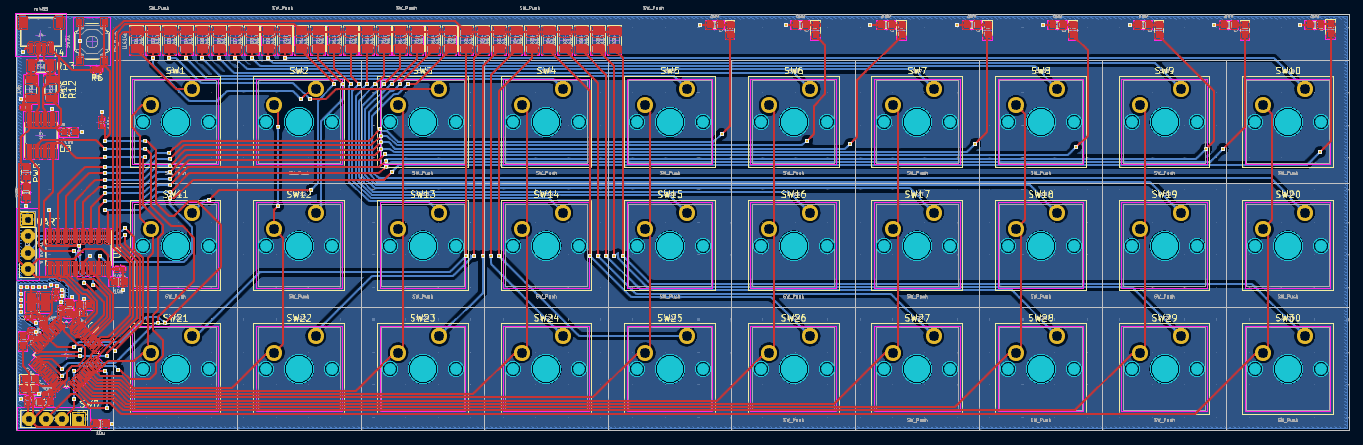
Not yet manufactured, since still thinking about re-doing the comms (definitely not going to use the current JST connectors as theyre much too finicky).
Also included is a stack based virtual bytecode machine (see software/vm). The bytecode can call out to pre-defined system modules, including graphics routines. Below is an example of the main board STM32 and a Linux desktop running the same bytecode program.
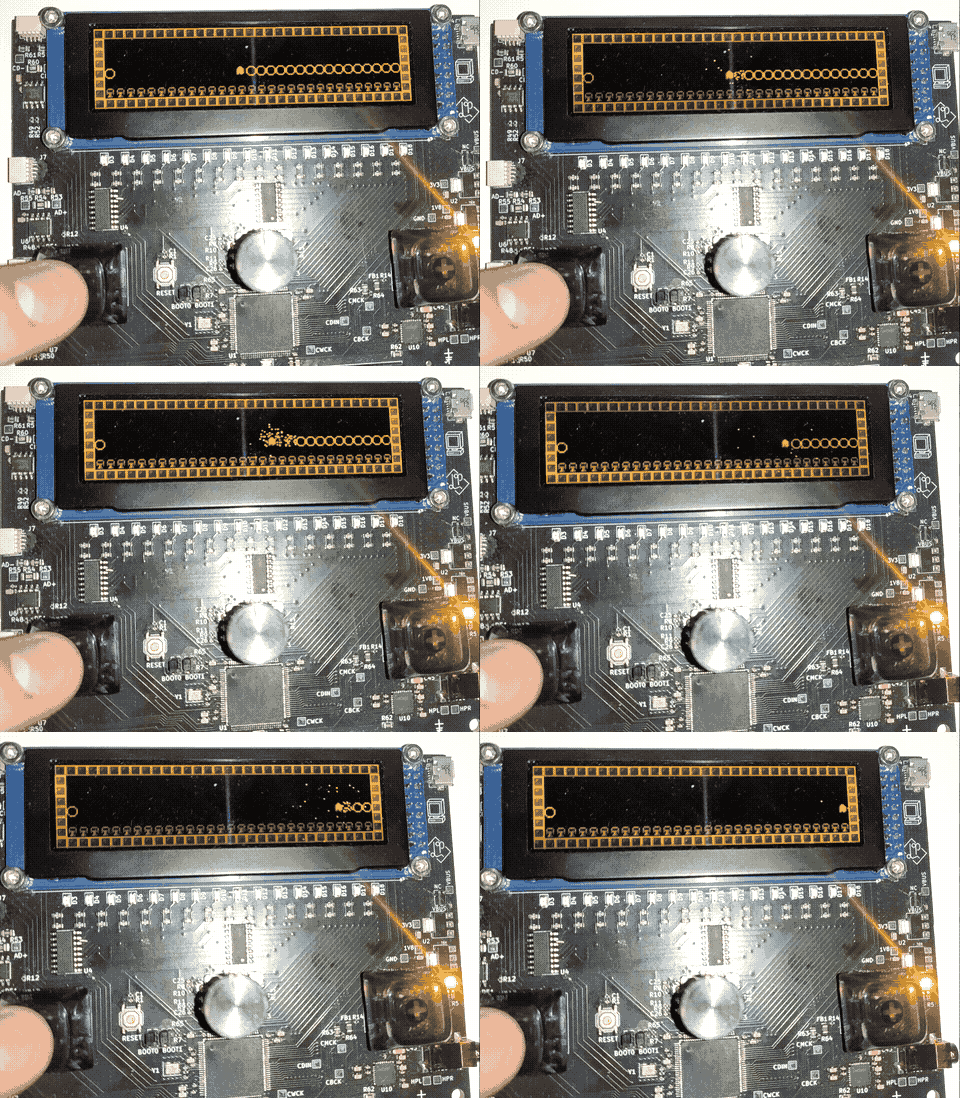
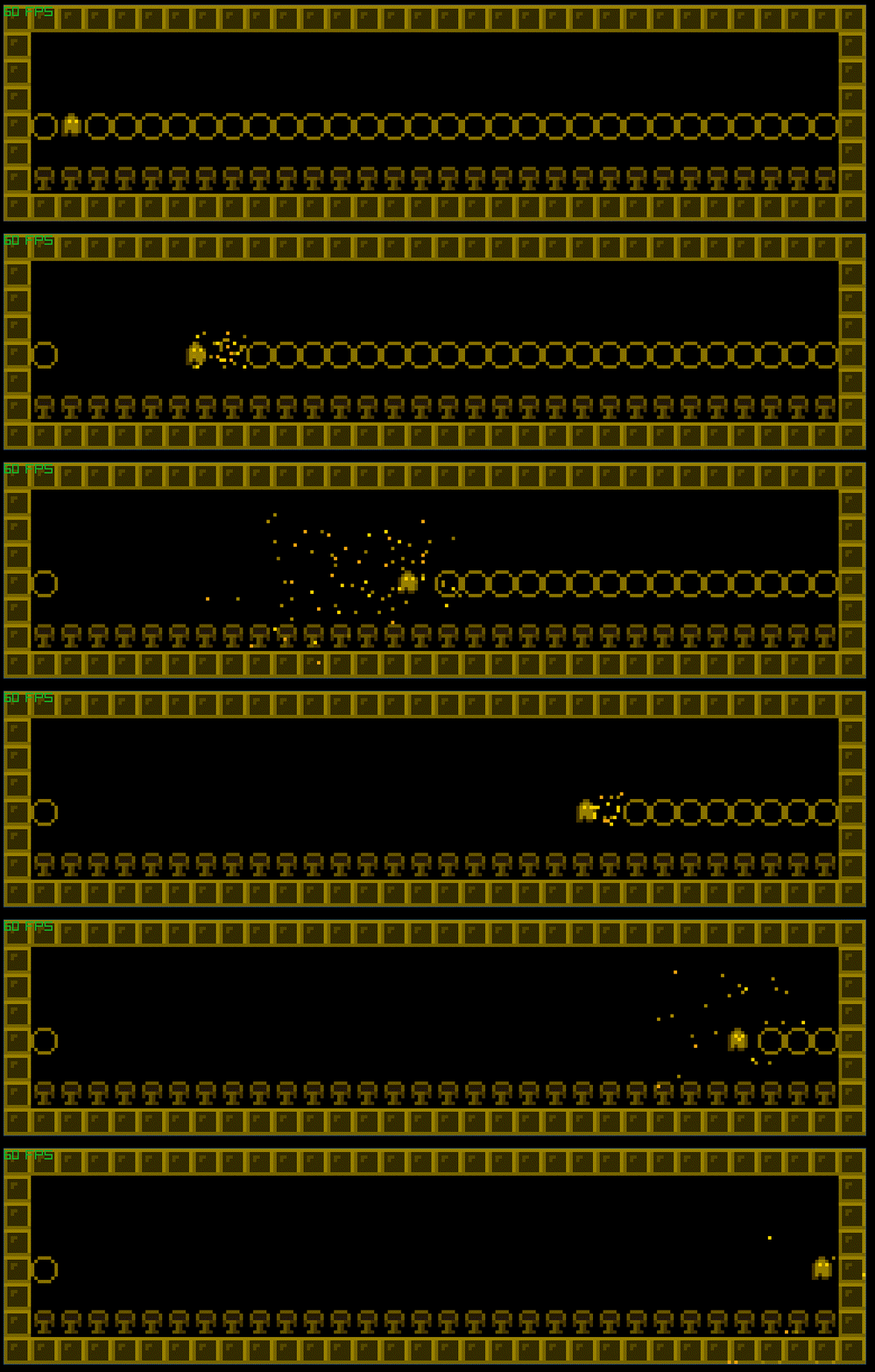
As the bytecode is stack based, a thin forth layer has been built for it, which is currently assembled by a python script. See the source program for the above gifs here.
| Qty | Value | Footprint | References |
|---|---|---|---|
| 30 | LL4148 | Diode_SMD:D_1206_3216Metric | D1, D2, D10, D11, D12, D13, D14, D15, D16, D17, D18, D19, D20, D21, D22, D23 +14 |
| 30 | SW_Push | Button_Switch_Keyboard:SW_Cherry_MX_1.00u_PCB | SW1, SW2, SW10, SW11, SW12, SW13, SW14, SW15, SW16, SW17, SW18, SW19, SW20, SW21, SW22, SW23 +14 |
| 10 | 68R | Resistor_SMD:R_0603_1608Metric | R2, R3, R4, R5, R7, R8, R9, R10, R14, R15 |
| 8 | 100n | Capacitor_SMD:C_0402_1005Metric | C1, C3, C5, C7, C11, C13, C15, C16 |
| 8 | D | Diode_SMD:D_0603_1608Metric | D31, D32, D33, D34, D35, D36, D37, D38 |
| 7 | 10u | Capacitor_SMD:C_0603_1608Metric | C2, C4, C6, C8, C12, C14, C17 |
| 2 | 10p | Capacitor_SMD:C_0402_1005Metric | C9, C10 |
| 2 | 4k7 | Resistor_SMD:R_1206_3216Metric | R12, R16 |
| 1 | 10k | Resistor_SMD:R_0402_1005Metric | R6 |
| 1 | 120 | Resistor_SMD:R_1206_3216Metric | R13 |
| 1 | 1k | Resistor_SMD:R_0402_1005Metric | R1 |
| 1 | 74HC595 | Package_SO:SOIC-16_3.9x9.9mm_P1.27mm | U2 |
| 1 | DIAG | Diode_SMD:D_0603_1608Metric | D39 |
| 1 | PWR | Diode_SMD:D_0603_1608Metric | D40 |
| 1 | SP3485EN | Package_SO:SOIC-8_3.9x4.9mm_P1.27mm | U3 |
| 1 | STM32F030C8Tx | Package_QFP:LQFP-48_7x7mm_P0.5mm | U1 |
| 1 | SWD | Connector_PinHeader_2.54mm:PinHeader_1x04_P2.54mm_Vertical | J2 |
| 1 | SW_Push | Button_Switch_SMD:SW_Push_1P1T_XKB_TS-1187A | SW31 |
| 1 | UART | Connector_PinHeader_2.54mm:PinHeader_1x04_P2.54mm_Vertical | J3 |
| 1 | X322516MLB4SI | Crystal:Crystal_SMD_SeikoEpson_TSX3225-4Pin_3.2x2.5mm | Y1 |
| 1 | rs485 | Connector_JST:JST_SH_SM04B-SRSS-TB_1x04-1MP_P1.00mm_Horizontal | J4 |


Carciax/EEE4022S_Salinity_JCP24-03
This project focused on the design of a salinity sensor for measuring the salinity of the sea water beneath the Antarctica ice caps which had a unique habitat and salinity range due to the ice caps expelling large…


Ricsi1231/Stepper-Motor-Controller
EmbedCore Stepper Controller is a compact, high-performance stepper motor driver designed to mount directly onto the back of a NEMA 17 motor with the appropriate enclosure.

It measures 205.5 × 64.2 mm and has 2 copper layers, 1.6 mm thick.
110 parts, built around the RS485, 74HC595, SP3485EN-Y and LL4148. The full list of its parts is on this page, with links to each part's symbol and footprint where PCBKit's library has them.
From the lprib/sbc3 repository on GitHub, at the commit this page was made from: the board is keyboard_v1/keyboard.kicad_pcb and its schematic keyboard_v1/keyboard.kicad_sch. PCBKit opens the board in the browser, with nothing to install.
Its repository states no licence, so its author keeps all rights: ask lprib before reusing the design.