4 layers36 × 51.8 mm

 leafai-io/leaf-node-v3.x47
Modular node for sensor monitoring and device control in grow environments.
LeafNode v3.1 is an open-source printed circuit board by leafai-io, from the leafai-io/leaf-node-v3.x repository on GitHub. It is a 2-layer board of 55 × 55 mm with 91 parts on 67 nets, routed with 475 tracks and 144 vias.
It is built around the CP2102, ESP32-S3-MINI-1-N8 and LM358PW, with the MAX485ESA+T, R-78E3.3-1.0 and G6K-2F-Y-DC12 among its other parts. Its parts include 35 resistors, 15 capacitors, 11 diodes, 6 ICs and 5 transistors. It belongs with the ESP32 boards of this library.


Leaf AI is an independent, open-source project. If you find it useful, you can support its continued development at Leaf AI Support.
The Leaf Node is an open-source environmental monitoring and control device built on the ESP32-S3. It reads sensor data, publishes it over MQTT, and can trigger actuators — allowing you to monitor conditions and directly control connected devices such as lights, fans, pumps and valves. Configuration is handled wirelessly via BLE, making it a self-contained building block for precision agriculture and environmental monitoring and automation systems.
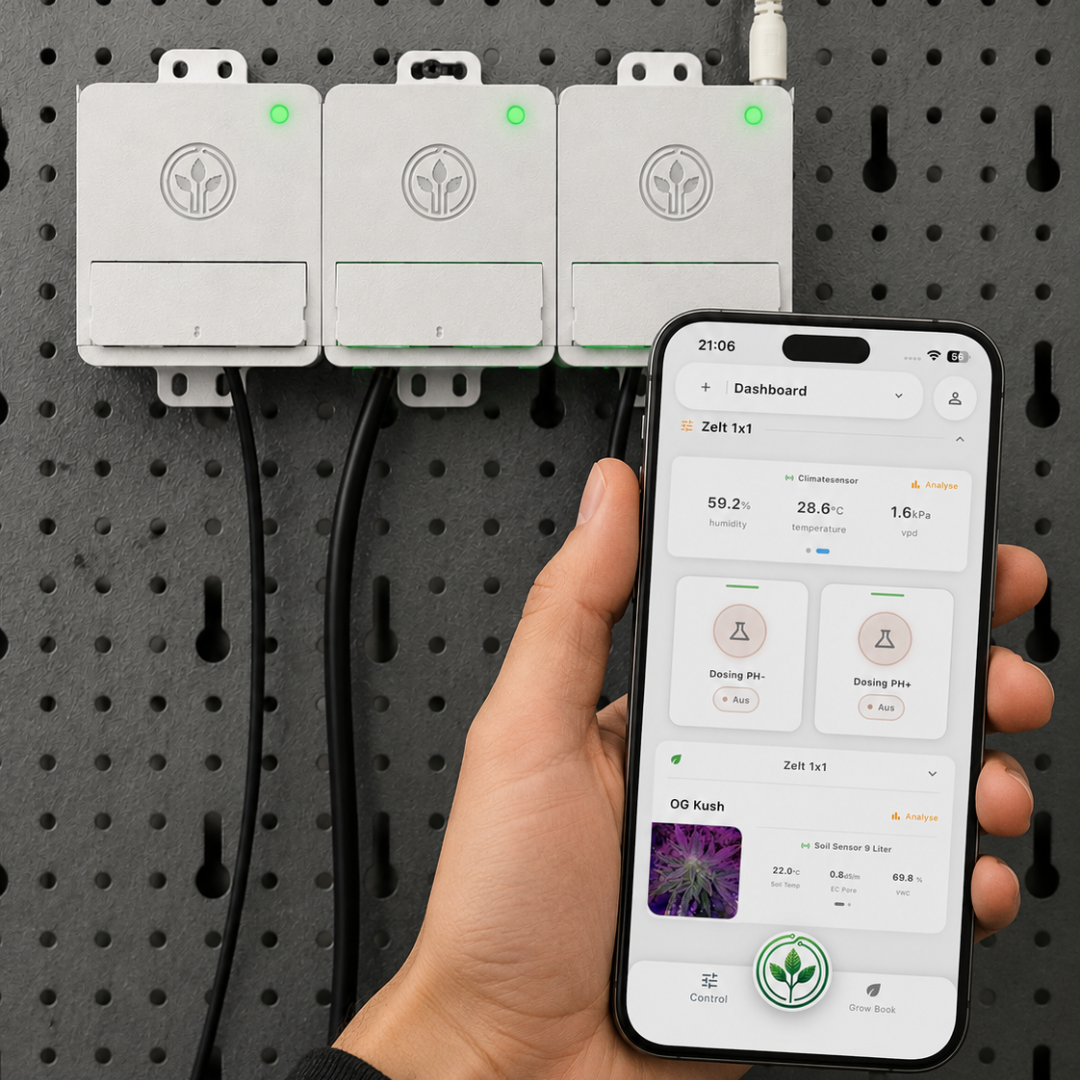
Leaf Node is built around one principle: it should just work. From first flash to live sensor data in minutes — simple enough for a grower to deploy in the field, open enough for a developer to extend and build on. No unnecessary complexity, no steep learning curve.
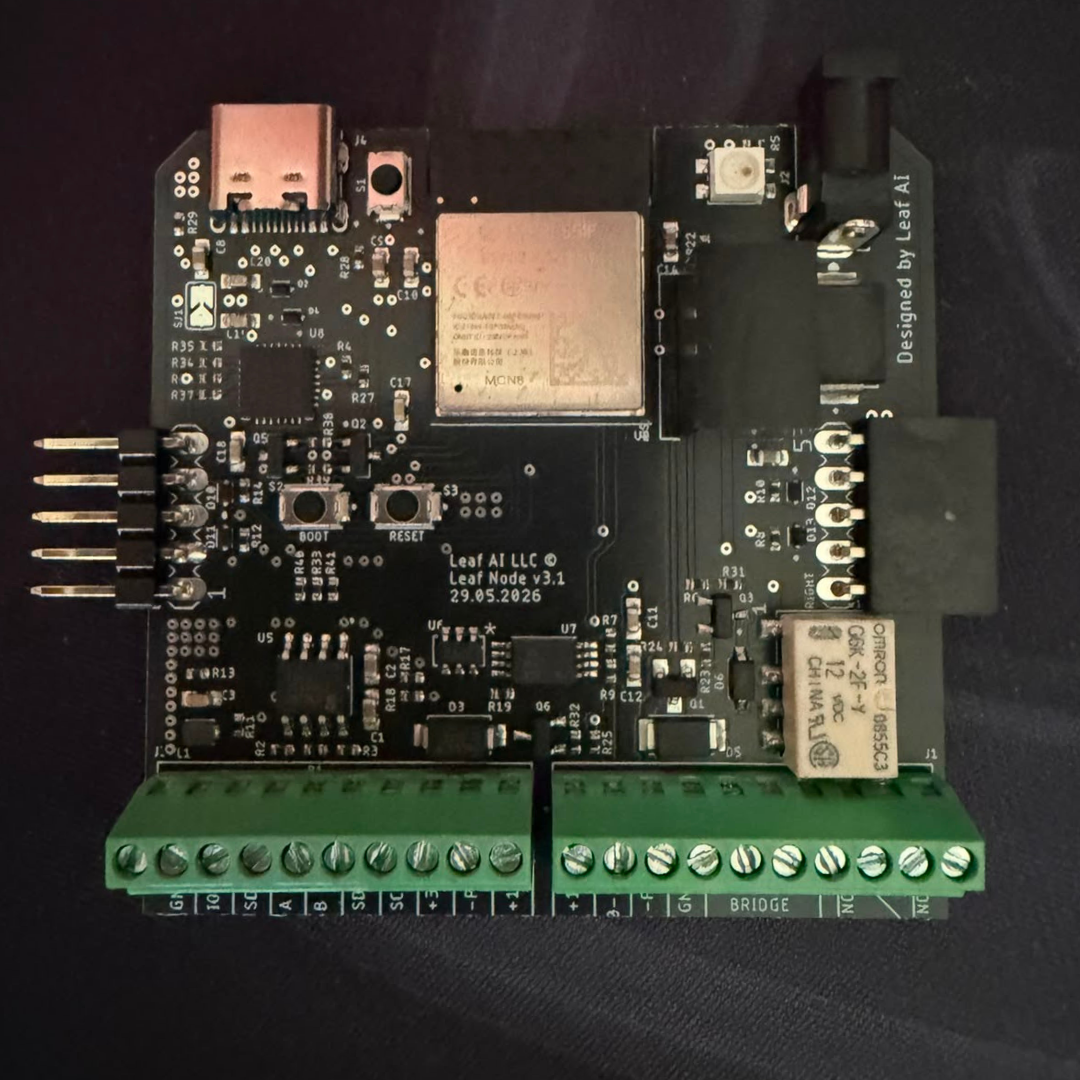
| Component | Details |
|---|---|
| MCU | ESP32-S3 |
| Status LED | WS2812B addressable RGB (v3) |
| RS485 | Half-duplex, DE/RE controlled |
| I2C | SDA GPIO8, SCL GPIO9 |
| SDI-12 | GPIO12 (shared with OneWire via hardware bridge) |
| OneWire | GPIO12 |
| Actuators | MOSFET (GPIO36), Relay (GPIO38), DAC (MCP4725 via I2C) |
| PWM | GPIO2 (1 kHz, 10-bit) + MOSFET gate (5 kHz, 10-bit) |
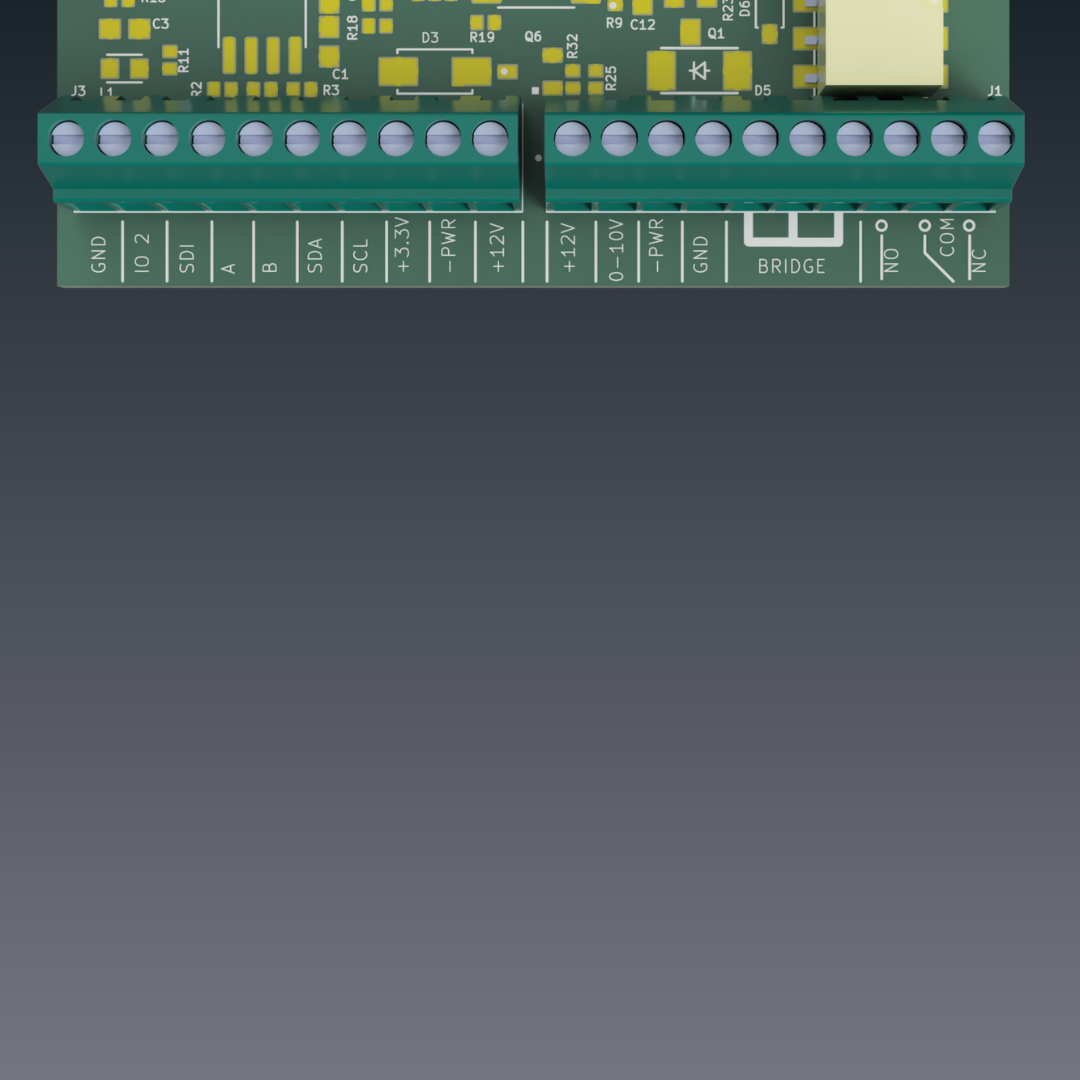
| Sensor | Interface | Wiring | Measurement |
|---|---|---|---|
| SHT31 | I2C (0x44) | +3.3V · GND · SDA · SCL | Temperature, Humidity |
| EZO pH | I2C (0x63) | +3.3V · GND · SDA · SCL | pH |
| EZO EC | I2C (0x64) | +3.3V · GND · SDA · SCL | Electrical Conductivity |
| TEROS 12 | SDI-12 | +3.3V · GND · SDI-12 | Soil moisture, temperature, EC |
| DS18B20 | OneWire | +3.3V · GND · Need Modification | Temperature |
| SLT5007 | RS485 | +3.3V · GND · A · B | VWC, Bulk EC, Soil temperature, Pore EC |
| CWT-PSS | RS485 | +12V · GND · A · B | PAR (Photosynthetically Active Radiation) |
| LEAFTHSN | RS485 | +12V · GND · A · B | Leaf wetness, Leaf temperature |
| CWT-SoilTHS | RS485 | +12V · GND · A · B | VWC, Soil temperature |
| CWT-THXXS | RS485 | +12V · GND · A · B | Air temperature, Humidity, VPD |
| Actuator | GPIO / Interface | Wiring | Typical Use |
|---|---|---|---|
| MOSFET | GPIO36 | +12V · -PWR | Pumps, fans, DC loads |
| Relay | GPIO38 | COM · NO · NC | AC/DC switching, high-current loads |
| DAC (MCP4725) | I2C (0x60) | 0-10V · GND | Analog 0–5 V output (e.g. dosing pumps) |
| PWM | GPIO2 | IO2 · GND | Variable speed / dimming control |
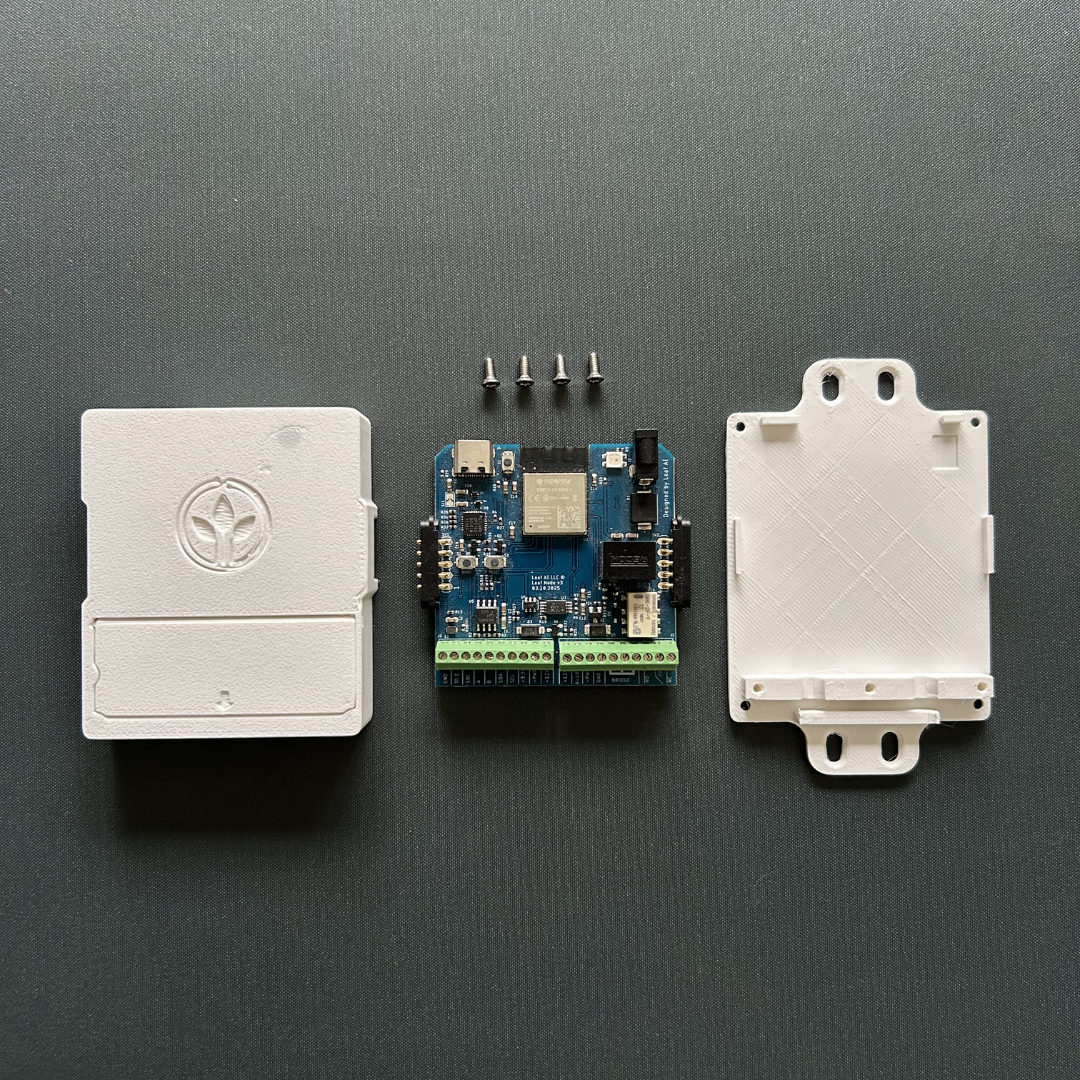
No toolchain required. Works directly in Chrome/Edge.
That's it — the node connects to the Leaf AI backend and starts publishing sensor data.
A free Leaf AI account is required to use the app. Sign up directly in the Leaf AI app.
For developers who want to modify or extend the firmware.
Prerequisites: PlatformIO (CLI or VS Code extension)
Fabricate the PCB from the files in hardware/pcb/ and wire your sensors according to the pin table above.
First flash: Use the Leaf AI Firmware Flasher for the initial flash. It writes a compatible serial number to the device that is required for communication with the Leaf AI app. Subsequent builds can be uploaded via PlatformIO.
git clone https://github.com/leafai-io/leaf-node-v3.1.git
cd leaf-node-v3.1
pio run --target upload
Monitor serial output (115200 baud):
pio device monitorOpen the Leaf AI app, tap Add Device, and follow the on-screen steps to configure Wi-Fi and link your account.
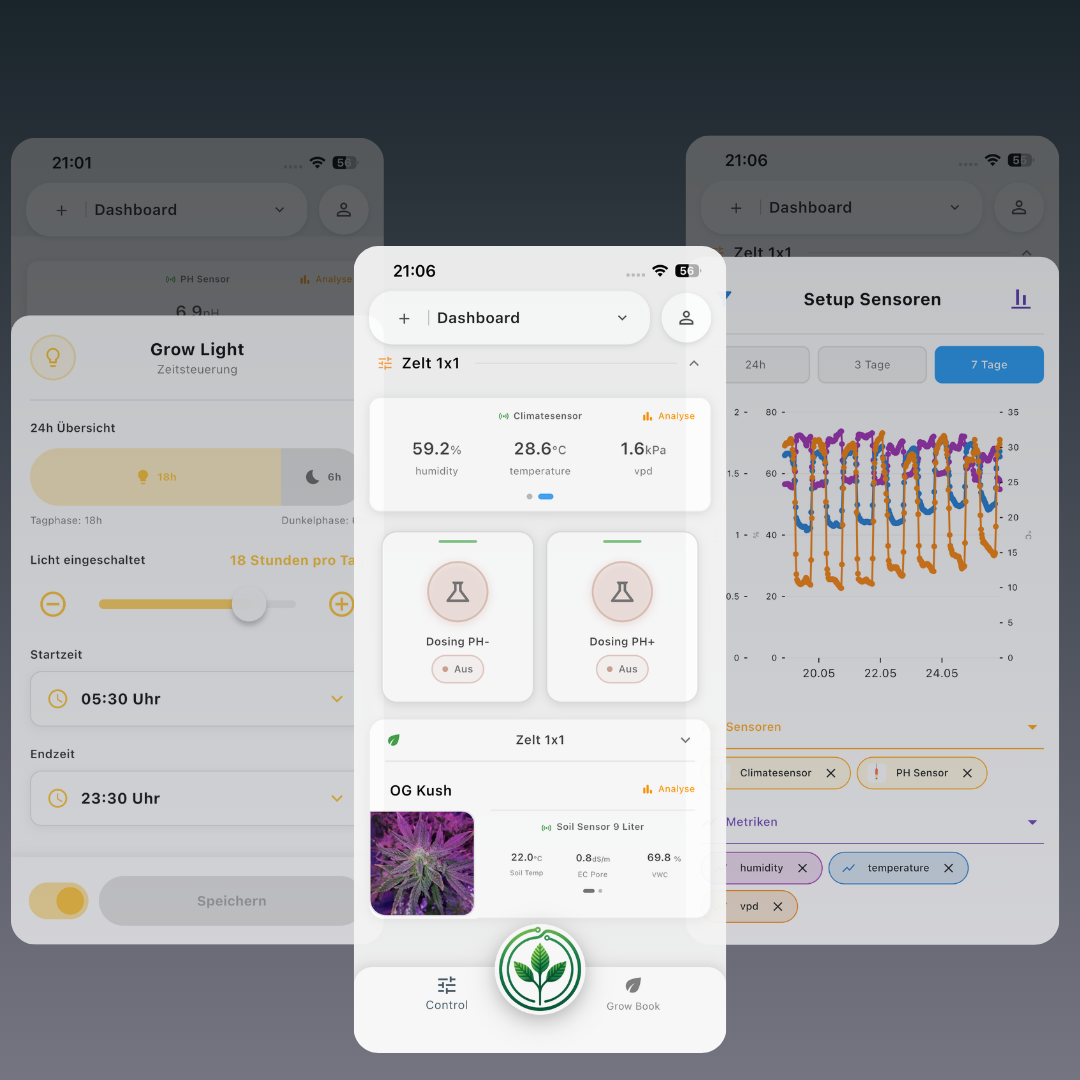
Once your Leaf Node is provisioned, open the Leaf AI app to view live sensor readings, configure schedules, and control actuators — all from your phone.
This project uses two open-source licences depending on what you are working with:
| Component | Licence |
|---|---|
| Firmware / Software | GNU AGPL-3.0 |
| Hardware (PCB, enclosure) | CERN-OHL-S v2 |
Software (AGPL-3.0): You can use, modify, and distribute the firmware freely, but any modified version you run as a networked service must also be released under the same licence.
Hardware (CERN-OHL-S v2): You can study, modify, and manufacture the hardware freely, but any modified design you distribute or produce must be released under the same licence with complete source files.
If you create a fork, we'd love to hear about it. Open an issue or send us a message so we can showcase your project and potentially integrate useful improvements.
Leaf AI is an independent, open-source project. If you find it useful, you can support its continued development at Leaf AI Support.
| Qty | Value | Footprint | References |
|---|---|---|---|
| 13 | 10k | R0402_334 | R17, R18, R19, R22, R23, R31, R32, R33, R37, R38, R39, R40, R41 |
| 7 | TPTP13R | TP13R_385 | D-0, D+0, EN0, IO0, IO39, RXD0, TXD0 |
| 6 | 100nF | C0603_334 | C10, C11, C12, C17, C18, C19 |
| 6 | 10uF | C0603_334 | C1, C2, C4, C5, C8, C9 |
| 6 | LESD5D5.0CT1G | TVS_LESD5D5.0CT1G | D2, D4, D10, D11, D12, D13 |
| 4 | 100 | R0402_334 | R8, R10, R12, R14 |
| 4 | 1k | R0402_334 | R6, R7, R24, R25 |
| 3 | 0R | R0402_334 | R4, R5, R27 |
| 2 | MA05-1_162 | LEFT0, RIGHT0 | |
| 2 | 1725737 | PHOENIX_1725737 | J1, J3 |
| 2 | 20k | R0402_334 | R2, R3 |
| 2 | 5k1 | R0402_334 | R28, R29 |
| 2 | SI2302DS | SOT23-3_TO-236AB | Q3, Q6 |
| 2 | SS8050-G | TRANS_SS8050-G | Q2, Q5 |
| 1 | SOLDERJUMPER_ARROW_NOPASTE | SJ1 | |
| 1 | 100k | R0402_334 | R13 |
| 1 | 120 | R0402_334 | R1 |
| 1 | 1N4148W | SODFL3816X120N | D6 |
| 1 | 1uF | C0603_334 | C14 |
| 1 | 220pF | C0603_334 | C3 |
| 1 | 22k1 | R0402_334 | R35 |
| 1 | 2k | R0402_334 | R36 |
| 1 | 2k1 | R0402_334 | R9 |
| 1 | 4,7uF | C0603_334 | C20 |
| 1 | 47k5 | R0402_334 | R34 |
| 1 | 510 | R0402_334 | R11 |
| 1 | BOOT | SKRK | S2 |
| 1 | CP2102 | QFN50P500X500X100-29N | U8 |
| 1 | CSP-USC16-TR | VALCON_CSP-USC16-TR | J4 |
| 1 | ESP32-S3-MINI-1-N8 | XCVR_ESP32-S3-MINI-1-N8 | U2 |
| 1 | G6K-2F-Y-DC12 | G6K | U16 |
| 1 | IRLML6344 | SOT23 | Q1 |
| 1 | LM358PW | SOP65P640X120-8N | U7 |
| 1 | LQH2MCN100M52L | IND_LQH2MCN100M52L | L1 |
| 1 | MAX485ESA+T | SOIC127P600X175-8N | U5 |
| 1 | MBRS540T3G | DIOM7959X261N | D1 |
| 1 | MCP4725A1T-E/CH | SOT23-6 | U6 |
| 1 | PJ-018H | CUI_PJ-018H | J2 |
| 1 | PMEG3030EP | SOD_128 | D5 |
| 1 | R-78E3.3-1.0 | CONV_R-78E3.3-1.0 | PS1 |
| 1 | RESET | SKRK | S3 |
| 1 | SK68XXMINI-HS | 3535 | D7 |
| 1 | SKRKAEE010 | SKRK | S1 |
| 1 | SS14 | DIOM4325X250N | D3 |
It measures 55 × 55 mm and has 2 copper layers, 1.6 mm thick.
91 parts, built around the CP2102, ESP32-S3-MINI-1-N8, LM358PW and MAX485ESA+T. The full list of its parts is on this page, with links to each part's symbol and footprint where PCBKit's library has them.
From the leafai-io/leaf-node-v3.x repository on GitHub, at the commit this page was made from: the board is hardware/pcb/kiCad/LeafNode_v3.1.kicad_pcb and its schematic hardware/pcb/kiCad/LeafNode_v3.1.kicad_sch. PCBKit opens the board in the browser, with nothing to install.
Its repository states no licence, so its author keeps all rights: ask leafai-io before reusing the design.

shraken/usbhid_buddy
Hardware, firmware, and software for the USBHID DAQ 'Buddy' device

saulpaiva/respirometro
Documentação referente a placa de circuito impresso versão 0.2. Versão em dosenvolvimento.


ctag-fh-kiel/ctag-tbd
CTAG TBD >>to be determined<< an extendible open source Eurorack sound module

ctag-fh-kiel/esp32-eurorack-audio
Open source eurorack audio module based on ESP32

ugcs/ddc
Drone Show Software is software designed for drone shows, allowing flight path planning as well as control of dozens of drones simultaneously in a synchronized manner.