
2 layers204 × 80 mm

 keshikan/CureMIDI826
USB-MIDI Interface(8IN/8OUT) for STM32F7
Subboard is an open-source printed circuit board by keshikan, from the keshikan/CureMIDI8 repository on GitHub. It is a 2-layer board of 174 × 40 mm with 46 parts on 34 nets, routed with 233 tracks and 53 vias.
It is built around the TLP2361(E. Its parts include 9 connectors, 8 capacitors, 8 resistors, 8 ICs and 8 diodes. It belongs with the audio and music and interfaces and adapters boards and the STM32 boards of this library.
This repository shows STM32F7 (ARM Cortex-M7) based 8IN/8OUT USB-MIDI Interface. It is USB MIDI class-compliant, so you can add MIDI port without drivers(Windows, iOS, Android, etc...)
The USB-MIDI Class Driver is based on mimuz-tuch project (c) D.F.Mac. @TripArts Music.
STM32F7を使用した、USB-MIDIインターフェースです。INを8系統、OUTを8系統実装しています。USB MIDI Classに対応するシステム(Windows, iOS, Android, etc.)に対し、ドライバレスでMIDI入出力ポートを追加できます。
USB MIDI Classドライバは、D.F.Mac. @TripArts Music氏作成のドライバを元に、I/F部(usbd_midi_if.c/h)の改造を行っています。
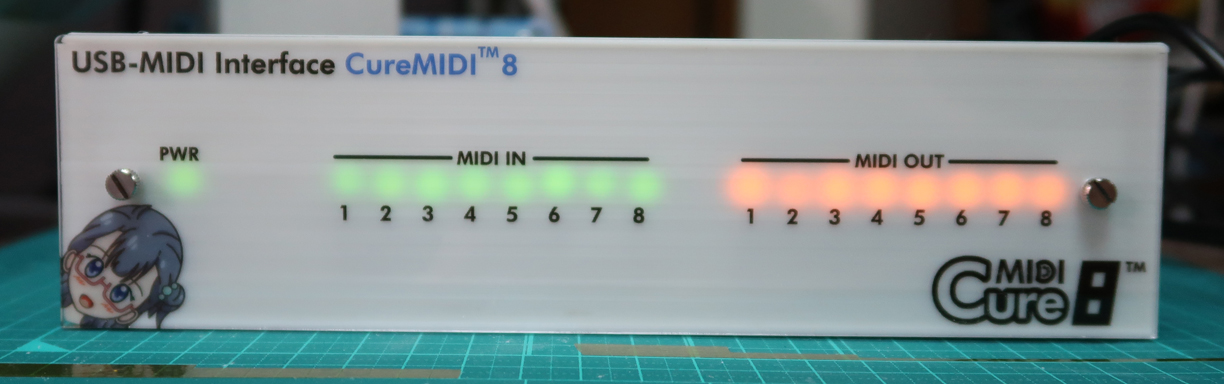
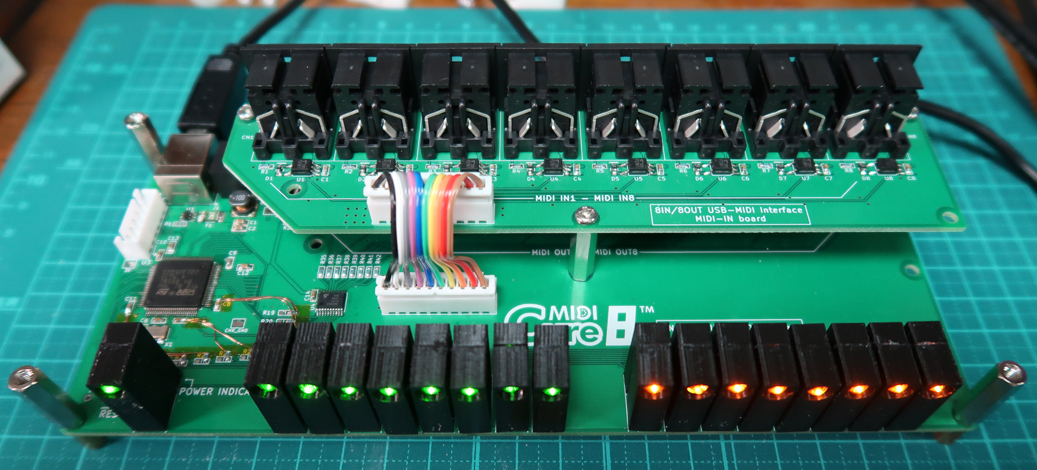
See Schematic, KiCad Source. CureMIDI8 consist of a mainboard and a MIDI-IN board.
回路図はこちら. CureMIDI8は、メイン基板(Mainboard)と、拡張基板(MIDI-IN board)に分かれています。
Install STM32CubeIDE, import Project files. If you have successfully imported, you can build the project without error and the binary file will be created in /CubeIDE_project/Debug/.
STM32CubeIDEをインストールし、プロジェクトファイルをインポートして下さい。インポートに成功していれば、STM32CubeIDE上でプロジェクトをビルドするだけで、/SW4STM32_project/Debug/フォルダにバイナリファイルが生成されるはずです。
Refer to here. (written in Japanese)
こちらを参照して下さい。
(Older Information) Load CureMIDI8.ioc on STM32CubeMX (Ver.5.0.1), change the pin assignment, and generate code. After code generation, copy usb device driver as described below. You can use ./click_after_code_generation.bat (in Windows).
(以下は古い情報です) CureMIDI8.iocをSTM32CubeMX (Ver.5.0.1)で読みこみ、ポートを適宜修正し、コード生成をして下さい。コードを生成後、./template下のUSBドライバを、下記の通り上書きして下さい。上書きは、./click_after_code_generation.batを実行してもOKです。
Vendor ID(VID) and Product ID(PID) in <usbd_desc.c> should be unique pair for each USB devices. Default VID 0x1209 and PID 0x0001 is experimental IDs from http://pid.codes .When distributing or selling, you must get your own IDs, and change to your own IDs in order to avoid conflicting to other USB devices.
USBのVendor ID(VID)とProduct ID(PID)は、<usbd_desc.c>内に記述します。 デフォルトのVID(0x1209)/PID(0x0001)ペアは、http://pid.codesで定められている実験用IDです。そのため、本機器を配布したり販売したりする場合には、別途固有のIDペアを取得し、書き換えてご使用いただく必要があります。
(c) 2019 Keshikan ( Website, Twitter )
See also LICENSE.md
| Qty | Value | Footprint | References |
|---|---|---|---|
| 8 | 0.1μF | keshikan:SMD_0603(1608) | C1, C2, C3, C4, C5, C6, C7, C8 |
| 8 | 220 | keshikan:SMD_0603(1608) | R1, R2, R3, R4, R5, R6, R7, R8 |
| 8 | DIN_5 | keshikan:DIN_5P_MIDI | CN1, CN2, CN3, CN4, CN5, CN6, CN7, CN8 |
| 8 | D_Small | keshikan:SMD_0805(2012)_polar | D1, D2, D3, D4, D5, D6, D7, D8 |
| 8 | TLP2361 | keshikan:11-4L1S(TLP2361) | U1, U2, U3, U4, U5, U6, U7, U8 |
| 1 | Conn_01x10 | Connectors_JST:JST_XH_B10B-XH-A_10x2.50mm_Straight | J1 |
The 41 most common of 46 parts.


dan-rodrigues/ym2610-pcb
FPGA-based PCB to control a YM2610 sound synthesis chip.


FugLong/OpenChord
An open-source music device for portable, expressive, and extensible audio creation.

It measures 174 × 40 mm and has 2 copper layers, 1.6 mm thick.
46 parts, built around the TLP2361(E. The full list of its parts is on this page, with links to each part's symbol and footprint where PCBKit's library has them.
From the keshikan/CureMIDI8 repository on GitHub, at the commit this page was made from: the board is hardware/kicad_source/sub_board/subboard.kicad_pcb. PCBKit opens the board in the browser, with nothing to install.
Its repository states no licence, so its author keeps all rights: ask keshikan before reusing the design.