Skip to the content
2 layers99.9 × 94.5 mmMinikeeb, the printed circuit board in 3D

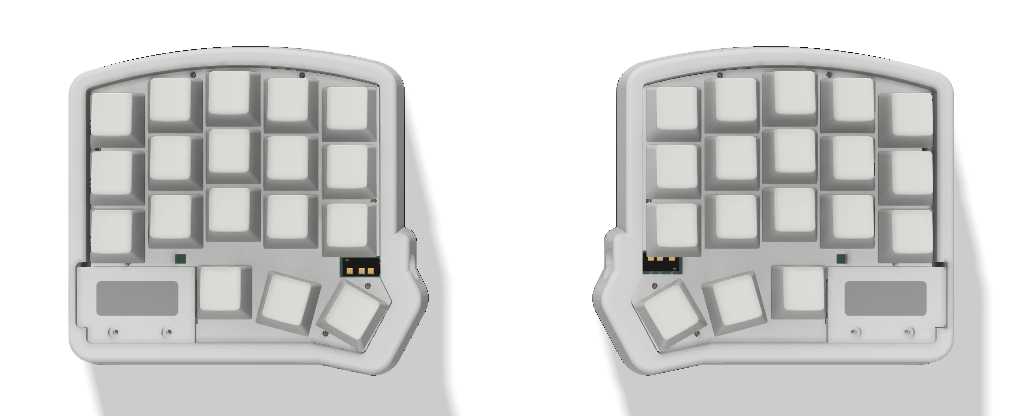
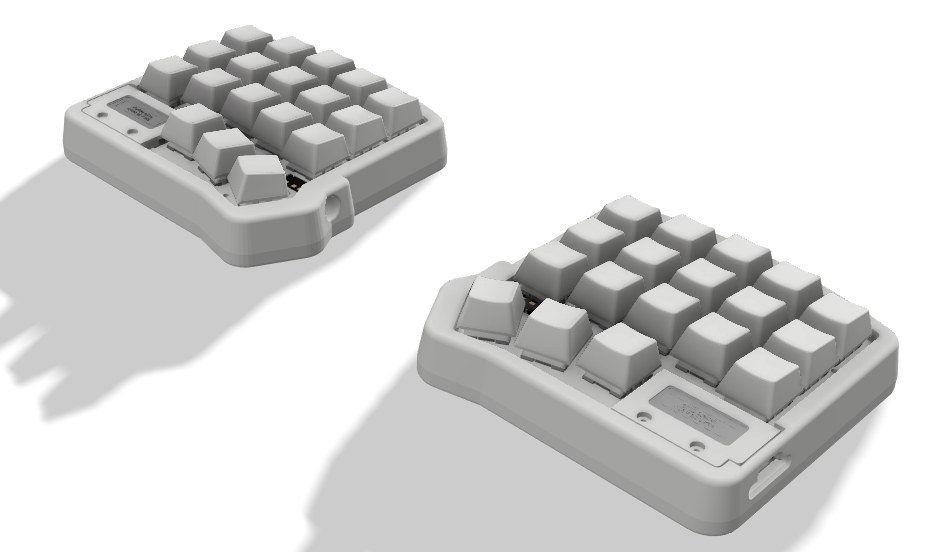
a split keyboard mini based on microdox and microredox using MX Style Switch

Size
99.9 × 94.5 mm
Copper layers
2
Thickness
1.6 mm
Parts
98
Nets
73
Pads
472
Tracks, vias
1,631, 228
Pours
2
Routed
Yes
KiCad
KiCad 7 (file 20221018)
Created
29 Aug 2024
Updated
2 Jan 2025

Overview

Minikeeb is an open-source printed circuit board by juarendra, from the juarendra/Minikeeb_QMK_VIA repository on GitHub. It is a 2-layer board of 99.9 × 94.5 mm with 98 parts on 73 nets, routed with 1,631 tracks and 228 vias.

It is built around the JS102011SAQN. Its parts include 56 diodes, 21 switches, 3 connectors and 2 ICs. It belongs with the keyboards and input boards and the AVR (ATmega, ATtiny) boards of this library.

Main components

1

README

README.md

Minikeeb

a split keyboard mini based on microdox and microredox using MX Style Switch

Table of Content

Product Specsification

  • Arduino Pro Micro Type C as Microcontroller
  • QMK Firmware
  • Support VIA, all key and knob can proggrammed
  • RGB per Keys
  • 4x Layer
  • Hotswap Switch
  • 3D Case

Download VIA

Link Download VIA(CHOSEE BASED YOUR OS) : https://github.com/the-via/releases/releases VIA WEB VERSION : https://usevia.app/

Link Keycode QMK

Tutorial VIA Usage

Cara Setting Knob

  • Untuk melakukan setting di knob perlu memasukan command berupa keycode qmk, Jadi cara nya sama dengan melakuykan setting dengan Any key seperti petunjuk pada link berikut: https://docs.keeb.io/via

Here's some examples:

  • LALT(KC_TAB) - Sends Alt-Tab
  • LCTL(KC_C) - Sends Ctrl-C
  • LGUI(KC_C) - Sends Cmd-C or Win-C
  • LSFT(LCTL(KC_END)) - Sends Shift-Ctrl-End
  • MO(1) - Momentarily turn on layer 1
  • LCA(KC_DEL) - Sends Ctrl-Alt-Del
  • MT(MOD_RSFT, KC_ENT) - Sends Shift if held, Enter if tapped
  • MACRO (0) - macro 0

How To use MACRO

you can read on this file or you can read on this web or you can see video youtube

Preview Hardware

Preview VIA

https://github.com/juarendra/Zeapad-Pro-QMK-VIA/assets/43043633/afd7e68e-0a54-4b18-be12-b96c0f13611a

Cara Update/Upgrade Firmware

  • Siapkan dahulu Keyboard minikeeb, kabel usb dan firmware yang ingin di update/upgrade ke keyboard anda anda
  • Anda perlu melakukan flashing di masing masing sisi keyboard (kanan dan kiri)
  • Siapkan Firmware yang akan digunakan untuk update/upgrade
  • Download Software QMK Toolbox di link berikut
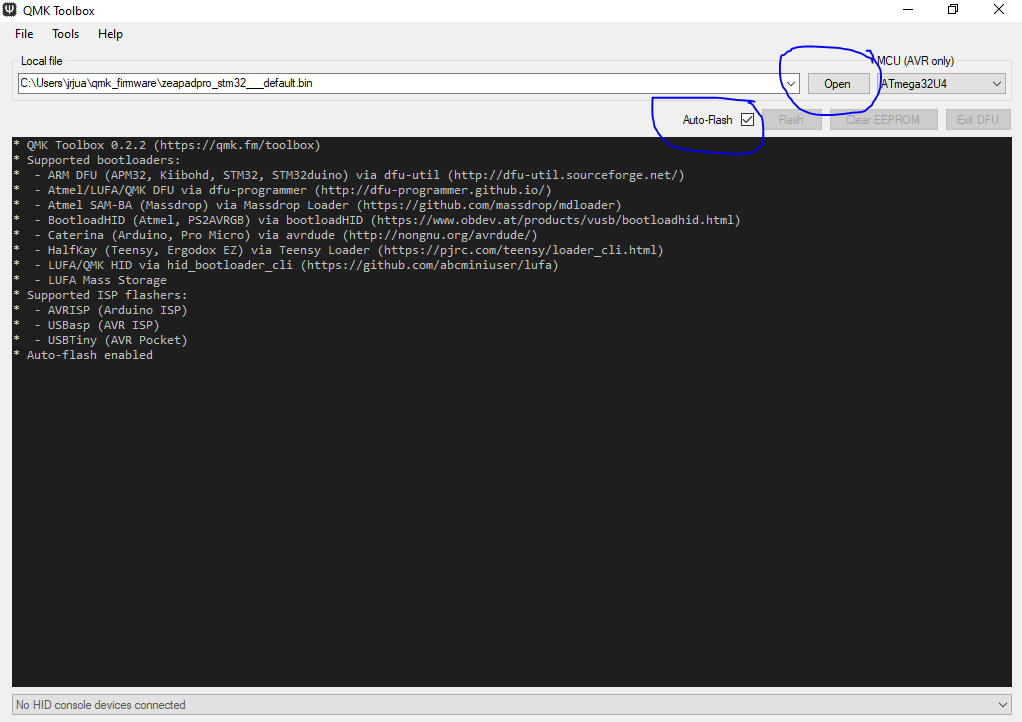
  • Install Software QMK Toolbox, Install Semua drivernya. setelah siap anda dapat meload Firmware yang seblumnya. Lalu Centang Auto-Flash seperti gambar dibawah

  • Lakukan flashing pada sisi kiri dahulu
  • Pada minikeeb sisi kiri Colok kabel ujung usb type C ke keyboard tanpa mencolokannya dahulu ke USB PC anda
  • Tekan dan tahan tombol yang berada di ujung atas kiri. lalu colokan Ujung USB yang sebelum ke USB PC anda sambil tetap menahan tombol sebelum nya sebentar
  • Setelah ada bunyi/notif USB masuk. anda dapat melepaskan tombol/knobnya
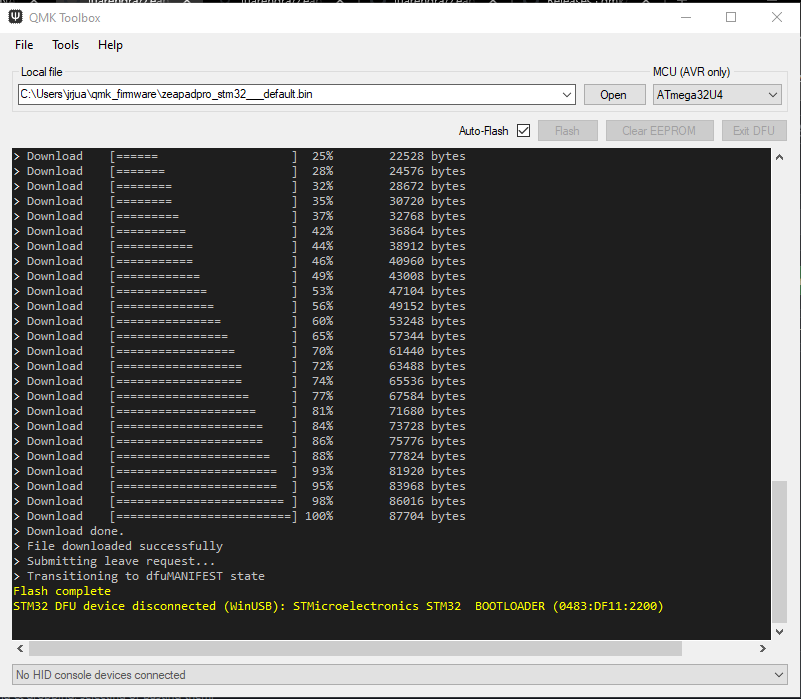
  • Maka secara otomatis macropad akan terflash. jika selesai maka tampilan QMK toolbox akan seperti gambar dibawah

  • Lakukan flashing pada sisi kanan
  • Pada minikeeb sisi kanan Colok kabel ujung usb type C ke keyboard tanpa mencolokannya dahulu ke USB PC anda
  • Tekan dan tahan tombol yang berada di ujung atas kanan. lalu colokan Ujung USB yang sebelum ke USB PC anda sambil tetap menahan tombol sebelum nya sebentar
  • Setelah ada bunyi/notif USB masuk. anda dapat melepaskan tombol/knobnya
  • Maka secara otomatis macropad akan terflash. jika selesai maka tampilan QMK toolbox akan seperti gambar dibawah

Documentation

Pinout Diagram

Dimension

Dimension File

BOM

Schematic

Schematic File

Example Program

Example Firmware [blocked]

FAQ

Parts

98
QtyValueFootprintReferences
38YS-SK6812MINI-Ekbd:YS-SK6812MINI-ELED1, LED2, LED10, LED11, LED12, LED13, LED14, LED15, LED16, LED17, LED18, LED19, LED20, LED22, LED23, LED24 +22
18D-Lily58-cachesofle:Diode_SOD123D1, D2, D3, D4, D5, D6, D7, D10, D11, D12, D13, D14, D15, D16, D17, D18 +2
18SW_PUSH-Lily58-cachesofle:CherryMX_HotswapSW2, SW3, SW4, SW5, SW6, SW7, SW10, SW11, SW12, SW13, SW14, SW15, SW16, SW17, SW18, SW19 +2
14Jumper_NO_Smallsofle:JumperJP1, JP2, JP3, JP4, JP5, JP6, JP7, JP8, JP9, JP10, JP11, JP12, JP13, JP14
2Conn_01x02_PinConnector_JST:JST_EH_B2B-EH-A_1x02_P2.50mm_VerticalJ2, J3
2LOGOgundam:gundamG***, G***
1JS102011SAQNother:SW_JS102011SAQNS1
1OLEDsofle:OLED_4PinJ1
1ProMicro_2-Lily58-cachesofle:ArduinoProMicro-ZigZag-DoubleSidedU1
1Rotary_Encoder_Switch-Devicesofle:RotaryEncoder_Alps_EC11E-Switch_Vertical_H20mm-keebio_modifiedSW20
1SW_PUSH-Lily58-cachesofle:TACT_SWITCH_TVBP06SW1
1TRRSsofle:MJ-4PP-9U2

Similar boards

  • 4 layers36 × 50.2 mmRacer, the printed circuit board in 3D

    Racer

    StuckAtPrototype/Racer

    These are structured into their own files. I could have used submodules, but decided against it.

    83 parts3.8kApache-2.0
  • 4 layers38 × 49 mmNDS TV OUT V1I2, the printed circuit board in 3D

    NDS TV OUT V1I2

    LNH-team/Lost-NDS-TV

    The Lost Nintendo DS Television Output, brought back to life

    48 parts488GPL-3.0
  • 4 layers74.7 × 30 mmController, the printed circuit board in 3D

    Controller

    StuckAtPrototype/Thumbtroller

    77 parts305
  • 4 layers49 × 74.9 mmPCB business card, the printed circuit board in 3D

    PCB business card

    StuckAtPrototype/PCB_business_card_remake

    A custom PCB based "business" card that lets you play a version of Flappy Bird.

    311 parts132Apache-2.0
  • 2 layers58 × 38.3 mmEsp32-caliper, the printed circuit board in 3D

    Esp32-caliper

    Mew463/esp32-caliper

    It features a built in 150mAh battery and a USB C interface for charging/uploading code.

    44 parts59
  • 2 layers85 × 56.5 mmModemHAT, the printed circuit board in 3D

    ModemHAT

    astuder/ModemHAT

    Classic Phone Modem HAT for the Raspberry Pi

    111 parts56
  • 6 layers98.6 × 88 mmSympetrum V3 FF3, the printed circuit board in 3D

    Sympetrum V3 FF3

    borgel/sympetrum-v3

    The Dragonfly badge as seen at DEFCON26

    134 parts21
  • 4 layers62.8 × 61.7 mmCf mp3-player, the printed circuit board in 3D

    Cf mp3-player

    will127534/cf-mp3-player

    A simple MP3/WAV/FLAC player using CF card

    119 parts16MIT

Questions

How big is the Minikeeb PCB?

It measures 99.9 × 94.5 mm and has 2 copper layers, 1.6 mm thick.

What parts does the Minikeeb use?

98 parts, built around the JS102011SAQN. The full list of its parts is on this page, with links to each part's symbol and footprint where PCBKit's library has them.

Where can I download the Minikeeb KiCad files?

From the juarendra/Minikeeb_QMK_VIA repository on GitHub, at the commit this page was made from: the board is SCH-PCB/PCB/minikeeb/minikeeb.kicad_pcb and its schematic SCH-PCB/PCB/minikeeb/minikeeb.kicad_sch. PCBKit opens the board in the browser, with nothing to install.

Can I use the Minikeeb design in my own project?

Its repository states no licence, so its author keeps all rights: ask juarendra before reusing the design.