2 layers209.6 × 115.3 mm

 juarendra/ENCHDASH-QMK-VIA
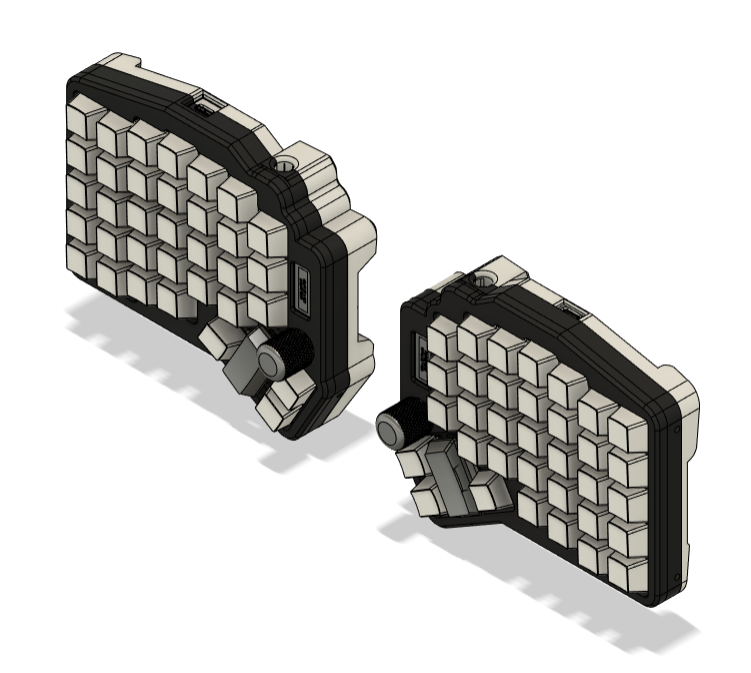
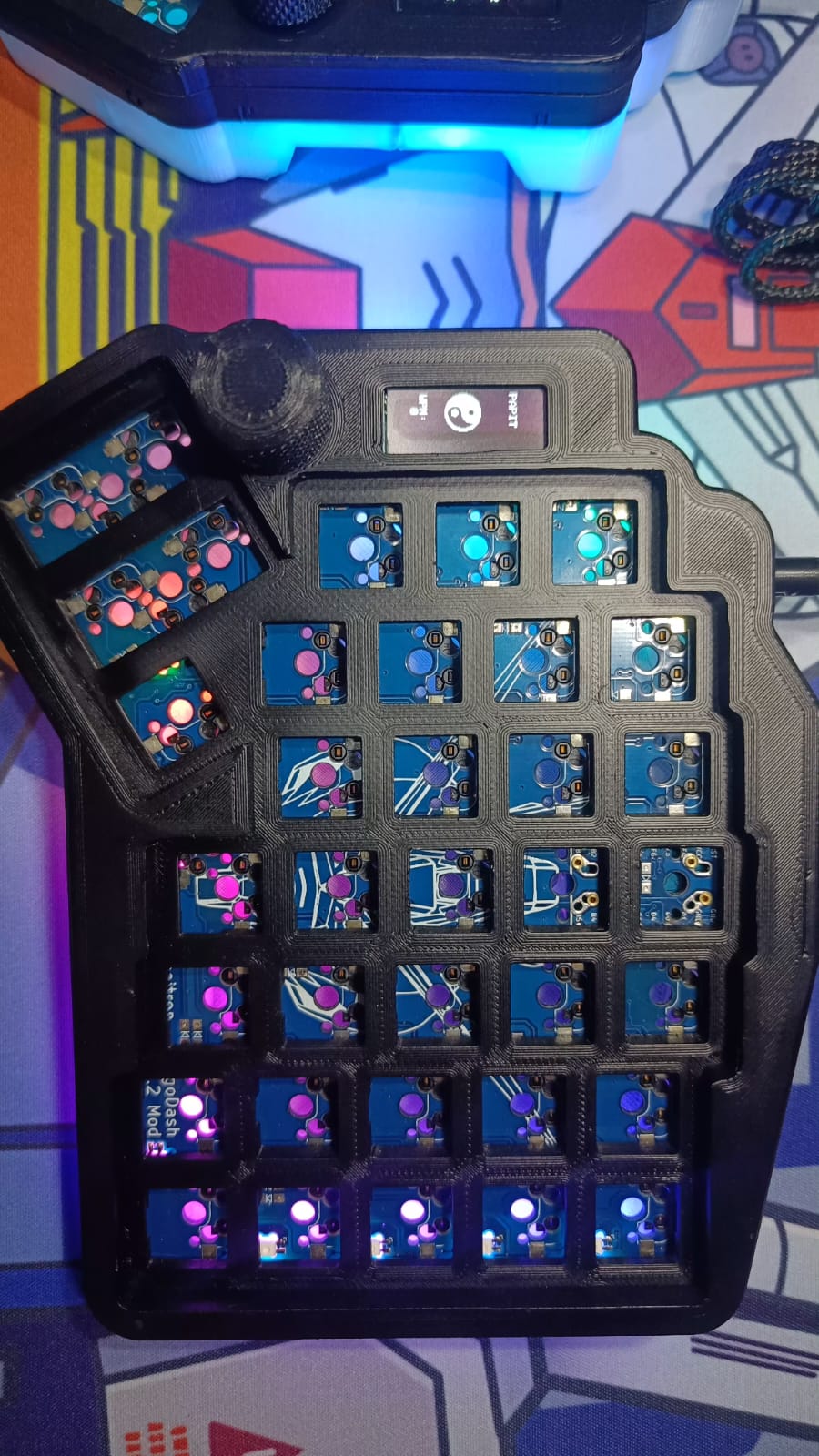
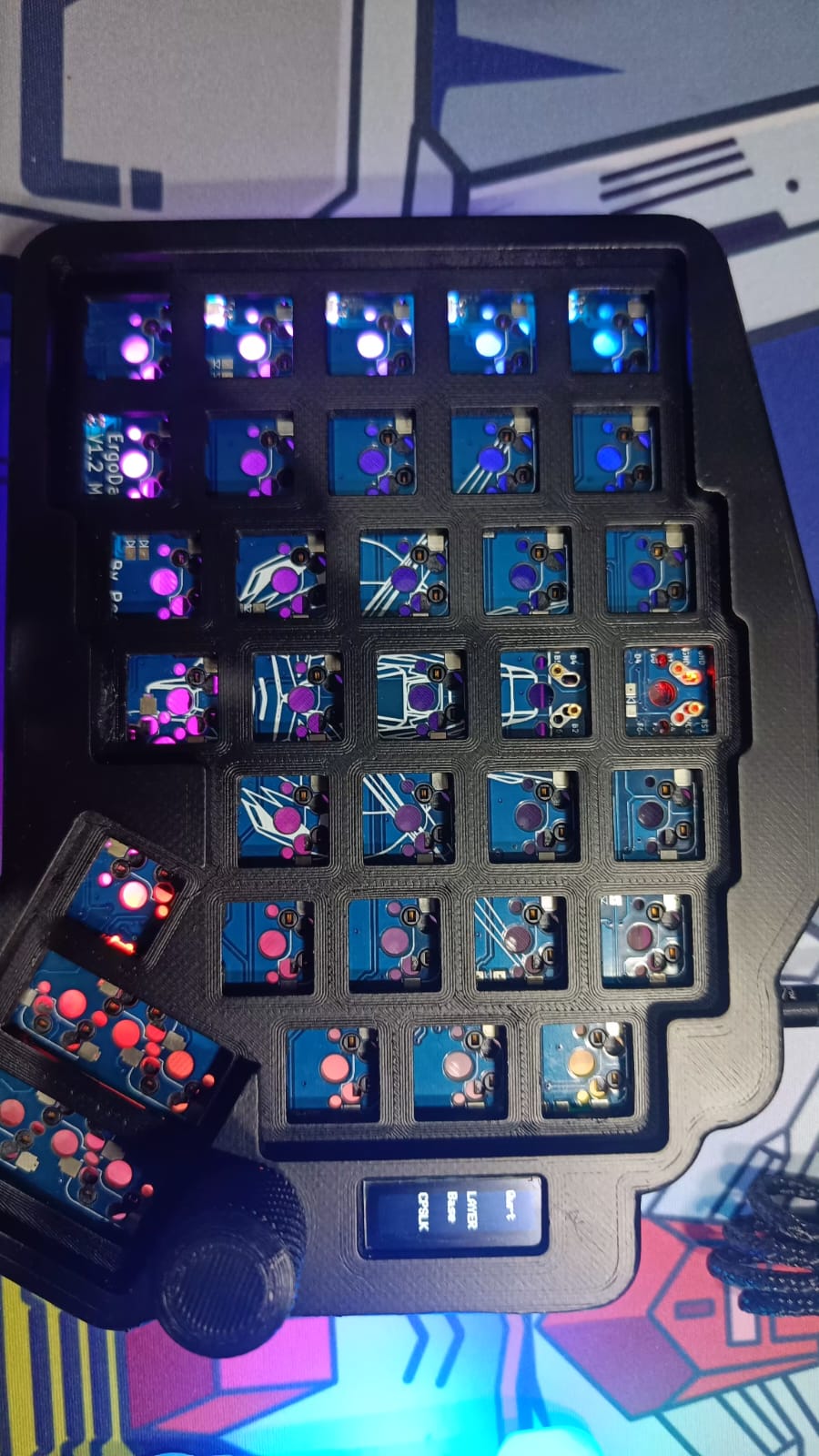
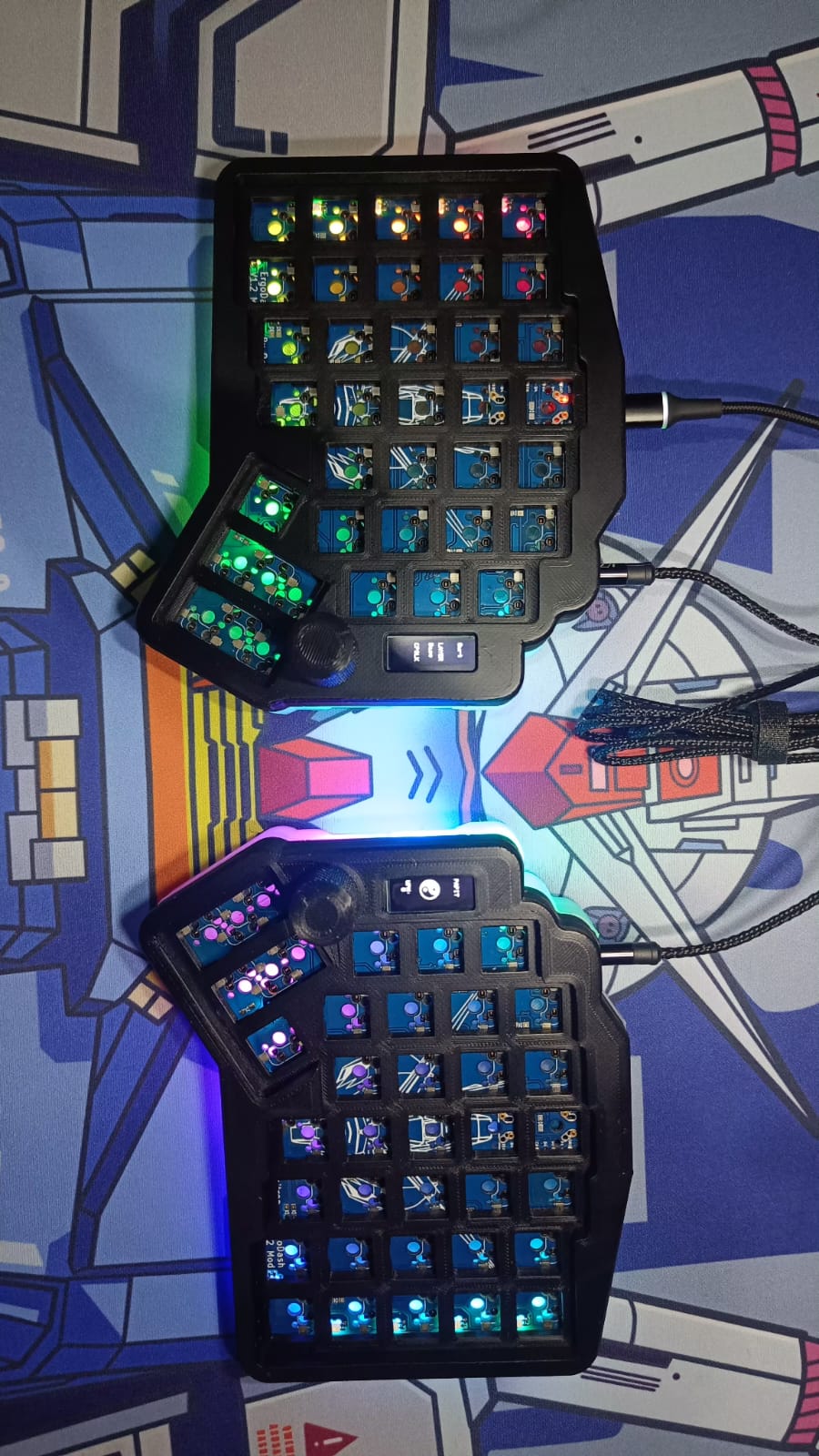
Documentation of product ERGODASH MOD with OLED and KNOB that use QMK as Firmware and Suppot VIA
Ergodash is an open-source printed circuit board by juarendra, from the juarendra/ENCHDASH-QMK-VIA repository on GitHub. It is a 2-layer board of 150.6 × 127.4 mm with 119 parts on 77 nets, routed with 2,027 tracks and 292 vias.
Its parts include 47 diodes, 40 switches, 8 ICs, 4 connectors and 2 resistors. It belongs with the lEDs and displays boards and the AVR (ATmega, ATtiny) boards of this library.
ENCHDASH is an independent keyboard design derived from ErgoDash by omkbd. It is not an official ErgoDash revision and is not maintained, approved, or endorsed by omkbd.
Original ErgoDash hardware:
Copyright (c) 2018 omkbd
https://github.com/omkbd/ErgoDash
Licensed under the MIT License.
ENCHDASH modifications:
Copyright (c) 2024–2026 Juarendra Ramadhani
Commercial identity: Positron Electronic
Previously sold as ERGODASH-MOD-ENCH-OLED-QMK_VIA. Legacy firmware and VIA JSON for units sold under that name remain available; physical compatibility must be confirmed before new flashing. See Legacy Support.
The two halves are connected by a single TRRS cable. The master half (whichever side holds the USB connection) talks to the host over USB and drives the status OLED; the slave half is scanned over the serial link and shows a static logo.
flowchart LR
    Host["Host PC\n(USB Type-C)"]
    subgraph Master["Master half"]
        MC["ATmega32u4"]
        MM["Matrix 6x7"]
        ME["Encoder"]
        MO["OLED: layer / caps"]
        ML["RGB 12x WS2812"]
    end
    subgraph Slave["Slave half"]
        SC["ATmega32u4"]
        SM["Matrix 6x7"]
        SE["Encoder"]
        SO["OLED: logo"]
        SL["RGB 12x WS2812"]
    end
    Host <-->|USB| MC
    MC <-->|"SOFT_SERIAL (D2) over TRRS"| SC
    MM --> MC
    ME --> MC
    MC --> MO
    MC --> ML
    SM --> SC
    SE --> SC
    SC --> SO
SC --> SLFour layers. MO() holds a momentary layer; the CYCLE custom keycode rotates
the base layers (QWERTY ↔ COLEMAK). LOWER and RAISE are reached by holding their
respective keys.
stateDiagram-v2
    [*] --> QWERTY
    QWERTY --> COLEMAK: CYCLE
    COLEMAK --> QWERTY: CYCLE
    QWERTY --> LOWER: hold MO(LOWER)
    LOWER --> QWERTY: release
    QWERTY --> RAISE: hold MO(RAISE)
RAISE --> QWERTY: releaseflowchart TD
QMK["QMK core (GPL-2.0)"] --> VIA["VIA support\n(runtime remap)"]
QMK --> SPLIT["SPLIT_KEYBOARD"]
QMK --> ENC["ENCODER + ENCODER_MAP"]
QMK --> RGBL["RGBLIGHT (WS2812, D3)"]
QMK --> OLEDF["OLED (128x32, 270 deg)"]
QMK --> NKRO["NKRO + EXTRAKEY"]
VIA --> JSON["VIA JSON definition"]Each shipped firmware variant pairs with a specific VIA definition. Load the matching JSON or VIA will not map the keys correctly.
flowchart LR
    SRC["FIRMWARE/QMK/* keymap.c"] --> HEX["Compiled .hex"]
    HEX --> V1["ergodash_rev1_via.hex"]
    HEX --> V2["omkbd_ergodash_rev1_nowpmmousekey.hex"]
    HEX --> V3["omkbd_ergodash_rev1_wpmnomousekey.hex"]
    V1 -. load .-> J1["ErgoDash_4key_mod_positron_elektronik.json\n(legacy non-V3)"]
    V2 -. load .-> J2["NEW_ErgoDash_4key_V3_mod_positron_elektronik.json\n(canonical)"]
V3 -. load .-> J2| Revision | Notes | PCB Source | Status |
|---|---|---|---|
| Rev1.2 | Only revision with source in this repository | Hardware/PCB/Rev1.2/ | Documented |
Safety: Do not cross-flash firmware between unconfirmed hardware revisions. Check your PCB marking before flashing.
The repository maps these artifacts to Rev1.2 source files. Physical sold-unit marking and compatibility are not independently evidenced here. Confirm the PCB marking and matching VIA definition before flashing; do not cross-flash an unconfirmed revision. The firmware and VIA JSON now declare USB VID:PID 0x1209:0x2013, allocated under the pid.codes open-source VID (org Positron-Electronic; registration PR pidcodes/pidcodes.github.com#1303). Units flashed with earlier binaries enumerate as the legacy 0x4D44:0x6061 and must be re-flashed with the current .hex to adopt the new identity.
Three legacy firmware variants are available:
| Firmware | Features | VIA JSON | Download |
|---|---|---|---|
ergodash_rev1_via.hex | Base: Encoder + OLED + VIA | ErgoDash_4key_mod_positron_elektronik.json | FIRMWARE/ |
omkbd_ergodash_rev1_nowpmmousekey.hex | Mouse keys enabled, no WPM | NEW_ErgoDash_4key_V3_mod_positron_elektronik.json | FIRMWARE/ |
omkbd_ergodash_rev1_wpmnomousekey.hex | WPM tracking enabled, no mouse keys | NEW_ErgoDash_4key_V3_mod_positron_elektronik.json | FIRMWARE/ |
VIA JSON location: the VIA JSON files referenced by the manifest live in the repository root — NEW_ErgoDash_4key_V3_mod_positron_elektronik.json (canonical; includes the rgblight menu) and ErgoDash_4key_mod_positron_elektronik.json (legacy non-V3 layout).
Firmware provenance: See FIRMWARE/manifest.json for SHA-256 checksums, source paths, and build status.
Building from source: See FIRMWARE/README.md for build instructions.
VIA may not auto-detect ENCHDASH. Load the JSON manually:
ErgoDash_4key_mod_positron_elektronik.json for ergodash_rev1_via.hexNEW_ErgoDash_4key_V3_mod_positron_elektronik.json for the other two variantsIf VIA does not detect the keyboard: Verify you loaded the JSON matching your flashed firmware. USB VID:PID must match.
Encoders are programmed through VIA using QMK keycodes in the "Any" key field.
Examples:
LALT(KC_TAB) — Alt-TabLCTL(KC_C) — Ctrl-CLGUI(KC_C) — Cmd-C / Win-CLSFT(LCTL(KC_END)) — Shift-Ctrl-EndMO(1) — Momentarily activate layer 1LCA(KC_DEL) — Ctrl-Alt-DelMT(MOD_RSFT, KC_ENT) — Shift when held, Enter when tappedMACRO(0) — Trigger macro 0See https://docs.keeb.io/via for detailed encoder setup.
VIA supports macro recording and playback. Resources:
Video demo: https://github.com/juarendra/Zeapad-Pro-QMK-VIA/assets/43043633/afd7e68e-0a54-4b18-be12-b96c0f13611a
.hex file for your desired firmware variantavrdude -p atmega32u4 -c avr109 -P COM# -U flash:w:FIRMWARE/ergodash_rev1_via.hex:iReplace COM# with your port (Windows) or /dev/ttyACM0 (Linux/Mac).
Backup: Keep a working firmware .hex before testing new builds.
ENCHDASH hardware is derived from ErgoDash by omkbd.
See LICENSES/MIT-ErgoDash.txt for the full original license.
QMK-derived firmware is licensed under GPL-2.0-or-later. Original QMK and omkbd copyright notices are retained in source files.
This repository includes footprint libraries, 3D models, and other assets under various licenses. See THIRD_PARTY_NOTICES.md for a complete inventory.
See LICENSE for the repository-wide license index.
No. ENCHDASH is an independent derivative. It is not maintained, approved, or endorsed by omkbd.
Yes. Units sold as "ERGODASH-MOD-ENCH-OLED-QMK_VIA" remain supported; legacy downloads and matching VIA JSON remain available. Physical compatibility and historical build provenance must be confirmed before new flashing. You do not need to reflash or change VIA JSON files if your keyboard is working.
ergodash_rev1_via.hex (base VIA firmware)omkbd_ergodash_rev1_nowpmmousekey.hexomkbd_ergodash_rev1_wpmnomousekey.hexYes. Source code is in FIRMWARE/QMK/. See FIRMWARE/README.md for build instructions. You will need the QMK toolchain installed.
Contact Positron Electronic for hardware support.
Future ENCHDASH firmware will be released separately. Existing units do not require updates unless you want new features. Legacy firmware will remain available.
Note: This keyboard is a hobbyist project and derivative work. It carries no warranty. Use at your own risk.
| Qty | Value | Footprint | References |
|---|---|---|---|
| 37 | SW_PUSH-Lily58-cache | sofle:CherryMX_Hotswap | SW42, SW43, SW44, SW45, SW46, SW47, SW48, SW49, SW50, SW51, SW52, SW53, SW54, SW55, SW56, SW59 +21 |
| 35 | D | SofleKeyboard-footprint:Diode_SOD123 | D1, D2, D10, D11, D12, D13, D14, D15, D16, D17, D18, D19, D20, D21, D22, D23 +19 |
| 12 | YAEMK_SK6812MINI-E | prettylib:SK6812_mini_e_flipable | D35, D36, D37, D38, D39, D40, D41, D42, D43, D44, D45, D46 |
| 9 | Jumper_NO_Small-Device | SofleKeyboard-footprint:Jumper | JP1, JP2, JP3, JP4, JP5, JP6, JP7, JP8, JP9 |
| 7 | HOLE | library:hole | U1, U2, U4, U5, U7, U8, U9 |
| 2 | 4.7k | SofleKeyboard-footprint:R_1206_DoubleSided | R1, R2 |
| 2 | Conn_01x03 | library:conn3 | J2, J3 |
| 2 | LOGO | Rev1:gundam | G***, G*** |
| 2 | LOGO | Rev1:qr-positron | G***, G*** |
| 2 | SW_PUSH | library:MX_ALPS | SW13, SW14 |
| 1 | Audio-Jack-4 | sofle:MJ-4PP-9 | TRRS1 |
| 1 | D-Lily58-cache | SofleKeyboard-footprint:Diode_SOD123 | D_1 |
| 1 | Jumper_NC_Small-Device | sofle:jumper_data | JP10 |
| 1 | Jumper_NO_Small-Device | sofle:Jumper | JP11 |
| 1 | OLED-Lily58-cache | SofleKeyboard-footprint:OLED_4Pin | J6 |
| 1 | ProMicro_2-Lily58-cache | sofle:ArduinoProMicro-ZigZag-DoubleSided | U6 |
| 1 | Rotary_Encoder_Switch-Device | SofleKeyboard-footprint:RotaryEncoder_Alps_EC11E-Switch_Vertical_H20mm-keebio_modified | SW57 |
| 1 | SW_PUSH | sofle:TACT_SWITCH_TVBP06 | RST_SW1 |
| 1 | i2c_pin-Lily58-cache | SofleKeyboard-footprint:1pin_conn | J1 |


TweetyDaBird/Lotus-58-Classic
A split ergo linear keyboard derived from the Lily58 family

Ardumower/ardumower
Develop an open source robotic lawn mower (HW+SW reference platform)

Good-Great-Grand-Wonderful/crosses
A modular ergonomic columar staggered keyboard

BerkeleyHCI/PolymorphicBlocks
A Python-based hardware description language for PCBs for higher-level (block-diagram / system-architecture level) PCB design through libraries of directly reusable subcircuit generators.

sportiduino/sportiduino
Electronic timing system for orienteering and similar outdoor sports events on Arduino

It measures 150.6 × 127.4 mm and has 2 copper layers, 1.6 mm thick.
119 parts. The full list of its parts is on this page, with links to each part's symbol and footprint where PCBKit's library has them.
From the juarendra/ENCHDASH-QMK-VIA repository on GitHub, at the commit this page was made from: the board is Hardware/PCB/Rev1.2/ergodash.kicad_pcb and its schematic Hardware/PCB/Rev1.2/ergodash.kicad_sch. PCBKit opens the board in the browser, with nothing to install.
Its repository states no licence, so its author keeps all rights: ask juarendra before reusing the design.