2 layers57.3 × 19 mm

 jonatfm/Calc-V19
This is RP2040 (Raspberry Pi Pico) driven calculator using mechanical switches based on the MX-format which doubles as an HID-numpad if wanted.
Calculator is an open-source printed circuit board by jonatfm, from the jonatfm/Calc-V1 repository on GitHub. It is a 2-layer board of 98 × 133 mm with 26 parts on 46 nets, routed with 260 tracks and 39 vias.
Its parts include 18 switches, 2 connectors and 1 IC. It belongs with the RP2040 boards of this library.
This is RP2040 (Raspberry Pi Pico) driven calculator using mechanical switches based on the MX-format which doubles as an HID-numpad if wanted.
This is my very first real physical and polished project and thus im very proud of it as a 15 year old :)
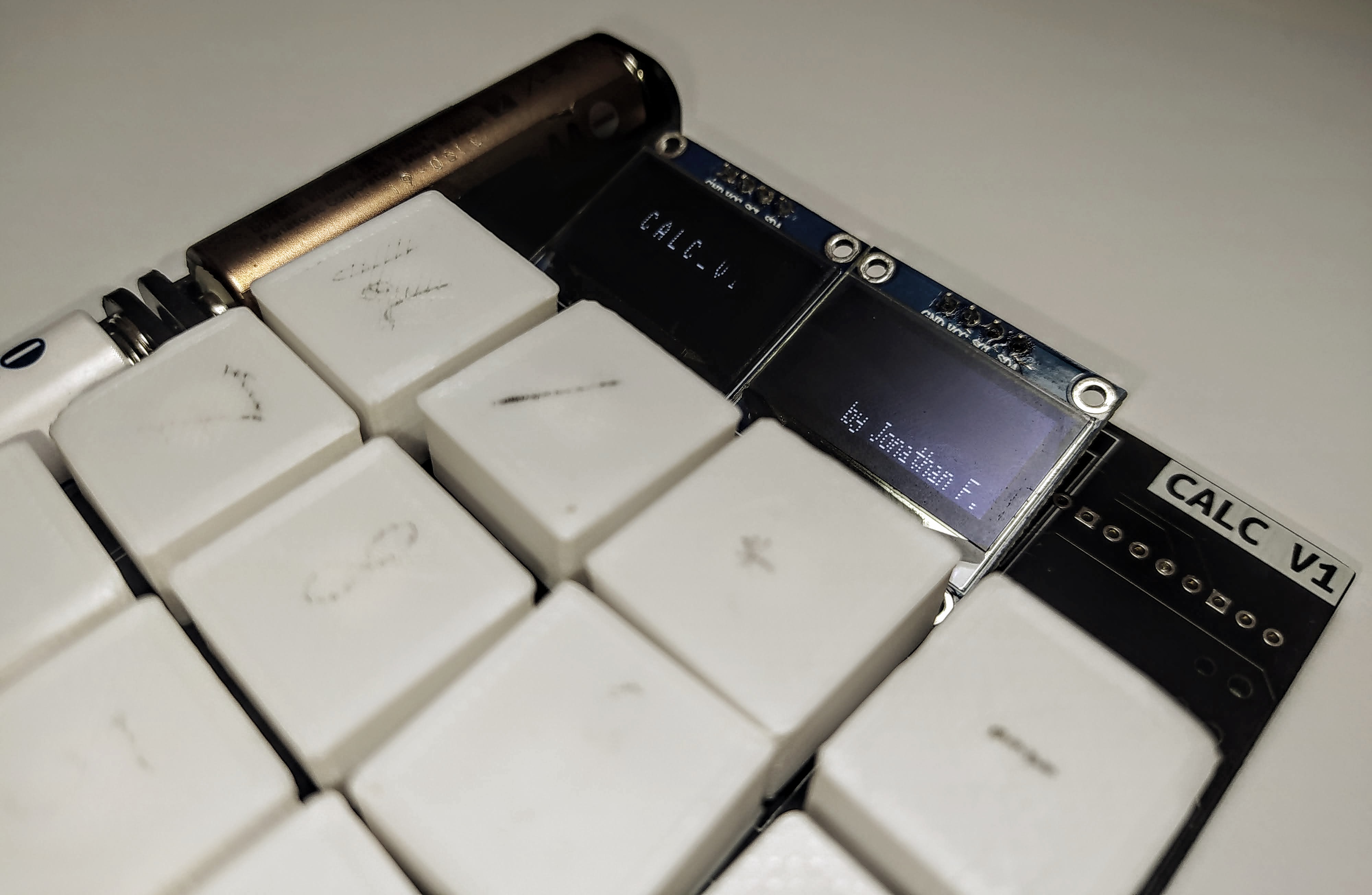
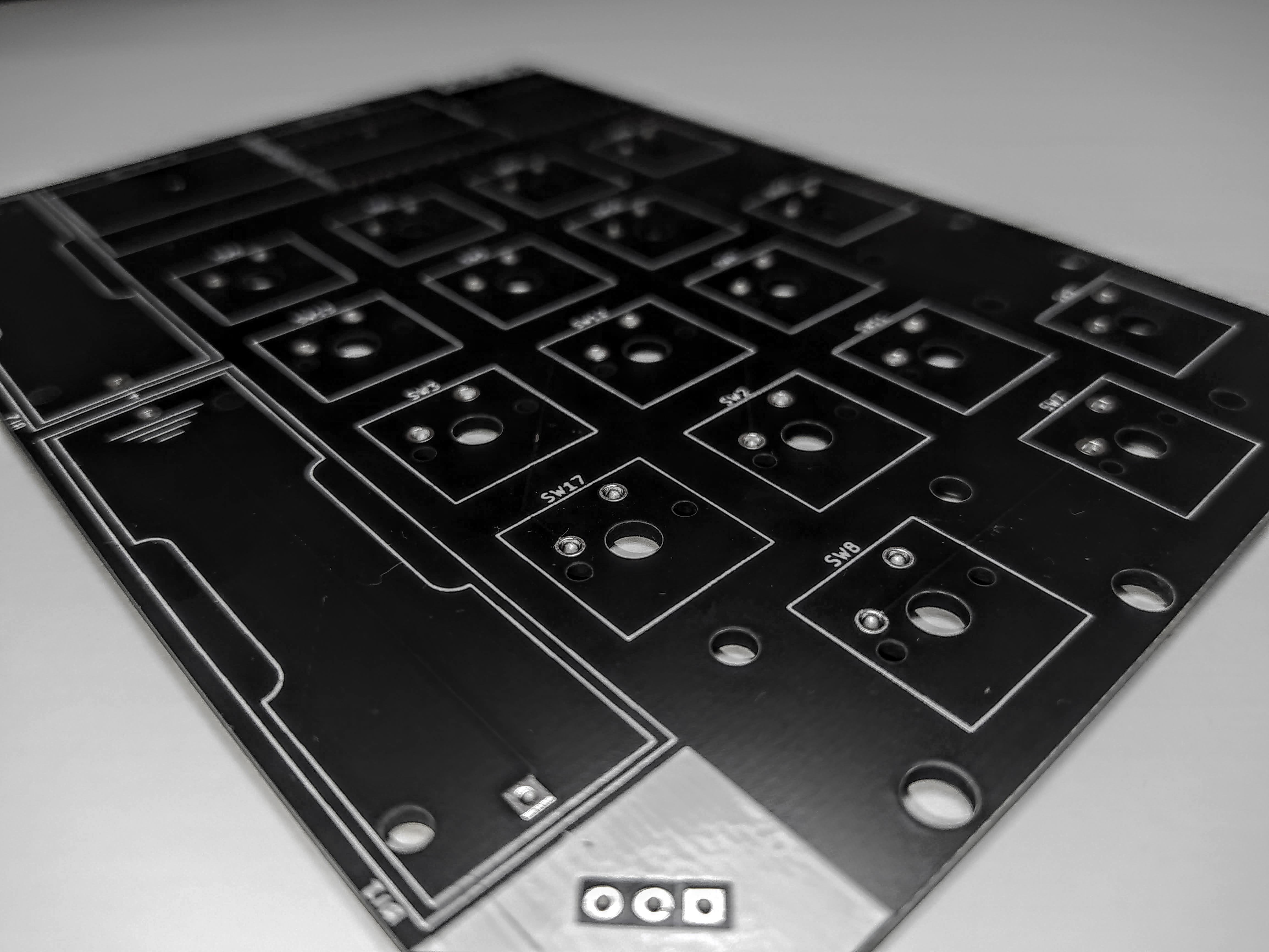
The 2 sided PCB was designed in kicad and some rookie experience! You can find the design files in the kicad folder and production in gerber.
Before installing, it is very important to flash circuipy on your Pico. You can download the newest version here
Now there are two options:
git clone https://github.com/Jonathan357611/Calc-V1.git./installer.sh. The installer should copy all necessary files to your Pico!git clone https://github.com/Jonathan357611/Calc-V1.gitThat should be it. If you have any troubles installing it, hit me up!
Want to use it as a numpad? Easy!
Just set HID to True in line 7 in code.py!
Any contributions in code, installation and PCB are very welcomed :) I'll try my best to fix any issues you run into.
If you really like my project, consider donating some ETH :)
0x1f2C6e62622051b3F4d4a3545B17018704630c35
| Qty | Value | Footprint | References |
|---|---|---|---|
| 14 | SW_Push | Button_Switch_Keyboard:SW_Cherry_MX_1.00u_PCB | SW1, SW2, SW3, SW4, SW5, SW6, SW7, SW11, SW12, SW13, SW14, SW15, SW16, SW17 |
| 2 | Battery | Battery:BatteryHolder_Keystone_2460_1xAA | BT1, BT2 |
| 2 | Conn_01x04_MountingPin | SSD1306:128x64OLED | J1, J2 |
| 2 | SW_Push | Button_Switch_Keyboard:SW_Cherry_MX_2.00u_Vertical_PCB | SW9, SW10 |
| 1 | G*** | kibuzzard-630FA917 | kibuzzard-630FA917 |
| 1 | G*** | kibuzzard-63110344 | kibuzzard-63110344 |
| 1 | G*** | kibuzzard-630FA8E9 | kibuzzard-630FA8E9 |
| 1 | Pico | MCU_RaspberryPi_and_Boards:RPi_Pico_SMD_TH | U1 |
| 1 | SW_DPDT_x2 | Connector_PinSocket_2.54mm:PinSocket_1x03_P2.54mm_Vertical | SW18 |
| 1 | SW_Push | Button_Switch_Keyboard:SW_Cherry_MX_2.00u_PCB | SW8 |

hackclub/OnBoard
💡 Join 1,000 teenagers and make your first PCB with a $100 grant!


harbaum/galagino
A Galaga, Pac-Man and Donkey Kong arcade emulator for the ESP32

Luos-io/luos_engine
Open-source and real-time orchestrator for cyber-physical-systems, to easily design, test and deploy embedded applications and digital twins.

google/walt
A device for measuring latency of physical sensors and outputs on phones and computers

It measures 98 × 133 mm and has 2 copper layers, 1.6 mm thick.
26 parts. The full list of its parts is on this page, with links to each part's symbol and footprint where PCBKit's library has them.
From the jonatfm/Calc-V1 repository on GitHub, at the commit this page was made from: the board is kicad/calculator.kicad_pcb and its schematic kicad/calculator.kicad_sch. PCBKit opens the board in the browser, with nothing to install.
Its repository states no licence, so its author keeps all rights: ask jonatfm before reusing the design.