2 layers106.6 × 63.3 mm

 jamiedsmith95/TheDigit4
A chorded keyboard roughly based on the ginny.
Digits is an open-source printed circuit board by jamiedsmith95, from the jamiedsmith95/TheDigit repository on GitHub. It is a 2-layer board of 115 × 78.3 mm with 19 parts on 23 nets.
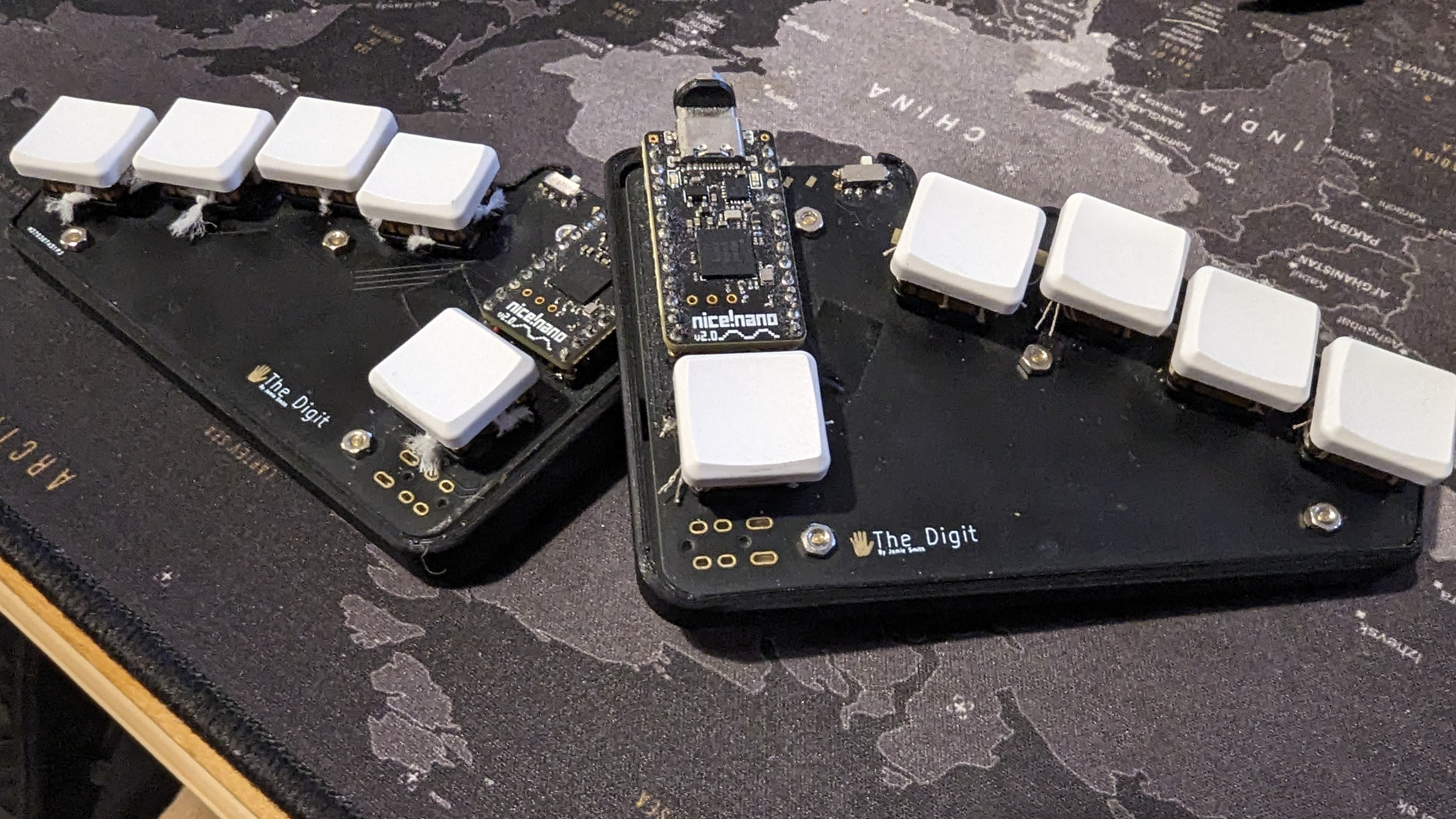
A chorded keyboard, roughly based on the ginny, the Digit has 5 keys on each side for a total of 10. Inputs not found directly on the keys are accessed with a mixture of layering and chording.
Zephyr Mechanical Keyboards or ZMK is an open source firmware for keyboards. Within ZMK are a number of useful functionalities that make such a keyboard usable.
Layers allow the user to change the function of the keys they have access to as well as the ability to change the chords they have access to. For example, a number layer could change the main 8 keys to the numbers 1 to 8, with 9 and 0 put as an easy to reach chord. Additional layers can then be added for virtually unlimited functionality. Layers can be activated in multiple ways allowing for enhanced customisation.
Chords are triggered by pressing two or more keys down at the same time (within a small tolerance). With the available combinations of two keys the user now has more than enough inputs available for the alphabet and the more common punctuation.
Tap dancing is the name given to the keyboard behaviour that allows the user to have a key (or chord) behave differently depending on how many times it is pressed within a short window. For example, pressing shift once could give you shift and twice for CAPSLOCK.
Similarly to tap-dance, tap-hold allows the user to trigger different behaviours when they tap a key and when they hold it. For example, pressing ESC for escape and hold it down to activate a layer.
Macros are one of the features that really speed up typing and allow the user to properly customise the firmware. A macro can be configured to input sequences of keys, whether they form words or are combinations of modifiers that trigger a frequently used shortcut. This allows typing words or even frequently used phrases with a single chord.
The keymap is a file that holds all the information specifying these behaviours. The keymap and other ZMK files I use can be found in zmk_keymap.
| Qty | Value | Footprint | References |
|---|---|---|---|
| 10 | PG1350 | S1, S2, S3, S4, S5, S6, S7, S8, S9, S10 | |
| 1 | Button_Switch_SMD:SW_SPST_B3U-1000P | ||
| 1 | ProMicro | MCU1 | |
| 1 | lib:bat | ||
| 1 | Button_Switch_SMD:SW_SPDT_PCM12 |
The 14 most common of 19 parts.


hackclub/OnBoard
💡 Join 1,000 teenagers and make your first PCB with a $100 grant!

polpo/picogus
Emulation of ISA sound cards and CD-ROM on Raspberry Pi Pico (GUS, SB/Adlib, MPU-401, Tandy, CMS, Panasonic CD-ROM) with USB mouse/joystick support


nkitanov/iaq_board
IAQ Board is a DIY (Do-It-Yourself) device for measuring internal air quality


Ardumower/ardumower
Develop an open source robotic lawn mower (HW+SW reference platform)

zmaker/arduino_cookbook
gli sketch del nuovo progetto Arduino Cookbook e dei video di YouTube
It measures 115 × 78.3 mm and has 2 copper layers, 1.6 mm thick.
19 parts. The full list of its parts is on this page, with links to each part's symbol and footprint where PCBKit's library has them.
From the jamiedsmith95/TheDigit repository on GitHub, at the commit this page was made from: the board is pcb/digitsbest-2022-09-03_060027/digits.kicad_pcb and its schematic pcb/digitsbest-2022-09-03_060027/digitsmoved.kicad_sch.kicad_sch. PCBKit opens the board in the browser, with nothing to install.
Its repository states no licence, so its author keeps all rights: ask jamiedsmith95 before reusing the design.