
6 layers80 × 49 mm
ButterStick
butterstick-fpga/butterstick-hardware
Basic ECP5 based GigE to SYZYGY interface.
256 parts225

 ikatkov/cw-key-ble-keyboard
Main purpose is to practice morse code in the Morse Mania iOS app with a real morse code key.
Cw key ble keyboard is an open-source printed circuit board by ikatkov, from the ikatkov/cw-key-ble-keyboard repository on GitHub, published under the MIT licence. It is a 4-layer board of 59.8 × 52.9 mm with 21 parts on 19 nets, routed with 95 tracks and 4 vias.
It is built around the TPS73101DBV. Its parts include 11 resistors, 3 connectors, 2 capacitors, 2 ICs and 1 diode. It belongs with the keyboards and input and radio and wireless boards and the ESP32 boards of this library.
This project is a Bluetooth keyboard for a Morse Code keyer.
Main purpose is to practice morse code in the Morse Mania iOS app with a real morse code key.
Data flow looks like this
a CW Keyer -over audio-wire-> this BT Keyboard box --over BT-> iPhone
The Morse Mania app expect "[" and "]" buttons, so this Bluetooth keyboard sends key_down and key_up events.
On iOS battery level is visible in Battery widget - Swipe right on the Home Screen to access the Today View.
If you have more than one language installed, you must switch to "English" before this BT keyboard connects. If you don't the Morse Mania app would be gettting whatever your national symbols are mapped to the "[" and "]" buttons on the standard keyboard and the app would looks broken.
You might want to disable auto-key repeat in iOS Settings > Accessibility > Keyboards
See schematic and PCB in the "kicad" folder. The firmware in the "firmware" folder.
See interactive PCB 3d view here
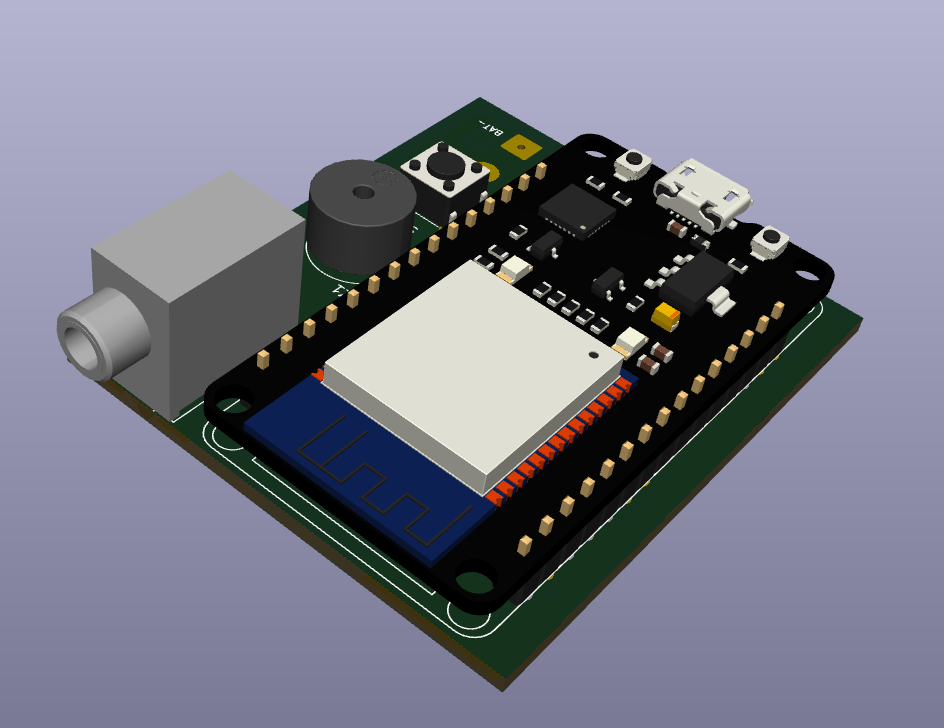
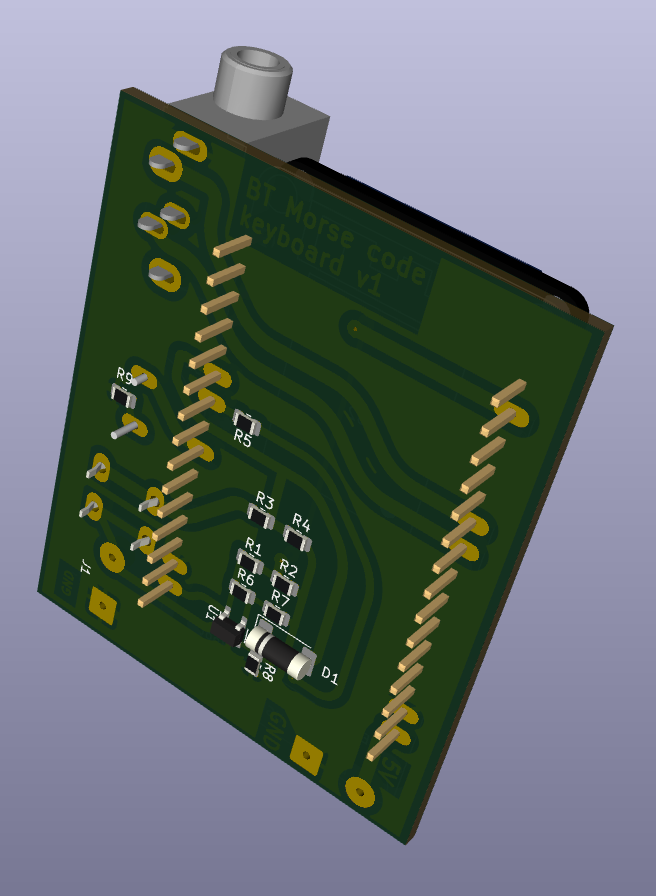
| Qty | Value | Footprint | References |
|---|---|---|---|
| 3 | 10k | Resistor_SMD:R_0805_2012Metric | R2, R3, R5 |
| 2 | 100n | Capacitor_SMD:C_1206_3216Metric | C1, C2 |
| 2 | 1k | Resistor_SMD:R_0805_2012Metric | R10, R11 |
| 1 | 100k | Resistor_SMD:R_0805_2012Metric | R8 |
| 1 | 1N4148 | Diode_SMD:D_MELF | D1 |
| 1 | 200 | Resistor_SMD:R_0805_2012Metric | R9 |
| 1 | 22k | Resistor_SMD:R_0805_2012Metric | R1 |
| 1 | 27k | Resistor_SMD:R_0805_2012Metric | R7 |
| 1 | 33k | Resistor_SMD:R_0805_2012Metric | R4 |
| 1 | 47k | Resistor_SMD:R_0805_2012Metric | R6 |
| 1 | AudioJack3 | Connector_Audio:Jack_3.5mm_CUI_SJ1-3535NG_Horizontal | J2 |
| 1 | Buzzer | !my-kicad-library:Buzzer-GT-0905A | BZ1 |
| 1 | Conn_battery | Connector_Wire:SolderWire-1.5sqmm_1x02_P6mm_D1.7mm_OD3mm | J1 |
| 1 | ESP32_DevKit_V1 | !my-kicad-library:esp32_devkit_v1_doit | U2 |
| 1 | SW_Push | Button_Switch_THT:SW_PUSH_6mm | SW1 |
| 1 | TPS73101DBV | Package_TO_SOT_SMD:SOT-23-5 | U1 |
| 1 | USB_PWR | Connector_Wire:SolderWire-1.5sqmm_1x02_P6mm_D1.7mm_OD3mm | J3 |
butterstick-fpga/butterstick-hardware
Basic ECP5 based GigE to SYZYGY interface.

abhishek-kakkar/beaglelogic-standalone
BeagleLogic implemented as a turnkey and standalone logic analyzer


Disasm/leech-pcb
An extension board with iCE40UP5k for the STM32F411 "Black Pill" board.


oomlout/oomlout_oomp_project_bot_v_2
It measures 59.8 × 52.9 mm and has 4 copper layers, 1.6 mm thick.
21 parts, built around the TPS73101DBV. The full list of its parts is on this page, with links to each part's symbol and footprint where PCBKit's library has them.
From the ikatkov/cw-key-ble-keyboard repository on GitHub, at the commit this page was made from: the board is kicad/main.kicad_pcb and its schematic kicad/main.kicad_sch. PCBKit opens the board in the browser, with nothing to install.
Its repository publishes it under the MIT licence: you may reuse it on that licence's terms (keep the author's notice, and for a copyleft licence share your changes alike).