2 layers42 × 67 mm
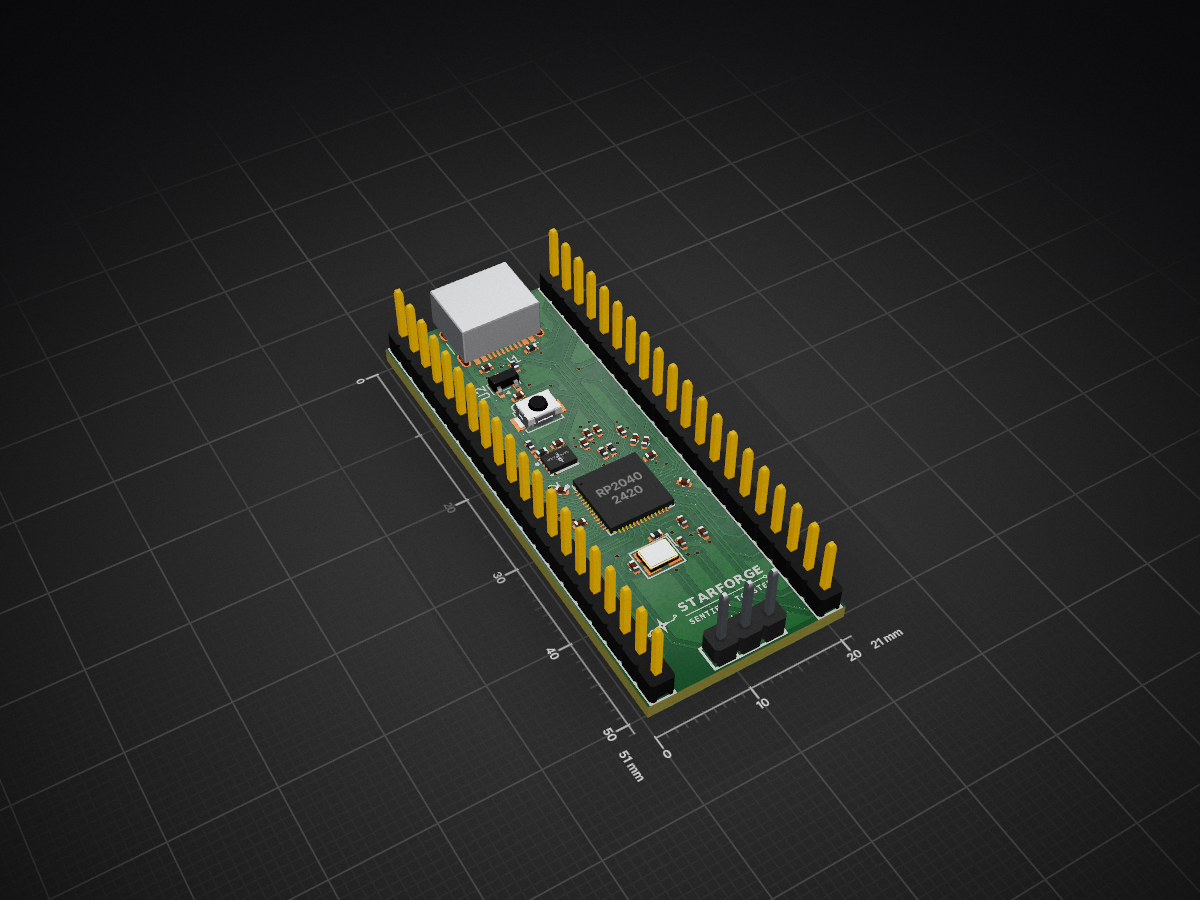
 HIIACODER/Starforge-Dev-Board
A simple RP2040 Dev Board
Starforge Dev Board is an open-source printed circuit board by HIIACODER, from the HIIACODER/Starforge-Dev-Board repository on GitHub, published under the MIT licence. It is a 4-layer board of 21 × 51 mm with 33 parts on 57 nets, routed with 613 tracks and 48 vias.
It is built around the RP2040 and W25Q128JVSIQ. Its parts include 17 capacitors, 7 resistors, 3 ICs, 3 connectors and 1 switch. It belongs with the microcontroller boards boards and the RP2040 boards of this library.


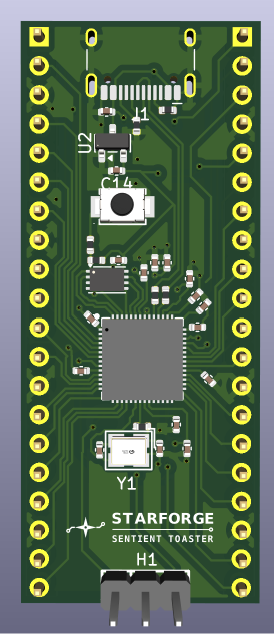
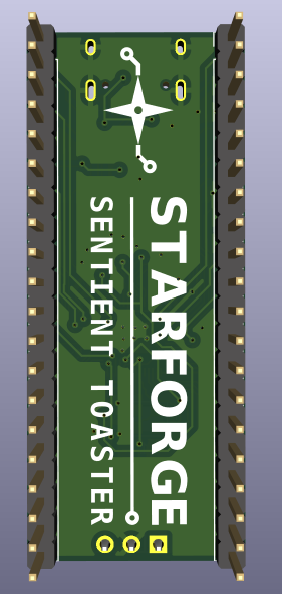
A simple 4 layer RP2040 Dev Board powered by USB-C, with data and power delivery. Uses 24 GPIO and 4 ADC pins, alongside 1 3.3V and one 5V output. There is also 7 ground pins with 2 debug pins.
My goal with this project was to learn how to route properly and effectively on a PCB including how to manage decoupling caps and general power routing because that is what I struggle with. I also wanted a simple board to use for my projects.
This project should:
Here is my PCB! This PCB was designed in KiCAD.
Schematic:
Top View (3d render):
Bottom View (3d render):
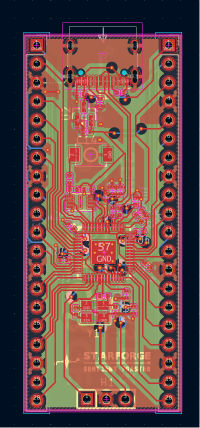
PCB Design:
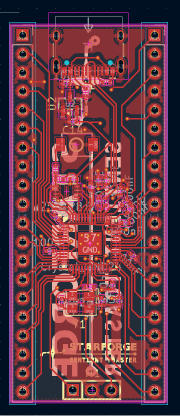
First Layer:
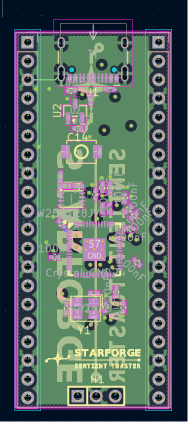
Second Layer:
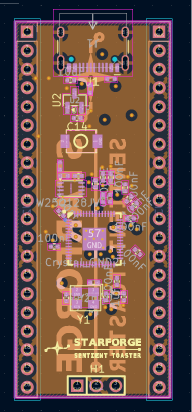
Third Layer:
Fourth Layer:
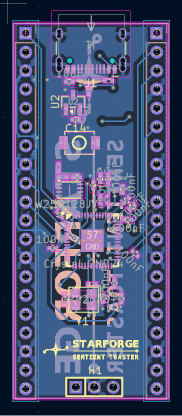
The board contains 4 layers. The purpose of all layers listed below.
| Layer | Description |
|---|---|
| 1 | Main routing layer |
| 2 | First ground layer for reference and signal separation |
| 3 | Second ground layer for reference and signal separation |
| 4 | Overflow routing layer |
Here are steps to flash a file to the MCU!
All SMD parts utilize 0402 passives to minimize board surface area. JLCPCB / LCSC part numbers are included below for reference.
| Item | Component / Description | Qty | Designators | Footprint | JLCPCB Part # |
|---|---|---|---|---|---|
| 1 | RP2040 Microcontroller | 1 | U1 | QFN-56_L7.0-W7.0-P0.4 | C2040 |
| 2 | P25Q16SH-UXH-IR (16Mbit Flash) | 1 | U3 | USON8_L3.0-W2.0-P0.5 | C7466821 |
| 3 | MCP1700T-3302E/TT (3.3V LDO) | 1 | U2 | SOT-23 | C39051 |
| 4 | HC-TYPE-C-16P-01A (USB-C) | 1 | J1 | USB_C_Receptacle_16P | C2894897 |
| 5 | Crystal_GND24 (12MHz Crystal) | 1 | Y1 | SMD_4P-L3.2-W2.5 | C9002 |
| 6 | TS-1088 Tactile Switch | 1 | SW1 | SW-SMD_L3.9-W3.0-P4.45 | C720477 |
| 7 | Header Male 2.54mm 1x20 | 2 | J2, J3 | PinHeader_1x20_P2.54mm | C50981 |
| 8 | Header Male 2.54mm 1x3 | 1 | H1 | HDR-TH_3P-P2.54mm | C2937625 |
| 9 | 100nF Capacitor | 11 | C2-C9, C11, C12, C17 | C_0402 | C1525 |
| 10 | 1uF Capacitor | 2 | C1, C10 | C_0402 | C29266 |
| 11 | 10uF Capacitor | 2 | C13, C14 | C_0402 | C15525 |
| 12 | 33pF Load Capacitor | 2 | C15, C16 | C_0402 | C107005 |
| 13 | 5.1k Resistor | 2 | R1, R2 | R_0402 | C25905 |
| 14 | 27Ω Resistor | 2 | R5, R6 | R_0402 | C2909343 |
| 15 | 1k Resistor | 2 | R4, R7 | R_0402 | C11702 |
| 16 | 10k Resistor | 1 | R3 | R_0402 | C25744 |
| Qty | Value | Footprint | References |
|---|---|---|---|
| 11 | 100nF | Capacitor_SMD:C_0402_1005Metric | C2, C3, C4, C5, C6, C7, C8, C9, C11, C12, C17 |
| 2 | 10uF | Capacitor_SMD:C_0402_1005Metric | C13, C14 |
| 2 | 1k | PCM_JLCPCB:R_0402 | R4, R7 |
| 2 | 1uF | Capacitor_SMD:C_0402_1005Metric | C1, C10 |
| 2 | 27 | PCM_JLCPCB:R_0402 | R5, R6 |
| 2 | 33pF | Capacitor_SMD:C_0402_1005Metric | C15, C16 |
| 2 | 5.1k | PCM_JLCPCB:R_0402 | R1, R2 |
| 2 | Conn_01x20 | lcsc_footprints:C50981_HDR-TH_20P-P2_54-V-M-1 | J2, J3 |
| 1 | 10k | PCM_JLCPCB:R_0402 | R3 |
| 1 | Crystal_GND24 | lcsc_footprints:C9002_CRYSTAL-SMD_4P-L3_2-W2_5-BL | Y1 |
| 1 | Debug | lcsc_footprints:C2937625_HDR-TH_3P-P2_54-V-M_PZ254V-11-03P | H1 |
| 1 | MCP1700x-330xxTT | Package_TO_SOT_SMD:SOT-23 | U2 |
| 1 | RP2040 | lcsc_footprints:C2040_LQFN-56_L7_0-W7_0-P0_4-EP | U1 |
| 1 | SW_Push | lcsc_footprints:C720477_SW-SMD_L3_9-W3_0-P4_45 | SW1 |
| 1 | USB_C_Receptacle_USB2.0_16P | Connector_USB:USB_C_Receptacle_HCTL_HC-TYPE-C-16P-01A | J1 |
| 1 | W25Q128JVS | lcsc_footprints:C7466821_USON8_L3_0-W2_0-P0_50-BL-EP | U3 |
It measures 21 × 51 mm and has 4 copper layers, 1.6 mm thick.
33 parts, built around the RP2040 and W25Q128JVSIQ. The full list of its parts is on this page, with links to each part's symbol and footprint where PCBKit's library has them.
From the HIIACODER/Starforge-Dev-Board repository on GitHub, at the commit this page was made from: the board is PCB/PCB.kicad_pcb and its schematic PCB/PCB.kicad_sch. PCBKit opens the board in the browser, with nothing to install.
Its repository publishes it under the MIT licence: you may reuse it on that licence's terms (keep the author's notice, and for a copyleft licence share your changes alike).

shanteacontrols/OpenDeck
A platform for building interactive control and sensing devices using MIDI and OSC built with Zephyr RTOS.


polpo/picogus
Emulation of ISA sound cards and CD-ROM on Raspberry Pi Pico (GUS, SB/Adlib, MPU-401, Tandy, CMS, Panasonic CD-ROM) with USB mouse/joystick support

Bastardkb/Dilemma
The Dilemma is a vertical stagger low-profile keyboard with mods.

Staacks/gbinterceptor
Capture or stream Game Boy gameplay footage via USB without modifying the Game Boy.

