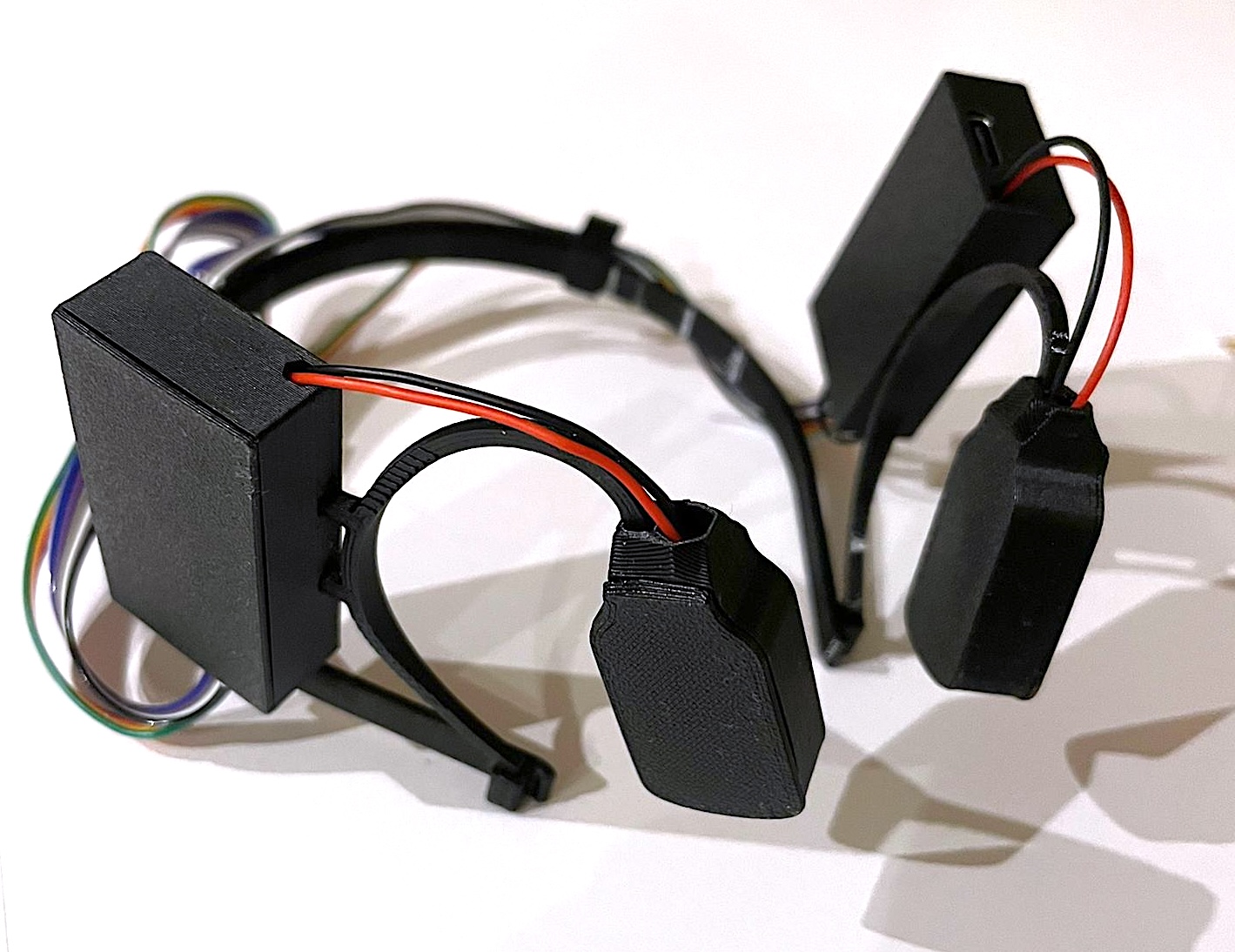
An open-source platform for head-mounted multimodal biofeedback in balance rehabilitation. VestiCore combines an ESP32-S3 wearable headset with dual high-frequency IMU sensors, real-time spatial audio and vibrotactile feedback, a Flutter companion app, and a Node.js data collection server.
Left board is an open-source printed circuit board by flof-codes, from the flof-codes/vesticore repository on GitHub, published under the GPL-3.0 licence. It is a 2-layer board of 40.3 × 21 mm with 20 parts on 41 nets, routed with 355 tracks and 27 vias.
It is built around the TS24CA. Its parts include 6 capacitors, 5 resistors, 5 ICs, 3 connectors and 1 switch. It belongs with the sensors and measurement and audio and music boards and the ESP32 boards of this library.
An open-source platform for head-mounted multimodal biofeedback in balance rehabilitation. VestiCore combines an ESP32-S3 wearable headset with dual high-frequency IMU sensors, real-time spatial audio and vibrotactile feedback, a Flutter companion app, and a Node.js data collection server.
What VestiCore Does
VestiCore turns head orientation into real-time sound and vibration. A participant wears the headset, and the device continuously tracks head position using dual IMU sensors at 3840 Hz. When the head moves outside a configurable deadzone, the participant hears spatial audio cues (pitch, stereo balance, amplitude, timbre) and feels vibrotactile feedback guiding them back to center. Researchers configure exercises via JSON, control the device over BLE or USB Serial, and collect timestamped sensor data as CSV files.
Key strengths:
High-frequency dual-IMU sensor fusion at 3840 Hz with configurable complementary, Madgwick, or Mahony filters on a dedicated CPU core
Rich multimodal feedback with spatial audio (frequency, stereo, amplitude, timbre, pulse modulation) and dual vibrotactile motors
Flexible exercise configuration via comprehensive JSON schema with multi-segment exercises, adaptive deadzones, and configurable end conditions
Complete data pipeline from device through BLE binary streaming to app session capture and server-side CSV storage
Fully open-source under GPL-3.0, designed for research reproducibility
System Overview
Hardware
Component
Details
MCU
ESP32-S3 (Seeed Studio XIAO ESP32S3 Plus)
IMU Sensors
2x ST LSM6DSV16X (6-axis, SPI, hardware-synced)
Audio
2x MAX98357A I2S amplifiers driving bone conduction transducers
Haptics
2 vibrotactile motors (PWM, 20 kHz)
Communication
BLE 5.0 with binary streaming protocol + USB Serial (921600 baud)
Power
Battery with three-tier protection, deep sleep, power button wake
Firmware (device/)
Service-oriented C++ on ESP-IDF with a DeviceContext dependency injection container managing 18+ components. The feedback loop runs on Core 0 at 3840 Hz (timer-driven), while audio generation and BLE run on Core 1. Exercises are configured via JSON sent over BLE or Serial and support runtime parameter changes with set/get commands.
Companion App (app/)
Flutter app (iOS, Android, macOS) that connects to the device over BLE, sends exercise configurations, displays real-time orientation tracking, and captures session data including orientation, deadzone, home position, mode transitions, and console logs. Sessions are stored locally and can be uploaded to the server.
Data Server (server/)
Node.js/Express backend with TypeScript, PostgreSQL via Prisma ORM, and Docker support. Manages exercises with composite-key versioning, stores session data as CSV files on disk, and provides REST APIs for sessions, exercises, and participants.
Quick Start
bash
git clone https://github.com/flof-codes/vesticore.git
cd vesticore
Device
bash
cd device
pio run -e vesticore -t upload -t monitor
App
bash
cd app
flutter pub get
flutter run
Server
bash
cd server
npm install
cp .env.example .env       # Edit DATABASE_URL
npm run db:migrate:dev      # Required before first run
npm run dev
Device Commands
Single-word commands (available anytime):
text
calibrate       Calibrate IMUs (keep device stationary)
home            Set current orientation as home position
info            System information
get battery     Battery status
stop            Stop current exercise
status          Print current status
reset           Reset system
help            Show help
set volume 0.8# Master volume (anytime)
set audio.gain 1.5# Dot notation
set deadzone.pitch.static.size_deg.target 2.0# Nested parameters
set audio {"gain": 1.5}# JSON replacement
get audio.gain # Query parameter
get all # All parameters as JSON
Programs framework - Composable rehabilitation sequences combining exercises, rest periods, and questionnaires into structured programs with nesting support
User and permission system - Manager/User roles with sharing controls (public, private, shared) and JWT authentication
Template system - Exercise templates with configurable fields that can be resolved at program creation or runtime
Analysis and charts - Built-in chart types (StandardDeviation, PhaseComparison, ImprovementSummary) for session analysis
Program versioning - Immutable program and exercise snapshots for research reproducibility
Server-side program management - Program CRUD, execution tracking, and progress persistence
An open-source platform for head-mounted multimodal biofeedback in balance rehabilitation. VestiCore combines an ESP32-S3 wearable headset with dual high-frequency IMU sensors, real-time spatial audio and vibrotactile…
A 34 key column staggered split wireless keyboard with aggressive pinky stagger which supports nice!views and rotatory encoders
356 parts4CERN-OHL-S-2.0
Questions
How big is the Left board PCB?
It measures 40.3 × 21 mm and has 2 copper layers, 1.6 mm thick.
What parts does the Left board use?
20 parts, built around the TS24CA. The full list of its parts is on this page, with links to each part's symbol and footprint where PCBKit's library has them.
Where can I download the Left board KiCad files?
From the flof-codes/vesticore repository on GitHub, at the commit this page was made from: the board is device/hardware/left_board/left_board.kicad_pcb and its schematic device/hardware/left_board/left_board.kicad_sch. PCBKit opens the board in the browser, with nothing to install.
Can I use the Left board design in my own project?
Its repository publishes it under the GPL-3.0 licence: you may reuse it on that licence's terms (keep the author's notice, and for a copyleft licence share your changes alike).