

2 layers
Contact Side
envision-projects/envision-projects.github.io
Project and certification website for the EnVision makerspace
5 parts
Project and certification website for the EnVision makerspace
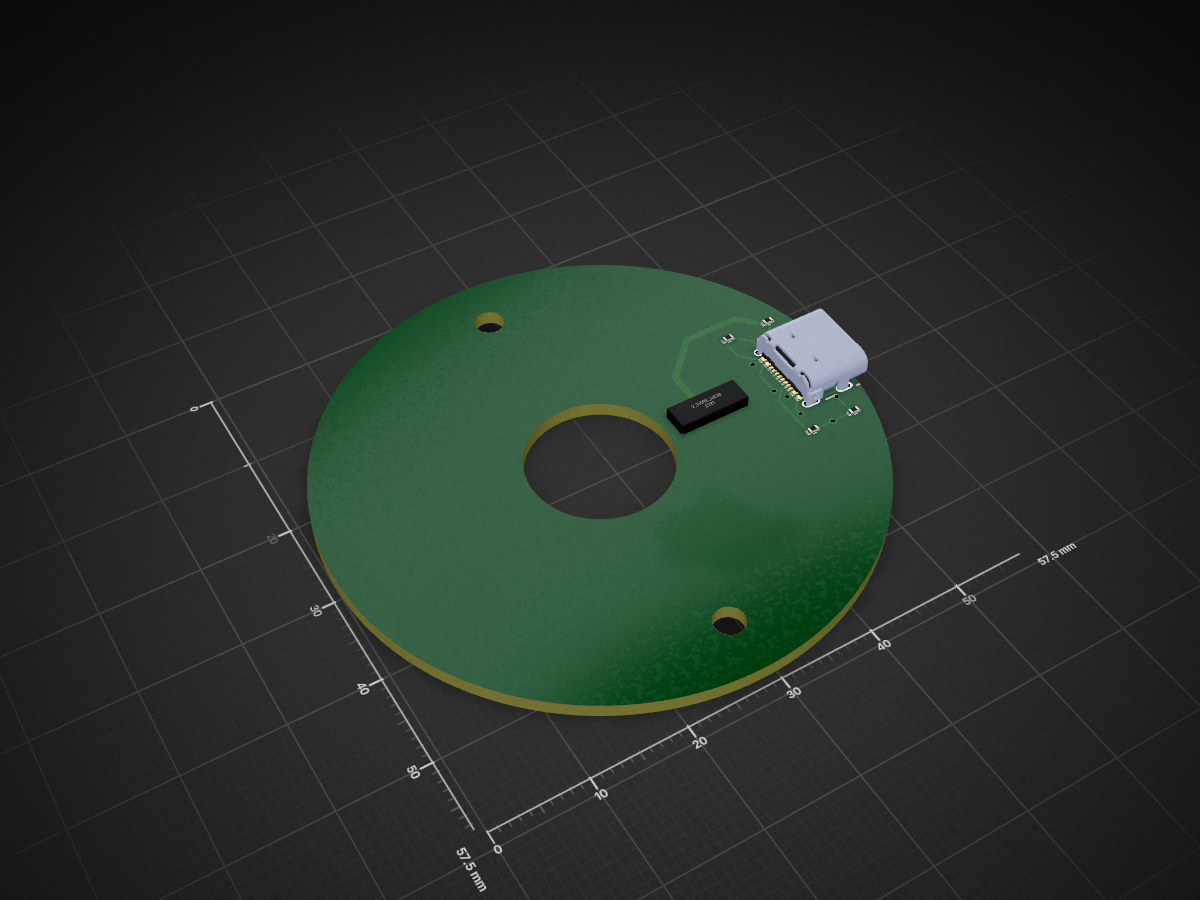
Ring Side is an open-source printed circuit board by envision-projects, from the envision-projects/envision-projects.github.io repository on GitHub. It is a 2-layer board of 20.3 × 20.3 mm with 8 parts on 12 nets, routed with 44 tracks and 10 vias.
It is built around the USB4105-GF-A. Its parts include 4 resistors, 1 IC and 1 connector.
Project and certification website for the EnVision makerspace, for use by EnVision administration
This is the quickest and simplest option for writing and setting up a page. Navigate to envision-projects.github.io/admin and sign in with your GitHub account. If prompted, you must give Netlify CMS permission to author commits and push on your behalf.
After signing in, you can access the different sections of the website and view media that has been uploaded. The CMS is pretty self explanatory.
_index.md are top level files; for example, when you click on Mechanical on the website, it takes you to the _index.md file for the mechanical section.+ tab.)
image element and please upload your image to the website by clicking choose an image > uploadTip and Warning elements make your article more readable and highlight important informationenvision-projects.github.io/mechanical/3d-printing the text of my link would read /mechanical/3d-printing. Otherwise, 3d-printing if the file I was editing was in the same folder as the the file I was linkingWhen editing the page is complete, make sure that you have a title and a description (the publish date may be left as is, or set to the current time by clicking now). This will author a git commit with your changes and start the process of the page getting published, which should take around 5 minutes or so.
| Qty | Value | Footprint | References |
|---|---|---|---|
| 3 | 5.1k | Resistor_SMD:R_0402_1005Metric | R1, R2, R3 |
| 1 | 2_Wire_Ring | Library:2 Wire Ring | U1 |
| 1 | 470 | Resistor_SMD:R_0402_1005Metric | R4 |
| 1 | USB4105-GF-A | USB C:GCT_USB4105-GF-A | J1 |
The 6 most common of 8 parts.
It measures 20.3 × 20.3 mm and has 2 copper layers, 1.6 mm thick.
8 parts, built around the USB4105-GF-A. The full list of its parts is on this page, with links to each part's symbol and footprint where PCBKit's library has them.
From the envision-projects/envision-projects.github.io repository on GitHub, at the commit this page was made from: the board is content/electrical/Baby slip ring/Ring Side/Ring Side.kicad_pcb and its schematic content/electrical/Baby slip ring/Contact Side/Contact Side.kicad_sch. PCBKit opens the board in the browser, with nothing to install.
Its repository states no licence, so its author keeps all rights: ask envision-projects before reusing the design.
envision-projects/envision-projects.github.io
Project and certification website for the EnVision makerspace


iandchasse/silkscreen-pcb
Silkscreen: open-hardware ESP32-S3 e-paper reader mainboard (KiCad 9). Formerly the de-link hub.


StuckAtPrototype/AirCube
Works standalone out of the box. Pairs with Home Assistant in minutes. Other platforms are supported through community-contributed extensions.


