Skip to the content
PCBKitNew board
2 layers210.4 × 114.3 mmChouchou, the printed circuit board in 3D

20 Key keyboard

Size
210.4 × 114.3 mm
Copper layers
2
Thickness
1.6 mm
Parts
51
Nets
23
Pads
358
Tracks, vias
304, 0
Routed
Yes
KiCad
KiCad 7 (file 20221018)
Created
17 Jul 2023
Updated
7 Oct 2025

Overview

Chouchou is an open-source printed circuit board by dlip, from the dlip/chouchou repository on GitHub, published under the GPL-2.0 licence. It is a 2-layer board of 210.4 × 114.3 mm with 51 parts on 23 nets, routed with 304 tracks and 0 vias.

It belongs with the keyboards and input boards of this library.

README

README.md

Chouchou Keyboard/Fight Pad

Chouchou

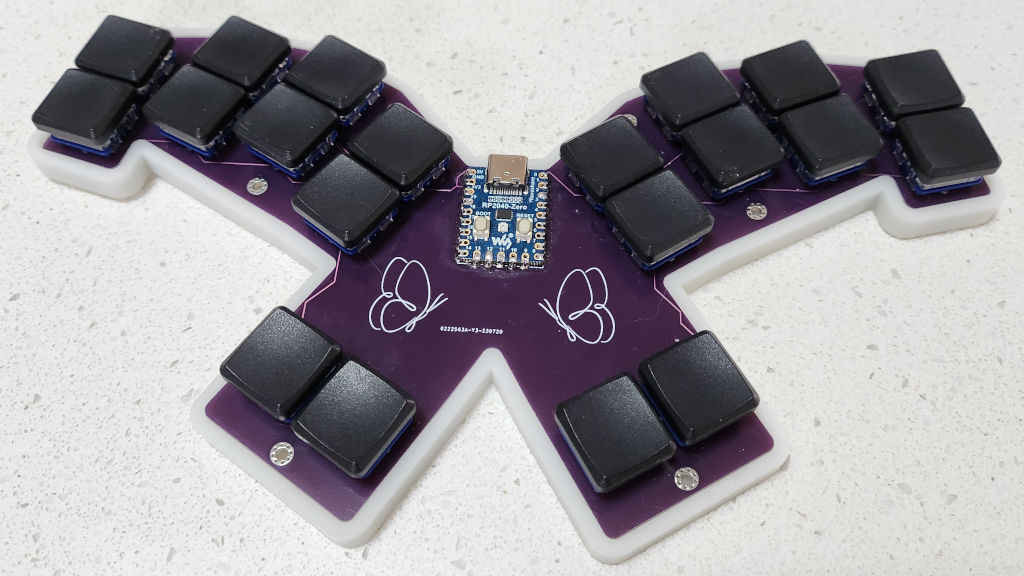
Chouchou (Japanese for butterfly) is a minimalist unibody keyboard designed to be used with the Taipo layout, but it also can be used as a pretty nice fighting gamepad.

It uses a cheap RP2040-Zero MCU and requires no diodes since the 20 edge pinouts it provides is the exact number of keys Taipo requires. It was created with Ergogen and KiCad. I designed it for my largish hands so if you have smaller hands its probably not going to be comfortable. I might make a more compact version in the future if people request it.

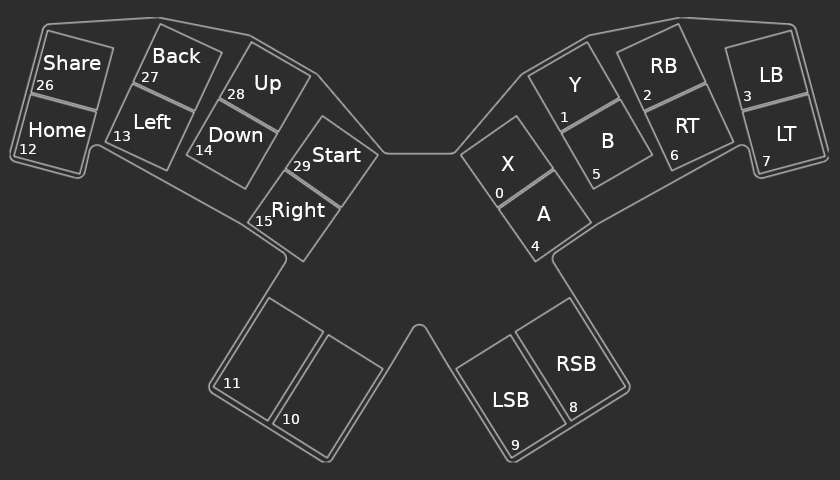
Fight Pad / Pin Layout

Layout

Build Your Own

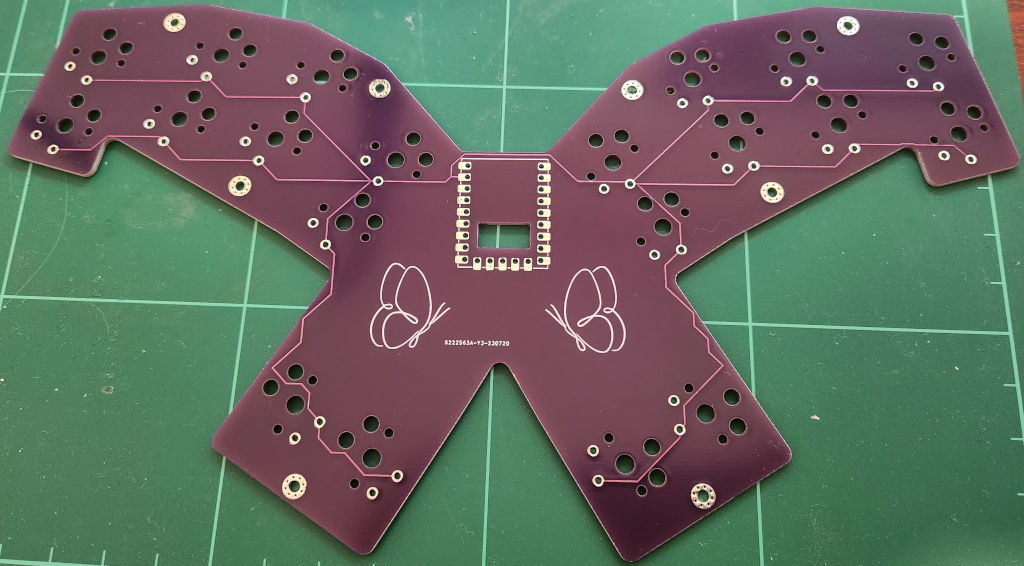
Board

Board

Parts
  • Send the Gerber file to the PCB manufacturer of your choice
  • 1 x RP2040-Zero
  • 20 x low profile choc switches and keycaps. Since you're going to be doing a lot of combos, I recommend lighter switches. I use 25g light blue, but 35g pro red is not bad either. You can use 1.5U keycaps for the thumbs, the socket has been rotated 90 degrees to accomodate.
  • (optional) 20 x kailh hotswap sockets
  • (optional) RP2040-Zero headers
Firmware
  • QMK
    • Taipo Keyboard
    • PC Gamepad
    • Qwerty/WASD Layout
  • KMK
    • Taipo Keyboard
    • Python based with hot reloading so good if you tinker a lot with your layout
  • GP2040-CE
    • PC or console gamepad
    • Note: PS5 requires an adapter like the Wingman FGC
Instructions
  • Solder the RP2040-Zero to the board either directly or using the headers you purchased
  • Build and flash the firmware
  • You can test the keyboard at this point by connecting the hotswap pads with some metal tweezers before continuing
  • Solder the kalih hotswap sockets if purchased or solder the switches directly the board otherwise
  • Insert the switches into the hotswap sockets if necessary
  • Add your keycaps

Case

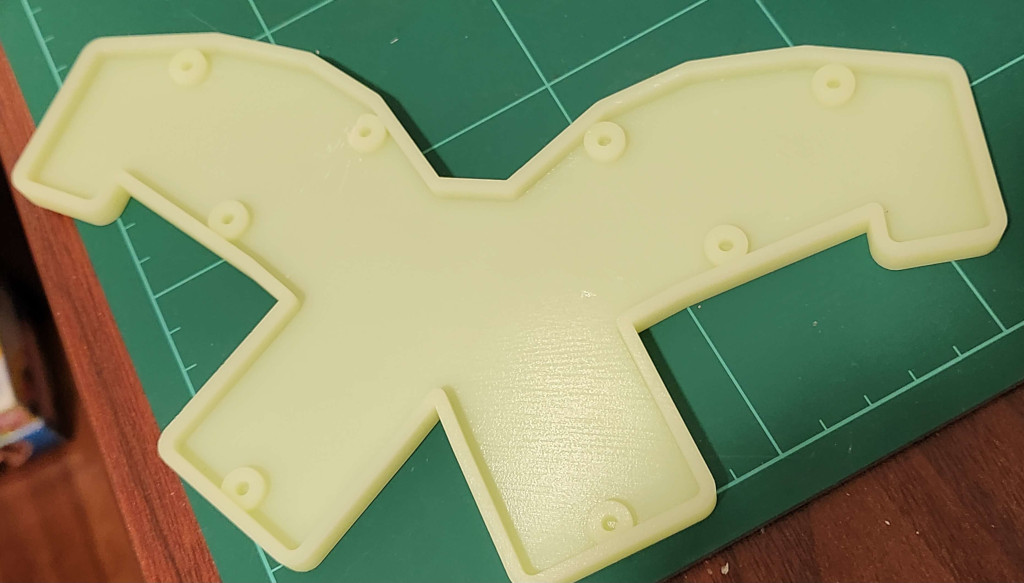
Issue: The case gets blocked by one of the screw mounts when using hotswap sockets, its easy enough to cut the side a bit with a knife though.

Case

Parts

The screws/nuts are optional, its a pretty tight fit so you might not need them.

  • 3D print the case.stl file
  • (optional) 8 x Knurled Insert Nuts (M2 x 3mm Length x 3.2mm OD) example
  • (optional) 8 x M2 3mm flat screws example
Instructions
  • Use a soldering iron to melt the insert nuts into the holes in the case
  • Screw the board to the case

Attribution

Butterfly image by Freepik

Parts

51
QtyValueFootprintReferences
40PG1350S1, S2, S10, S11, S12, S13, S14, S15, S16, S17, S18, S19, S20, S21, S22, S23 +24
8MountingHole_2.2mm_M2_Pad_Via_1, _2, _3, _4, _5, _6, _7, _8
1RP2040-ZeroRP2040Zero1
1LOGOimages:butterfly_left
1LOGOimages:butterfly_right

Questions

How big is the Chouchou PCB?

It measures 210.4 × 114.3 mm and has 2 copper layers, 1.6 mm thick.

What parts does the Chouchou use?

51 parts. The full list of its parts is on this page, with links to each part's symbol and footprint where PCBKit's library has them.

Where can I download the Chouchou KiCad files?

From the dlip/chouchou repository on GitHub, at the commit this page was made from: the board is kicad/chouchou.kicad_pcb and its schematic kicad/chouchou.kicad_sch. PCBKit opens the board in the browser, with nothing to install.

Can I use the Chouchou design in my own project?

Its repository publishes it under the GPL-2.0 licence: you may reuse it on that licence's terms (keep the author's notice, and for a copyleft licence share your changes alike).

Similar boards

  • 2 layers216.9 × 86.8 mmSweepv2, the printed circuit board in 3D

    Sweepv2

    davidphilipbarr/Sweep

    Sweep - a small promicro based keyboard inspired by the Ferris.

    51 parts2.1k
  • 2 layers49.4 × 94.2 mmPin board 1, the printed circuit board in 3D

    Pin board 1

    rusefi/rusefi

    rusefi - GPL internal combustion engine control unit

    51 parts1.2k
  • 2 layers72 × 42 mmNRF24 jammer, the printed circuit board in 3D

    NRF24 jammer

    W0rthlessS0ul/nRF24_jammer

    The nRF24 jammer is a powerful tool that requires an ESP32 and configurable numbers of NRF24 modules to assemble.

    51 parts1kMIT
  • 2 layers170 × 162 mmSnowflake, the printed circuit board in 3D

    Snowflake

    hackclub/OnBoard

    💡 Join 1,000 teenagers and make your first PCB with a $100 grant!

    51 parts915
  • 2 layers33 × 50 mmESP32-bat monitor latch, the printed circuit board in 3D

    ESP32-bat monitor latch

    pcbreflux/espressif

    all espressif stuff will committed here

    51 parts608GPL-3.0
  • 2 layersTUSS4470 shield, the printed circuit board in 3D

    TUSS4470 shield

    Neumi/open_echo

    Open Source echo sounder / depth sounder / SONAR for bathymetry and research. Arduino based and compatible.

    51 parts530
  • 2 layers45.7 × 123.5 mmMASTER ARM PANEL, the printed circuit board in 3D

    MASTER ARM PANEL

    jrsteensen/OpenHornet

    OpenHornet 1:1 F/A-18C Simulator Repository

    51 parts431
  • 2 layers50.8 × 69.2 mmUikit, the printed circuit board in 3D

    Uikit

    vsfteam/vsf

    Versaloon Software Framework -- a tiny preemptive-capable event-driven incremental software framework for embedded systems

    51 parts341Apache-2.0