2 layers18.5 × 11.1 mm
Switch
byrantech/laptop
anyon_e, a highly integrated, high end, open source laptop. Attempt the impossible.
6 parts4.3kMIT

 danieleborgo/OctoPrint-ShutdownButtonLEDBuzzer6
This OctoPrint plugin implements a shutdown physical button for the Rasperry Pi, with a buzzer and a status LED.
OctoPrint ShutdownButtonLEDBuzzer is an open-source printed circuit board by danieleborgo, from the danieleborgo/OctoPrint-ShutdownButtonLEDBuzzer repository on GitHub, published under the GPL-3.0 licence. It is a 2-layer board of 17.8 × 35.6 mm with 6 parts on 7 nets, routed with 9 tracks and 0 vias.
Its parts include 2 connectors, 1 resistor, 1 diode and 1 switch.
This OctoPrint plugin implements a shutdown physical button for the Raspberry Pi. It offers also a status LED to know when OctoPrint is ready and a buzzer to signal the startup and the shutdown. Remember that these signals may vary of few seconds.
By default, this plugin shuts down the Raspberry without checking of there are ongoing jobs. In settings, there is a flag to disable the button when printing.
The plugin automatically selects the correct GPIO driver based on the OS version:
/dev/gpiochip0, or /dev/gpiochip4 on Raspberry Pi 5).Auto-detection is the default and works in most cases. If needed, the driver can be overridden in the Advanced Settings section.
python-periphery is a required dependency. gpiozero is optional
and only needed on older systems:
pip install "OctoPrint-ShutdownButtonLEDBuzzer[gpiozero]"To shut down the Raspberry, it uses the command configured in OctoPrint settings.
This plugin supports both active and passive buzzers. By default, it assumes to have an active one.
The internal pull-up resistor for the button is applied automatically on kernels ≥ 5.10. On older kernels an external pull-up resistor on the button pin is required.
Install via the bundled Plugin Manager or manually using this URL:
https://github.com/danieleborgo/OctoPrint-ShutdownButtonLEDBuzzer/archive/master.zipThe circuit hereafter exposed is just the one set by default, since the plugin allows to edit each of these pin:
In case one of these features is not needed, it can be deactivated by the apposite settings section.
Always remember to properly check each connection, using the official datasheet, before turning on the Raspberry.
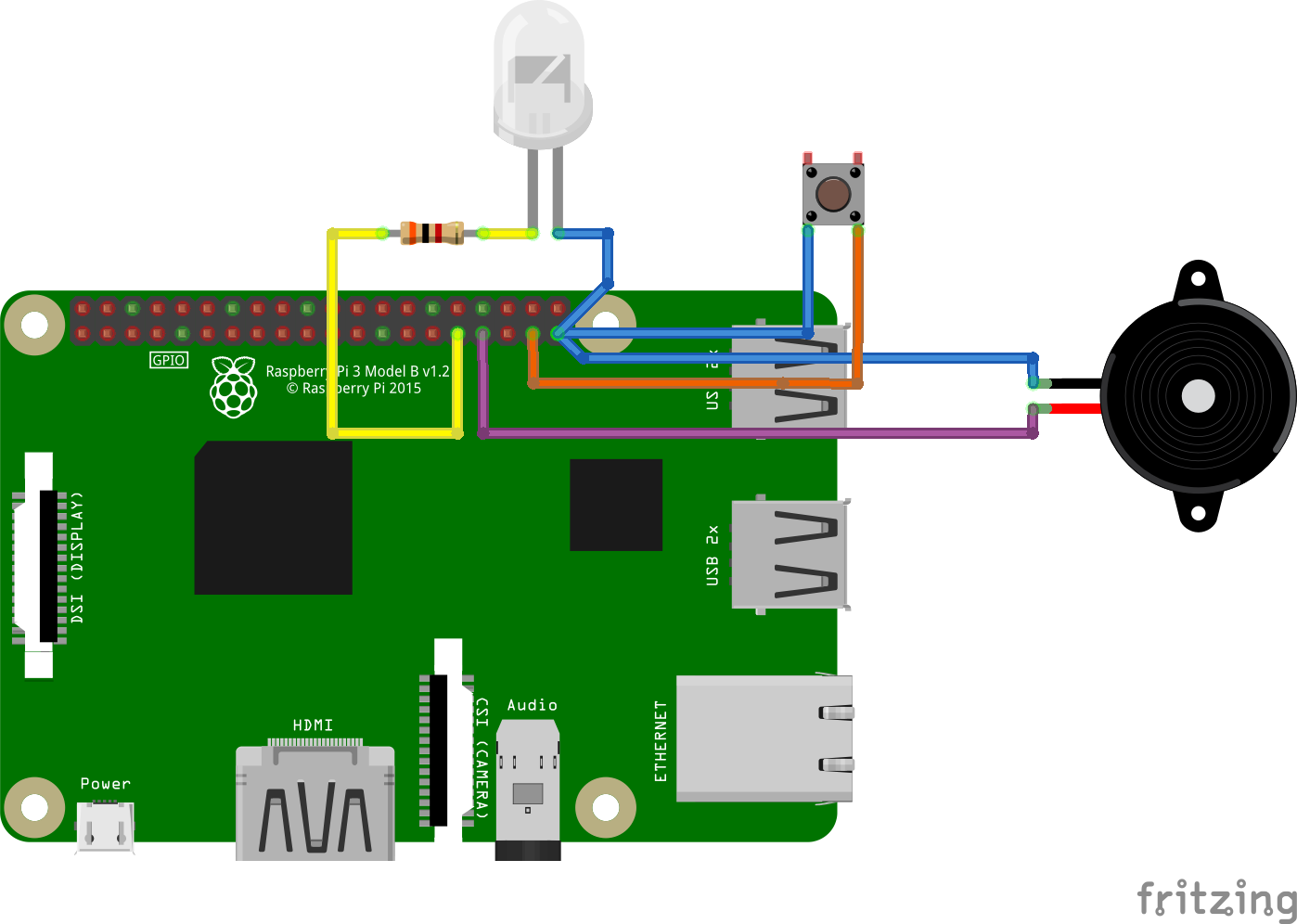
This plugin offers several configuration parameters, accessible in the apposite OctoPrint section in setting:
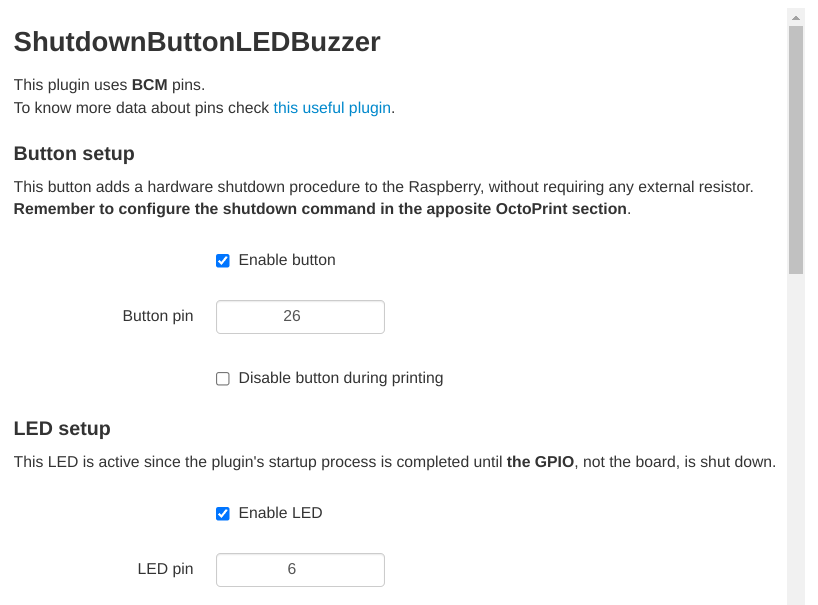
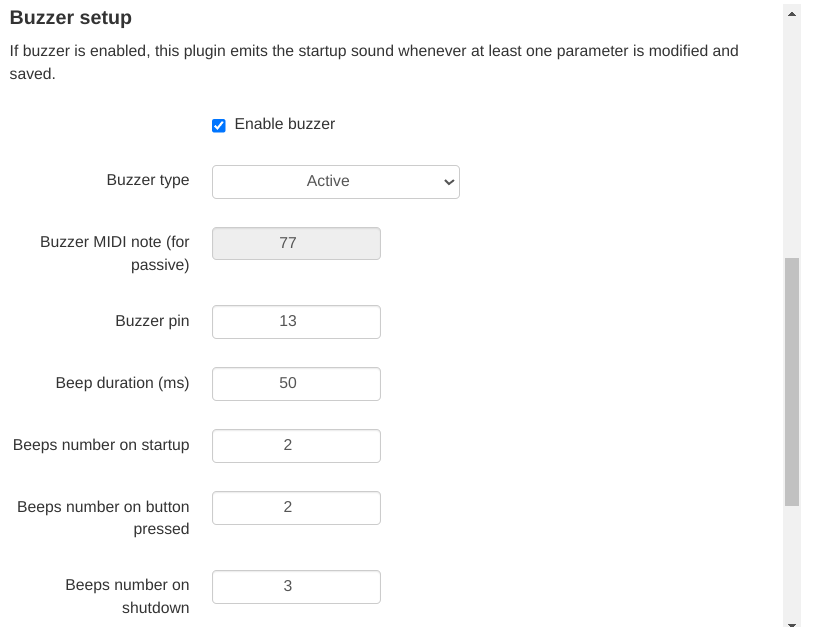
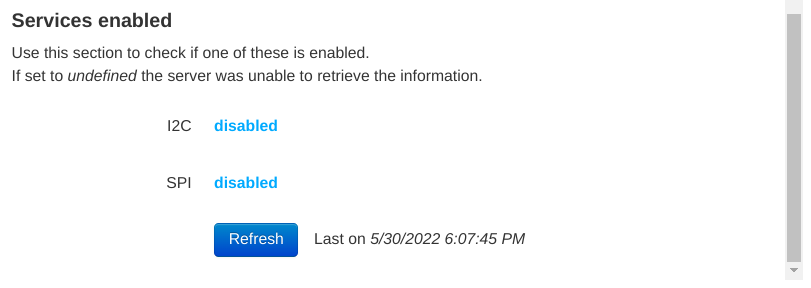
There are KiCad PCB files available in case you want to make your own PCB. A bill of materials (BOM) can be found in the according folder.
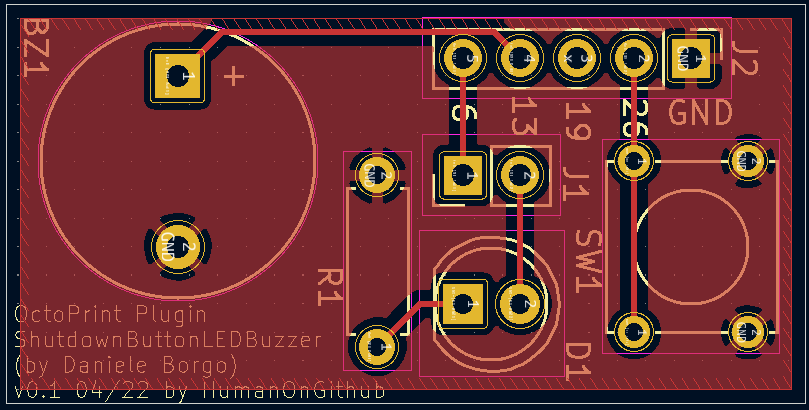
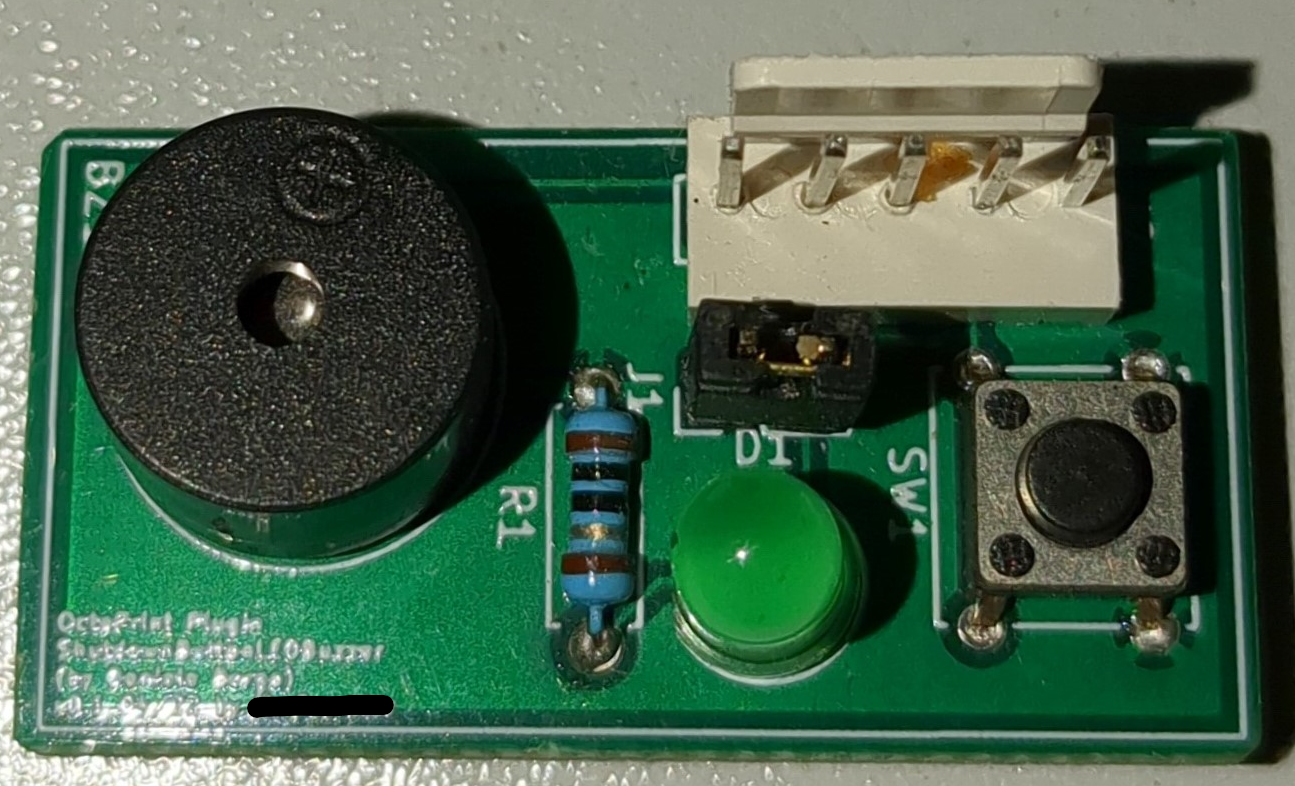
There is no a precise resistor needed, since it depends on how much light is needed. Despite this, it is suggested to use a value at least of few thousands of ohms. Always remember to check the connections and the datasheet.
The plugin supports both active that passive buzzer, but it is necessary to configure them by the settings panel.
A 5 mm LED is a good option, and it is usually in Arduino kits. In case a different one is attached, check that the current it needs is lower than the one a Raspberry pin can give.
This software is distributed on GPLv3.0, more information available in LICENSE.md.
| Qty | Value | Footprint | References |
|---|---|---|---|
| 1 | 10 | Resistor_THT:R_Axial_DIN0207_L6.3mm_D2.5mm_P7.62mm_Horizontal | R1 |
| 1 | Buzzer | Buzzer_Beeper:Buzzer_12x9.5RM7.6 | BZ1 |
| 1 | Conn_01x05_Male | Connector_PinHeader_2.54mm:PinHeader_1x05_P2.54mm_Vertical | J2 |
| 1 | Jumper | Connector_PinHeader_2.54mm:PinHeader_1x02_P2.54mm_Vertical | J1 |
| 1 | LED | LED_THT:LED_D5.0mm | D1 |
| 1 | SW | Button_Switch_THT:SW_Tactile_Straight_KSA0Axx1LFTR | SW1 |
byrantech/laptop
anyon_e, a highly integrated, high end, open source laptop. Attempt the impossible.


Jcparkyn/dpoint
Open-source digital stylus using camera tracking and inertial measurements

VoronDesign/Voron-Hardware
Cool Hardware designed by the Voron Design group

hoglet67/RGBtoHDMI
Bare-metal Raspberry Pi project that provides pixel-perfect sampling of Retro Computer RGB/YUV video and conversion to HDMI

hackclub/OnBoard
💡 Join 1,000 teenagers and make your first PCB with a $100 grant!

Luos-io/luos_engine
Open-source and real-time orchestrator for cyber-physical-systems, to easily design, test and deploy embedded applications and digital twins.

It measures 17.8 × 35.6 mm and has 2 copper layers, 1.6 mm thick.
6 parts. The full list of its parts is on this page, with links to each part's symbol and footprint where PCBKit's library has them.
From the danieleborgo/OctoPrint-ShutdownButtonLEDBuzzer repository on GitHub, at the commit this page was made from: the board is pcb/Octoprint_ShutdownButtonLEDBuzzer.kicad_pcb and its schematic pcb/Octoprint_ShutdownButtonLEDBuzzer.kicad_sch. PCBKit opens the board in the browser, with nothing to install.
Its repository publishes it under the GPL-3.0 licence: you may reuse it on that licence's terms (keep the author's notice, and for a copyleft licence share your changes alike).