2 layers37 × 130 mm

 crkalapat/tesseract
An open-source smart speaker
Tesseract is an open-source printed circuit board by crkalapat, from the crkalapat/tesseract repository on GitHub. It is a 2-layer board of 68.8 × 68.3 mm with 29 parts on 26 nets, routed with 183 tracks and 24 vias.
It is built around the MAX98357AETE+T and DMM-4026-B-I2S-R. Its parts include 8 connectors, 6 capacitors, 4 switches, 3 resistors and 1 IC. It belongs with the audio and music boards of this library.

An open-source smart speaker for your AI agent
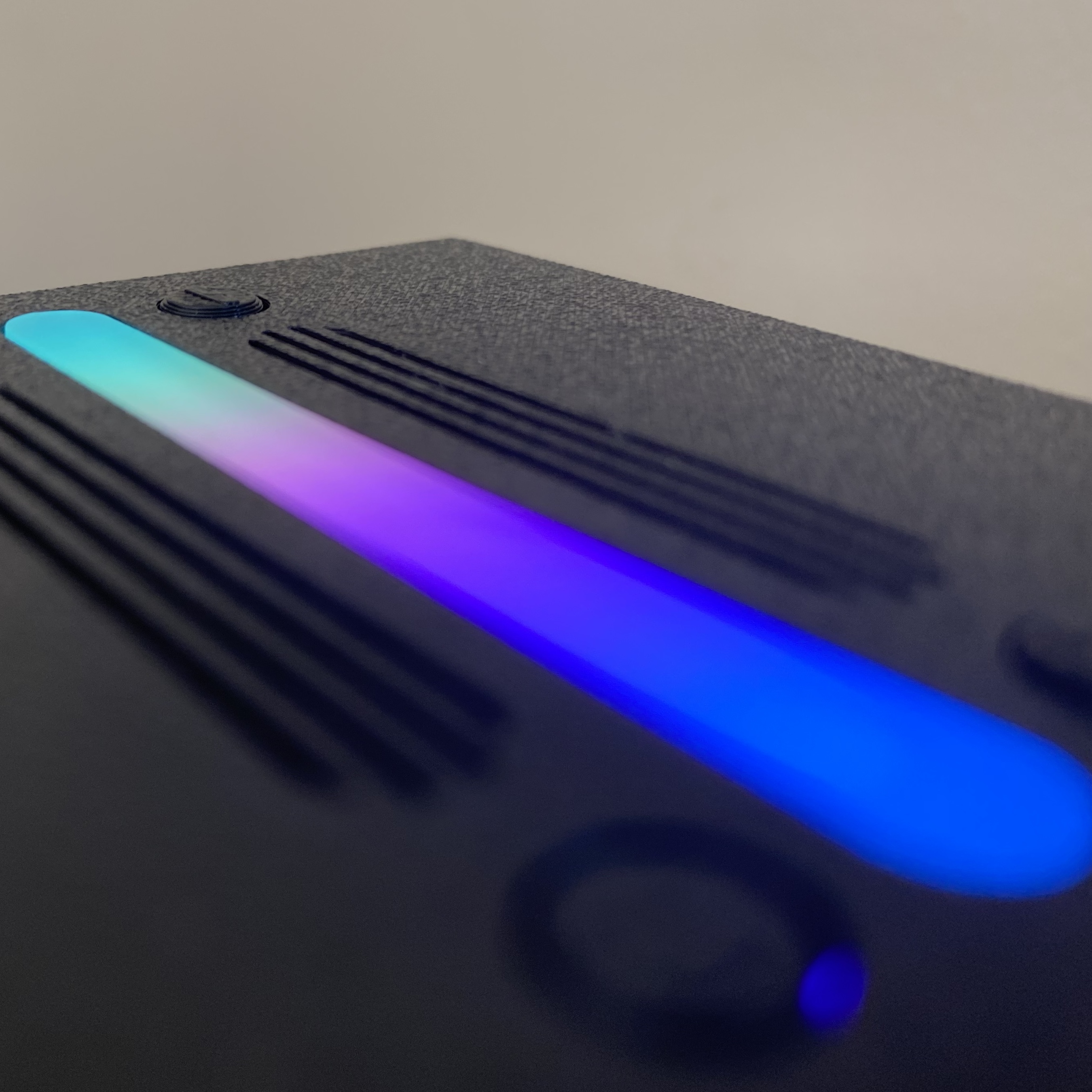
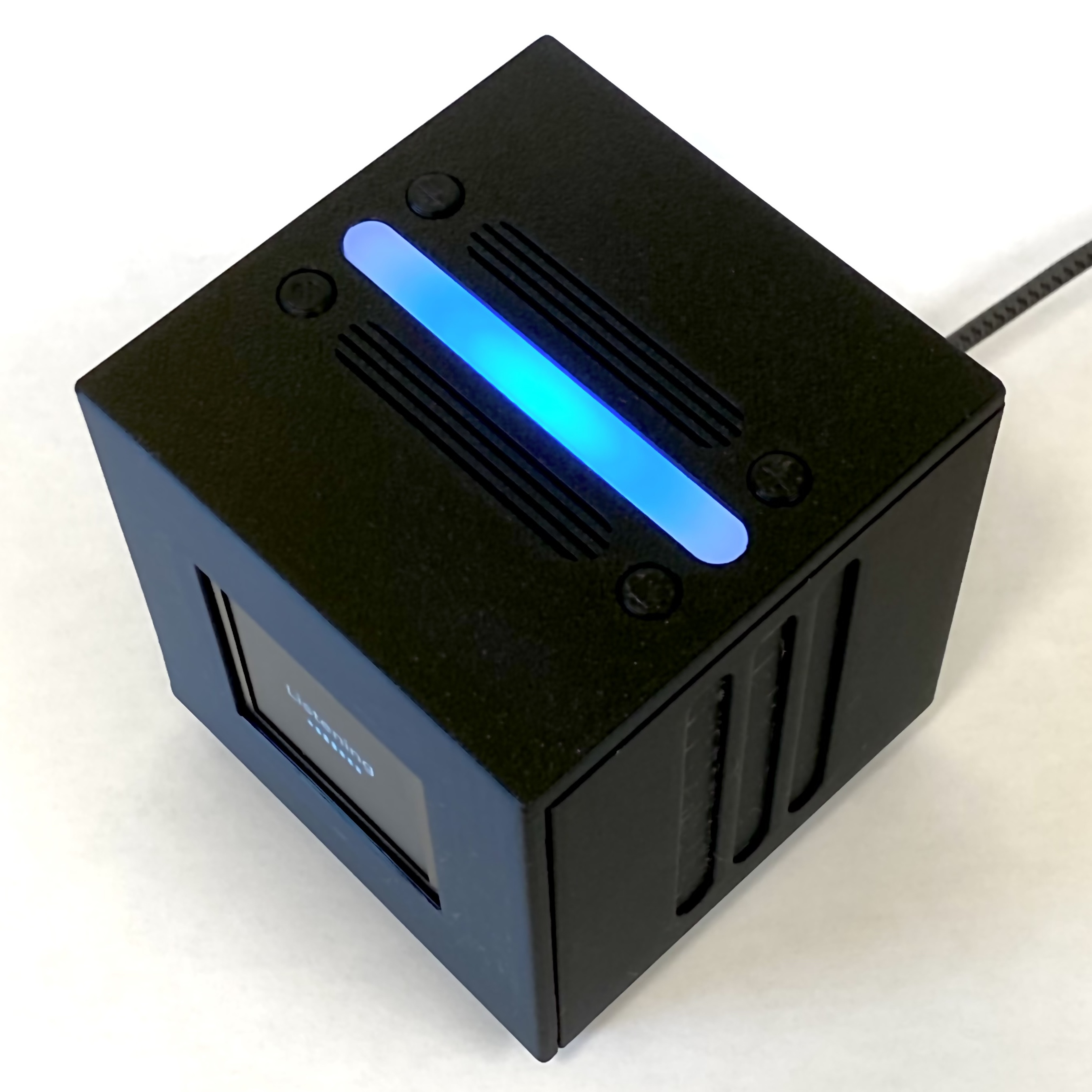
Personalized software: Tesseract is able to add new features to its code just by you describing them with your voice. For example, a stock ticker widget on the clock screen.
Smart home integration: Tesseract acts as an endpoint that can connect control to your AI app of choice to let you control your home's devices
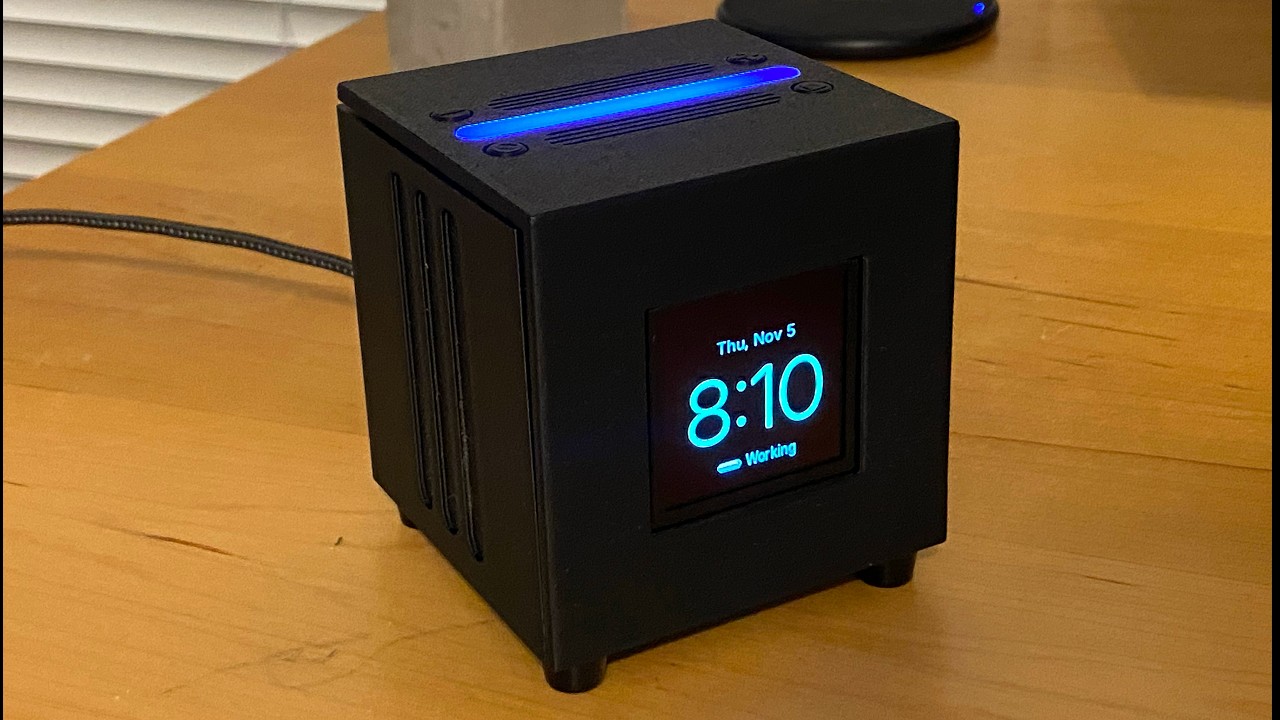
Tesseract runs on a Raspberry Pi Zero 2W connected to a custom PCB that links it to a microphone, speaker, display, buttons, and an LED strip. The hardware mainly does cloud API calls, but still runs a wake-word detection model locally.
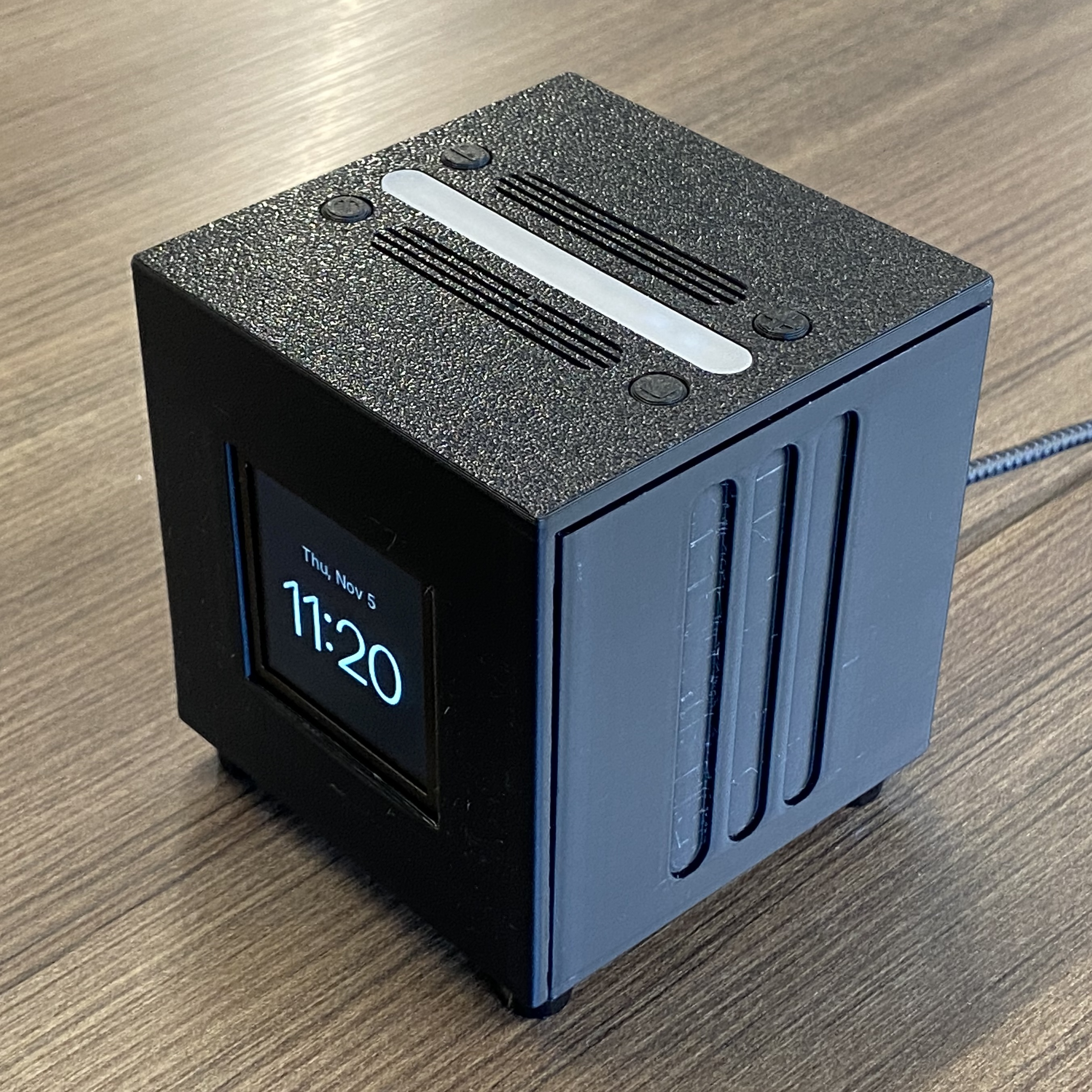
Tesseract also works as an alarm clock. The main reason I went with an OLED display was so there could be a true black (not like that on an LCD) at night.
The alarm clock is also where the name "Tesseract" came from, since the project is literally a cube with time (a clock face) inside it, kind of like a 4D cube.
Say "Franklin" and ask anything. The firmware in code/ handles on-device wake word
detection, streams speech-to-text, the LLM and text-to-speech through OpenRouter, drives the clock
display (with captions while it talks) and LED strip, and runs timers and alarms.
Simple commands (timers, volume, music controls) are handled on the device. Questions go to a fast model
(currently gpt-oss-120b), and anything involving your own stuff (calendar, email, documents) or several
steps goes to your own AI agent (Hermes Agent is currently supported). More details about the code,
setup, pinout and bring-up steps are in code/README.md.
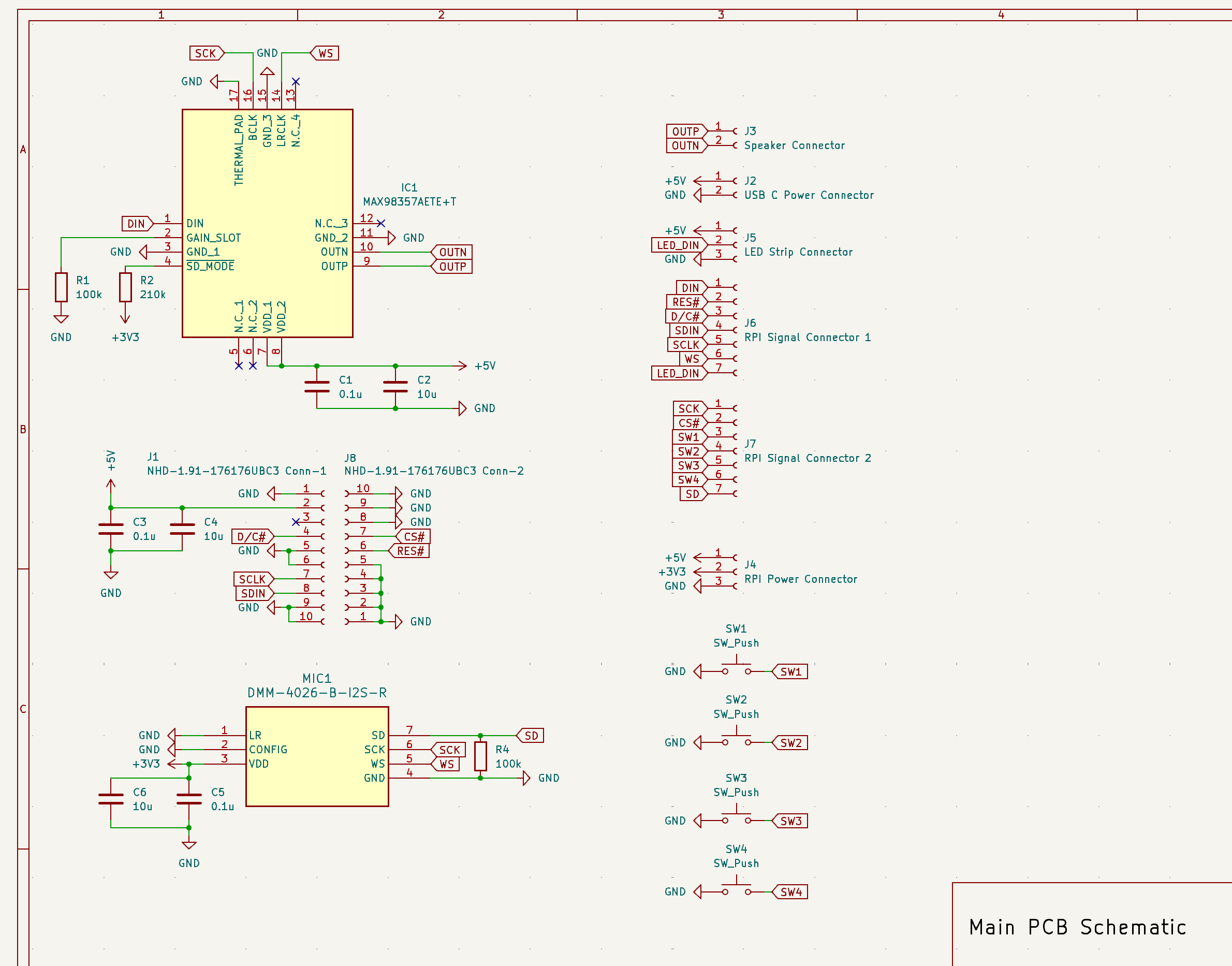
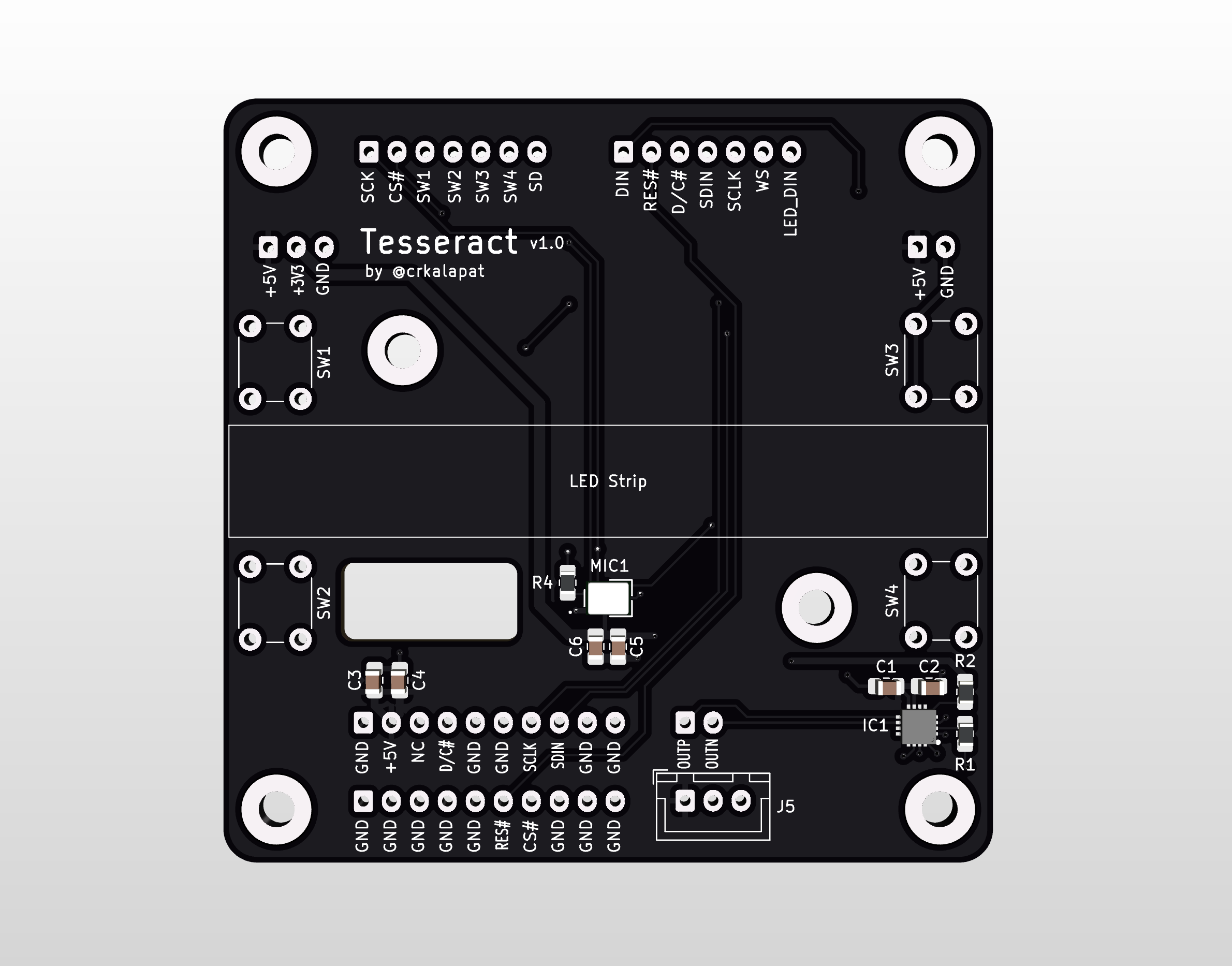
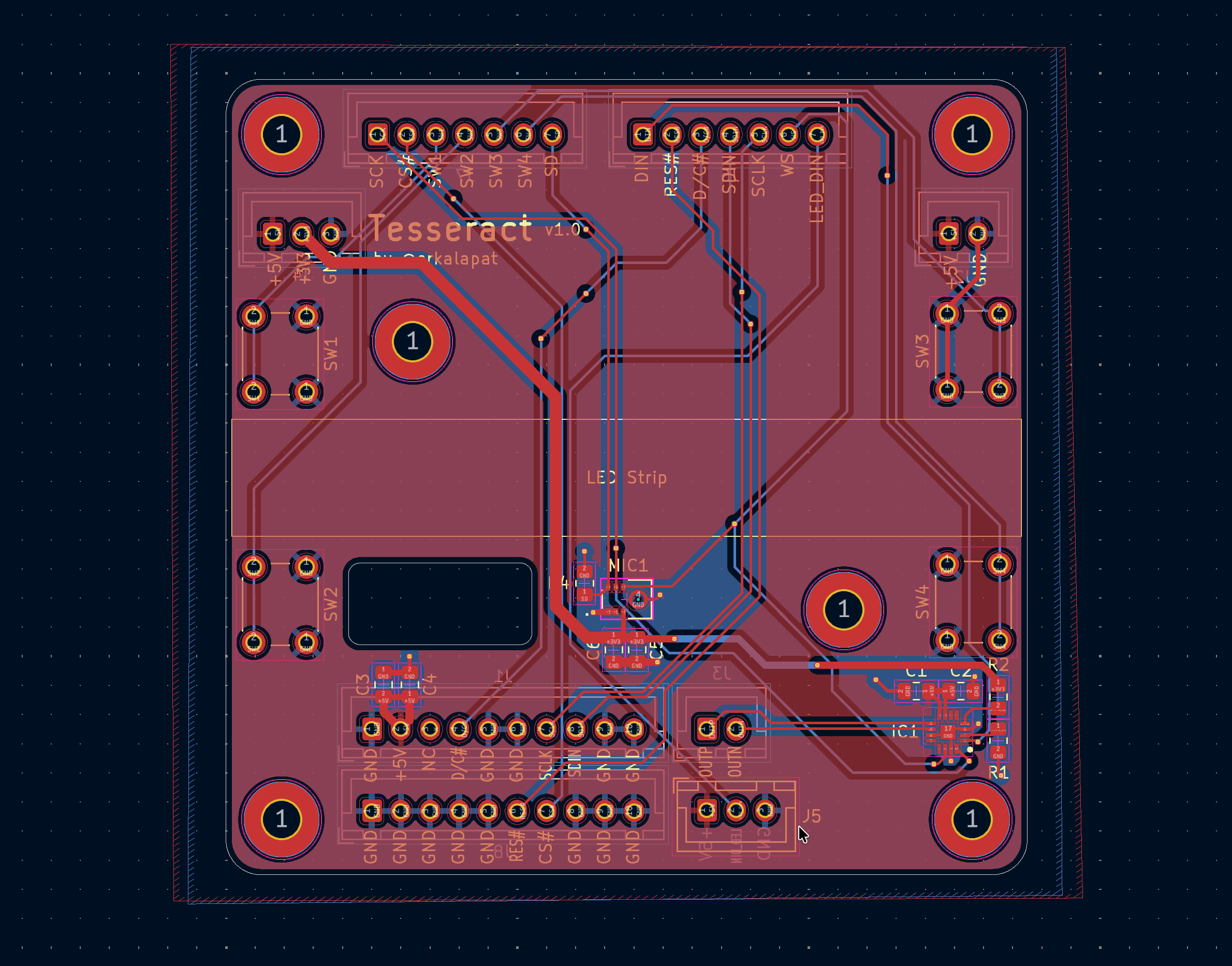
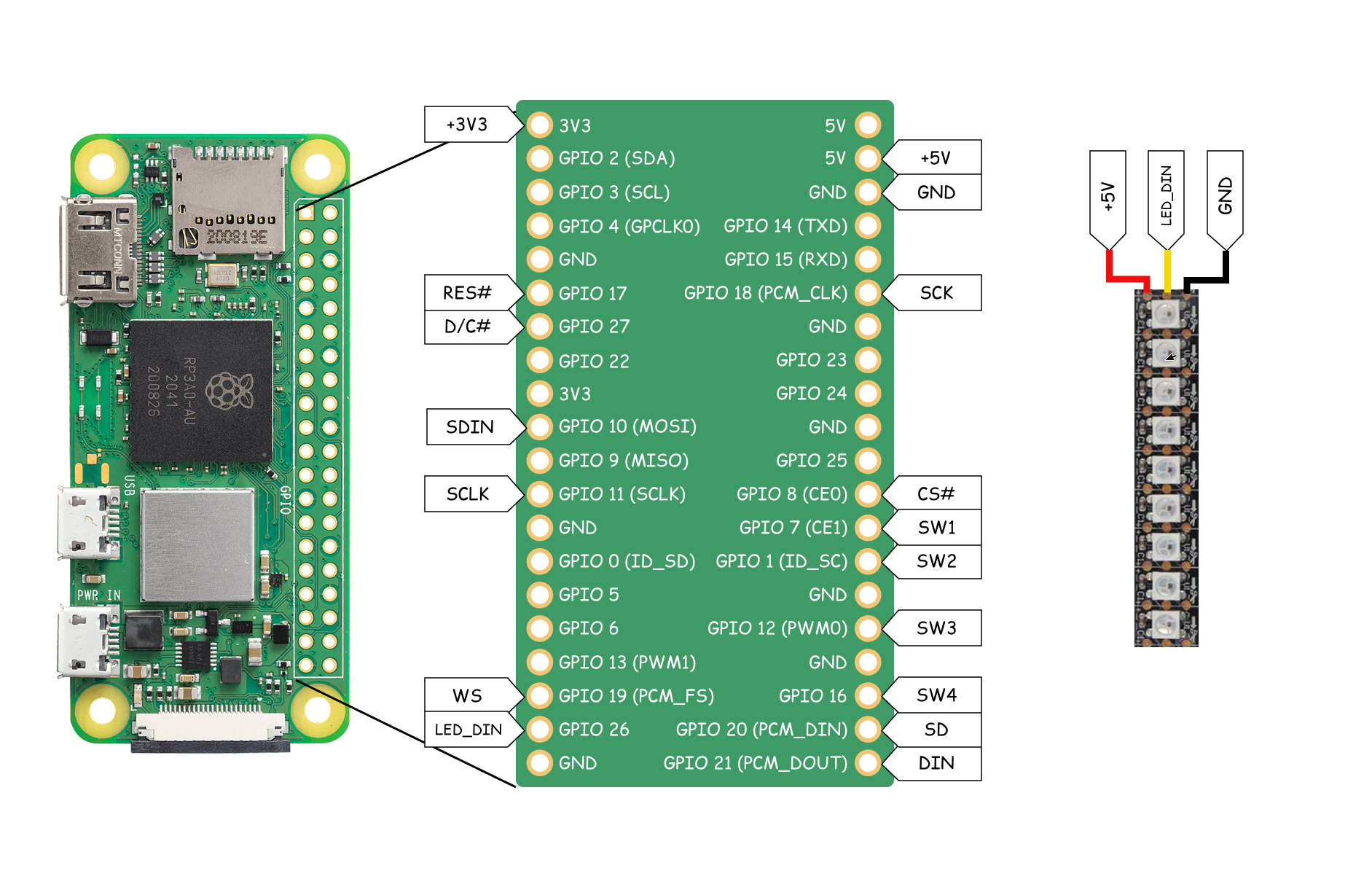
You can find the STEP file for the assembled version of Tesseract in the cad/ directory along with printable
STL files. If you prefer, you can also view the project in OnShape.
Or alternatively, you can find renders of the CAD in the assets/ subdirectory.
More detailed BOM with links can be found under BOM.csv in main directory
| Name | Quantity | Total Price |
|---|---|---|
| 6mm Buttons | 4 | $1.48 |
| JST XH Cable Connector Kit | 1 | $15.79 |
| Raspberry Pi Zero 2W | 1 | $19.05 |
| NHD 1.91" OLED Display | 1 | $35.70 |
| 0.1uF Capacitors | 5 | $0.95 |
| 10uF Capacitors | 5 | $1.15 |
| 100k Resistors | 3 | $0.90 |
| 210k Resistors | 3 | $0.72 |
| 4Ohm 3W Speaker | 1 | $11.57 |
| PCB | 1 | $3.20 |
| PCB Stencil | 1 | $7.16 |
| MAX98357AETE+T Speaker IC | 1 | $3.73 |
| DMM-4026-B-I2S-R Microphone | 1 | $2.94 |
| USB-C Breakout Board | 1 | $1.62 |
| (Owned) M2.5×8 Screws | 4 | $0.00 |
| (Owned) M3×8 Screws | 12 | $0.00 |
| (Owned) M3×12 Screws | 4 | $0.00 |
| (Owned) M3 Nuts | 16 | $0.00 |
| (Owned) M2.5 Nuts | 4 | $0.00 |
| 2" Plastic 2477 Square | 1 | $1.00 |
| (3D Printed) Case | 1 | $0.00 |
| (3D Printed) Display Cover | 1 | $0.00 |
| (3D Printed) Speaker Assembly Case | 1 | $0.00 |
| (3D Printed) Speaker Assembly Lid | 1 | $0.00 |
| (3D Printed) LED Chamber | 1 | $0.00 |
| (3D Printed) Button Caps | 4 | $0.00 |
| M3 Heat-Set Threaded Insert Bag | 1 | $3.56 |
| WS2812b LED Strip | 1 | $6.22 |
| Rubber Feet Pack | 1 | $1.93 |
| AliExpress Discounts | -$8.38 |
| Item | Cost |
|---|---|
| Tariffs | $8.79 |
| Mouser Tax | $5.78 |
| Adafruit Tax | $1.60 |
| AliExpress Tax | $1.30 |
| JLCPCB Shipping | $23.58 |
| T&T Plastic Land Shipping | $8.00 |
| Mouser Shipping | $8.49 |
| Adafruit Shipping | $6.37 |
| Total | $174.20 |
| Qty | Value | Footprint | References |
|---|---|---|---|
| 4 | SW_Push | Button_Switch_THT:SW_PUSH_6mm_H9.5mm | SW1, SW2, SW3, SW4 |
| 3 | 0.1u | Capacitor_SMD:C_0805_2012Metric_Pad1.18x1.45mm_HandSolder | C1, C3, C5 |
| 3 | 10u | Capacitor_SMD:C_0805_2012Metric_Pad1.18x1.45mm_HandSolder | C2, C4, C6 |
| 2 | 100k | Resistor_SMD:R_0805_2012Metric_Pad1.20x1.40mm_HandSolder | R1, R4 |
| 1 | 210k | Resistor_SMD:R_0805_2012Metric_Pad1.20x1.40mm_HandSolder | R2 |
| 1 | DMM-4026-B-I2S-R | Project Footprints:MIC_DMM-4026-B-I2S-R_PUI | MIC1 |
| 1 | LED Strip Connector | Connector_JST:JST_XH_B3B-XH-A_1x03_P2.50mm_Vertical | J5 |
| 1 | MAX98357AETE+T | Project Footprints:QFN50P300X300X80-17N | IC1 |
| 1 | NHD-1.91-176176UBC3 Conn-1 | Connector_JST:JST_XH_B10B-XH-A_1x10_P2.50mm_Vertical | J1 |
| 1 | NHD-1.91-176176UBC3 Conn-2 | Connector_JST:JST_XH_B10B-XH-A_1x10_P2.50mm_Vertical | J8 |
| 1 | RPI Power Connector | Connector_JST:JST_XH_B3B-XH-A_1x03_P2.50mm_Vertical | J4 |
| 1 | RPI Signal Connector 1 | Connector_JST:JST_XH_B7B-XH-A_1x07_P2.50mm_Vertical | J6 |
| 1 | RPI Signal Connector 2 | Connector_JST:JST_XH_B7B-XH-A_1x07_P2.50mm_Vertical | J7 |
| 1 | Speaker Connector | Connector_JST:JST_XH_B2B-XH-A_1x02_P2.50mm_Vertical | J3 |
| 1 | USB C Power Connector | Connector_JST:JST_XH_B2B-XH-A_1x02_P2.50mm_Vertical | J2 |
The 23 most common of 29 parts.

nickzentmayer/EE300W-R6Drone
Repository containing all code and CAD design files for EE300W project SP26


hackclub/sprig
🍃 Learn to code by making games in a JavaScript web-based game editor.

jamro/tiny-engineer
A small desktop robot that brings an AI coding assistant to life, physically acting out when it reads files, thinks, writes code, and finishes work.

jackw01/pi-tin
Open source raspberry pi handheld retro gaming console

atomic14/esp32-tv-hardware
This is Work In Progress - I'm still working on this.

DhamuVkl/ESP32S3-AI-Voice-Assistant
This project is a complete DIY AI voice assistant built around the ESP32-S3 microcontroller. It combines custom PCB design, advanced audio processing, and cloud-based AI to create a device that rivals commercial smart…
It measures 68.8 × 68.3 mm and has 2 copper layers, 1.6 mm thick.
29 parts, built around the MAX98357AETE+T and DMM-4026-B-I2S-R. The full list of its parts is on this page, with links to each part's symbol and footprint where PCBKit's library has them.
From the crkalapat/tesseract repository on GitHub, at the commit this page was made from: the board is pcb/Tesseract/Tesseract.kicad_pcb and its schematic pcb/Tesseract/Tesseract.kicad_sch. PCBKit opens the board in the browser, with nothing to install.
Its repository states no licence, so its author keeps all rights: ask crkalapat before reusing the design.