4 layers65 × 30 mm
Icepi zero
hackclub/OnBoard
💡 Join 1,000 teenagers and make your first PCB with a $100 grant!
122 parts915

 cheyao/icepi-zero869
An ECP5 FPGA Dev Board in a Pi Zero form
Icepi zero is an open-source printed circuit board by cheyao, from the cheyao/icepi-zero repository on GitHub. It is a 4-layer board of 65 × 30 mm with 163 parts on 263 nets, routed with 2,182 tracks and 272 vias.
It is built around the TLV62569DBV, FT231XQ-R and W25Q128JVSIQ, with the TPD2EUSB30ADRT, PCA9306DC1 and W9825G6KH-6 among its other parts. Its parts include 54 capacitors, 50 resistors, 14 diodes, 12 ICs and 6 connectors. It belongs with the fPGA and programmable logic and microcontroller boards boards and the FPGA and CPLD boards of this library.


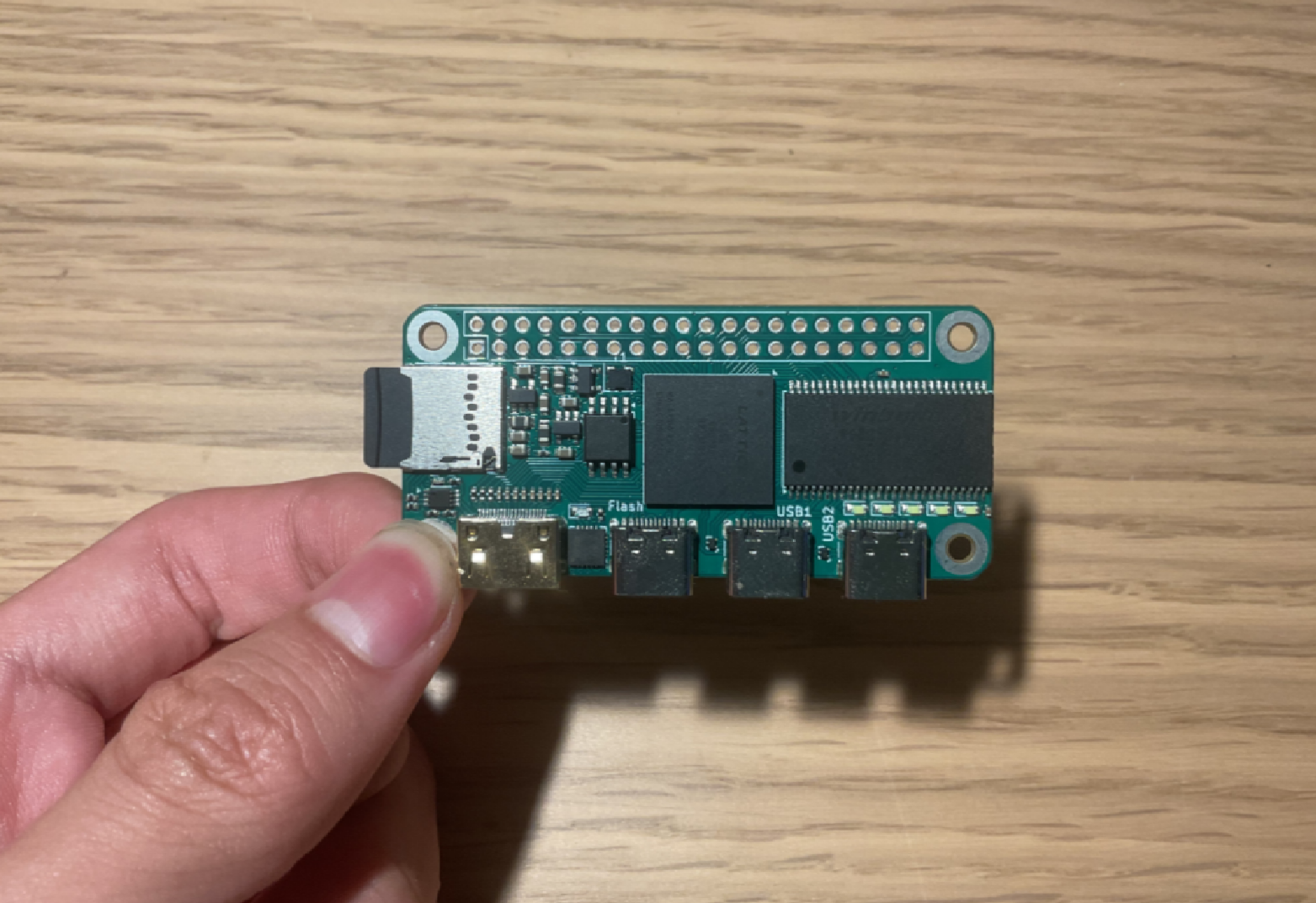
| Get your own at: | Crowd Supply | Elecrow | Mouser Electronics |
|---|
If you are a student/educational institute, send me an email at cyao _at_ duck.com and I'll give an educational discount of $65!
We also got a Discord server! Feel free to ask any questions here.
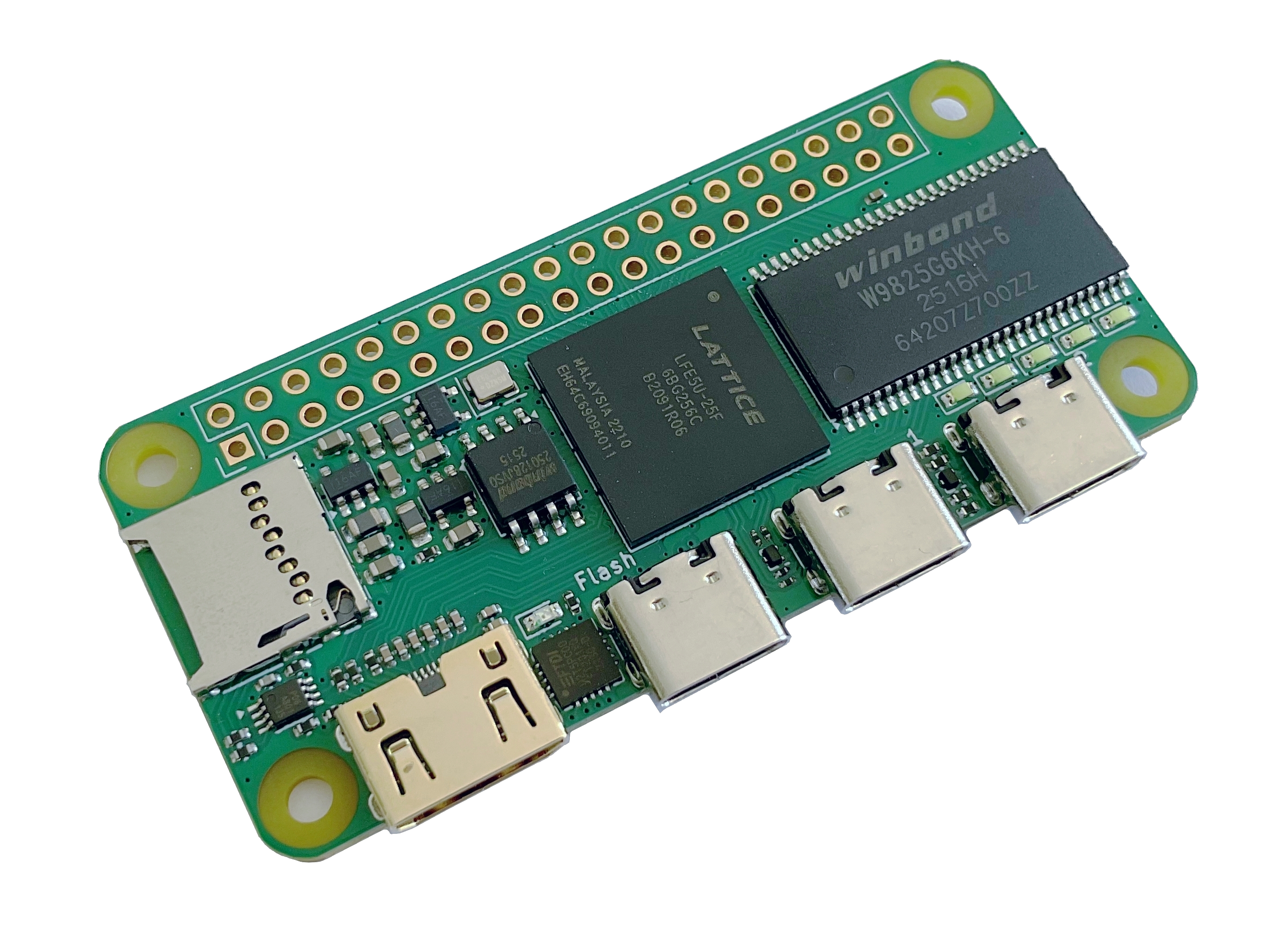
The Icepi Zero is an FPGA development board in the popular Raspberry Pi Zero form factor. It carries a Lattice ECP5 25F, enabling powerful designs while keeping a small portable size. It also has a GPDI mini (General Purpose Display Interface, same as the one on the Pi Zero) port allowing easy digital video output.
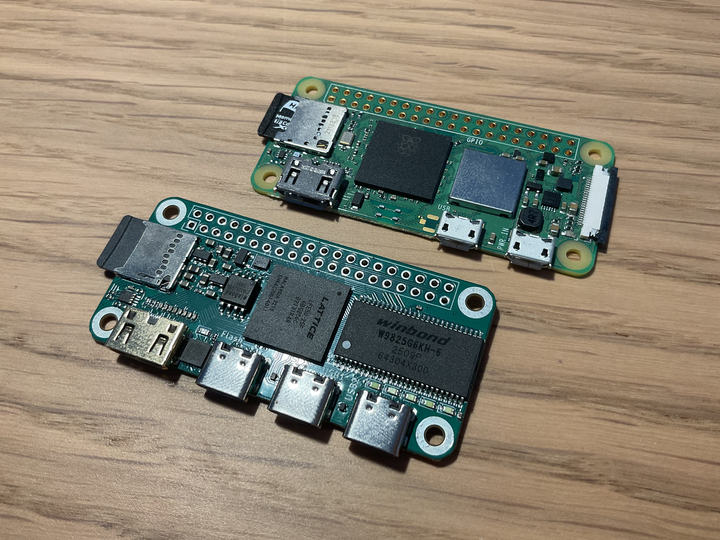
Currently most powerful FPGA boards on the market are expensive and bulky.
I've always wanted a low-cost portable FPGA with video output to make my own CPU, but there isn't any on the market.
The Icepi Zero aims to fix this. Carrying a powerful ECP5 FPGA on a small Raspberry Pi Zero form factor, it is the ultimate portable solution for FPGA development. Additionally packing a GPDI mini port and 3 USB-C ports, it allows interfacing with multiple external I/O devices.
Icepi Zero is for everyone: Students can use it to learn about the internals of modern processors. Gamers can use it to emulate old hardware. Programmers can use it to test their code on multiple architectures.
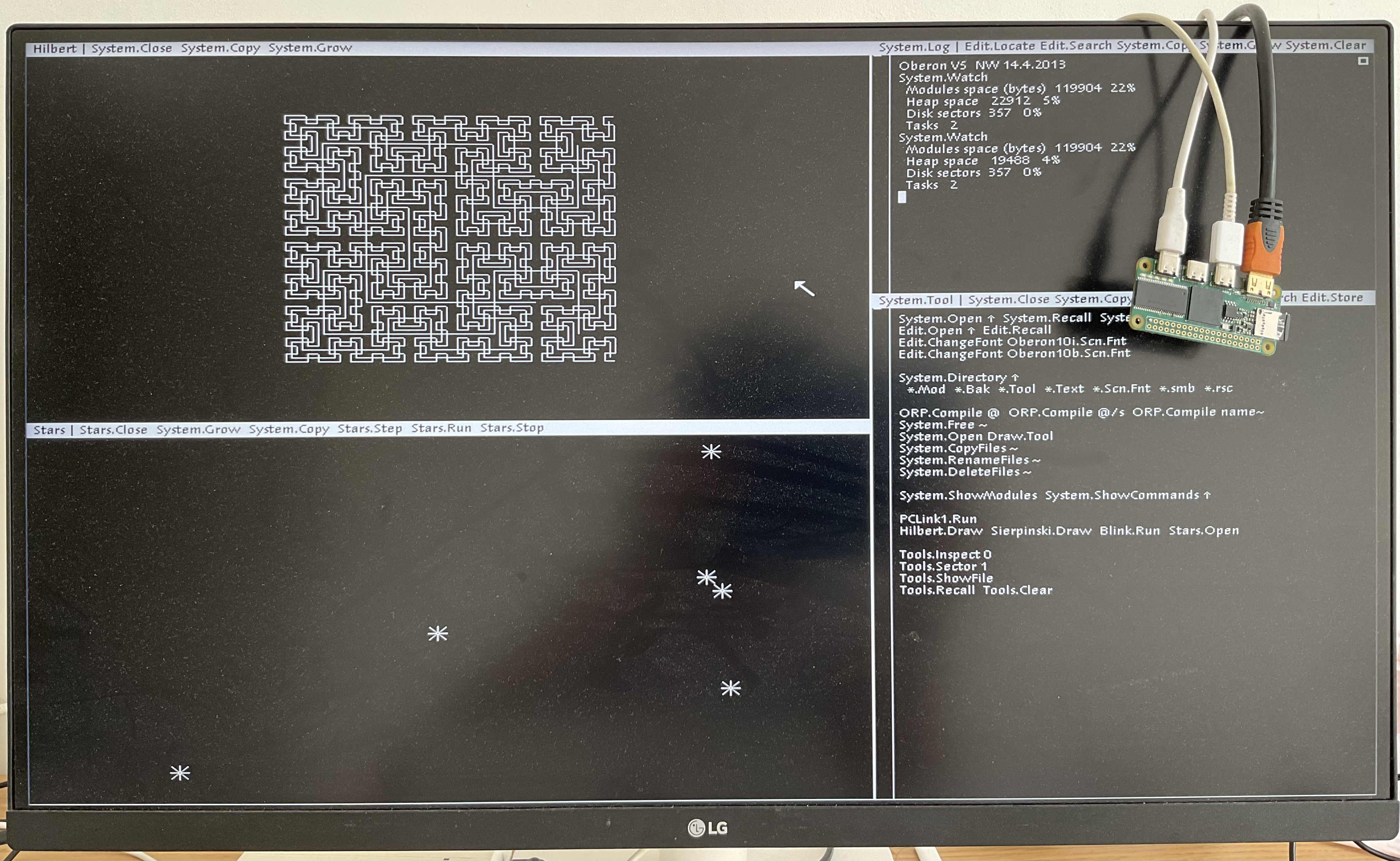 Oberon running on Icepi Zero
Icepi Zero also has an on-board USB to JTAG converter, so no external programmers are needed.
Moreover Icepi Zero is fully open-source, no strings attached. Learn from the design! (OSHWA cerified FR000026).
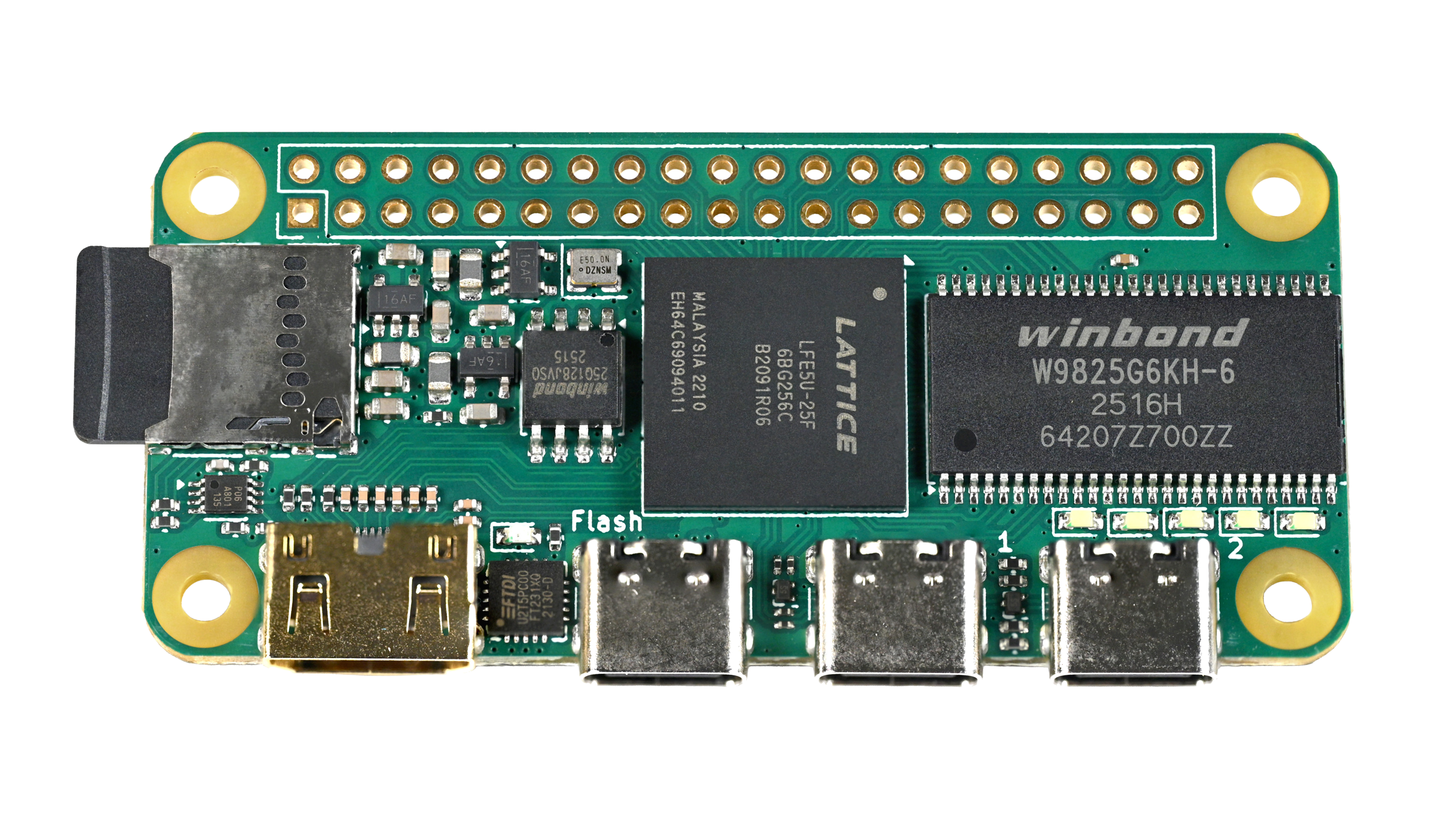
This powerful configuration allows the PCB to be used in numerous ways, including real time video processing, hardware AI acceleration and prototyping of ASICs.
Over the course of multiple weeks, multiple emulation cores have been ported over, such as the Oberon, Apple I and the Acorn Atom! The Icepi Zero allows you to take cycle accurate replicas of your favourite systems in your pocket.
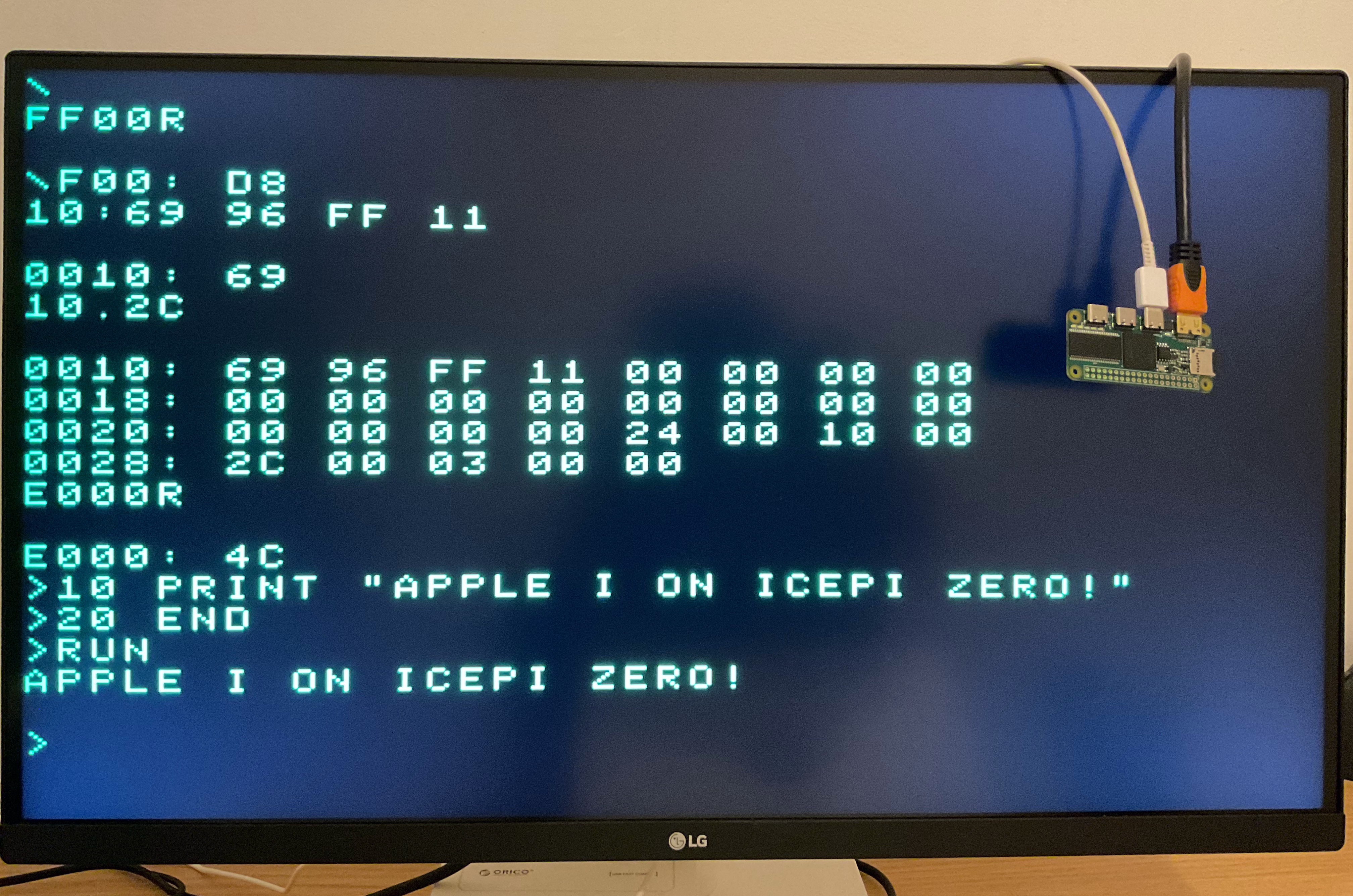 Apple I running on the Icepi
 Acorn Atom running on the Icepi
It is also supported by icestudio (custom fork: https://github.com/cheyao/icestudio), allowing easy access for beginners.

Check out the gateware folder for example code and compilation instructions!
If you want to order this board, it uses a 1.2mm/1.6mm PCB with JLC04121H-7628 Stackup. Gerbers are in the production folder in the hardware directory.
For the PCB, the smallest component size is 0201 for 27 Ohm resistors on the USB-C datalines. But if you want only 0402 components, just delete those 0201 resistors and you will be fine.
NOTE: If you fabbed v1.1 before 01/06, the pins of the USB pullups and LED0 is different - check your gerbers.
This project was inspired by the ulx3s, huge props to the ulx3s team for making such a good board!
If there is any questions DM cyao. or join the discord server! Feel free to ask any questions here. Mail is also accepted at cyao _at_ duck.com. :)
| Qty | Value | Footprint | References |
|---|---|---|---|
| 21 | 100nF | Capacitor_SMD:C_0402_1005Metric | C1, C10, C14, C16, C17, C20, C24, C25, C26, C27, C28, C29, C31, C32, C35, C44 +5 |
| 11 | 10uF | Capacitor_SMD:C_0603_1608Metric | C2, C3, C4, C15, C21, C22, C23, C30, C34, C53, C54 |
| 10 | 1k | Resistor_SMD:R_0402_1005Metric | R1, R2, R3, R4, R5, R20, R21, R32, R33, R42 |
| 9 | 15k | Resistor_SMD:R_0402_1005Metric | R8, R10, R22, R23, R34, R35, R48, R49, R50 |
| 8 | 1N914WT | Diode_SMD:D_SOD-523 | D6, D7, D8, D9, D10, D11, D12, D13 |
| 8 | 22nF | Capacitor_SMD:C_0402_1005Metric | C36, C37, C38, C39, C40, C41, C42, C43 |
| 8 | 4.7k | Resistor_SMD:R_0402_1005Metric | R9, R16, R17, R38, R39, R40, R41, R43 |
| 8 | TestPoint | icepi-lib:TestPoint_Pad_D2.0mm_Blank | TP1, TP2, TP3, TP4, TP5, TP6, TP13, TP14 |
| 7 | 22nF | Capacitor_SMD:C_0603_1608Metric | C46, C47, C48, C49, C50, C51, C52 |
| 7 | 22uF | Capacitor_SMD:C_0603_1608Metric | C11, C12, C13, C18, C19, C33, C45 |
| 6 | 10k | Resistor_SMD:R_0402_1005Metric | R6, R13, R44, R45, R46, R47 |
| 6 | 5.1k | Resistor_SMD:R_0402_1005Metric | R24, R25, R26, R29, R36, R37 |
| 6 | TestPoint | icepi-lib:TestPoint_Pad_D1.0mm_Blank | TP7, TP8, TP9, TP10, TP11, TP12 |
| 5 | WHITE | LED_SMD:LED_0603_1608Metric | D1, D2, D3, D4, D5 |
| 4 | 27 | Resistor_SMD:R_0201_0603Metric | R27, R28, R30, R31 |
| 4 | MountingHole | MountingHole:MountingHole_2.7mm_M2.5 | H1, H2, H3, H4 |
| 4 | TPD2EUSB30A | Package_TO_SOT_SMD:Texas_DRT-3 | U5, U7, U8, U10 |
| 3 | 2.2uH | Inductor_SMD:L_0805_2012Metric | L1, L2, L3 |
| 3 | 3.3k | Resistor_SMD:R_0402_1005Metric | R11, R18, R19 |
| 3 | TLV62569DBV | Package_TO_SOT_SMD:SOT-23-5 | U2, U3, U4 |
| 3 | USB_C_Receptacle_USB2.0_14P | Connector_USB:USB_C_Receptacle_GCT_USB4105-xx-A_16P_TopMnt_Horizontal | J3, J4, J5 |
| 2 | 470 | Resistor_SMD:R_0402_1005Metric | R12, R14 |
| 2 | SW_Push | icepi-lib:switch_button_TS-1088-AR02016 | SW1, SW2 |
| 1 | 100R@100MHz | Inductor_SMD:L_0805_2012Metric | FB1 |
| 1 | 100k | Resistor_SMD:R_0402_1005Metric | R15 |
| 1 | 12k | Resistor_SMD:R_0402_1005Metric | R7 |
| 1 | Conn_02x20_Counter_Clockwise | Connector_PinHeader_2.54mm:PinHeader_2x20_P2.54mm_Vertical | J1 |
| 1 | ECP5-CABGA256 | Package_BGA:BGA-256_14.0x14.0mm_Layout16x16_P0.8mm_Ball0.45mm_Pad0.32mm_NSMD | U1 |
| 1 | FT231XQ | Package_DFN_QFN:QFN-20-1EP_4x4mm_P0.5mm_EP2.5x2.5mm | U9 |
| 1 | GPDI_C_1.3 | icepi-lib:XKB Connection A71-05H4-111N1 | J2 |
| 1 | LOGO | LOGO | G*** |
| 1 | Micro_SD_Card_Det2 | icepi-lib:microSD_HC_SOFNG_TF-008 | J6 |
| 1 | PCA9306DC1 | Package_SO:VSSOP-8_2.3x2mm_P0.5mm | U6 |
| 1 | RED | LED_SMD:LED_0603_1608Metric | D14 |
| 1 | SG-8018CG 50.000000MHz | Oscillator:Oscillator_SMD_SiT_PQFN-4Pin_2.5x2.0mm | Y1 |
| 1 | W25Q128JVS | Package_SO:SOIC-8_5.3x5.3mm_P1.27mm | U12 |
| 1 | W9825G6KH | Package_SO:TSOP-II-54_22.2x10.16mm_P0.8mm | U11 |
| 1 | ~ | oshw:OSHW-Certification-Mark-Logo_6x3mm_SilkScreen | LOGO1 |
It measures 65 × 30 mm and has 4 copper layers, 1.65 mm thick.
163 parts, built around the TLV62569DBV, FT231XQ-R, W25Q128JVSIQ and TPD2EUSB30ADRT. The full list of its parts is on this page, with links to each part's symbol and footprint where PCBKit's library has them.
From the cheyao/icepi-zero repository on GitHub, at the commit this page was made from: the board is hardware/v1.3/icepi-zero.kicad_pcb and its schematic hardware/v1.0/ecp5.kicad_sch. PCBKit opens the board in the browser, with nothing to install.
Its repository states no licence, so its author keeps all rights: ask cheyao before reusing the design.
hackclub/OnBoard
💡 Join 1,000 teenagers and make your first PCB with a $100 grant!

hackclub/reflow
A YSWS for the northern hemisphere's summer and the aussie's winter. Run by @pmnlla, with love and loads of carrots.

JulienKluge/Clock-odial
Clock-odial is a PCB featuring a ECP5 fpga for frequency/clock signal processing

garrettsworkshop/GW4302
Prototype RAM cartridge compatible with Commodore 1700/1750/1764 RAM Expansion Unit (REU)


DCentralTech/HashHacker-Multi-Hashboard-Tester
HashHacker Multi-Hashboard Tester from D-Central, the ultimate open-source tool for repairing and testing your ASIC miners.

dsi-modchip/pcb
This repository contains the KiCAD design files for the DSi modchip and the cable flex-PCB.
