2 layers

 blkhurst/kicad-usb-c
This USB-C Powered AND Gate is the first PCB I have designed using KiCad, and serves as a proof of concept for integrating USB-C power into future projects. The design includes:
Blkhurst USB C is an open-source printed circuit board by blkhurst, from the blkhurst/kicad-usb-c repository on GitHub. It is a 2-layer board of 25.5 × 43.5 mm with 12 parts on 18 nets, routed with 42 tracks and 1 via.
It is built around the SN74HC08N and USB4215-03-A. Its parts include 6 resistors, 2 diodes, 2 switches and 1 IC.


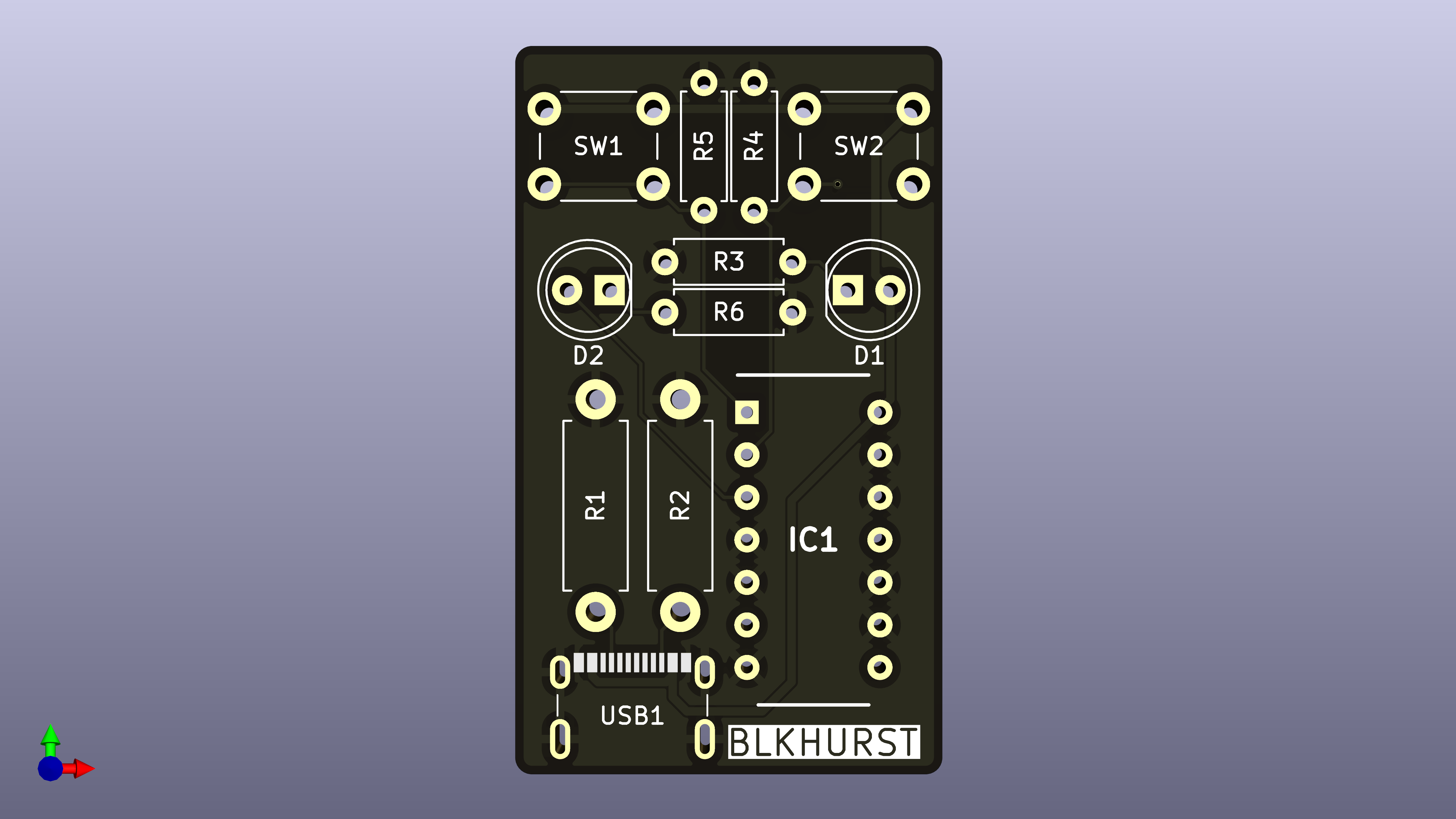
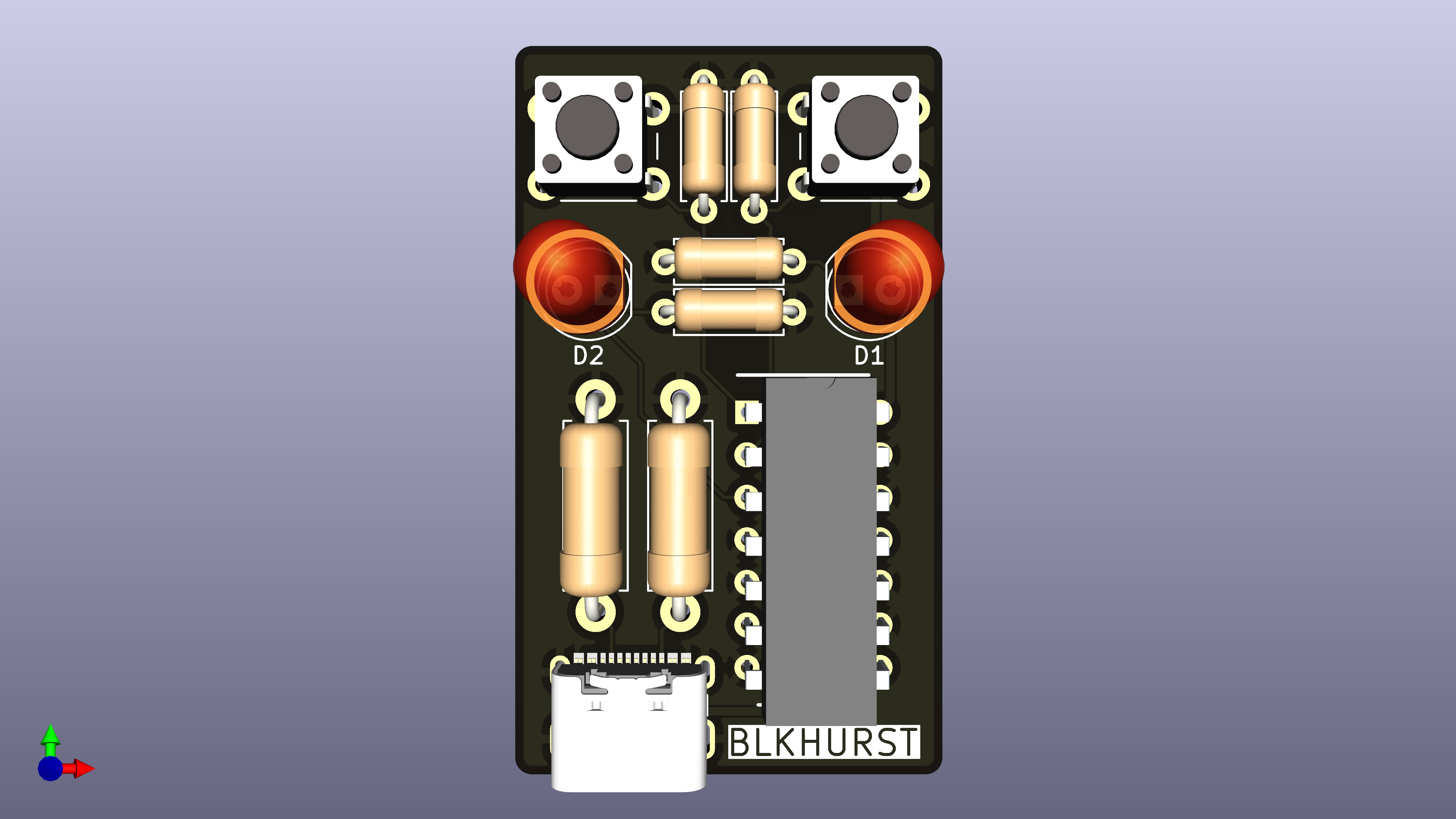
This USB-C Powered AND Gate is the first PCB I have designed using KiCad, and serves as a proof of concept for integrating USB-C power into future projects. The design includes:
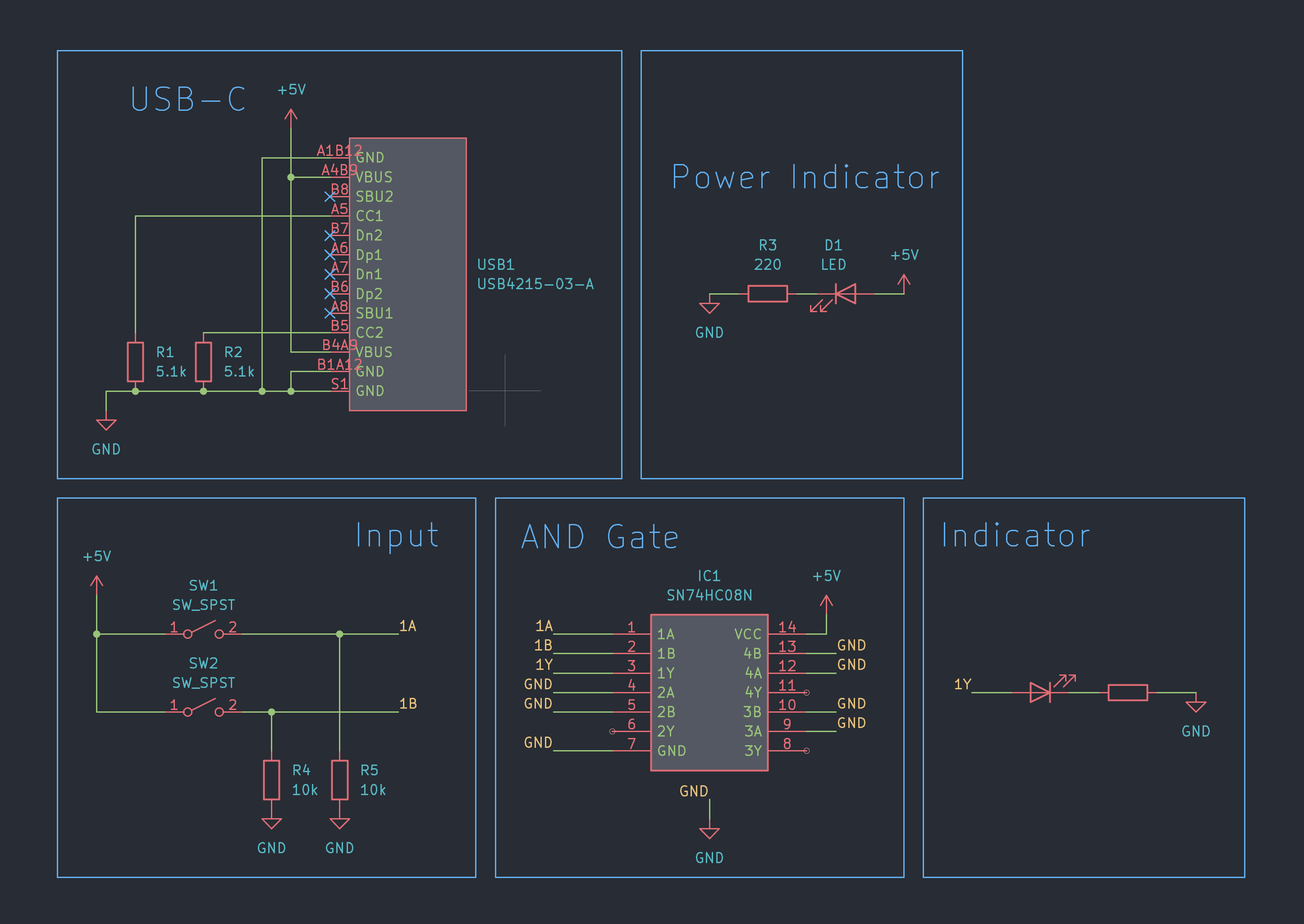
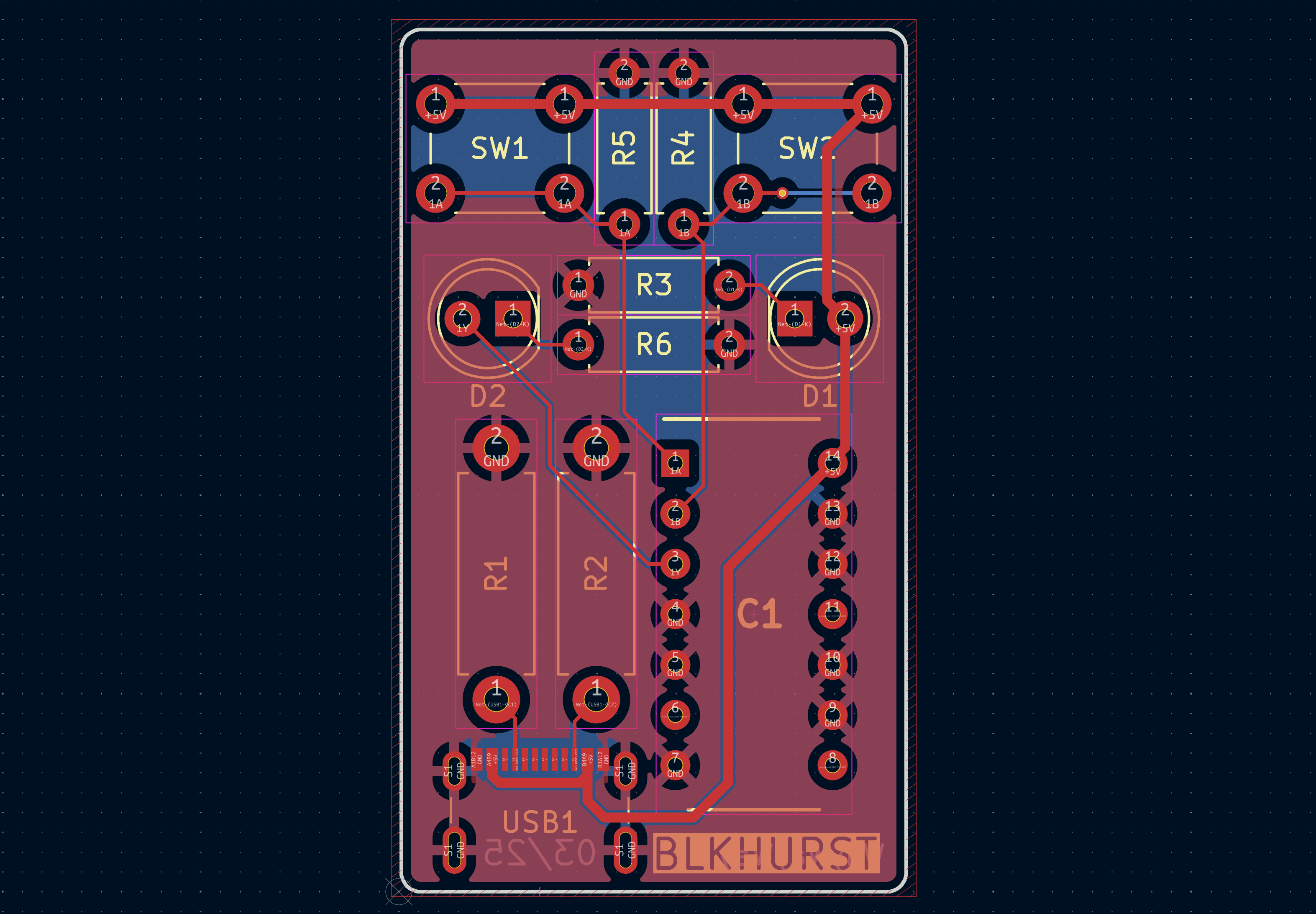
Using the GCT USB4215-03-A USB-C receptacle, created a custom KiCad symbol & footprint using the recommended PCB layout dimensions from the datasheet.
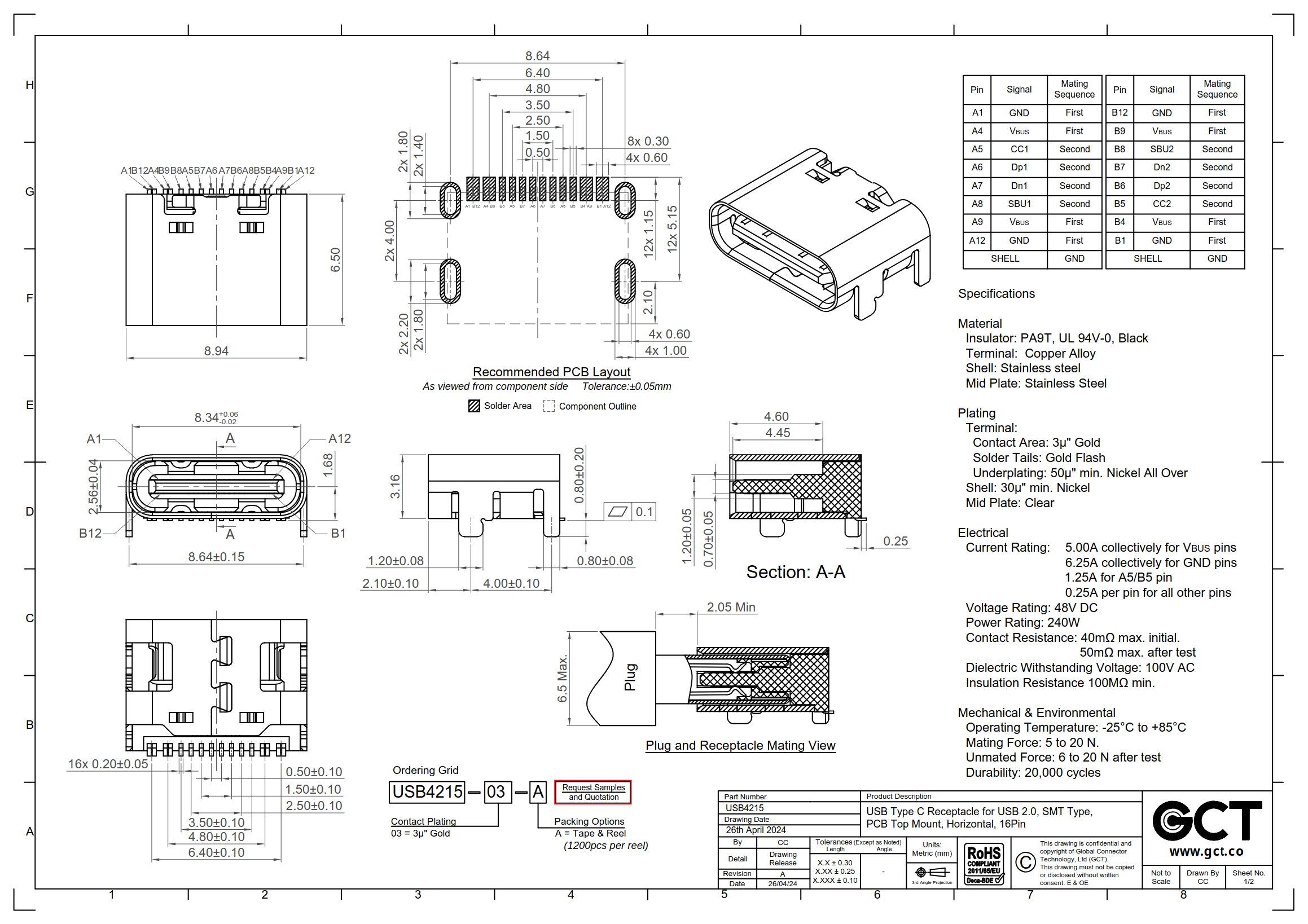
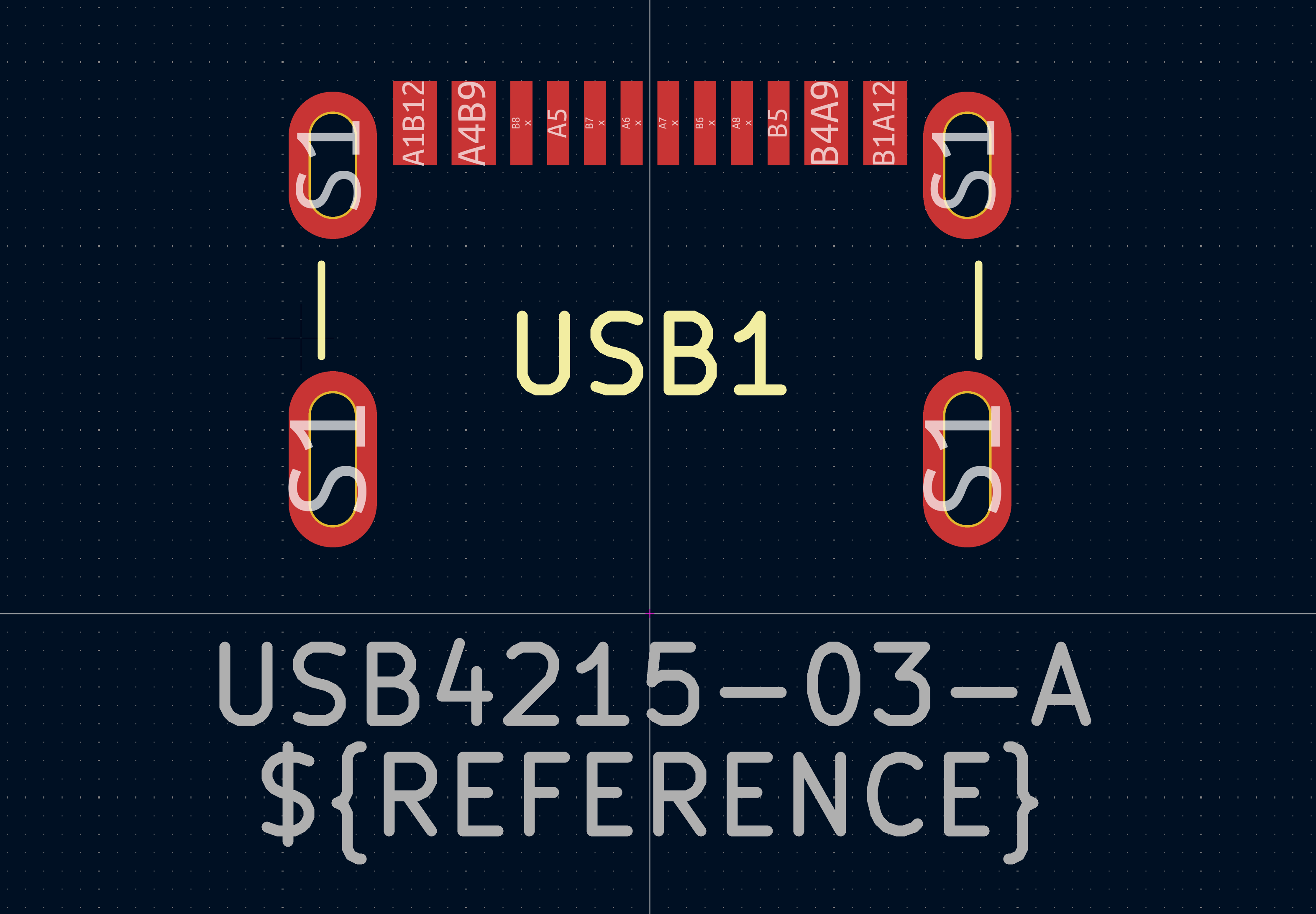
| Pin | Description |
|---|---|
| VBUS (x4) | Power Supply |
| CC1 / CC2 | Configuration Channels |
| SBU1 / SBU2 | Sideband Accessory (HDMI, Audio, etc) |
| DP1 / DP2 | USB Data+ |
| DN1 / DN2 | USB Data− |
| GND (x4) | Ground |
| Qty | Value | Footprint | References |
|---|---|---|---|
| 2 | 10k | Resistor_THT:R_Axial_DIN0207_L6.3mm_D2.5mm_P7.62mm_Horizontal | R4, R5 |
| 2 | 220 | Resistor_THT:R_Axial_DIN0207_L6.3mm_D2.5mm_P7.62mm_Horizontal | R3, R6 |
| 2 | 5.1k | Resistor_THT:R_Axial_DIN0411_L9.9mm_D3.6mm_P12.70mm_Horizontal | R1, R2 |
| 2 | LED | LED_THT:LED_D5.0mm | D1, D2 |
| 2 | SW_SPST | Button_Switch_THT:SW_PUSH_6mm | SW1, SW2 |
| 1 | SN74HC08N | Imported:DIP794W53P254L1930H508Q14N | IC1 |
| 1 | USB4215-03-A | Blkhurst:USB4215-03-A | USB1 |

dsorensen228/sherman
Desktop robot project with C++ personality and display runtimes, Python hardware services, Pico 2 firmware, and PCB and enclosure design.


PhdWizards/4-Bit-Discrete-Transistor-Adder
The core 4-bit binary adder is implemented entirely using discrete transistor-resistor logic. The resulting 5-bit binary value is converted to BCD using 74HC-series logic and displayed on two 7-segment displays.


semteXKG/fiesta-hardware
idf.py.exe -p COM4 -DPRIMARY=1 -DFORD=1 build flash monitor
It measures 25.5 × 43.5 mm and has 2 copper layers, 1.6 mm thick.
12 parts, built around the SN74HC08N and USB4215-03-A. The full list of its parts is on this page, with links to each part's symbol and footprint where PCBKit's library has them.
From the blkhurst/kicad-usb-c repository on GitHub, at the commit this page was made from: the board is pcb/Blkhurst-USB-C.kicad_pcb and its schematic pcb/Blkhurst-USB-C.kicad_sch. PCBKit opens the board in the browser, with nothing to install.
Its repository states no licence, so its author keeps all rights: ask blkhurst before reusing the design.