PocketTRS uses a modern microcontroller to emulate a TRS-80 personal computer. It can be connected to any compatible VGA monitor and PS/2 keyboard. PocketTRS has TRS-IO embedded for full FreHD support.
PocketTRS is an open-source printed circuit board by apuder, from the apuder/PocketTRS repository on GitHub. It is a 2-layer board of 87.6 × 73.9 mm with 45 parts on 60 nets, routed with 843 tracks and 114 vias.
It is built around the ESP32-WROVER-B, AMS1117-3.3 and MCP23S08T-E/ML, with the MMBT3904 and BSS138 among its other parts. Its parts include 13 resistors, 12 capacitors, 6 connectors, 5 ICs and 3 transistors. It belongs with the ESP32 boards of this library.
PocketTRS uses a modern microcontroller to emulate a TRS-80 personal computer. It can be connected to any compatible VGA monitor and PS/2 keyboard. PocketTRS has TRS-IO embedded for full FreHD support. PocketTRS offers the following features:
The heart of PocketTRS is an ESP32-based microcontroller. The firmware can be compiled using Espressif's ESP-IDF version 6.0. First install the
ESP-IDF toolchain for your platform. Next clone the PocketTRS git repository and compile the firmware via:
text
git clone --recursive https://github.com/apuder/PocketTRS.git
cd PocketTRS
idf.py build
The firmware can be flashed once the ESP as well as the necessary flashing circuitry is added to the PCB as explained in the next section.
Hardware
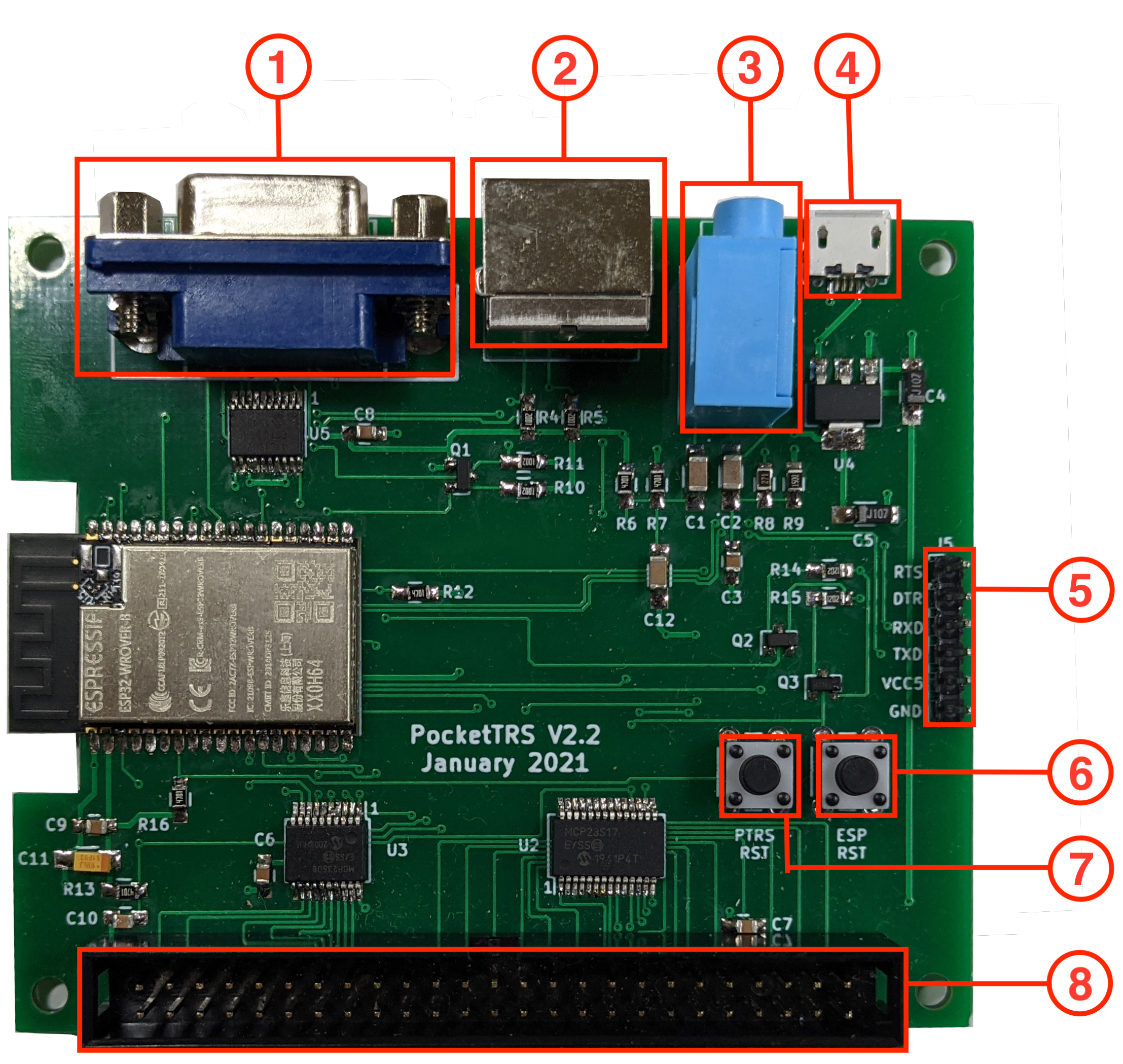
This repository contains the complete KiCad and Gerber files for PocketTRS. The figure below shows the various connectors:
VGA connector
PS/2 connector
3.5mm audio jack
Micro USB power supply
FTDI programmer interface
ESP reset button
Z80 reset button
50-pin expansion interface
The BOM contains all required parts. Soldering surface mounted components can be tricky. It is suggested to build up the PCB in a particular order and test the board along each step. PocketTRS contains some test code that helps with the diagnostics. The test code can be activated at compile-time via idf.py menuconfig > Component config > PocketTRS > Run PocketTRS PCB tests. When the PCB tests are activated, diagnostics will be printed to the log that can be viewed via idf.py -p <port> monitor. The following steps refer to PocketTRS V2.3:
Step
Components
Comments
1
J6, U4, C4, C5, C11
Connect power via the Micro-USB adapter. Confirm 5V on J5, pin 5. Confirm 3.3V on U1, pin 2. Disconnect power. Note: for polarized caps the dot on the silkscreen indicates the positive terminal.
It should be possible to flash the ESP firmware via a FTDI adapter with these components. The log should print MCP4361 not found.
3
U5, C8
Log should show MCP4361 found and MCP23S17 not found. Confirm 1V on pin 1, 2V on pin 2 and 3V on pin 3 of VGA adapter.
4
U2, U3, Q1, R10, R11, R17, C6, C7
Log should show MCP23S17 found and MCP23S08 found. Measure the voltages of the odd pins of the 50-pin connector (except pin 45). The voltages should alternate between 0V and 5V every second. Permanent 0V indicates that a pin is not properly connected. A permanent 0.7V indicates that two neighboring pins are shorted.
5
J8, R18, R19, R20, R21
Insert a formatted SD card into the SD card reader and press the 'PTRS RST' button after booting. The log should print SD card succefully mounted.
6
The rest
Solder the remaining components. First add the surface mounted components followed by the various connectors.
Usage
Once the PocketTRS card is assembled, connect a VGA monitor, a PS/2 keyboard and optinally a speaker to the audio jack. Power up PocketTRS via the micro-USB connector. You should see the TRS-80 Cass? prompt on the monitor. After booting PocketTRS, the following hotkeys are available via the PS/2 keyboard:
<F4> - Enable lowercase
<F5> - PocketTRS Configuration
<F6> - Send screenshot to the printer
<F9> - Reset Z80
<ESC> - TRS-80 <BREAK> key
'\' - TRS-80 <CLEAR> key
Instead of a PS/2 keyboard, a Bluetooth keyboard (Bluetooth Low Energy) can be used. It is paired in the web interface
(trs-io.local, Settings, Bluetooth Keyboard): put the keyboard in pairing mode, press Scan and then Pair
next to the keyboard's name. From then on the keyboard connects by itself.
<F5> allows the configuration of various aspects of PocketTRS, including setting up Wifi credentials and TRS-IO. Once Wifi is setup, the printer interface can be accessed via trs-io.local/printer.
Use the configuration settings to activate TRS-IO. Alternatively it is possible to connect an external TRS-IO/FreHD card via the 50-pin expansion interface. In that case make sure that the internal TRS-IO is disabled.
For game sound, simply connect a speaker to the 3.5mm audio jack. It is also possible to load programs via the cassette interface (500 baud only). At the Cass? prompt hit 'L', connect PocketTRS audio jack to a laptop or smartphone, type CLOAD or SYSTEM in BASIC and play the 500 Baud audio file. You should see the blinking asterick in the top right corner.
Showcases
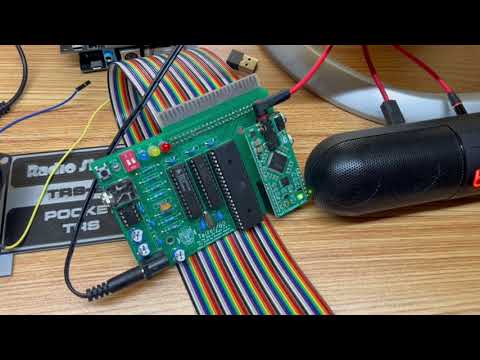
The video below shows PocketTRS connected to a Talker/80 card:
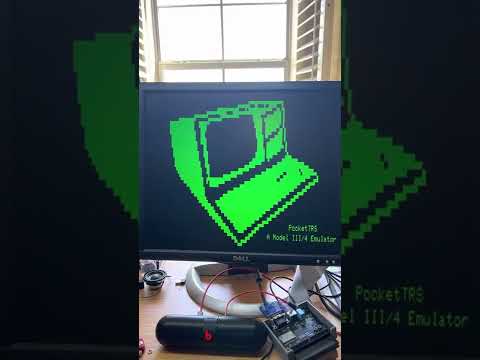
The next video shows PocketTRS booting from an external FreHD. Note that PocketTRS integrates TRS-IO and therefore also is compatible with FreHD, but
for the purpose of the demo, the internal TRS-IO is disabled:
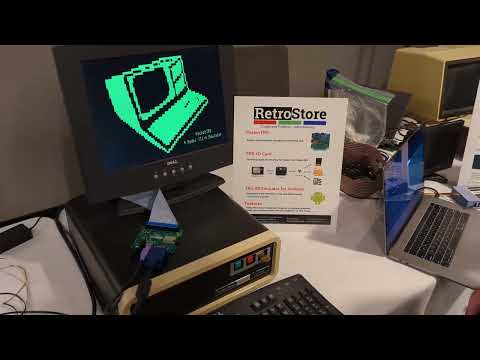
The following video shows PocketTRS booting from a 12 MB Tandy Hard Disk 26-4152 via XROM. PocketTRS is configured to disable
the internal TRS-IO and to use XROM:
PocketTRS uses a modern microcontroller to emulate a TRS-80 personal computer. It can be connected to any compatible VGA monitor and PS/2 keyboard. PocketTRS has TRS-IO embedded for full FreHD support.
PocketTRS uses a modern microcontroller to emulate a TRS-80 personal computer. It can be connected to any compatible VGA monitor and PS/2 keyboard. PocketTRS has TRS-IO embedded for full FreHD support.
It measures 87.6 × 73.9 mm and has 2 copper layers, 1.6 mm thick.
What parts does the PocketTRS use?
45 parts, built around the ESP32-WROVER-B, AMS1117-3.3, MCP23S08T-E/ML and MMBT3904. The full list of its parts is on this page, with links to each part's symbol and footprint where PCBKit's library has them.
Where can I download the PocketTRS KiCad files?
From the apuder/PocketTRS repository on GitHub, at the commit this page was made from: the board is kicad/v2.2/PocketTRS.kicad_pcb. PCBKit opens the board in the browser, with nothing to install.
Can I use the PocketTRS design in my own project?
Its repository states no licence, so its author keeps all rights: ask apuder before reusing the design.