2 layers33 × 74.9 mm
Popsicle
peon374/Popskill
PopSkill combines high-performance Software Defined Radio (SDR), Wi-Fi analysis, Bluetooth discovery, and RF research tools into a single handheld platform.
21 parts

 TechCabin/EMFBadge-Hexpansions-GPS12
A GPS Hexpansion module and basic software implementation for the Tildagon badge.
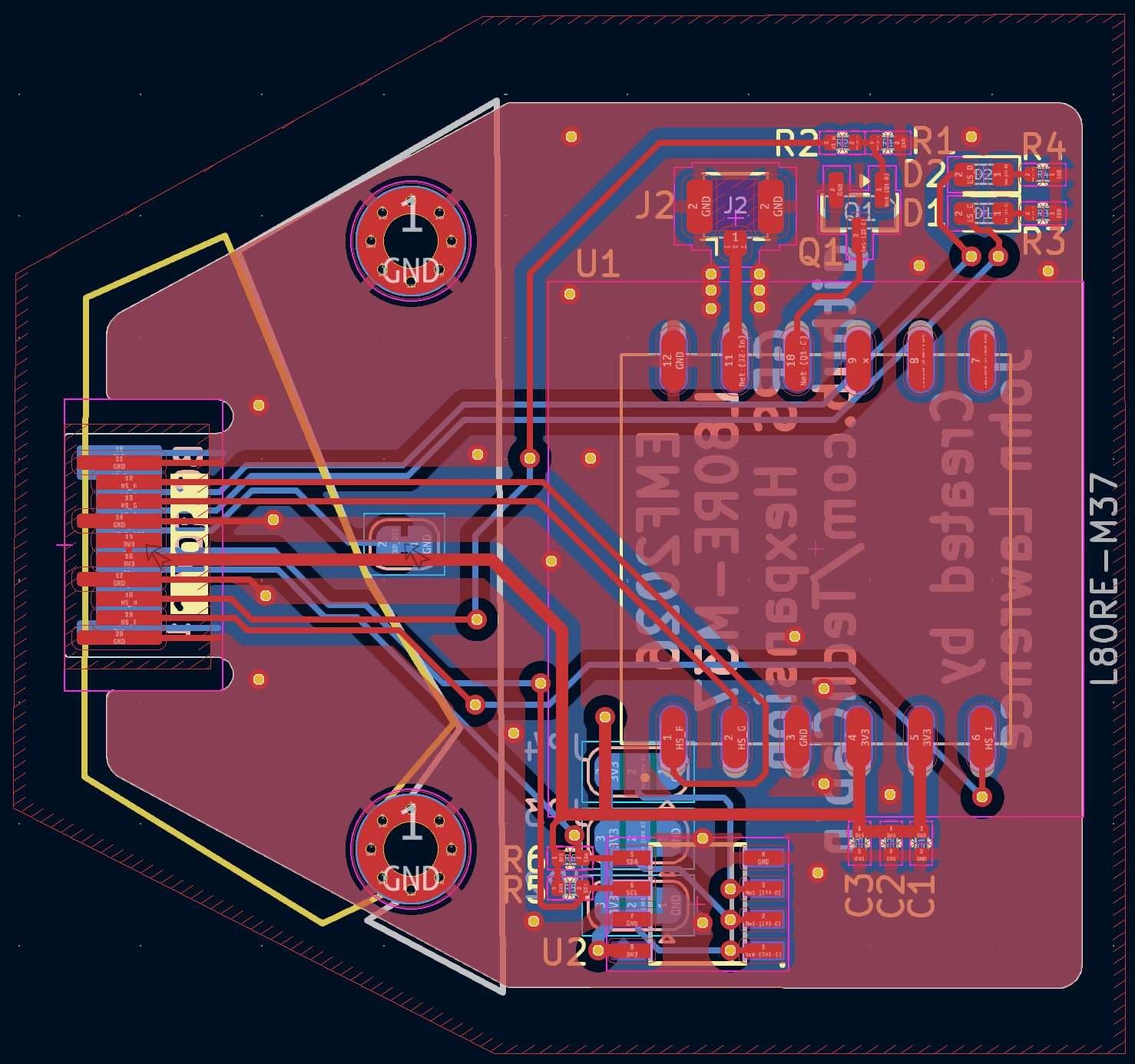
Hexpansion L80 is an open-source printed circuit board by TechCabin, from the TechCabin/EMFBadge-Hexpansions-GPS repository on GitHub. It is a 2-layer board of 41.8 × 36.4 mm with 22 parts on 25 nets, routed with 169 tracks and 40 vias.
It is built around the L80RE-M37, M24C16-RMN6TP and BC847. Its parts include 6 resistors, 3 capacitors, 2 ICs, 2 diodes and 2 connectors.


A GPS Hexpansion module and basic software implementation for the Tildagon badge.
This project provides a working foundation for adding location awareness to badge applications — including hardware integration, UART communication, and NMEA parsing.
Designed for experimentation, hacking, and building more advanced location-based features.
They are available to buy here: https://themachineshop.uk/products/gps-hexpansion/
This repository contains:
It’s intended as a starting point for developing GPS-enabled badge apps.
This error means the EEPROM has not been programmed. Follow this process to program it
Step 1 - plug the badge into your computer and confirm the serial port has been initalised.
Step 2 - clone the Hexpansion firmware repo
git clone https://github.com/emfcamp/hexpansion-firmwares you will need the path to this repo in step 6.
Step 3 - Clone the badge software
git clone https://github.com/emfcamp/badge-2024-software and cd into the directory.
Step 4 - Insert the GPS Hexpansion into slot 2.
Step 5 - Edit modules/scripts/prepare_eeprom.py, and replace the VID/PID in the header for the m24C16 section to read: vid=0x7cab pid=0xbeac, save the changes
Step 6 - Run this command to write the header
mpremote mount modules + run modules/scripts/prepare_eeprom.py
Step 6a - Run this command to write the firmware to the EEPROM (you will need the path to the firmware repo)
mpremote mount modules + run modules/scripts/mount_hexpansions.py + cp {PATH TO HEXPANSION FIRMWARE}/0x7cab/0xBEAC/app.mpy :/hexpansion_2/app.mpy
Step 6b - Alternately, open the Hexspanions app on your badge, scroll to the "Configure" button just under port 2, select it (C), then select "Update firmware"
Step 7 - reboop your badge, it should then recognise the GPS Hexpansion.
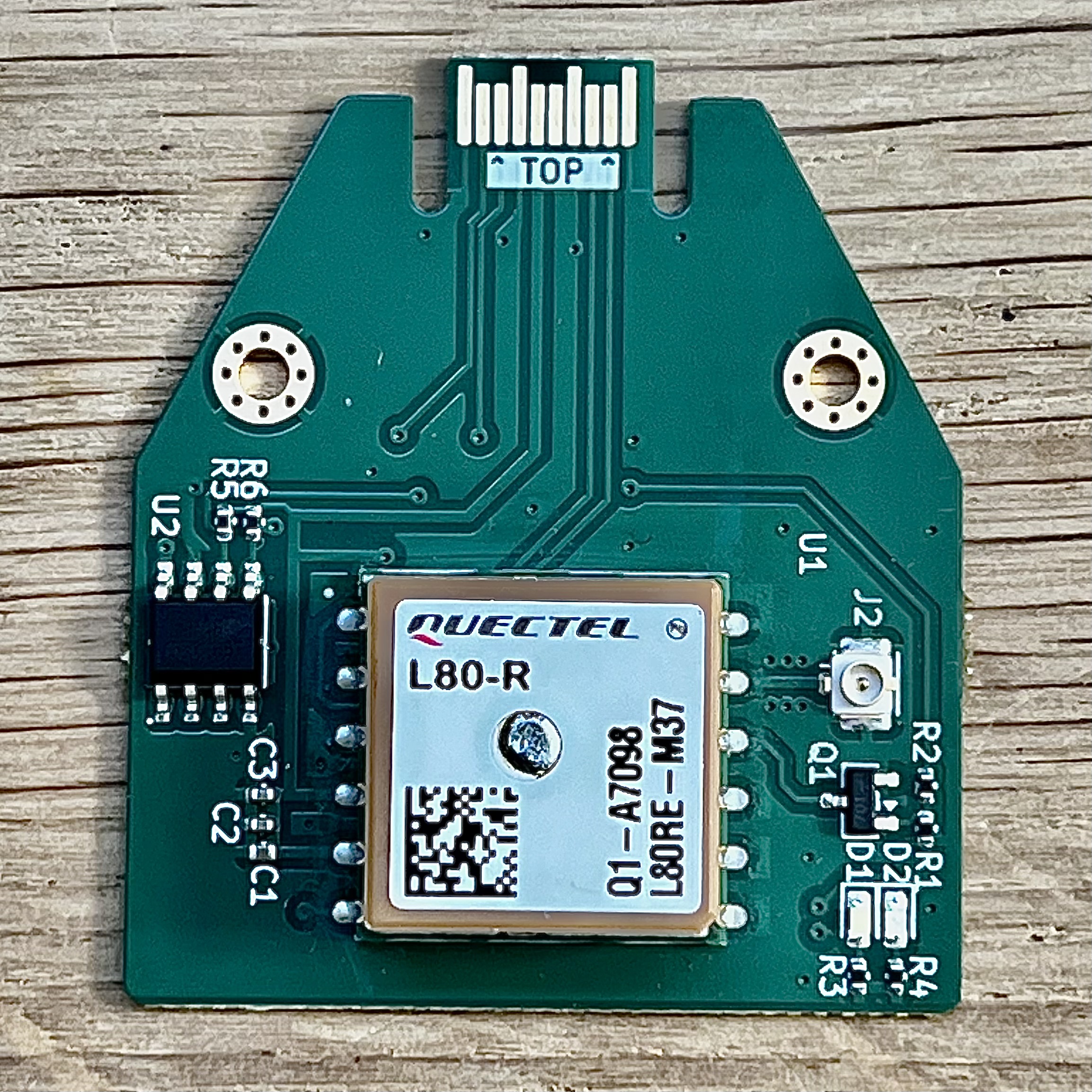
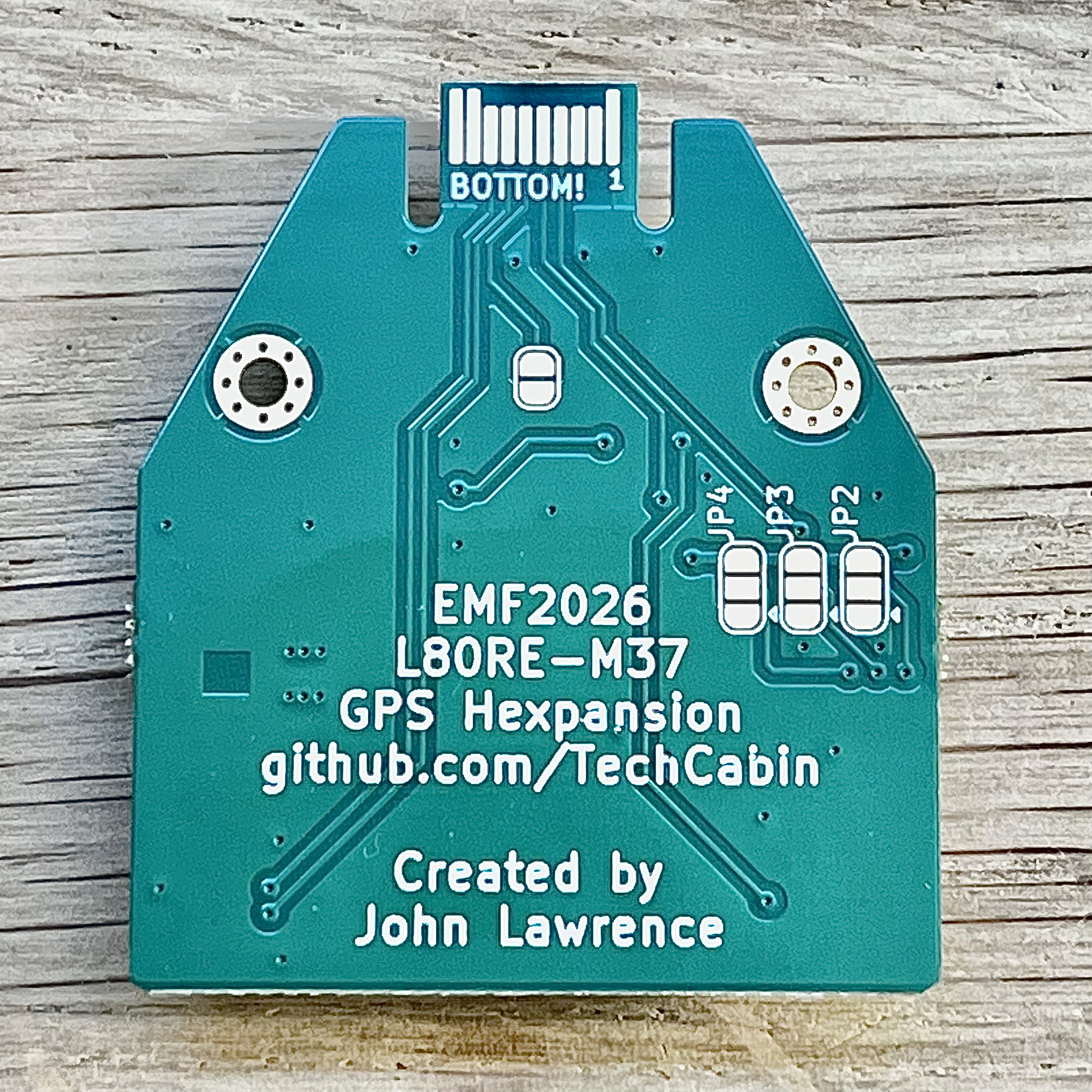
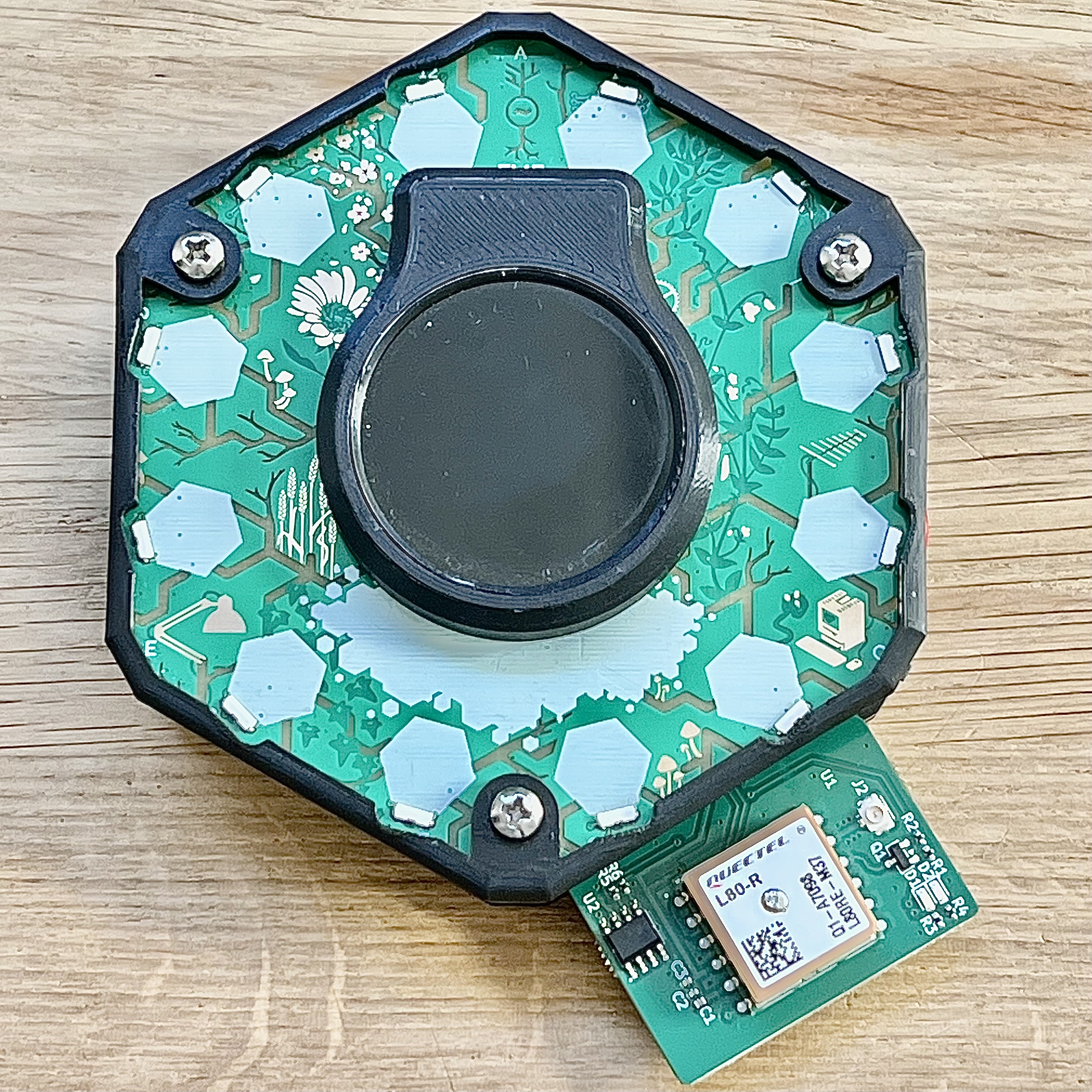
The software demonstrates:
Reading serial data from the GPS module
Parsing NMEA sentences ($GNRMC, $GPGGA)
Extracting:
This provides a clean base layer for any GPS-driven feature.
git clone https://github.com/TechCabin/EMFBadge-Hexpansions-GPS.gitContributions welcome — especially if you build something cool on top of this.
MIT
| Qty | Value | Footprint | References |
|---|---|---|---|
| 5 | 4.7K | Resistor_SMD:R_0402_1005Metric | R2, R3, R4, R5, R6 |
| 3 | SolderJumper_3_Open | Jumper:SolderJumper-3_P1.3mm_Open_RoundedPad1.0x1.5mm | JP2, JP3, JP4 |
| 2 | 100n | Capacitor_SMD:C_0402_1005Metric | C2, C3 |
| 2 | MountingHole_Pad | MountingHole:MountingHole_2.2mm_M2_Pad_Via | H1, H2 |
| 1 | 10u | Capacitor_SMD:C_0402_1005Metric | C1 |
| 1 | 47K | Resistor_SMD:R_0402_1005Metric | R1 |
| 1 | BC847 | Package_TO_SOT_SMD:SOT-23 | Q1 |
| 1 | Conn_Coaxial | Connector_Coaxial:U.FL_Hirose_U.FL-R-SMT-1_Vertical | J2 |
| 1 | Hexpansion-Connector | tildagon:hexpansion-edge-connector | J1 |
| 1 | L80RE-M37 | L80RE-M37:XCVR_L80RE-M37 | U1 |
| 1 | M24C16-RMN6TP | M24C16-RMN6TP:SOIC127P600X175-8N | U2 |
| 1 | RED | LED_SMD:LED_0603_1608Metric | D2 |
| 1 | SolderJumper_2_Bridged | Jumper:SolderJumper-2_P1.3mm_Bridged_RoundedPad1.0x1.5mm | JP1 |
| 1 | WHITE | LED_SMD:LED_0603_1608Metric | D1 |
peon374/Popskill
PopSkill combines high-performance Software Defined Radio (SDR), Wi-Fi analysis, Bluetooth discovery, and RF research tools into a single handheld platform.

Corteil/EMF_space_unicorn
code and PCB design files for my Space Unicorn hextension for EMF 2026

bornier-dev/bornier
Open source EtherCAT slaves for machine tools running LinuxCNC: hardware, firmware and tooling.

Ardumower/ardumower
Develop an open source robotic lawn mower (HW+SW reference platform)


polykit/polykit-x-monosynth
The Polykit X1 is a DIY semi-modular, analog, patchable synthesizer
It measures 41.8 × 36.4 mm and has 2 copper layers, 1 mm thick.
22 parts, built around the L80RE-M37, M24C16-RMN6TP and BC847. The full list of its parts is on this page, with links to each part's symbol and footprint where PCBKit's library has them.
From the TechCabin/EMFBadge-Hexpansions-GPS repository on GitHub, at the commit this page was made from: the board is KiCAD/hexpansion-L80.kicad_pcb and its schematic KiCAD/hexpansion-L80.kicad_sch. PCBKit opens the board in the browser, with nothing to install.
Its repository states no licence, so its author keeps all rights: ask TechCabin before reusing the design.