2 layers83.8 × 48.3 mm
Sorbus Sound
SvOlli/sorbus
The Sorbus Computer is a very simple 65c02 computer for tinkering and learning
18 parts32

 SvOlli/sorbus32
The Sorbus Computer is a very simple 65c02 computer for tinkering and learning
Sorbus VGA is an open-source printed circuit board by SvOlli, from the SvOlli/sorbus repository on GitHub. It is a 2-layer board of 83.8 × 48.3 mm with 37 parts on 66 nets, routed with 193 tracks and 40 vias.
Its parts include 17 resistors, 15 diodes, 4 connectors and 1 IC. It belongs with the retro computing and games boards and the RP2040 boards of this library.
The attempt to build a very simple 65C02 based computer by utilizing a Raspberry Pi Pico clone for the rest of the functionality. More documentation is available at https://sorbus.xayax.net/.
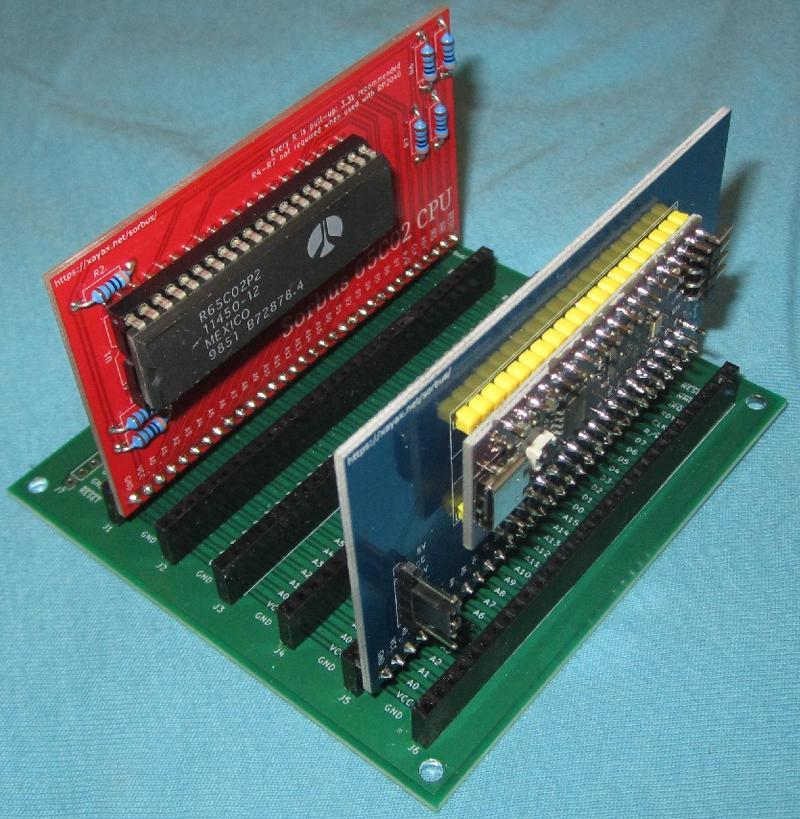
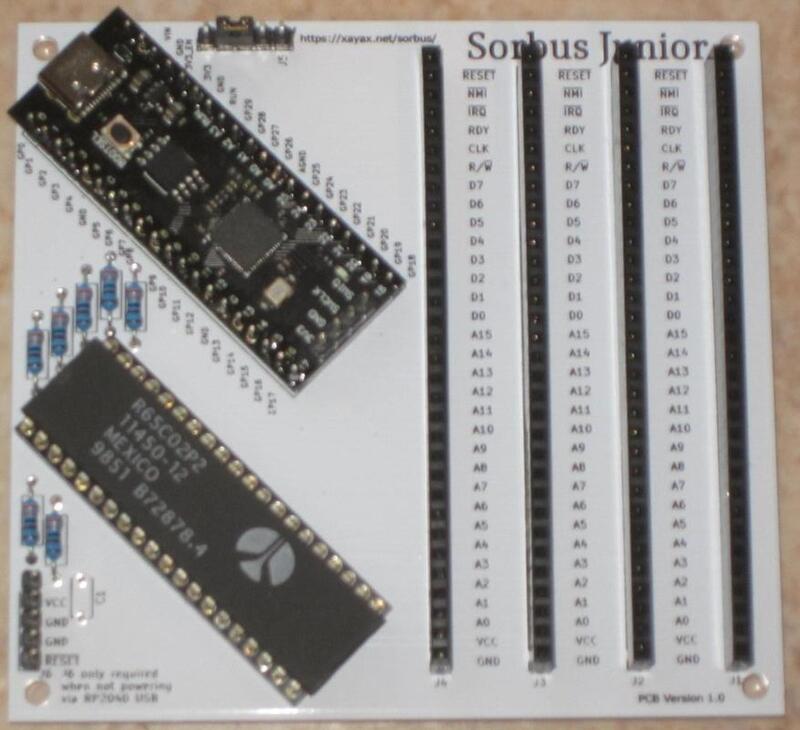
The Project is capabile to run as an Apple Computer 1 as well as an own monitor command prompt (mcp) to learn about the 65C02 processor and it siblings. However now the main focus is now on creating a custom computer, using a code called "JAM" (Just Another Machine).
The project is fully open source, licensend under GPL v3:
src/rp2040/
An addtional page has been setup to explain more about the ideas of the system, as well as some usecases.
Also there is now an independent review available at the wonderful Retro Computing pages of Hans Otten.
As part of creating a full featured computer, there are also two expansion boards developed here: a sound card, called "Sorbus Sound" and a graphics card, called "Sorbus VGA".
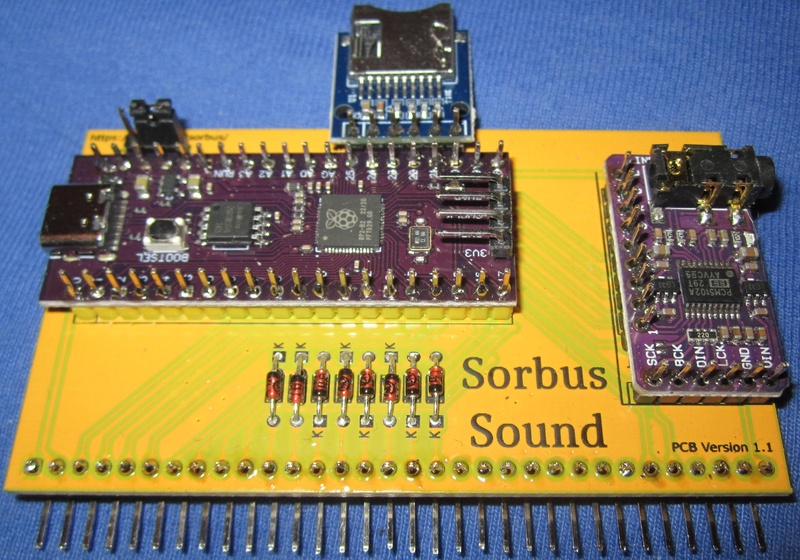
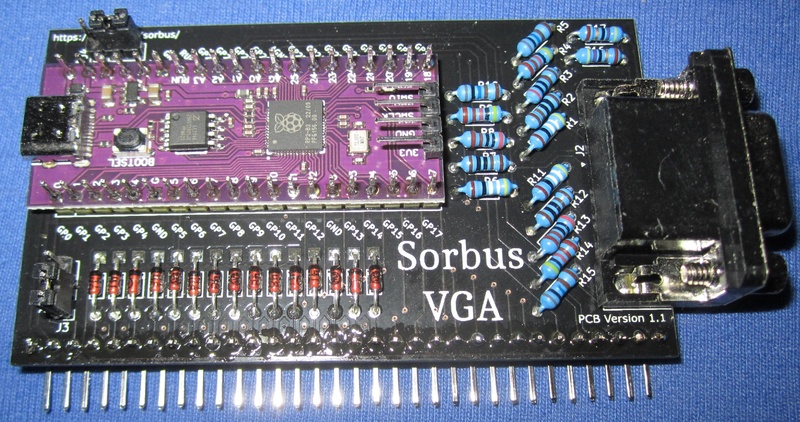
To access the RP2040 without super user rights, make sure that your user is
in the groups "plugdev" and "dialout". You also need to add a udev rule. This
is available as part of picotool in the udev folder.
The toplevel Makefile is added as a convenience layer to build things more
easily. It wraps the call of cmake and make to configure the Raspberry Pi
Pico project, as well as some other useful things. The following make targets
are available:
cmake and make to build the projectmake.logmake clean on build directoryThere are also some build scripts available for special cases:
It is also possible to build C programs using cc65 for this computer. This is rather a proof of concept that a full featured implementation, but it does work rather stable. More details are in it's own README.
| Qty | Value | Footprint | References |
|---|---|---|---|
| 15 | D | Diode_THT:D_DO-34_SOD68_P7.62mm_Horizontal | D1, D2, D3, D4, D5, D6, D7, D8, D9, D10, D11, D12, D13, D14, D15 |
| 3 | 1K | Resistor_THT:R_Axial_DIN0204_L3.6mm_D1.6mm_P7.62mm_Horizontal | R2, R7, R12 |
| 3 | 2K | Resistor_THT:R_Axial_DIN0204_L3.6mm_D1.6mm_P7.62mm_Horizontal | R3, R8, R13 |
| 3 | 4.02K | Resistor_THT:R_Axial_DIN0204_L3.6mm_D1.6mm_P7.62mm_Horizontal | R4, R9, R14 |
| 3 | 499 | Resistor_THT:R_Axial_DIN0204_L3.6mm_D1.6mm_P7.62mm_Horizontal | R1, R6, R11 |
| 3 | 8.04K | Resistor_THT:R_Axial_DIN0204_L3.6mm_D1.6mm_P7.62mm_Horizontal | R5, R10, R15 |
| 2 | 47 | Resistor_THT:R_Axial_DIN0204_L3.6mm_D1.6mm_P7.62mm_Horizontal | R16, R17 |
| 2 | Conn_01x03 | Connector_PinHeader_2.54mm:PinHeader_1x03_P2.54mm_Vertical | J3, J4 |
| 1 | Conn_01x32_Pin | Connector_PinHeader_2.54mm:PinHeader_1x32_P2.54mm_Horizontal | J1 |
| 1 | DE15_Receptacle_HighDensity_MountingHoles | Connector_Dsub:DSUB-15-HD_Female_Horizontal_P2.29x1.98mm_EdgePinOffset8.35mm_Housed_MountingHolesOffset10.89mm | J2 |
| 1 | PurpleRP2040_no_debug | MCU_RaspberryPi_and_Boards:RPi_RP2040Purple_SMD_TH_no_debug | U1 |
SvOlli/sorbus
The Sorbus Computer is a very simple 65c02 computer for tinkering and learning

SvOlli/sorbus
The Sorbus Computer is a very simple 65c02 computer for tinkering and learning

SvOlli/sorbus
The Sorbus Computer is a very simple 65c02 computer for tinkering and learning

SvOlli/sorbus
The Sorbus Computer is a very simple 65c02 computer for tinkering and learning

SvOlli/sorbus
The Sorbus Computer is a very simple 65c02 computer for tinkering and learning


hoglet67/RGBtoHDMI
Bare-metal Raspberry Pi project that provides pixel-perfect sampling of Retro Computer RGB/YUV video and conversion to HDMI

hackclub/OnBoard
💡 Join 1,000 teenagers and make your first PCB with a $100 grant!

FreeYourStream/freedeck-hardware
all the stuff you need to build your own FreeDeck

stuartpittaway/diyBMS
Do it yourself battery management system for Lithium ion battery packs/cells

Pwnsat/FlatSat
Flatsat v1.0 is a hardware based platform for aerospace cybersecurity research


vsfteam/vsf
Versaloon Software Framework -- a tiny preemptive-capable event-driven incremental software framework for embedded systems
It measures 83.8 × 48.3 mm and has 2 copper layers, 1.6 mm thick.
37 parts. The full list of its parts is on this page, with links to each part's symbol and footprint where PCBKit's library has them.
From the SvOlli/sorbus repository on GitHub, at the commit this page was made from: the board is pcb/Sorbus-VGA/Sorbus-VGA.kicad_pcb and its schematic pcb/Sorbus-65C02/Sorbus-65C02.kicad_sch. PCBKit opens the board in the browser, with nothing to install.
Its repository states no licence, so its author keeps all rights: ask SvOlli before reusing the design.