2 layers350 × 224.3 mm
 RetroStack/BitStack-DigiKit-Tennis
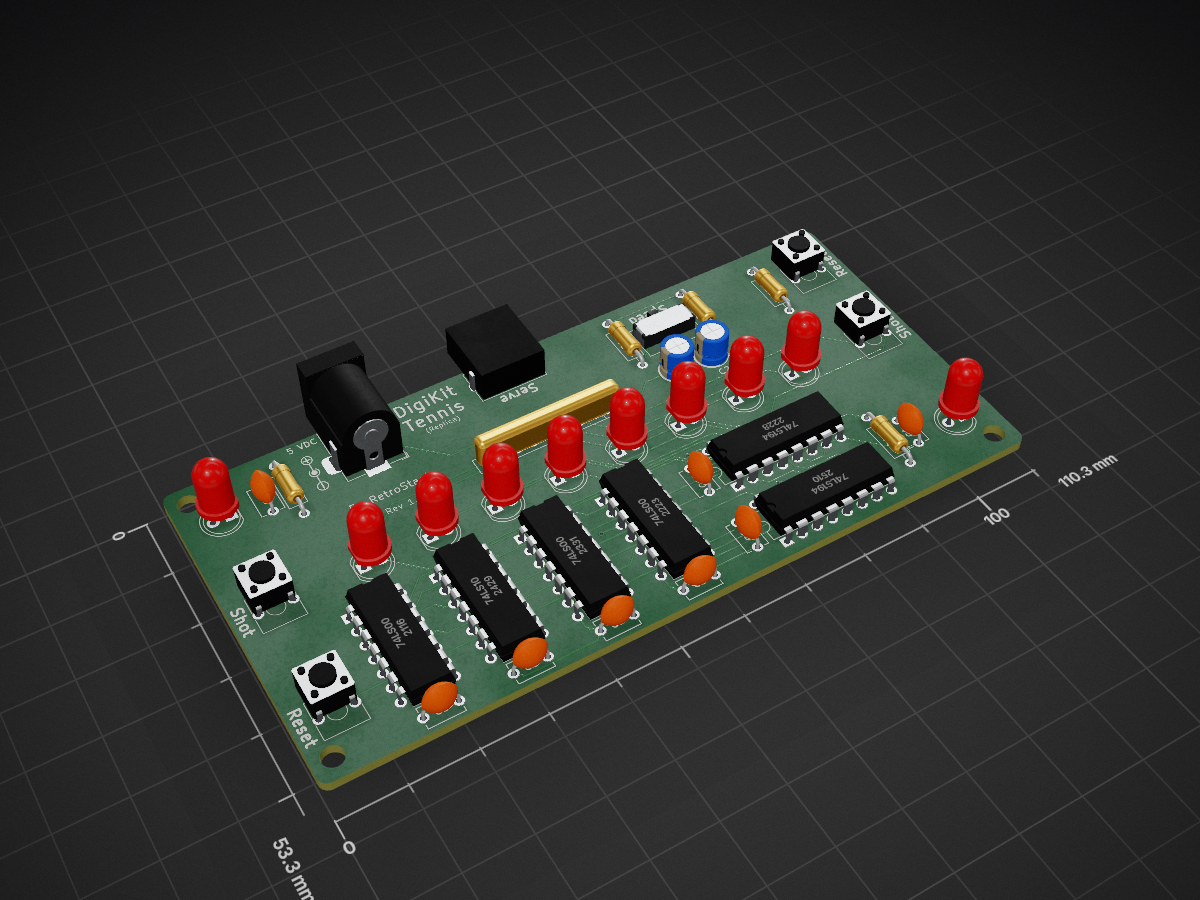
Replica of a Pong game as part of a Digital Electronics kit
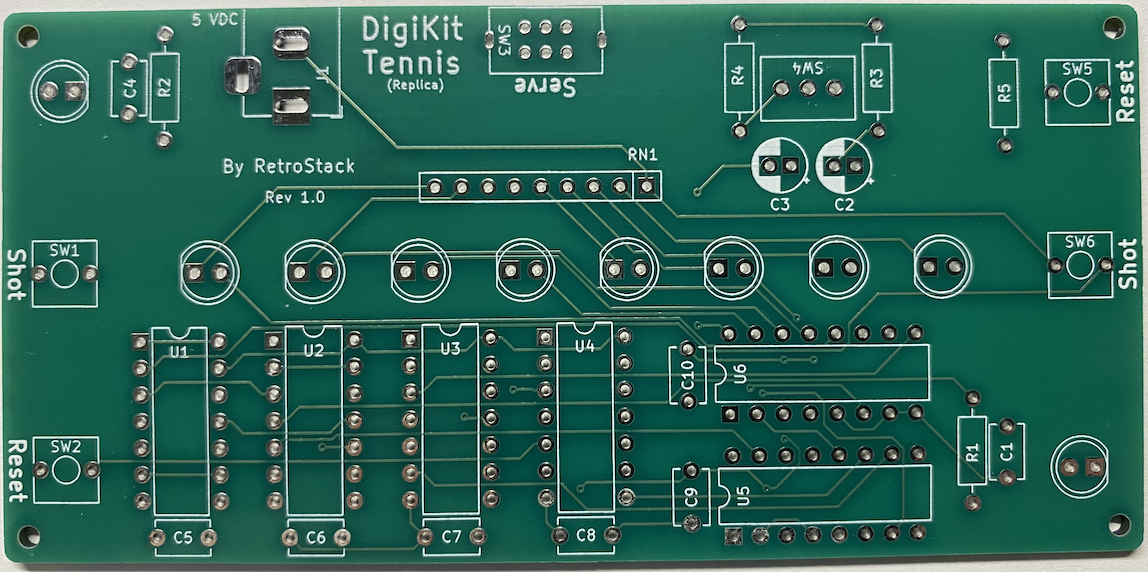
DigiKit Tennis is an open-source printed circuit board by RetroStack, from the RetroStack/BitStack-DigiKit-Tennis repository on GitHub, published under the MIT licence. It is a 2-layer board of 110.3 × 53.3 mm with 40 parts on 45 nets, routed with 440 tracks and 13 vias.
It is built around the 74LS00SC, 74LS194PC and 74LS10PC. Its parts include 10 capacitors, 10 diodes, 6 ICs, 6 switches and 5 resistors.


While watching my regular YouTube channels, I saw a digital electronics kit from the 70s called Tennis from the company DigiKit, shown on the Tech Time Traveller. This is a neat little board with a fun game that looks useful for beginners to learn digital electronics. The provided schematic had a lot of bugs and was very incorrect.
I spent some time reverse engineering it from screenshots of the YouTube video, and the result is this board.
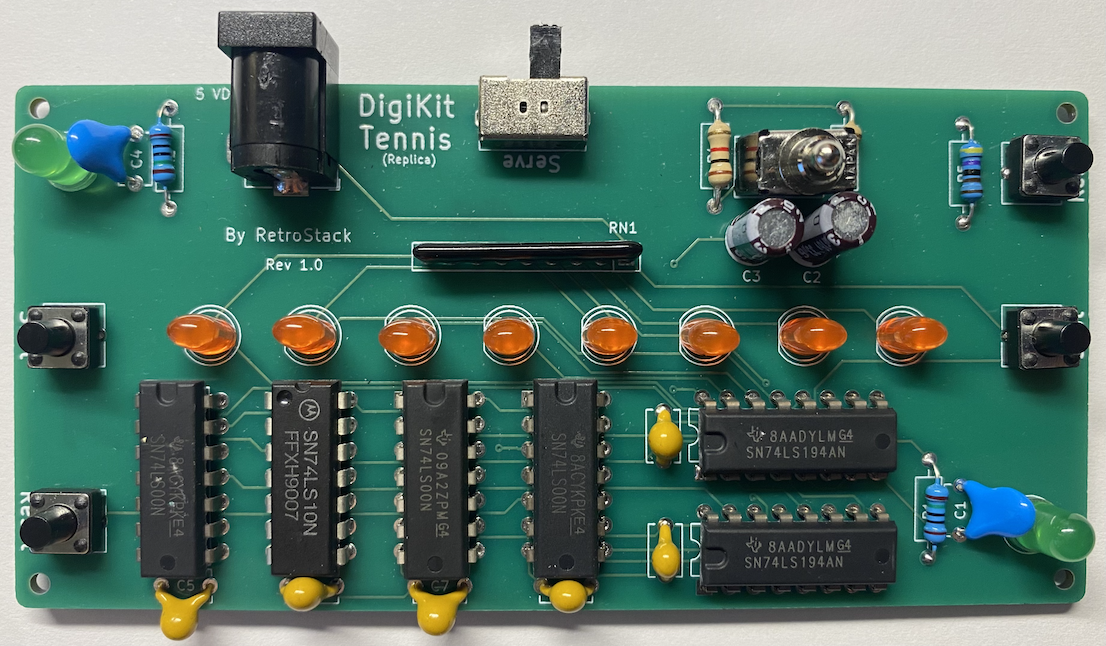
In the "Latest" folder, you'll find the most up-to-date design files, including:
This is a simple game of Pong where the lights in the center of the board are used to indicate the path of the "ball." The goal of the game is to hit the ball back to the other player. When the player on the receiving end misses the ball, a point is given to the one sending it. The counting needs to be done independently and is not done on the board.
When everything is set up, the serving player should press the "Shot" button on their side. (A red light and a green light should be lit on the same side!) As soon as "Shot" is pressed, a simulated "ball" is animated across the lights in the center. When the last light is reached, the other player needs to return it by pressing "Shot" in time on their side.
The replica has been implemented using KiCAD 8. The KiCAD project files are included in this repository.
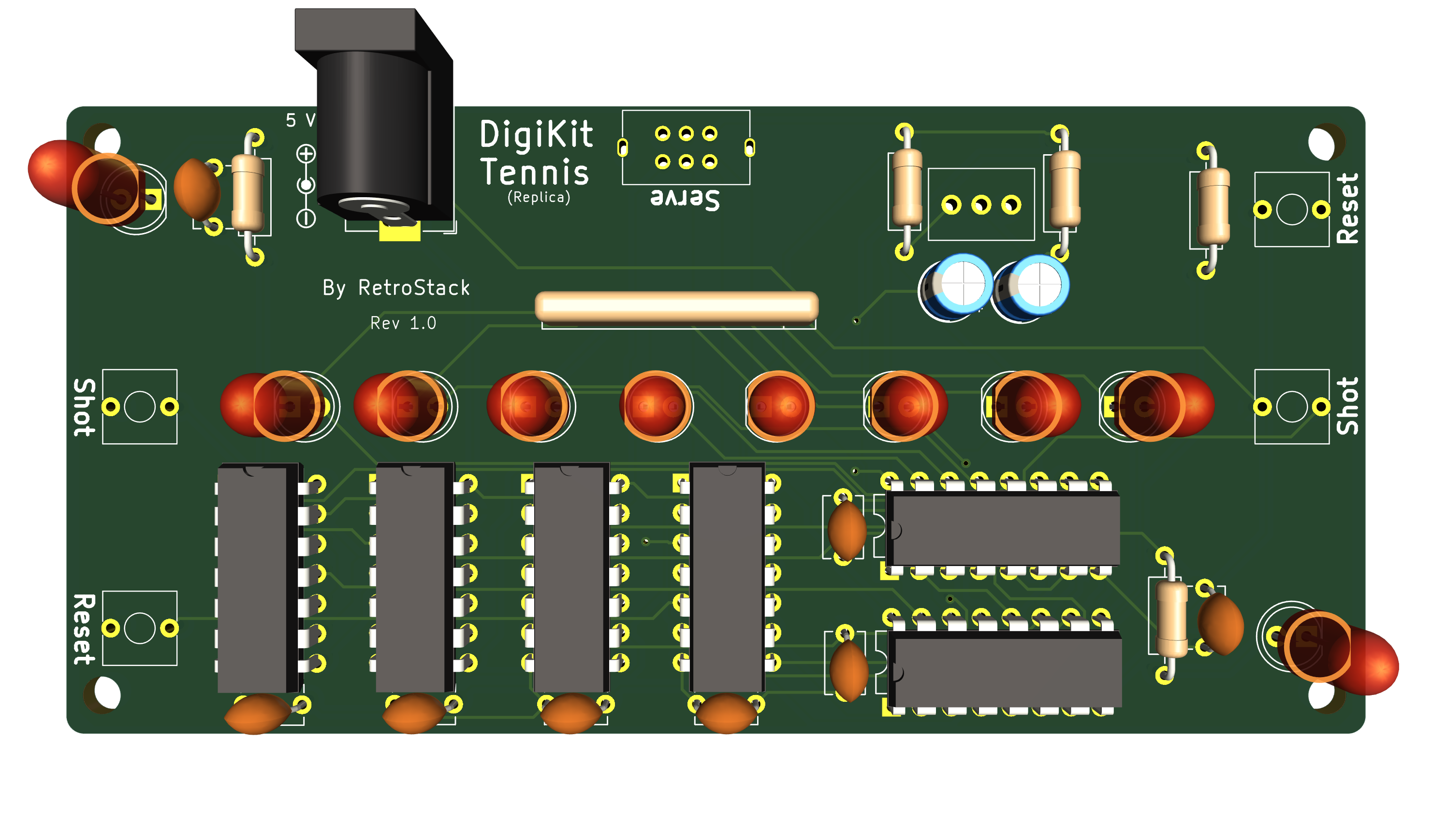
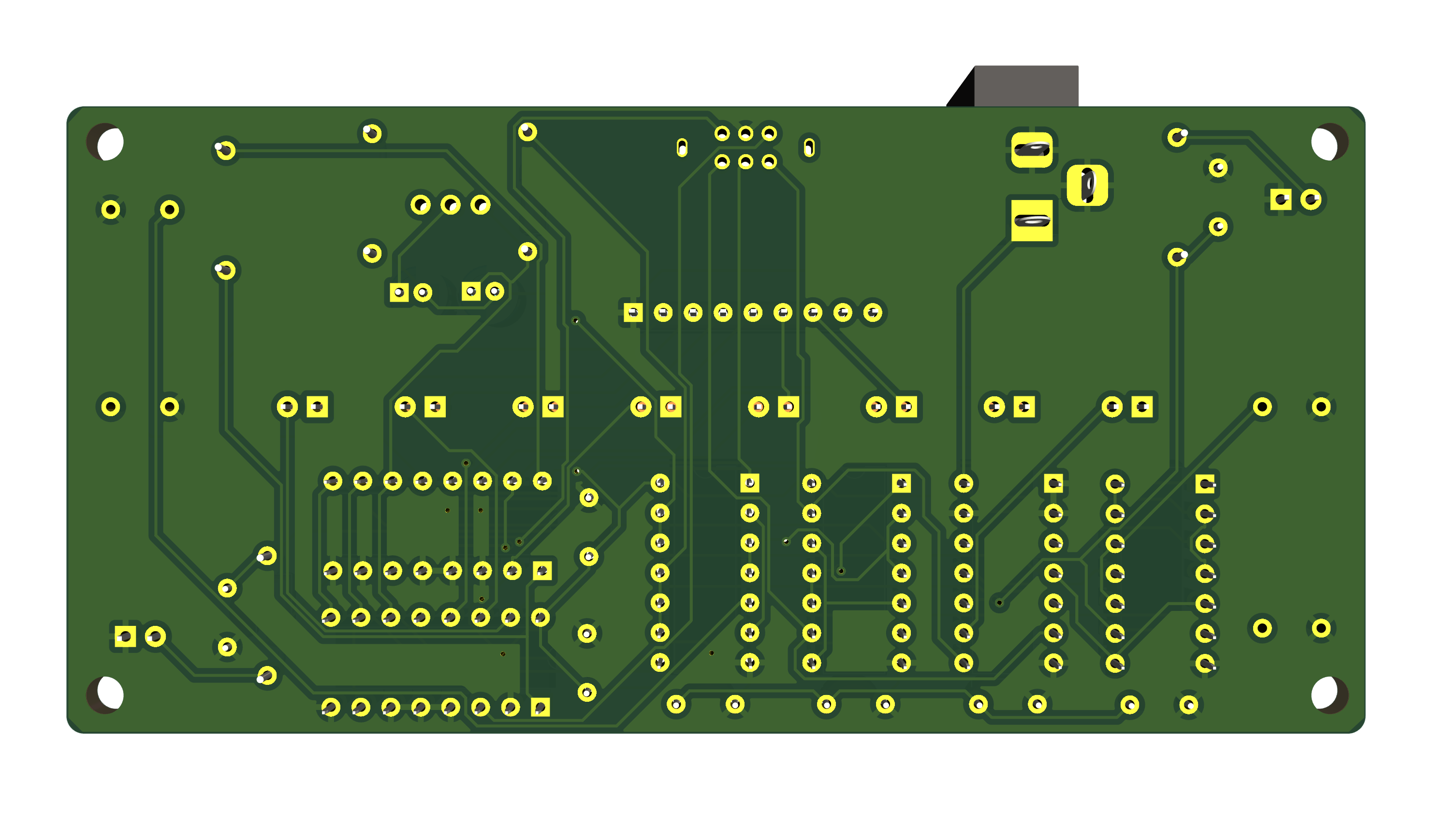
Below is a list of materials needed to assemble the PCB.
| Reference | Qty | Description | Footprint | Datasheet |
|---|---|---|---|---|
| C1,C4 | 2 | 2nF | Capacitor_THT:C_Disc_D5.1mm_W3.2mm_P5.00mm | |
| C2,C3 | 2 | 33uF | Capacitor_THT:CP_Radial_D5.0mm_P2.00mm | |
| C5,C6,C7,C8,C9,C10 | 6 | 0.1uF | Capacitor_THT:C_Disc_D5.1mm_W3.2mm_P5.00mm | |
| D1,D10 | 2 | Green | LED_THT:LED_D5.0mm | |
| D2,D3,D4,D5,D6,D7,D8,D9 | 8 | Red | LED_THT:LED_D5.0mm | |
| J1 | 1 | Barrel_Jack_Switch | Connector_BarrelJack:BarrelJack_Horizontal | |
| R1,R2,RN1 | 2 | 150 | Resistor_THT:R_Axial_DIN0207_L6.3mm_D2.5mm_P10.16mm_Horizontal | |
| RN1 | 1 | 150 | 8 Resistors; 9 pins | |
| R3,R4 | 2 | 1k | Resistor_THT:R_Axial_DIN0207_L6.3mm_D2.5mm_P10.16mm_Horizontal | |
| R5 | 1 | 4.7k | Resistor_THT:R_Axial_DIN0207_L6.3mm_D2.5mm_P10.16mm_Horizontal | |
| SW1 | 1 | Player A | RetroStackLibrary:SW_SPST_Push | |
| SW2 | 1 | Reset A | RetroStackLibrary:SW_SPST_Push | |
| SW3 | 1 | Serve | RetroStackLibrary:SW_DPDT_Slide_RightAngle | |
| SW4 | 1 | Speed | RetroStackLibrary:SW_SPDT_Toggle | |
| SW5 | 1 | Reset B | RetroStackLibrary:SW_SPST_Push | |
| SW6 | 1 | Player B | RetroStackLibrary:SW_SPST_Push | |
| U1,U3,U4 | 3 | 74LS00 | Package_DIP:DIP-14_W7.62mm | http://www.ti.com/lit/gpn/sn74ls00 |
| U2 | 1 | 74LS10 | Package_DIP:DIP-14_W7.62mm | http://www.ti.com/lit/gpn/sn74LS10 |
| U5,U6 | 2 | 74LS194 | Package_DIP:DIP-16_W7.62mm | http://www.ti.com/lit/gpn/sn74LS194 |
To work with this KiCAD project, you'll need the RetroStack libraries for KiCAD. Please follow this link to access and install these libraries.
RetroStack is passionate about exploring and preserving the legacy of older computer systems. BitStack is a sub-project of RetroStack, focusing on education in digital electronics. My work involves creating detailed documentation and videos to share the knowledge. I am also dedicated to reviving these classic systems by reimplementing them and offering replacement parts at no cost. If you're keen on supporting this unique project, I invite you to visit my Patreon page. Your support would be immensely valuable and greatly appreciated!
This project is licensed under the MIT License - see the LICENSE file for details.
| Qty | Value | Footprint | References |
|---|---|---|---|
| 8 | Red | LED_THT:LED_D5.0mm | D2, D3, D4, D5, D6, D7, D8, D9 |
| 6 | 0.1uF | Capacitor_THT:C_Disc_D5.1mm_W3.2mm_P5.00mm | C5, C6, C7, C8, C9, C10 |
| 3 | 74LS00 | Package_DIP:DIP-14_W7.62mm | U1, U3, U4 |
| 2 | 150 | Resistor_THT:R_Axial_DIN0207_L6.3mm_D2.5mm_P10.16mm_Horizontal | R1, R2 |
| 2 | 1k | Resistor_THT:R_Axial_DIN0207_L6.3mm_D2.5mm_P10.16mm_Horizontal | R3, R4 |
| 2 | 2nF | Capacitor_THT:C_Disc_D5.1mm_W3.2mm_P5.00mm | C1, C4 |
| 2 | 33uF | Capacitor_THT:CP_Radial_D5.0mm_P2.00mm | C2, C3 |
| 2 | 74LS194 | Package_DIP:DIP-16_W7.62mm | U5, U6 |
| 2 | Green | LED_THT:LED_D5.0mm | D1, D10 |
| 1 | 150 | Resistor_THT:R_Array_SIP9 | RN1 |
| 1 | 4.7k | Resistor_THT:R_Axial_DIN0207_L6.3mm_D2.5mm_P10.16mm_Horizontal | R5 |
| 1 | 74LS10 | Package_DIP:DIP-14_W7.62mm | U2 |
| 1 | Barrel_Jack_Switch | Connector_BarrelJack:BarrelJack_Horizontal | J1 |
| 1 | Player A | RetroStackLibrary:SW_SPST_Push | SW1 |
| 1 | Player B | RetroStackLibrary:SW_SPST_Push | SW6 |
| 1 | Reset A | RetroStackLibrary:SW_SPST_Push | SW2 |
| 1 | Reset B | RetroStackLibrary:SW_SPST_Push | SW5 |
| 1 | Serve | RetroStackLibrary:SW_DPDT_Slide_RightAngle | SW3 |
| 1 | Speed | RetroStackLibrary:SW_SPDT_Toggle | SW4 |
The 39 most common of 40 parts.


Nakazoto/CenturionComputer
This is just a simple backup of all the files related to the Centurion that I have stored on my HD. The Wiki itself has far more in-depth information about the Centurion and it's individual cards.

jbevren/6809v2
Code and design repository for the 6809v2 SBC: To be released at VCFMW 13

It measures 110.3 × 53.3 mm and has 2 copper layers, 1.6 mm thick.
40 parts, built around the 74LS00SC, 74LS194PC and 74LS10PC. The full list of its parts is on this page, with links to each part's symbol and footprint where PCBKit's library has them.
From the RetroStack/BitStack-DigiKit-Tennis repository on GitHub, at the commit this page was made from: the board is KiCAD/DigiKit_Tennis.kicad_pcb and its schematic KiCAD/DigiKit_Tennis.kicad_sch. PCBKit opens the board in the browser, with nothing to install.
Its repository publishes it under the MIT licence: you may reuse it on that licence's terms (keep the author's notice, and for a copyleft licence share your changes alike).