2 layers131.8 × 94.1 mm
Goose reversible pcb routed
Pipshag/goosekb
Goose Keyboard - ergogen generated split wireless kb
46 parts23

 Pipshag/goosekb23
Goose Keyboard - ergogen generated split wireless kb
Goose is an open-source printed circuit board by Pipshag, from the Pipshag/goosekb repository on GitHub. It is a 2-layer board of 131.7 × 96.2 mm with 65 parts on 38 nets.
It belongs with the keyboards and input boards of this library.
Goose is a keyboard built with the help of Ergogen. This means that it's really simple to edit /config.yaml and generate your own design, stagger and splay. The KiCad PCBs are located in pcb/ and contains the pcb, plate and bottom boards. Use them to either manufacture directly or take leads from how I routed the pcb if you create your own.
Wireless 38-key split and reversible keyboard with two rotary encoders, no support for button/press on these. Plate is optional, but I'm using 3-pin switches which does almost make plates mandatory. Batteries soldered directly to PCB, bought batteries with protection against shorts. All PCBs are reversible.
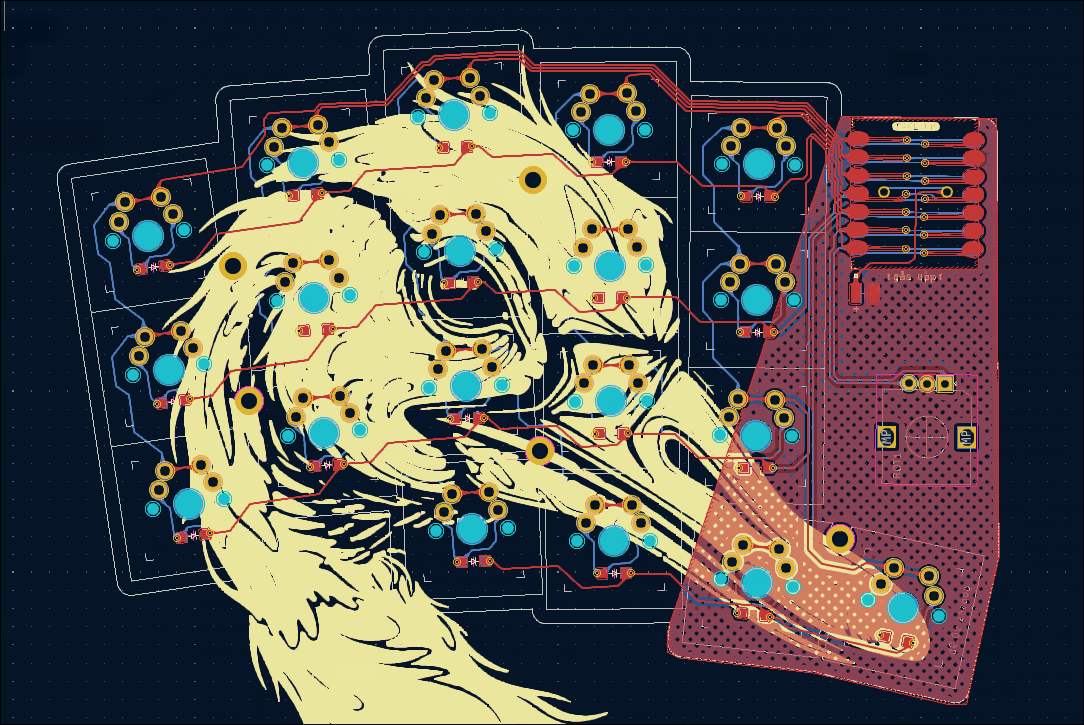
Stagger and splay according to my hands, helped by Ergopad. Artwork generated with Midjourney AI. Not really gooses but goose-like? :D
See branches for keyswitch variations (choc and mx).
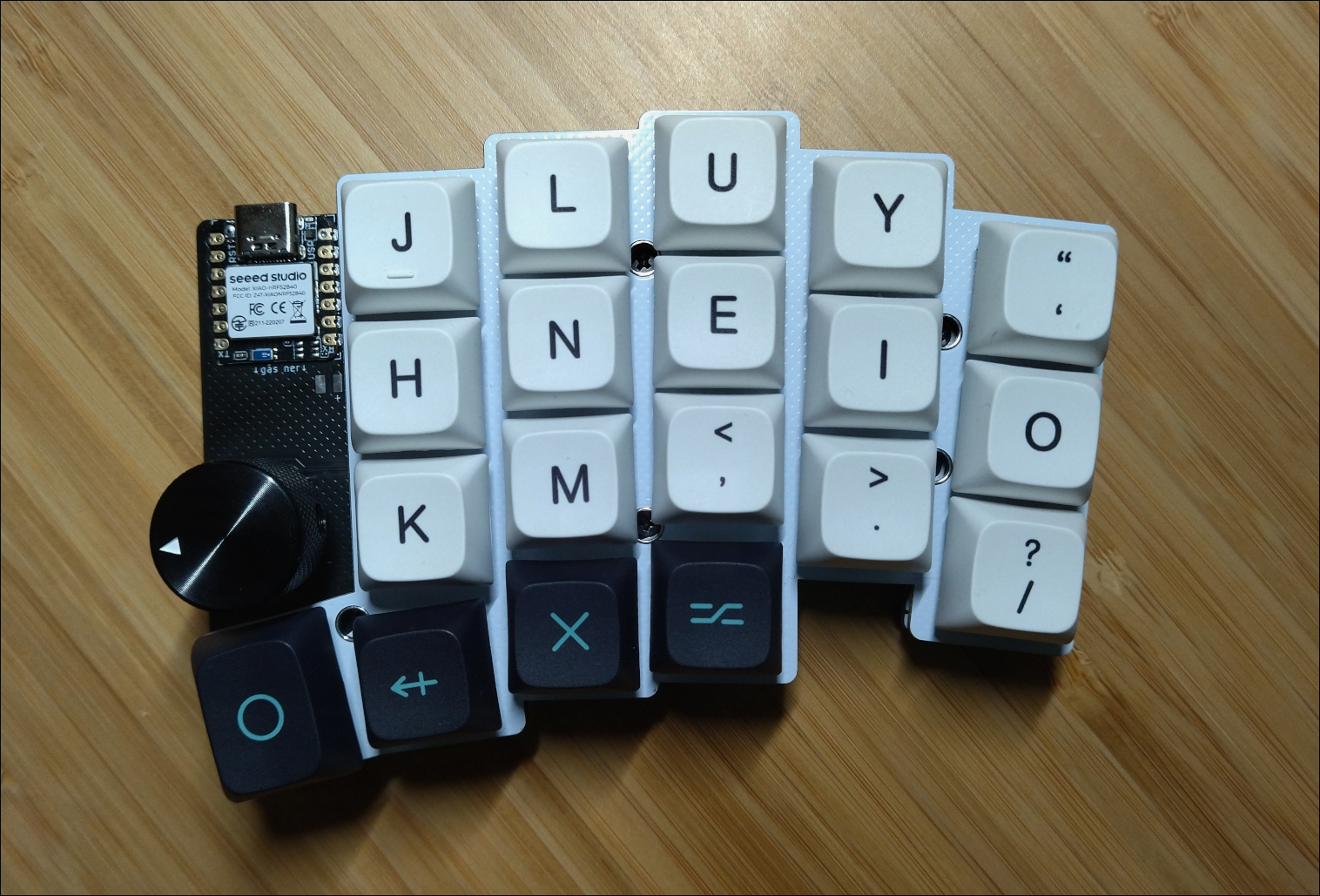
Final, completed, keyboard (left side).
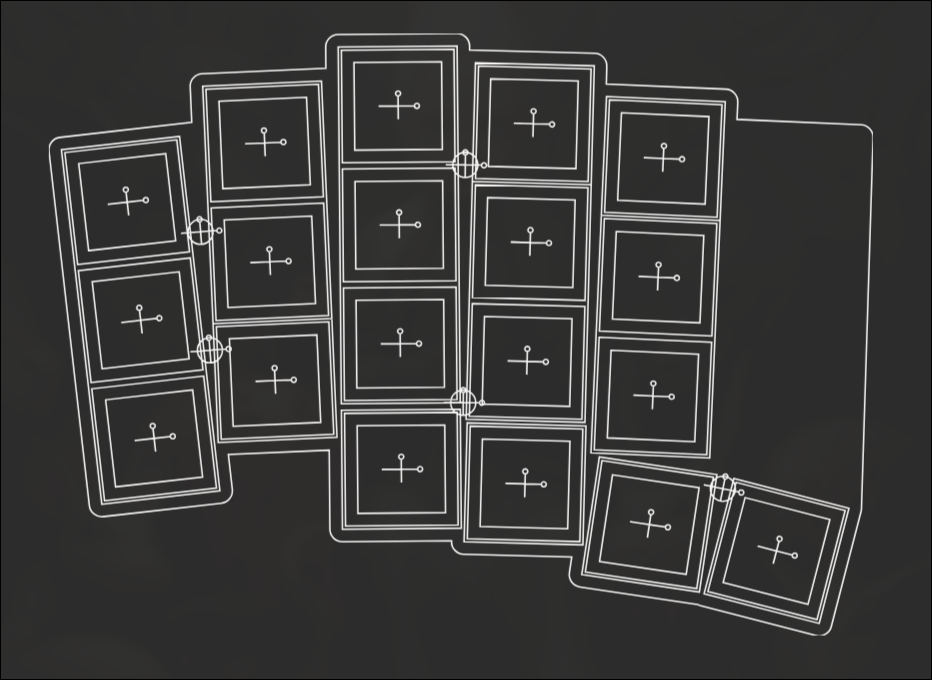
Ergogen generated layout.
Routed PCB, KiCad preview.
ZMK firmware for wireless support. Contained in firmware/, includes build-script.
| Qty | Value | Footprint | References |
|---|---|---|---|
| 38 | Diode_SMD:D_SOD-123 | Di1, Di2, Di10, Di11, Di12, Di13, Di14, Di15, Di16, Di17, Di18, Di19, Di20, Di21, Di22, Di23 +22 | |
| 19 | MX | S1, S2, S3, S4, S5, S6, S10, S11, S12, S13, S14, S15, S16, S17, S18, S19 +3 | |
| 5 | — | mounting_hole | H1, H2, H3, H4, H5 |
| 1 | xiao-ble-smd-reversible | MCU1 | |
| 1 | rotary_encoder | ROT1 | |
| 1 | — | pads | PAD1 |
Pipshag/goosekb
Goose Keyboard - ergogen generated split wireless kb


drandyhaas/KiCadRoutingTools
A set of Python/Rust tools to aid routing in KiCad


PiTracLM/PiTrac
Launch monitor using low-cost raspberry pi and camera hardware to determine ball launch speed, angles and spin. See https://discord.gg/vGuyAAxXJH (permalink)


0x23/nmWave-Interferometer
An Open Source Interferometer for Accurate Distance Measurements

kiu/lofence
LoFence is a LoRaWAN capable IoT electric fence monitoring system running on the The Things Network.
It measures 131.7 × 96.2 mm and has 2 copper layers, 1.6 mm thick.
65 parts. The full list of its parts is on this page, with links to each part's symbol and footprint where PCBKit's library has them.
From the Pipshag/goosekb repository on GitHub, at the commit this page was made from: the board is generated/pcbs/goose.kicad_pcb. PCBKit opens the board in the browser, with nothing to install.
Its repository states no licence, so its author keeps all rights: ask Pipshag before reusing the design.