2 layers69.3 × 80 mm

 PhamVanDe05/IOT_Clicker
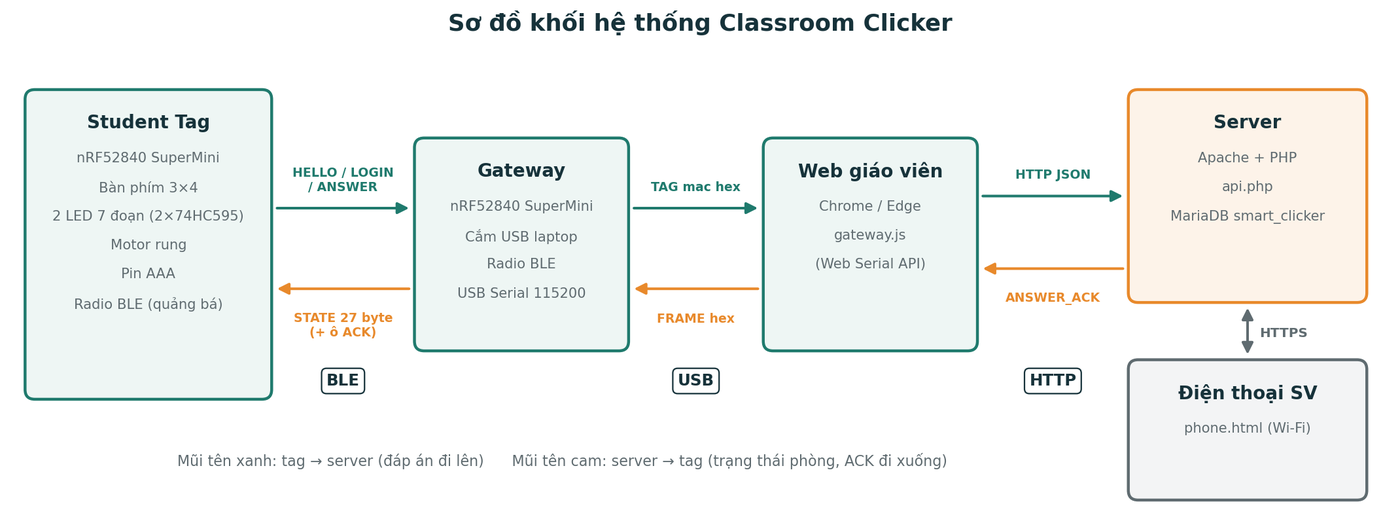
Hệ thống trả lời trắc nghiệm trong lớp: sinh viên bấm đáp án trên tag cầm tay, giáo viên xem kết quả cả lớp ngay trên web.
Student Remote is an open-source printed circuit board by PhamVanDe05, from the PhamVanDe05/IOT_Clicker repository on GitHub. It is a 2-layer board of 50 × 75 mm with 62 parts on 77 nets, routed with 455 tracks and 63 vias.
It is built around the 74HC595, HDSP-7501 and 1N5819WS, with the AO3400A and AO3401A among its other parts. Its parts include 16 resistors, 13 diodes, 13 switches, 5 capacitors and 4 ICs.


Hệ thống trả lời trắc nghiệm trong lớp: sinh viên bấm đáp án trên tag cầm tay, giáo viên xem kết quả cả lớp ngay trên web.
ANSWER qua BLE, phát lại liên tục tới khi nhận ACK.api.php.STATE; tag thấy đúng MAC của mình thì dừng phát và hiện b=.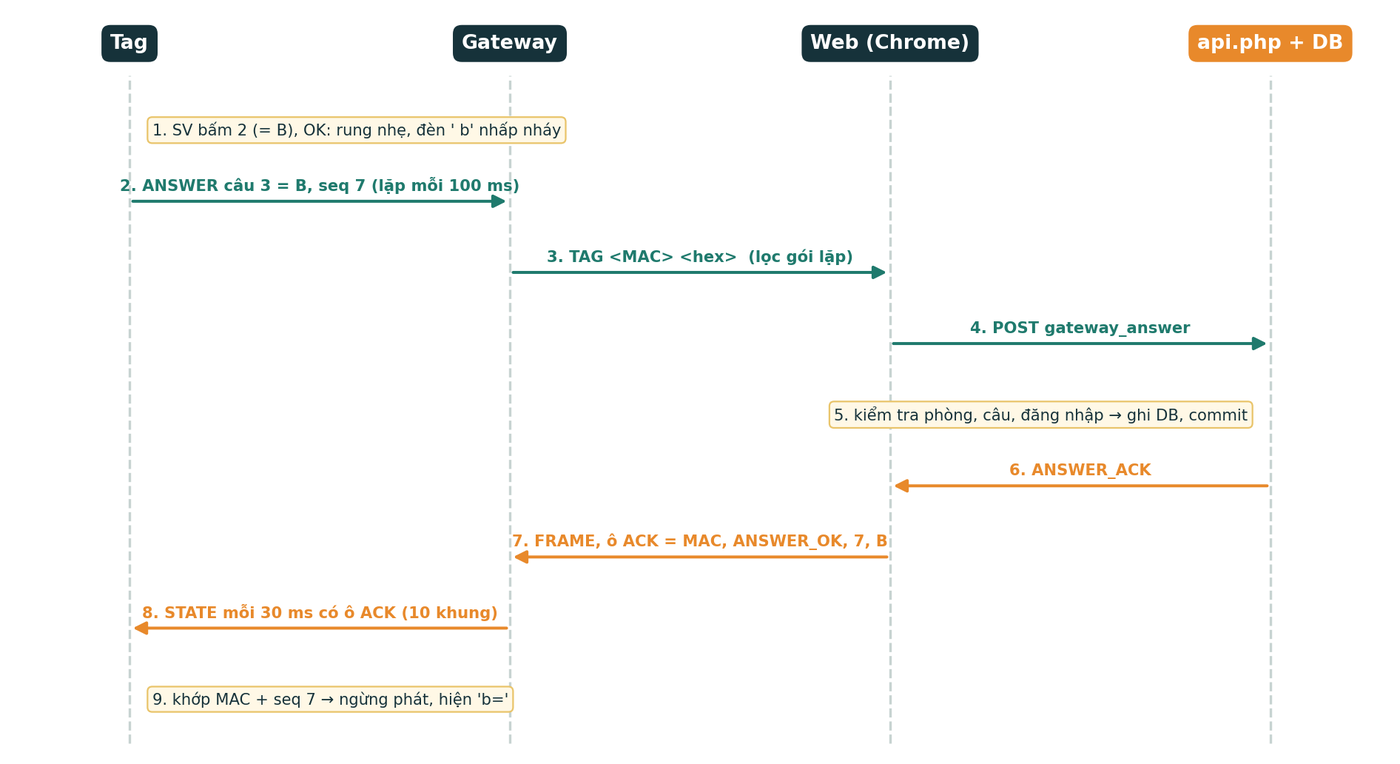
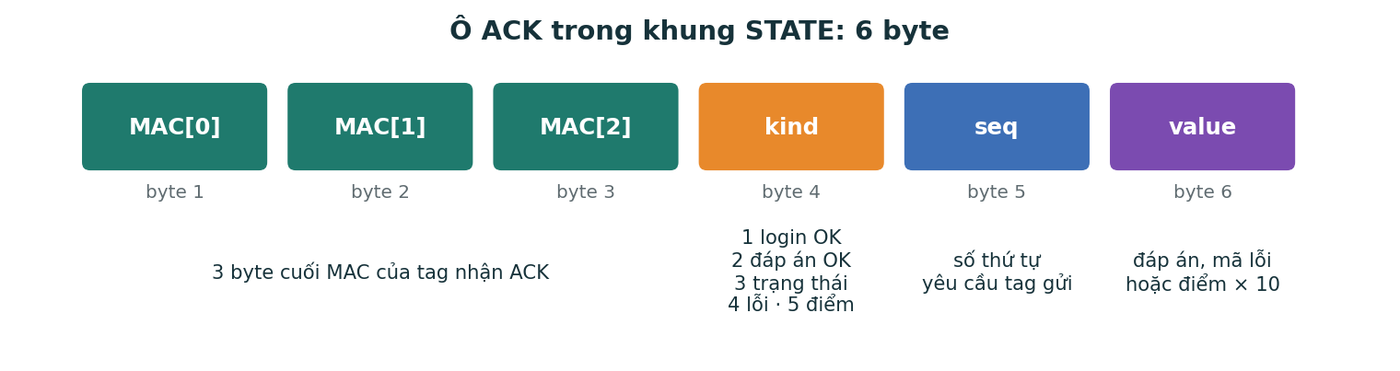
Định dạng từng byte: firmware/ClickerTag/protocol.h.
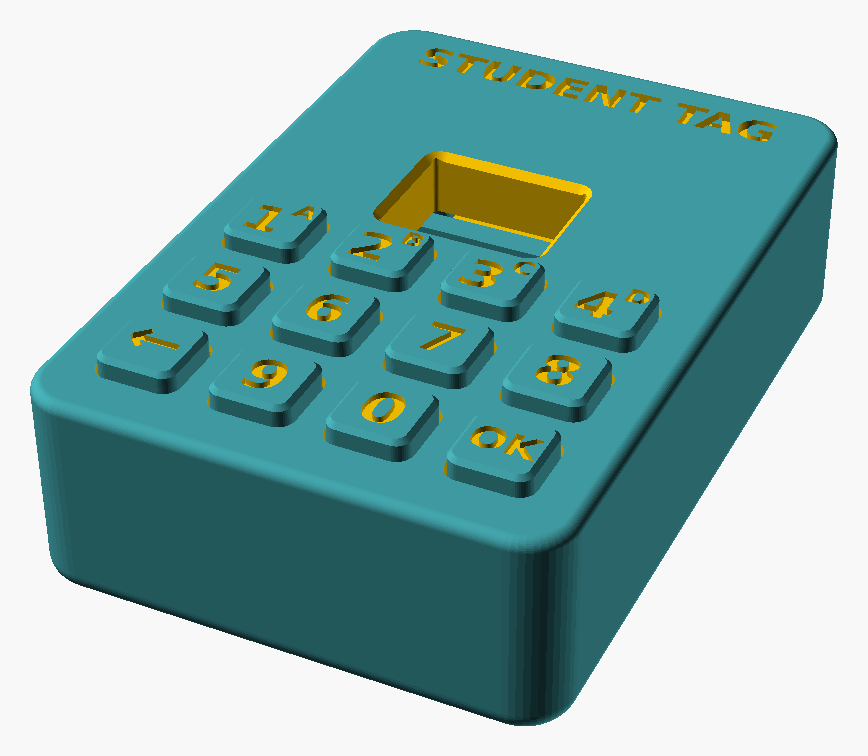 Vỏ tag | 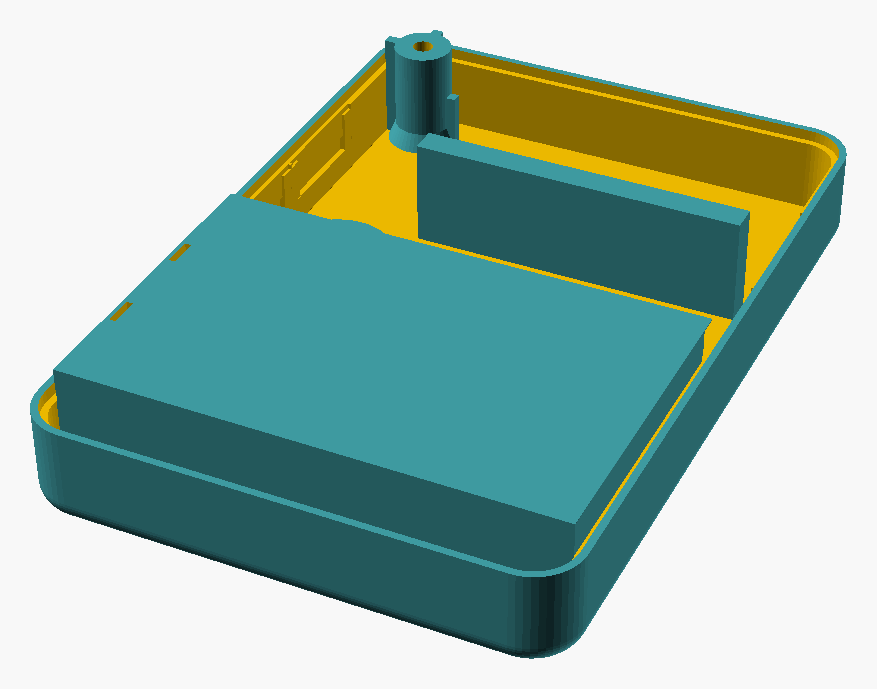 Đáy tag | 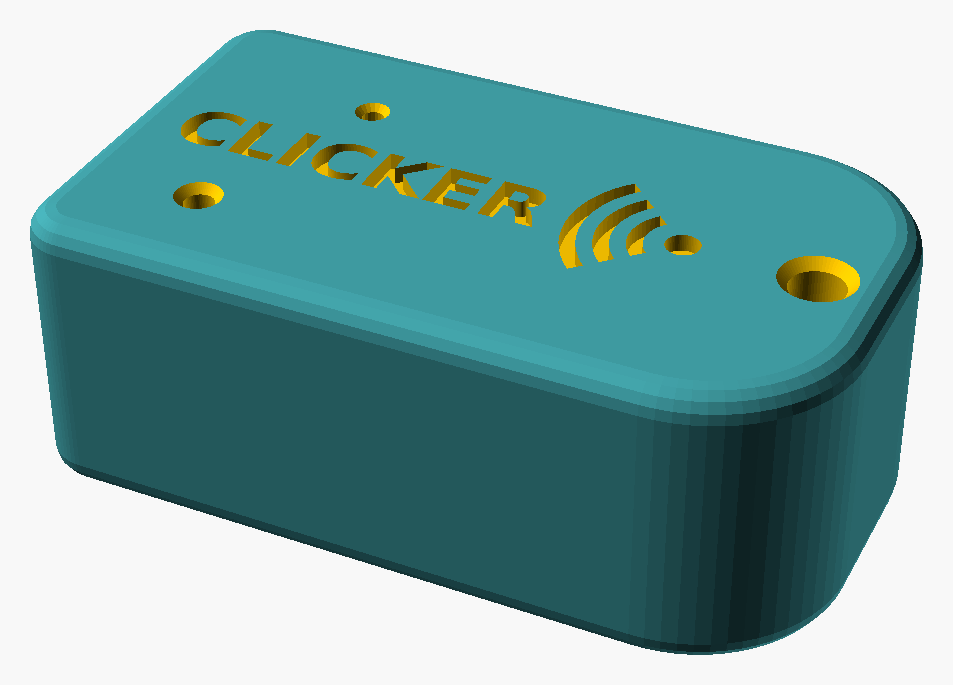 Vỏ gateway |
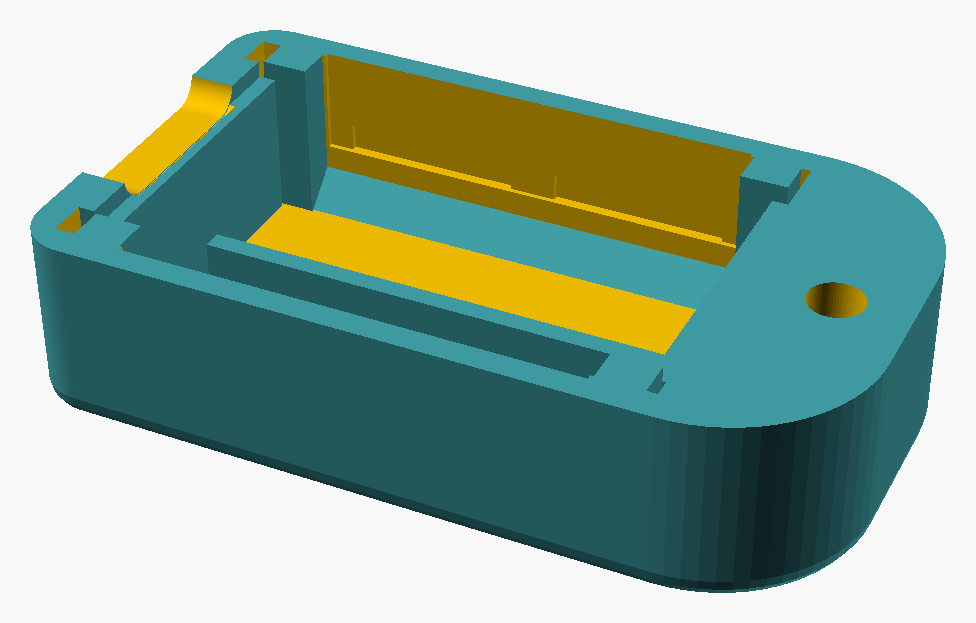 Đáy gateway | 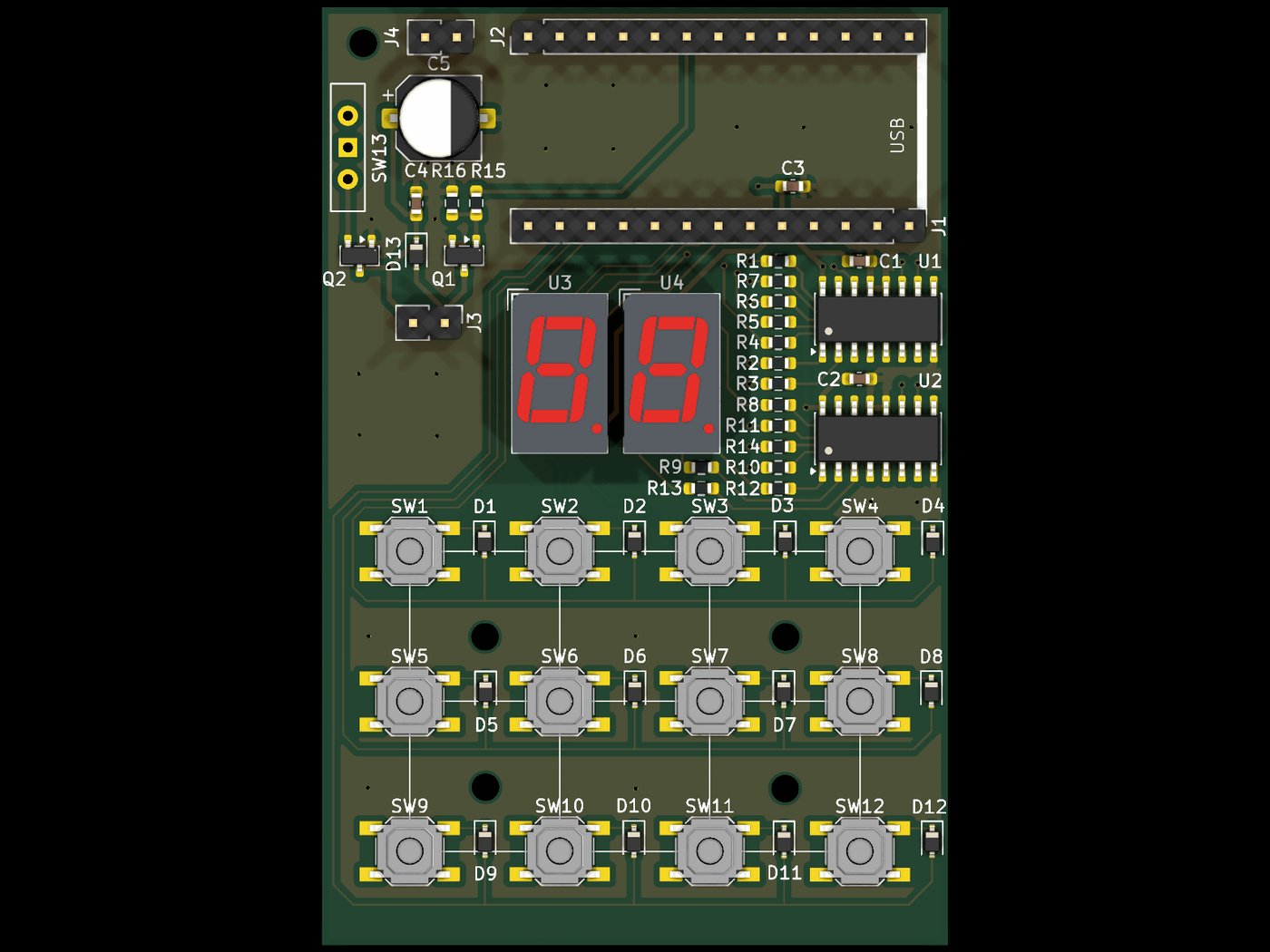 PCB tag, mặt trên | 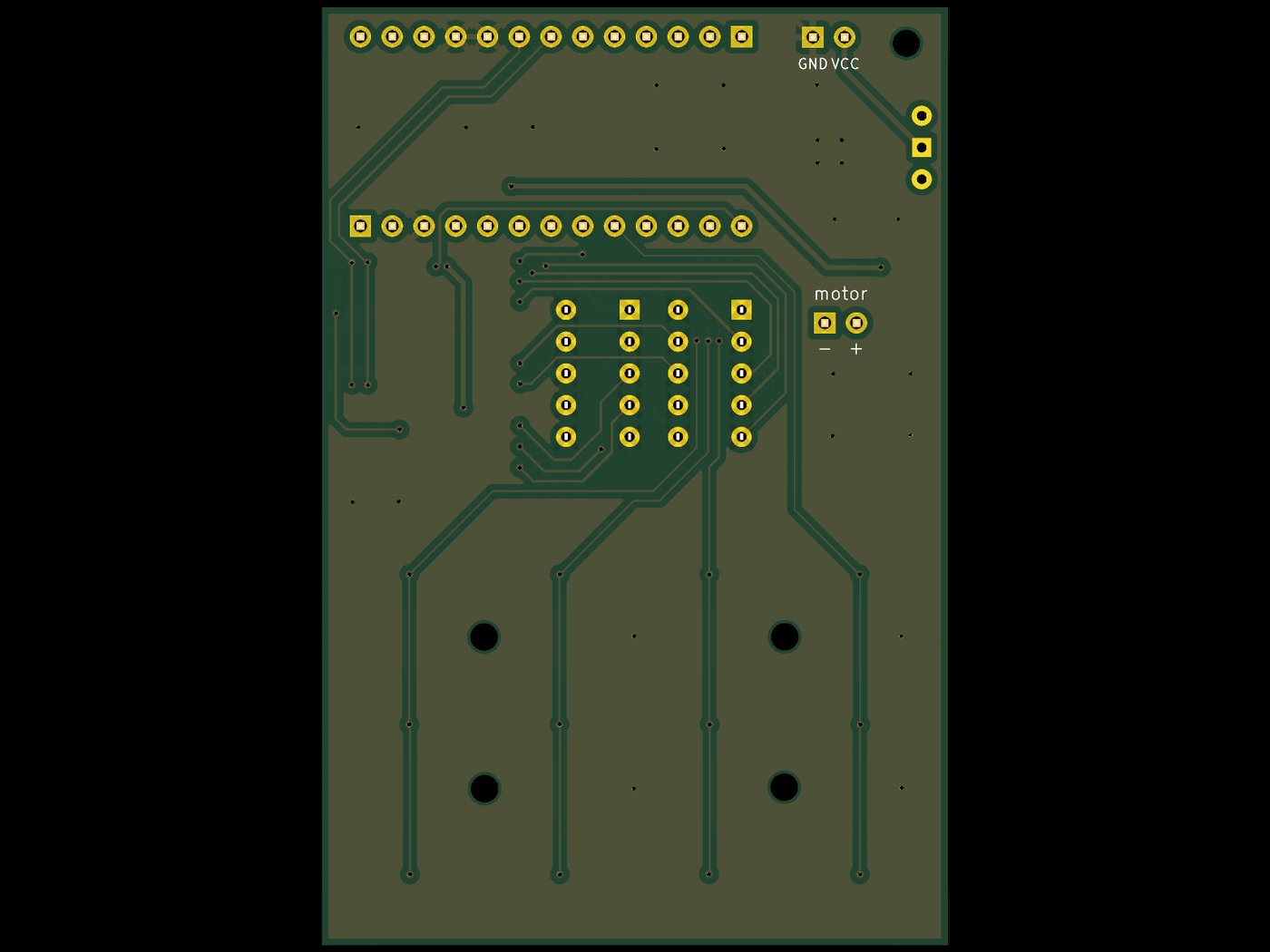 PCB tag, mặt dưới |
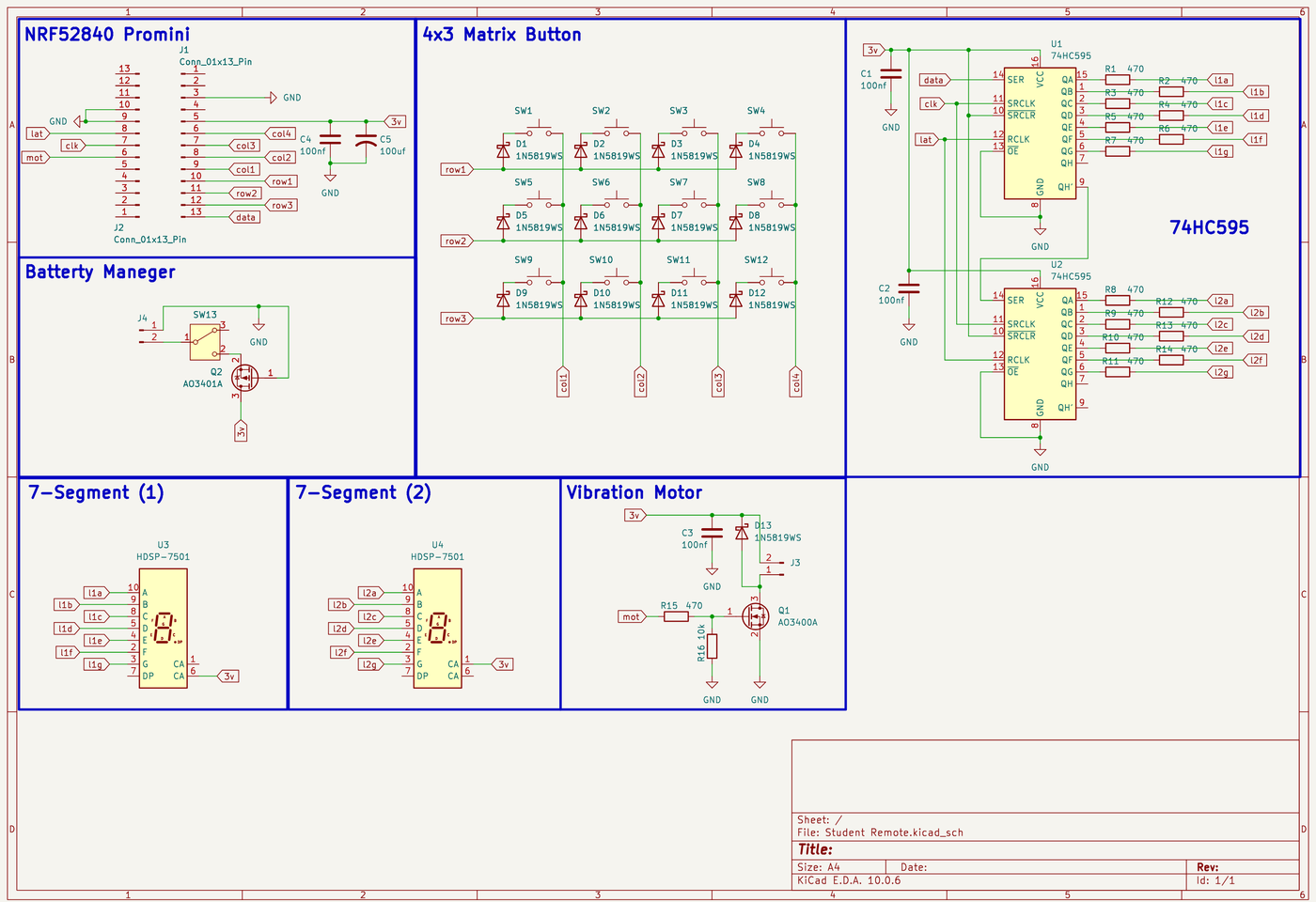 Sơ đồ nguyên lý | ||
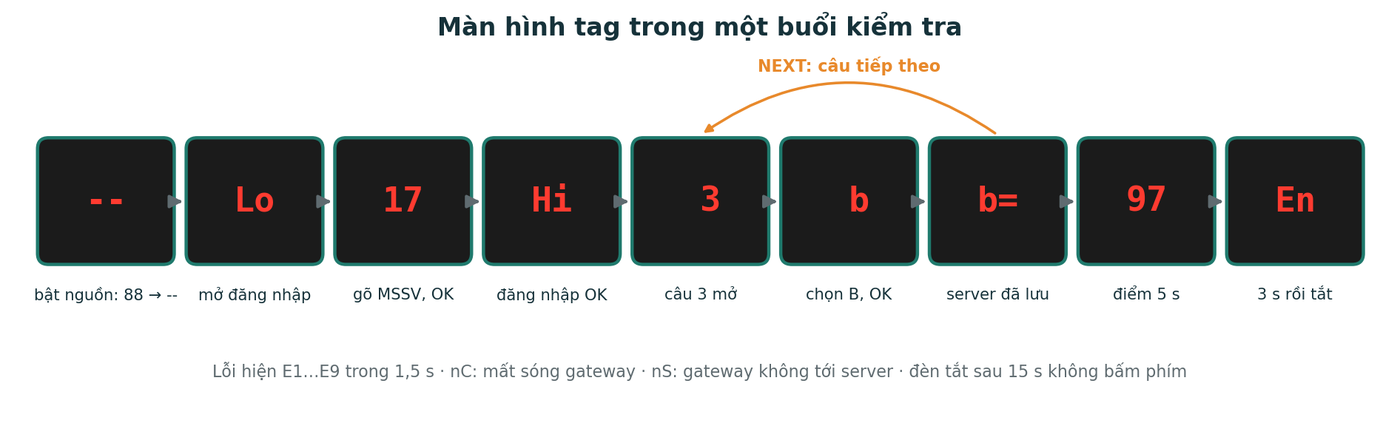
Bảng mã đèn và mã lỗi đầy đủ: docs/su_dung.md.
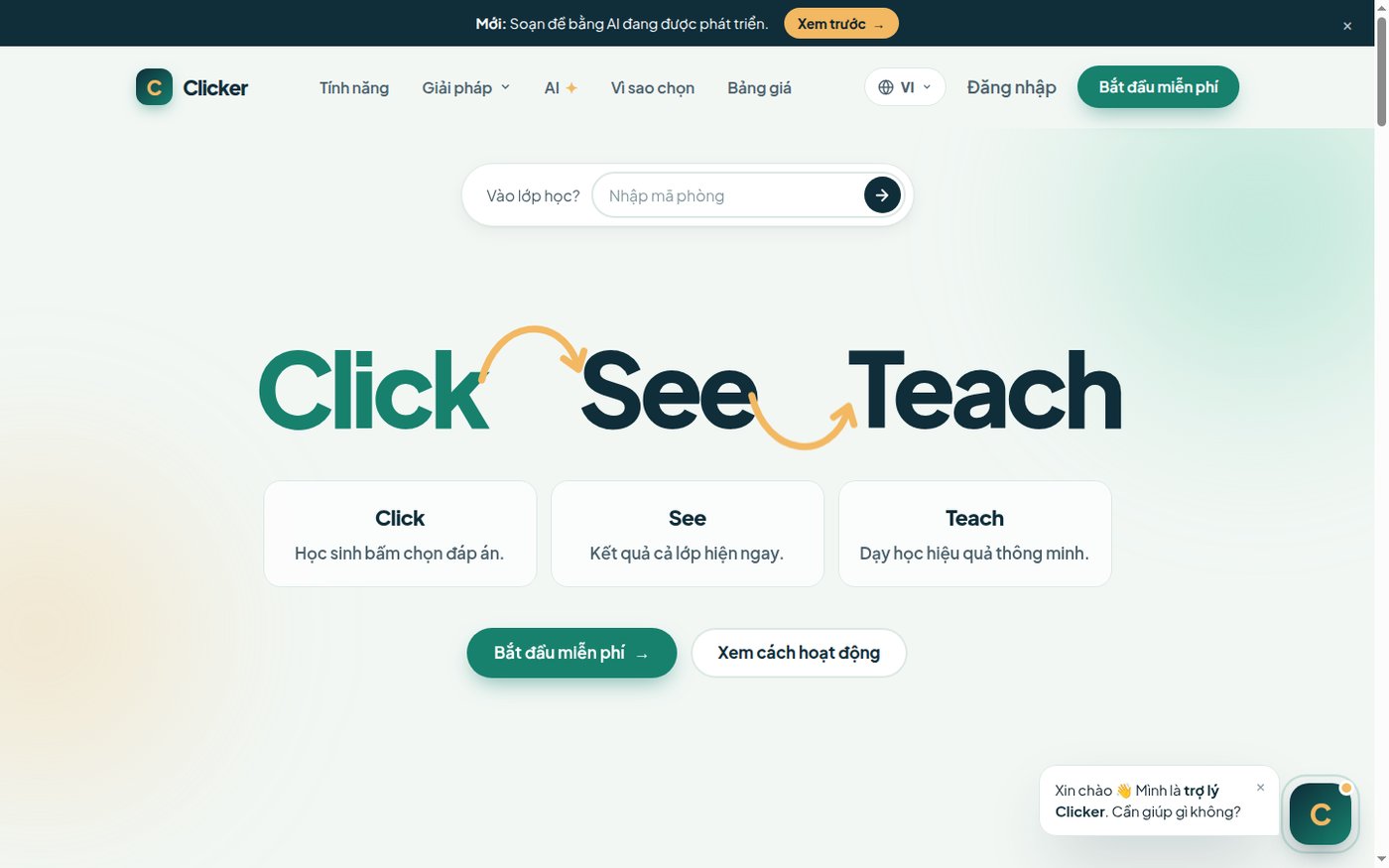 Trang chủ |  Đăng nhập |
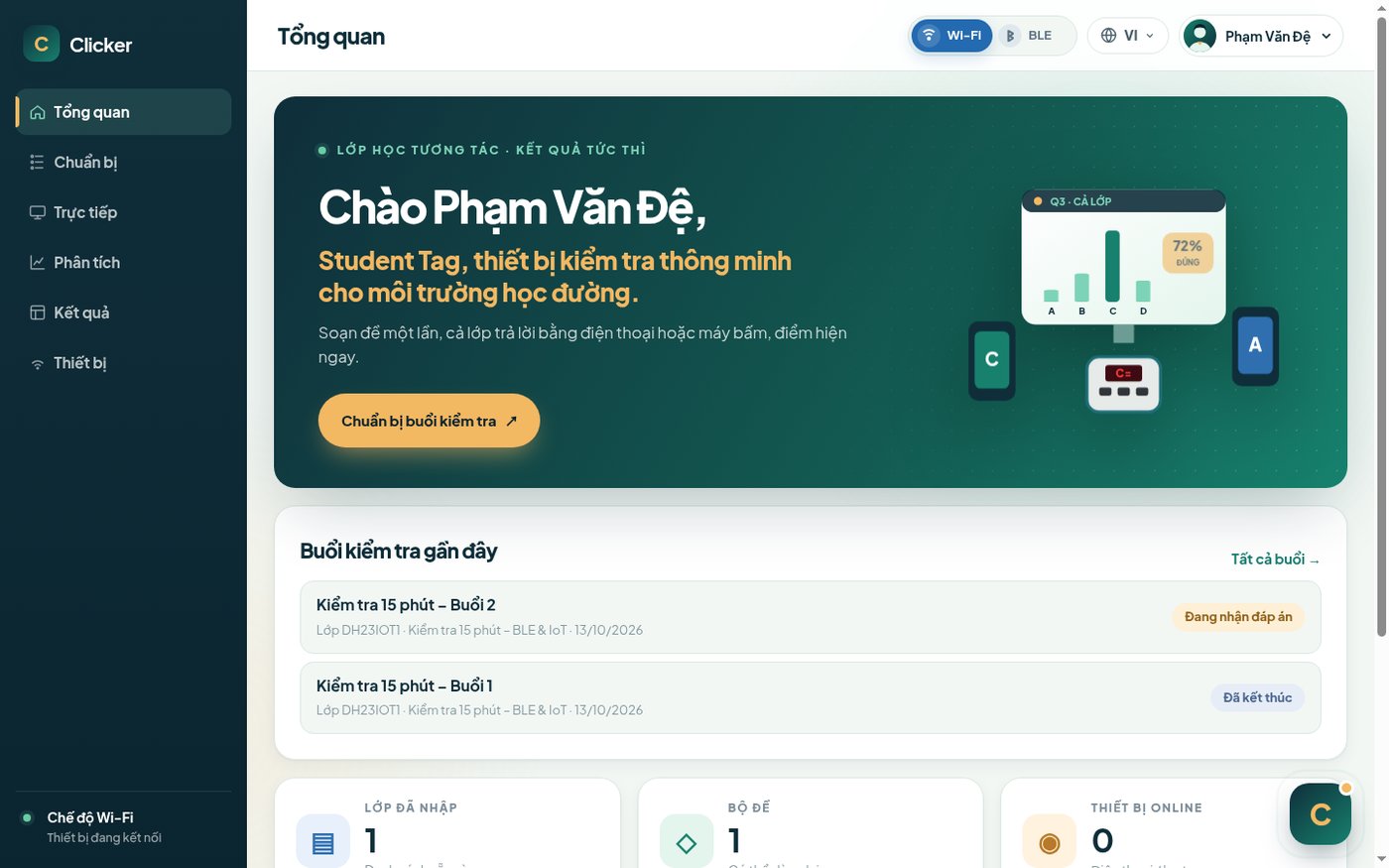 Tổng quan | 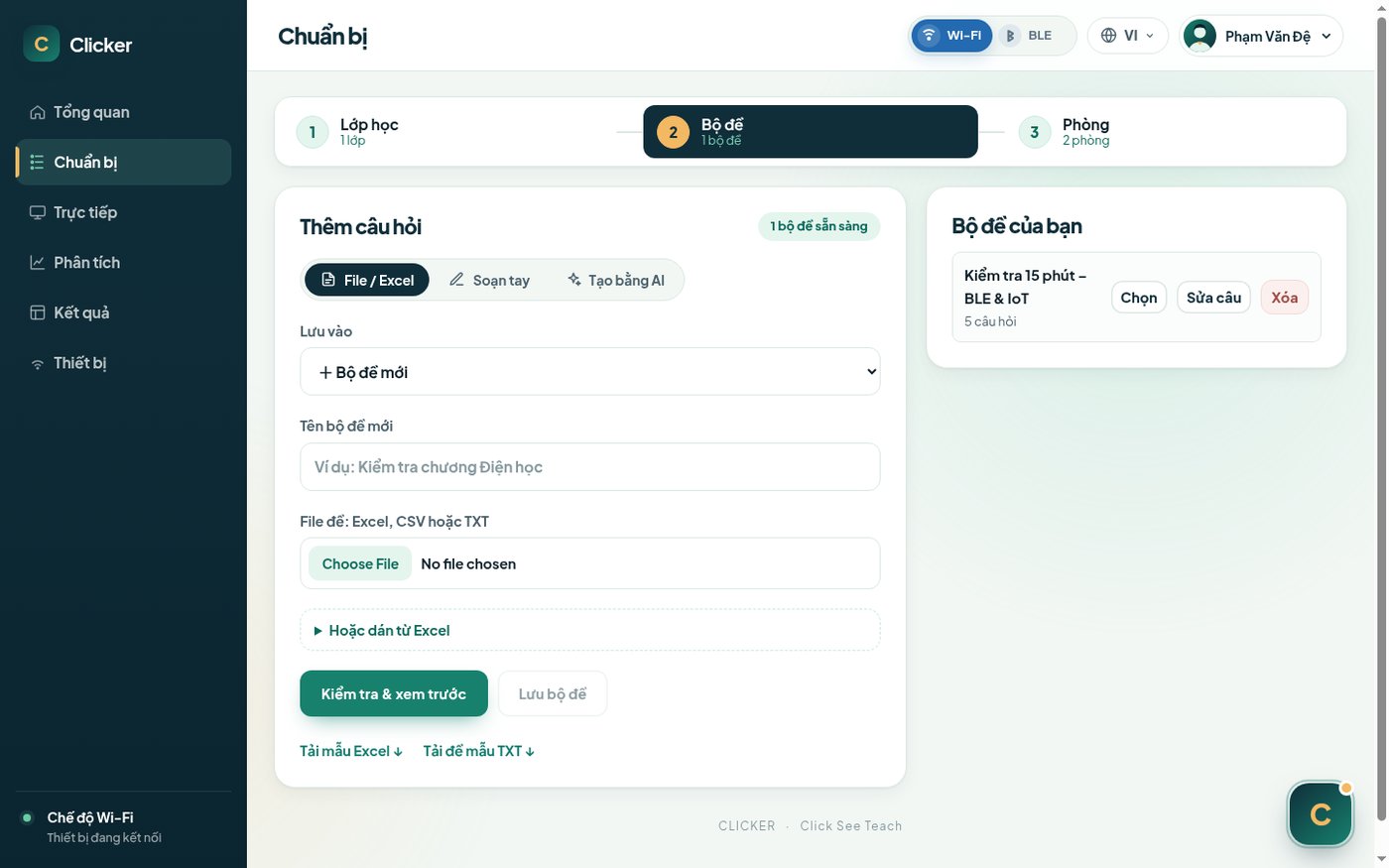 Chuẩn bị lớp và bộ đề |
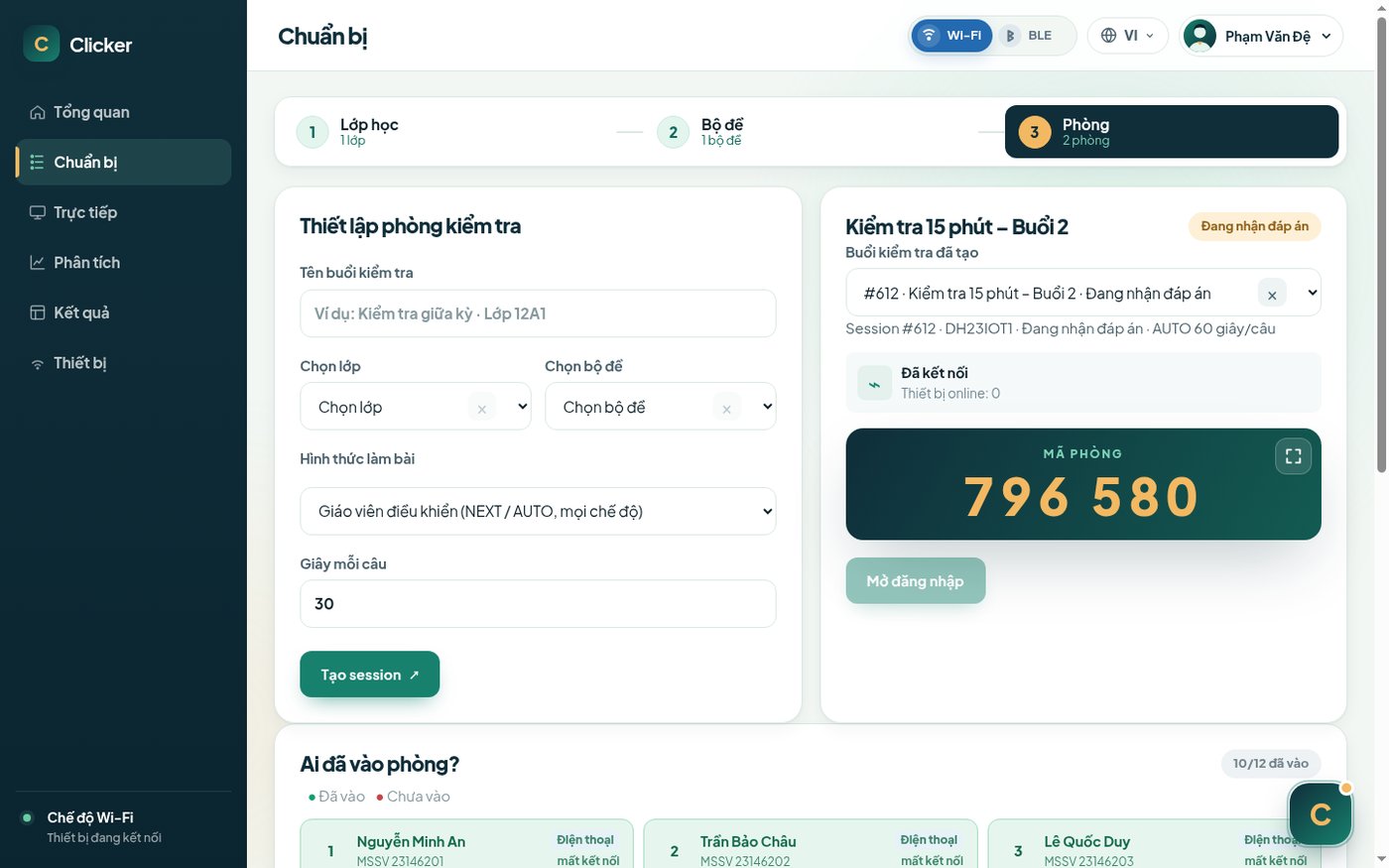 Tạo phòng, mã phòng | 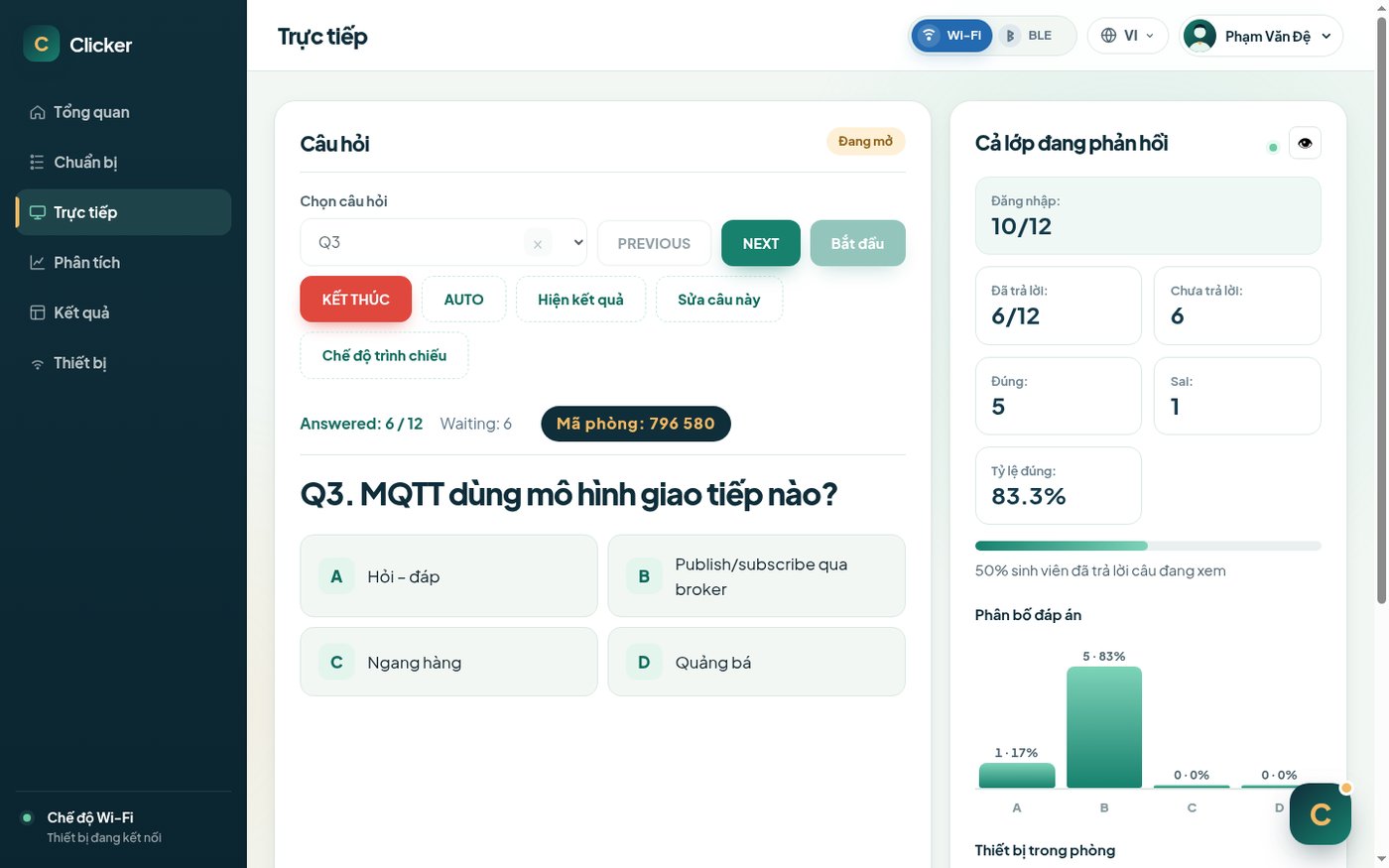 Trực tiếp: câu hỏi và biểu đồ đáp án |
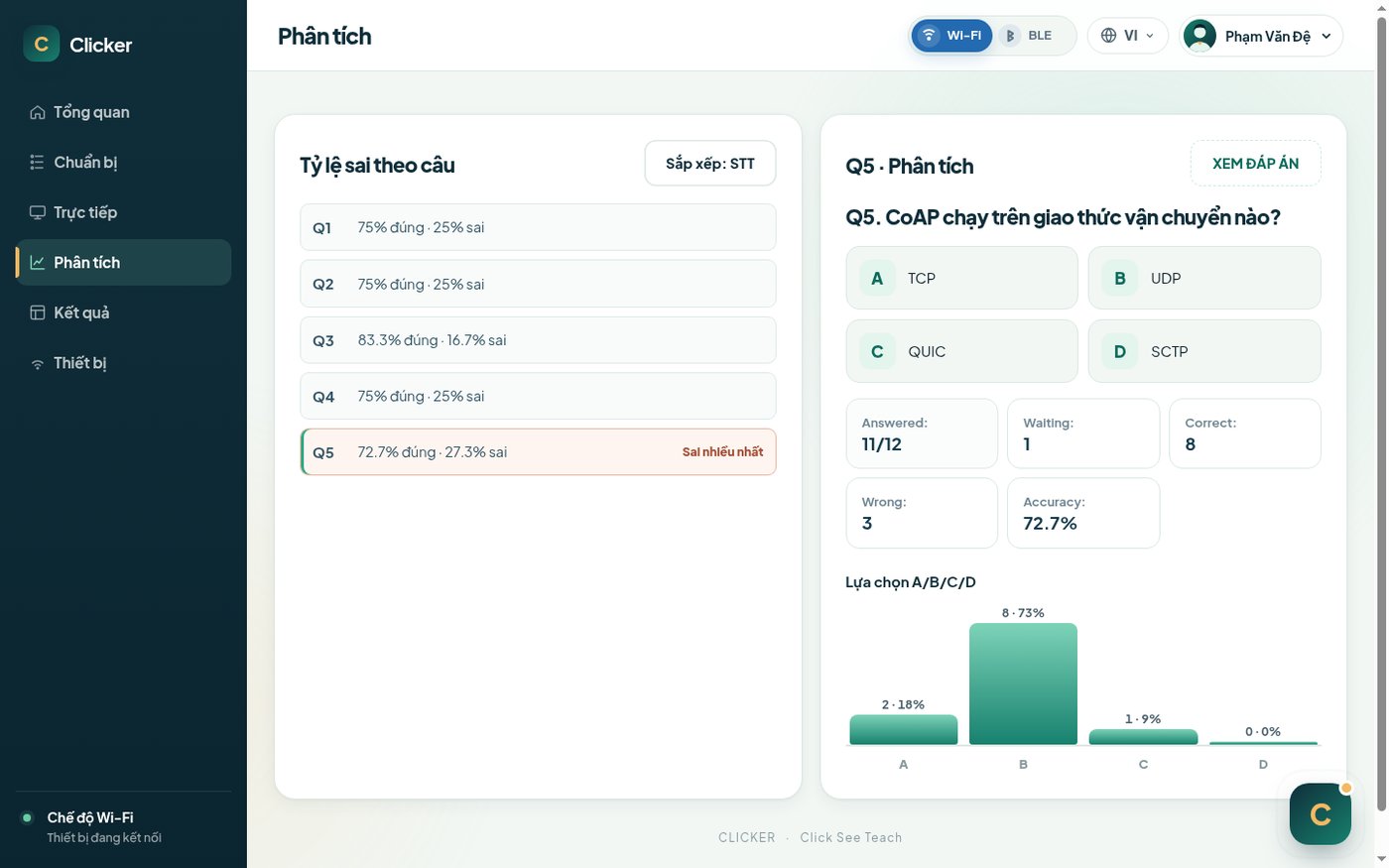 Phân tích câu hỏi | 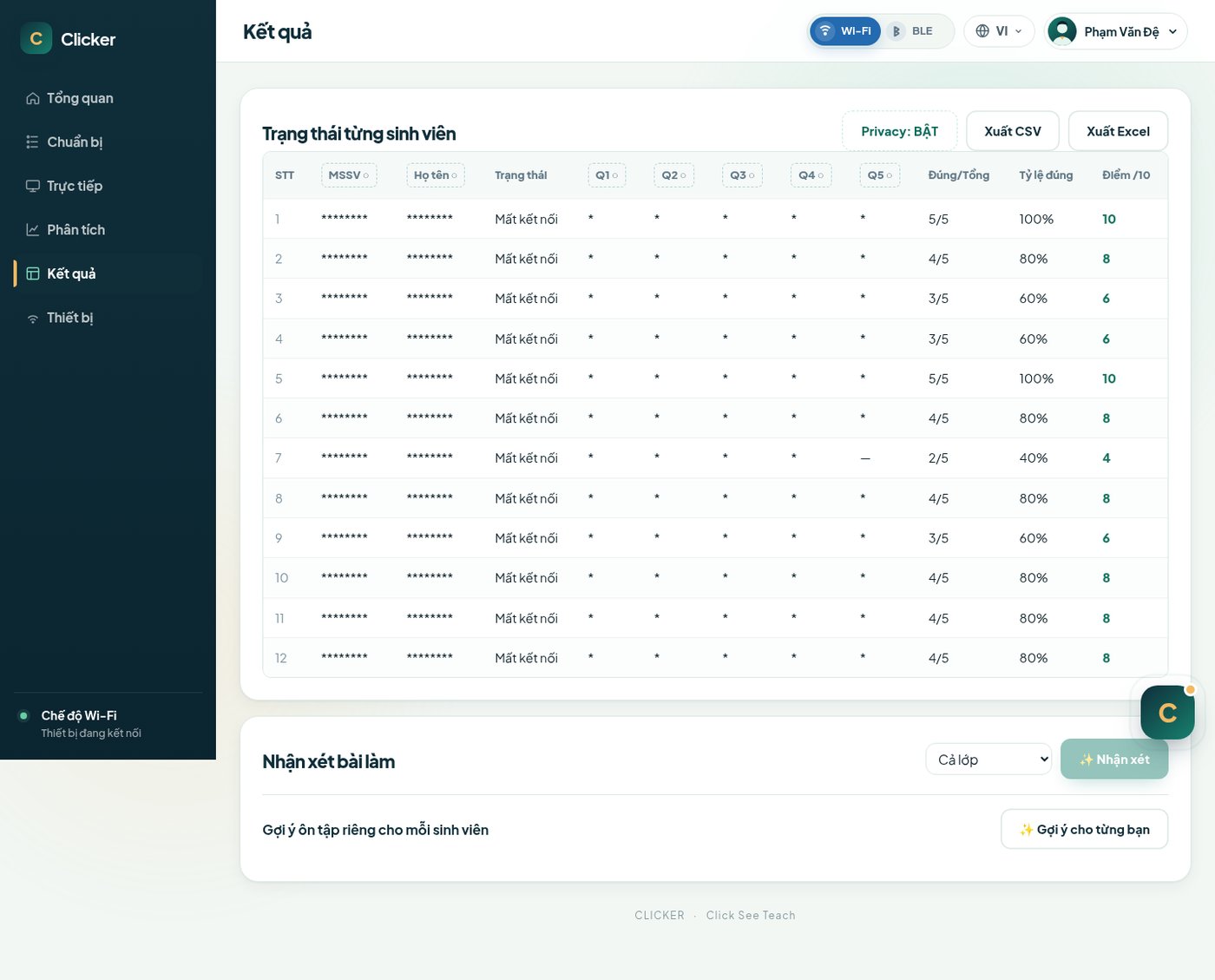 Bảng kết quả |
| Thư mục | Nội dung |
|---|---|
web/ | Web giáo viên và API |
schema.sql | Cấu trúc database |
config.example.php | Mẫu file cấu hình |
examples/ | Danh sách lớp và đề mẫu |
firmware/ClickerTag/ | Firmware tag sinh viên |
firmware/ClickerGateway/ | Firmware gateway cắm USB laptop |
hardware/ | PCB (KiCad, Gerber, BOM) và vỏ in 3D tag, gateway |
docs/su_dung.md | Hướng dẫn sử dụng, bảng mã đèn và mã lỗi |
Server
schema.sql vào MariaDB.config.example.php ra ngoài thư mục web, điền database và khóa; trỏ biến môi trường CLICKER_CONFIG tới file đó.web/ dưới Apache, mở http://localhost/clicker/ bằng Chrome hoặc Edge.Firmware: Arduino IDE, core Adafruit nRF52, board Adafruit ItsyBitsy nRF52840 Express. Nạp firmware/ClickerTag/ vào tag, firmware/ClickerGateway/ vào gateway.
Hướng dẫn một buổi kiểm tra: docs/su_dung.md.
| Qty | Value | Footprint | References |
|---|---|---|---|
| 15 | 470 | Resistor_SMD:R_0603_1608Metric_Pad0.98x0.95mm_HandSolder | R1, R2, R3, R4, R5, R6, R7, R8, R9, R10, R11, R12, R13, R14, R15 |
| 13 | 1N5819WS | Diode_SMD:D_SOD-323 | D1, D2, D3, D4, D5, D6, D7, D8, D9, D10, D11, D12, D13 |
| 12 | SW_Push | Button_Switch_SMD:SW_SPST_SKQG_WithStem | SW1, SW2, SW3, SW4, SW5, SW6, SW7, SW8, SW9, SW10, SW11, SW12 |
| 4 | 100nf | Capacitor_SMD:C_0603_1608Metric_Pad1.08x0.95mm_HandSolder | C1, C2, C3, C4 |
| 2 | 74HC595 | Package_SO:SOIC-16_3.9x9.9mm_P1.27mm | U1, U2 |
| 2 | Conn_01x02_Pin | Connector_PinHeader_2.54mm:PinHeader_1x02_P2.54mm_Vertical | J3, J4 |
| 2 | Conn_01x13_Pin | Connector_PinHeader_2.54mm:PinHeader_1x13_P2.54mm_Vertical | J1, J2 |
| 2 | HDSP-7501 | Display_7Segment:HDSP-A151 | U3, U4 |
| 1 | 100uf | Capacitor_SMD:CP_Elec_6.3x5.4 | C5 |
| 1 | 10k | Resistor_SMD:R_0603_1608Metric_Pad0.98x0.95mm_HandSolder | R16 |
| 1 | AO3400A | Package_TO_SOT_SMD:SOT-23 | Q1 |
| 1 | AO3401A | Package_TO_SOT_SMD:SOT-23 | Q2 |
| 1 | SW_Wuerth_450301014042 | Button_Switch_THT:SW_Slide-03_Wuerth-WS-SLTV_10x2.5x6.4_P2.54mm | SW13 |
The 57 most common of 62 parts.

OpenLogicEFI/Hardware
Hardware is based off an open source project called Speeduino by Josh Stewart.


maximus64/opendiag-hardware
OpenDIAG - Open Source OBD2 Interface (Hardware)

Queens-Rocket-Engineering-Team/Avionics-23-26
QRET Avionics hardware, firmware, and documentation for 2023 to 2025.


anhldptit2610/dalws
This project is my attempt to learn about microcontroller and PCB design. Now I realize that making a full, complete electronic project is super hard.
It measures 50 × 75 mm and has 2 copper layers, 1.6 mm thick.
62 parts, built around the 74HC595, HDSP-7501, 1N5819WS and AO3400A. The full list of its parts is on this page, with links to each part's symbol and footprint where PCBKit's library has them.
From the PhamVanDe05/IOT_Clicker repository on GitHub, at the commit this page was made from: the board is hardware/pcb/Student Remote.kicad_pcb and its schematic hardware/pcb/Student Remote.kicad_sch. PCBKit opens the board in the browser, with nothing to install.
Its repository states no licence, so its author keeps all rights: ask PhamVanDe05 before reusing the design.