6 layers36 × 36 mm

 MarcFinns/AirSensor-for-HomeAssistant8
AirSensor for HomeAssistant (hardware and software)
AirSensor display is an open-source printed circuit board by MarcFinns, from the MarcFinns/AirSensor-for-HomeAssistant repository on GitHub. It is a 2-layer board of 70 × 70 mm with 30 parts on 25 nets, routed with 230 tracks and 26 vias.
It is built around the HLK-PM01, DPS310 and SS12, with the WS2812B among its other parts. Its parts include 12 capacitors, 4 ICs, 3 connectors, 2 resistors and 2 diodes. It belongs with the home automation and IoT and lEDs and displays boards and the ESP32 and RISC-V boards of this library.


A multi-room air quality monitor built around ESPHome and Home Assistant. Each unit sits flush on the wall like a light switch — mains powered, fully self-contained, nothing to charge or manage. Built on the ESP32-C6, it is hardware-ready for Matter, making it future-proof as smart home standards evolve.
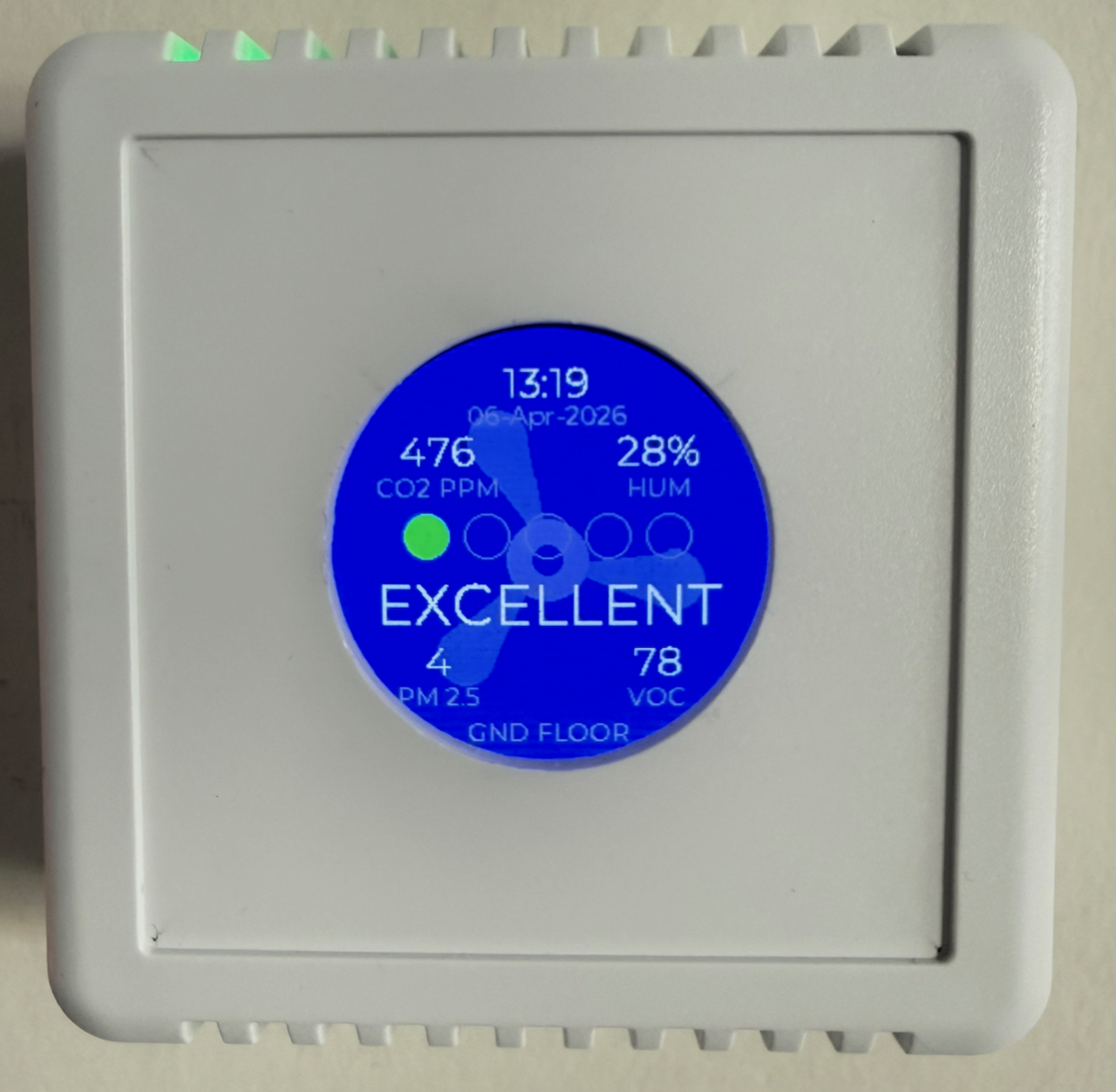
Each unit reports the following to Home Assistant in real time:
| Sensor | Measurements |
|---|---|
| Sensirion SEN55 | PM1.0, PM2.5, PM4.0, PM10 · VOC Index · NOx Index · Temperature · Humidity |
| Sensirion SCD4x | CO2 (ppm) · Temperature · Humidity |
| Infineon DPS310 (optional) | Barometric pressure · Temperature |
The DPS310 pressure sensor is fitted on one unit only and is entirely optional — the PCB and firmware support it but work fine without it.
Each unit has a GC9A01A 240×240 round TFT (SPI), sourced from AliExpress:
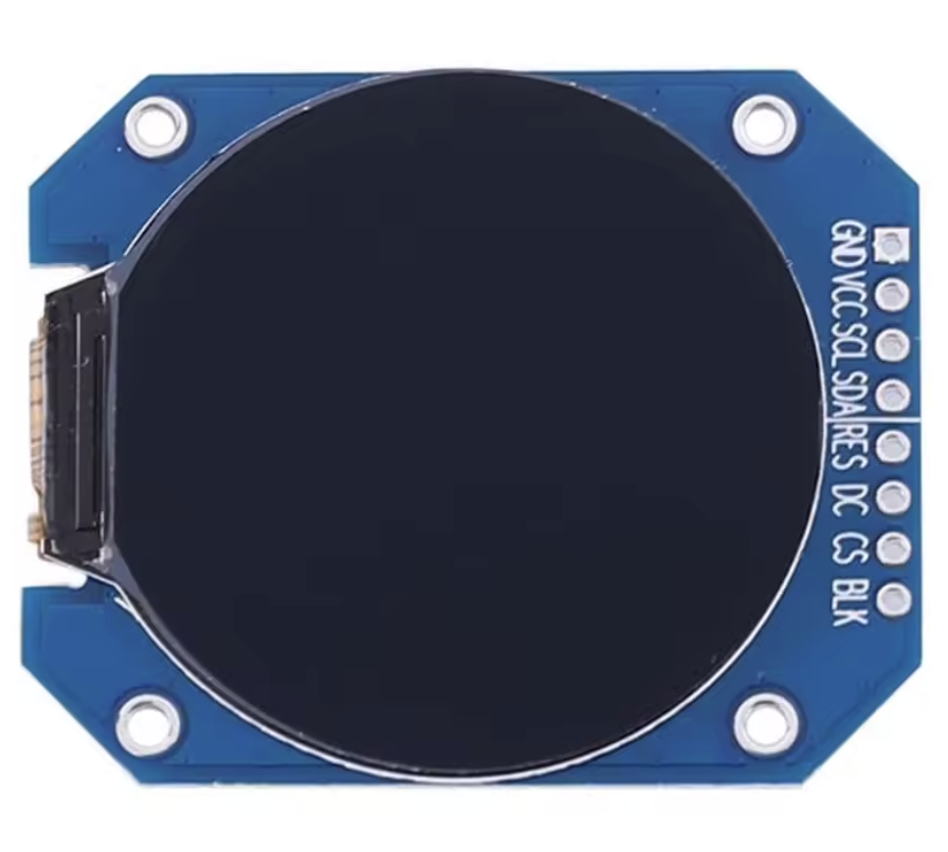
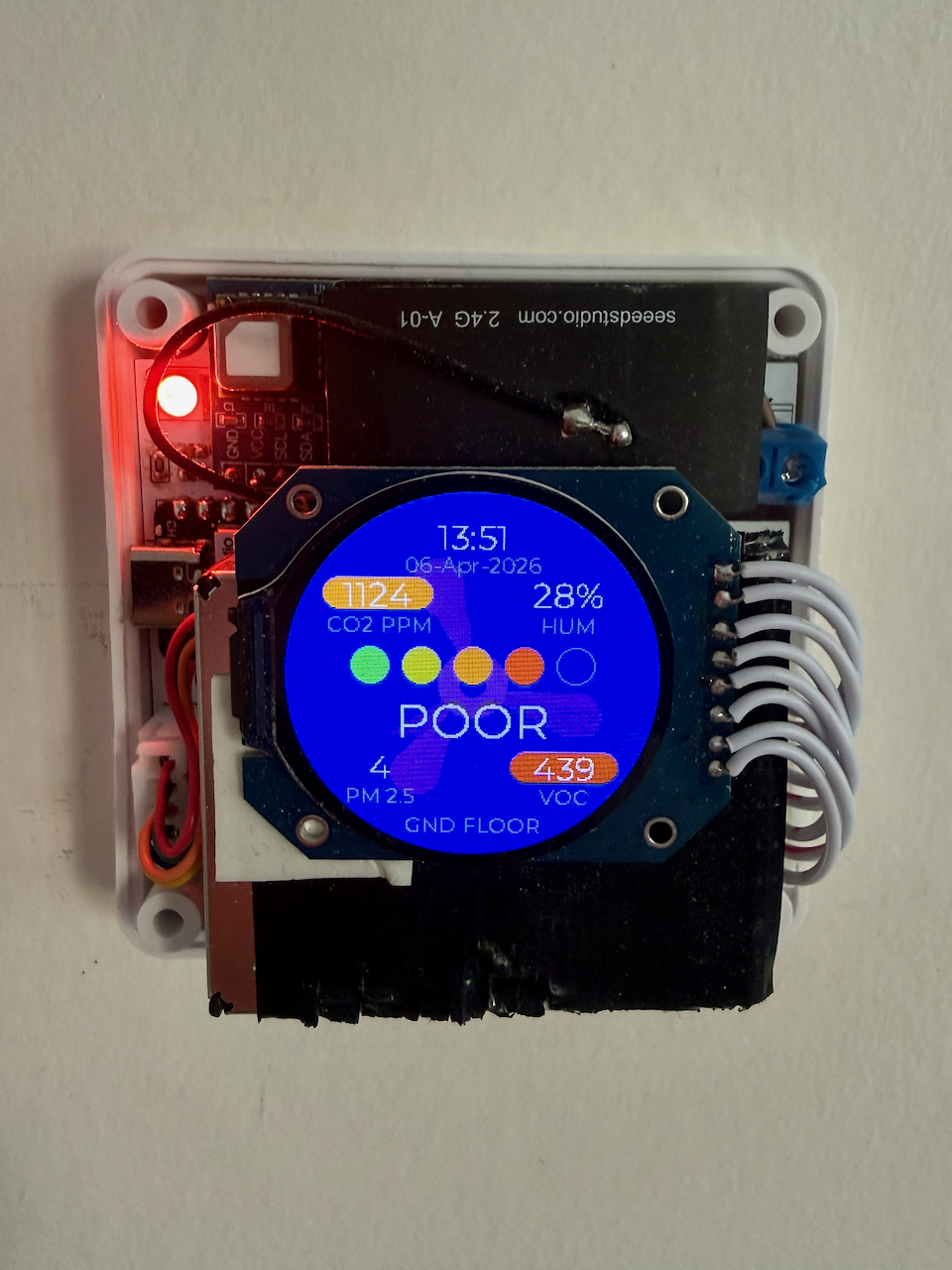
The display shows:
The XIAO's built-in RGB LED (optional) breathes in the AQI colour — green through red depending on air quality — visible from across the room without looking at the display. It can be enabled or disabled from Home Assistant and the state persists across reboots.
A Fan Speed entity (Off / Low / High) is exposed in Home Assistant. Selecting Low or High drives an animated three-blade fan spinning in the background of the display — slow and blue-purple at Low, faster and brighter purple at High. It is purely decorative and does not control any physical hardware. The selected speed persists across reboots.
| Component | Role |
|---|---|
| Seeed XIAO ESP32-C3 | MCU — different GPIO layout, otherwise identical firmware |
| Seeed XIAO ESP32-C6 | MCU — preferred variant; Wi-Fi 6, Matter-capable radio |
| Sensirion SEN55 | Particulate matter + VOC + NOx + T/RH |
| Sensirion SCD4x | CO2 + T/RH |
| Infineon DPS310 breakout | Barometric pressure (optional) |
| GC9A01A 240×240 round TFT | Round display (AliExpress) |
| Kradex Z123_W | Enclosure — standard wall-mount junction box |
The ESP32-C6 is the preferred variant. Its Wi-Fi 6 and IEEE 802.15.4 radio make it hardware-ready for Matter once ESPHome's Matter support matures. The C3 lacks the necessary radio and cannot support Matter.
A single custom PCB designed in KiCad houses the MCU, sensors, and display connector inside the Kradex enclosure.
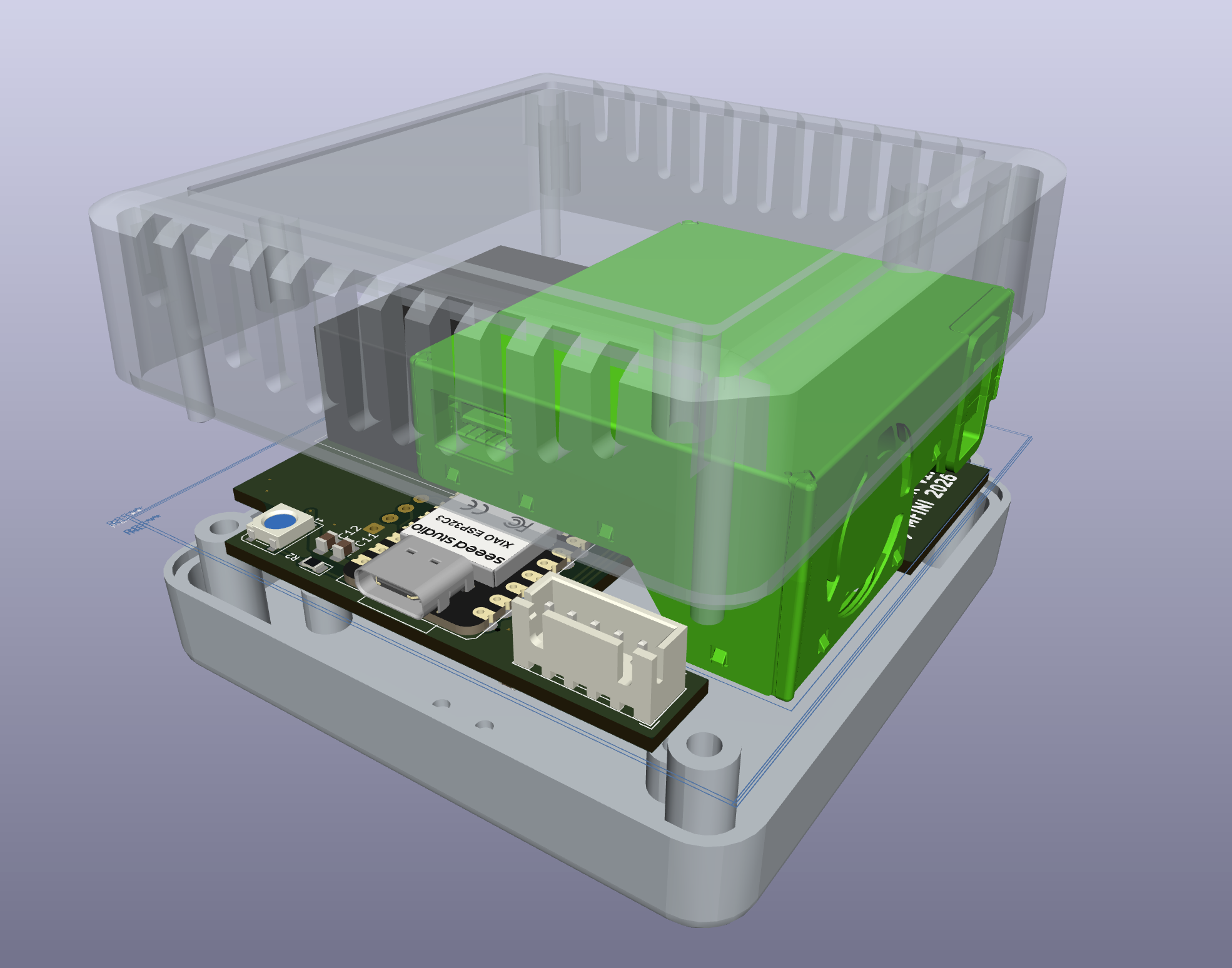
Custom KiCad libraries (symbols, footprints, and 3D models) are kept under lib/ and referenced with portable ${KIPRJMOD}-relative paths so the project opens correctly on any machine.
Each unit exposes the following entities:
| ESP32-C3 | ESP32-C6 | |
|---|---|---|
| Wi-Fi | 802.11 b/g/n | 802.11 b/g/n/ax (Wi-Fi 6) |
| BLE | 5.0 | 5.3 |
| Matter (future) | No — hardware limitation | Yes — IEEE 802.15.4 radio |
| GPIO | Different pinout | Reference pinout |
Two reference templates are provided — ESPHome_config/AirSensor-C3.yaml and AirSensor-C6.yaml — covering both variants.
AirSensor/
├── ESPHome_config/
│   ├── AirSensor-C3.yaml          # Reference template (ESP32-C3)
│   ├── AirSensor-C6.yaml          # Reference template (ESP32-C6)
│   ├── airsensor_aqi_helpers.h    # Shared AQI logic (C++)
│   ├── secrets.yaml               # Empty secrets template
│   └── private/                   # Real deployment configs (gitignored)
├── kicad/
│   └── AirSensor_display/         # KiCad project (schematic + PCB)
├── lib/
│   ├── symbols/                   # Custom KiCad symbols
│   ├── footprints/                # Custom KiCad footprints
│   └── 3d/                        # 3D models for KiCad
├── mech/                          # Enclosure and module STEP files
└── docs/
└── Data sheets/ # Component datasheetsESPHome_config/AirSensor-C3.yaml or AirSensor-C6.yaml to ESPHome_config/private/<unit-name>.yamlESPHome_config/private/secrets.yaml (Wi-Fi credentials, API key, OTA password)← CONFIGURE markers in the YAML and update each one (device name, floor label, etc.)esphome run private/<unit-name>.yaml| Qty | Value | Footprint | References |
|---|---|---|---|
| 6 | 100nF | Capacitor_SMD:C_0805_2012Metric_Pad1.18x1.45mm_HandSolder | C1, C2, C5, C9, C11, C13 |
| 4 | 22uF | Capacitor_SMD:C_0805_2012Metric_Pad1.18x1.45mm_HandSolder | C6, C10, C12, C14 |
| 2 | 47uF | Capacitor_SMD:C_0805_2012Metric_Pad1.18x1.45mm_HandSolder | C3, C4 |
| 1 | 100R | LED_SMD:LED_0805_2012Metric_Pad1.15x1.40mm_HandSolder | R4 |
| 1 | 220R | LED_SMD:LED_0805_2012Metric_Pad1.15x1.40mm_HandSolder | R2 |
| 1 | 600ohm@100mhz | Inductor_SMD:L_0805_2012Metric | FB1 |
| 1 | DC-DC 3V3 | Converter_DCDC:Converter_DCDC_Murata_OKI-78SR_Horizontal | U1 |
| 1 | DPS310 | AirSensor_footprints:DPS310_BREAKOUT | U2 |
| 1 | Display | Connector_JST:JST_XH_B8B-XH-AM_1x08_P2.50mm_Vertical | J4 |
| 1 | HLK-PM01 | Converter_ACDC:Converter_ACDC_Hi-Link_HLK-PMxx | PS2 |
| 1 | MOUDLE-SEEEDUINO-XIAO-ESP32C3 | xiao ESP32C3_PCB:MOUDLE14P-SMD-2.54-21X17.8MM_PINONLY | U6 |
| 1 | SCD41 | AirSensor_footprints:SCD41_BREAKOUT_1x4_2.54 | U3 |
| 1 | SEN55 | Connector_JST:JST_XH_B5B-XH-A_1x05_P2.50mm_Vertical | J1 |
| 1 | SS12 | Diode_SMD:D_SMA | D2 |
| 1 | Screw_Terminal_01x02 | TerminalBlock_Phoenix:TerminalBlock_Phoenix_MKDS-1,5-2-5.08_1x02_P5.08mm_Horizontal | J2 |
| 1 | WS2812B | LED_SMD:LED_WS2812B_PLCC4_5.0x5.0mm_P3.2mm | D1 |
The 25 most common of 30 parts.

jkordek1/Man-Don-t-Get-Angry-Board-game
"Man don't get mad" - electronic board game

syauqi-alias/pico-peltier
A TEC Controller using Pico RP2350 with Analog Devices LT8722 full bridge driver rated at 15V 4A


MaverickUK/HDDSynth
Recreate the sound of mechanical spinning HDDs on retro PCs that use a solid state drive


ChefsSlaad/PCBs_and_Micropython
storing custom pcbs and micropython code for home projects
It measures 70 × 70 mm and has 2 copper layers, 1.6 mm thick.
30 parts, built around the HLK-PM01, DPS310, SS12 and WS2812B. The full list of its parts is on this page, with links to each part's symbol and footprint where PCBKit's library has them.
From the MarcFinns/AirSensor-for-HomeAssistant repository on GitHub, at the commit this page was made from: the board is kicad/AirSensor_display/AirSensor_display.kicad_pcb and its schematic kicad/AirSensor_display/AirSensor_display.kicad_sch. PCBKit opens the board in the browser, with nothing to install.
Its repository states no licence, so its author keeps all rights: ask MarcFinns before reusing the design.