
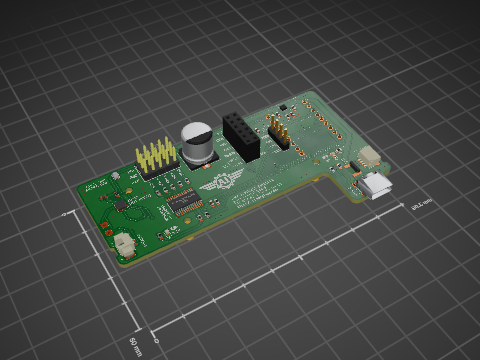
2 layers174 × 58 mm
Breakout 112pin Connector
rusefi/rusefi
rusefi - GPL internal combustion engine control unit
42 parts1.2k

learn to solder blinky LED badge for S.T.E.A.M. school season 2 at Maker's Asylum
Badge is an open-source printed circuit board by MakersAsylumIndia, from the MakersAsylumIndia/steam_badge repository on GitHub. It is a 2-layer board of 53.3 × 29.2 mm with 42 parts on 7 nets, routed with 72 tracks and 0 vias.
Its parts include 26 connectors, 6 inductors, 4 resistors, 2 diodes and 1 transistor. It belongs with the lEDs and displays boards of this library.
a really easy, learn to solder S.T.E.A.M. school Badge
S.T.E.A.M. school badge
SHORT URL = https://git.io/vdyeU
FEATURES
LEARN
DISCUSSION FORUM : TBD
rev1 render

rev2 render

rev2 with Acrylic Name Tag

rev2 "tiled" badges

Final Rev

Final Rev

| Qty | Value | Footprint | References |
|---|---|---|---|
| 20 | Pin | badge_fp:MTG_0mm8 | P2, P2, P2, P2, P2, P2, P2, P2, P2, P2, P2, P2, P2, P2, P2, P2 +4 |
| 6 | Pin | badge_fp:MTG_1mm5 | P1, P2, P3, P4, P5, P6 |
| 2 | 100E | badge_fp:r_0805 | R1, R2 |
| 1 | 2N2222 | badge_fp:TO-92_Inline_Wide | Q1 |
| 1 | 47k | badge_fp:r_0805 | R4 |
| 1 | BATT_1 | badge_fp:cr2032_02 | BT1 |
| 1 | Break | badge_fp:break3 | L3 |
| 1 | Create | badge_fp:create3 | L4 |
| 1 | Grn | badge_fp:LED-5MM | D2 |
| 1 | JMP | badge_fp:Pin_Header_Straight_1x03 | JP1 |
| 1 | KiCad | badge_fp:KiCad-Logo2_6mm_SilkScreen | L6 |
| 1 | LDR | badge_fp:Resistor_LDR_5.0x3.4 | R3 |
| 1 | Make | badge_fp:make3 | L2 |
| 1 | ON | badge_fp:switch_MJTP1250 | SW1 |
| 1 | OSHW | badge_fp:Logo_silk_OSHW_6x6mm | L5 |
| 1 | Red | badge_fp:LED-5MM | D1 |
| 1 | ma_logo | badge_fp:MA_LOGO10 | L1 |
rusefi/rusefi
rusefi - GPL internal combustion engine control unit


hackclub/sprig
🍃 Learn to code by making games in a JavaScript web-based game editor.
jamro/tiny-engineer
A small desktop robot that brings an AI coding assistant to life, physically acting out when it reads files, thinks, writes code, and finishes work.

hoglet67/RGBtoHDMI
Bare-metal Raspberry Pi project that provides pixel-perfect sampling of Retro Computer RGB/YUV video and conversion to HDMI

hackclub/OnBoard
💡 Join 1,000 teenagers and make your first PCB with a $100 grant!


It measures 53.3 × 29.2 mm and has 2 copper layers, 1.6 mm thick.
42 parts. The full list of its parts is on this page, with links to each part's symbol and footprint where PCBKit's library has them.
From the MakersAsylumIndia/steam_badge repository on GitHub, at the commit this page was made from: the board is badge_kicad/badge.kicad_pcb. PCBKit opens the board in the browser, with nothing to install.
Its repository states no licence, so its author keeps all rights: ask MakersAsylumIndia before reusing the design.