

2 layers298.6 × 102.7 mm

 Julian-Banks/Corne_choc
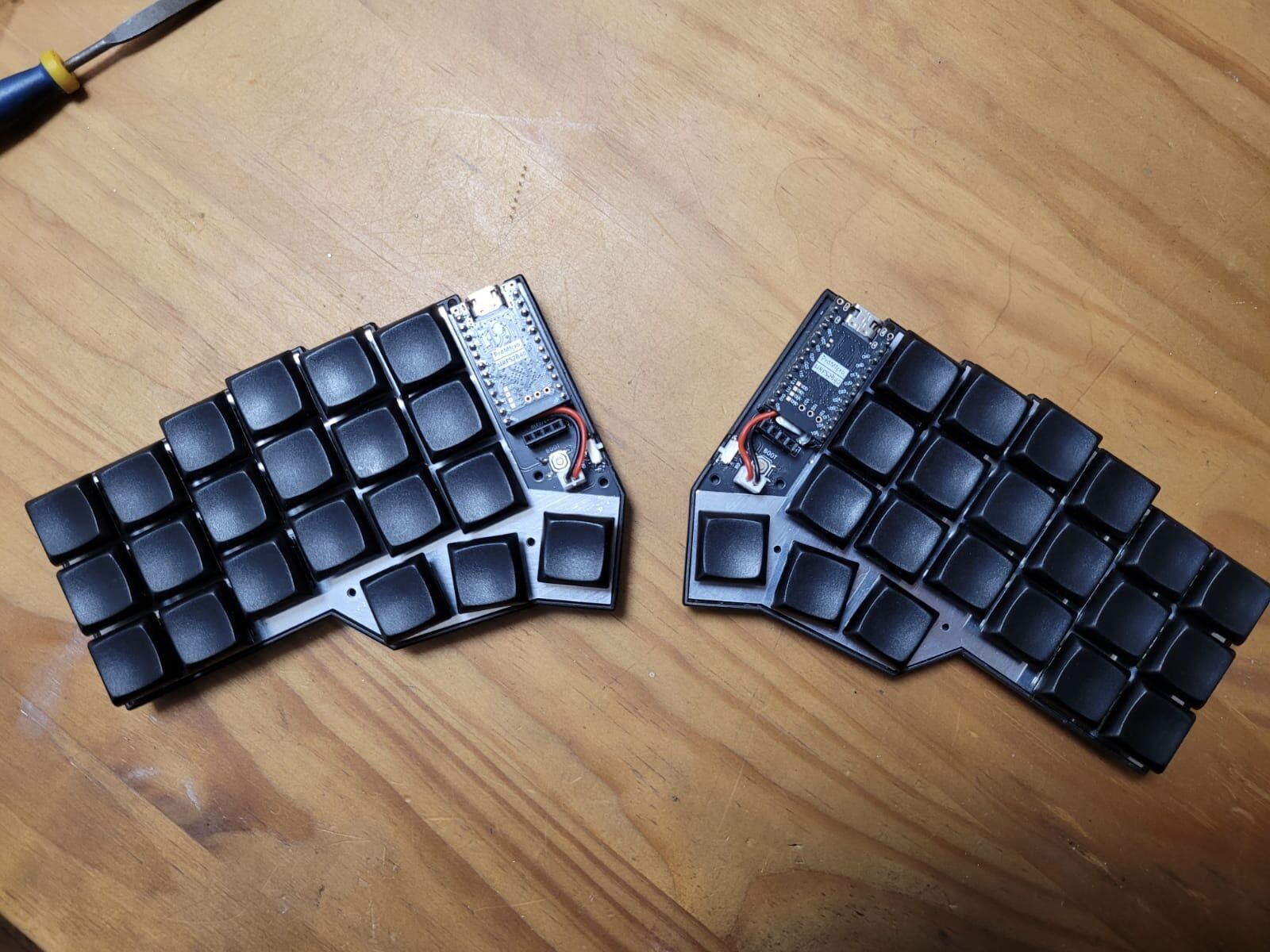
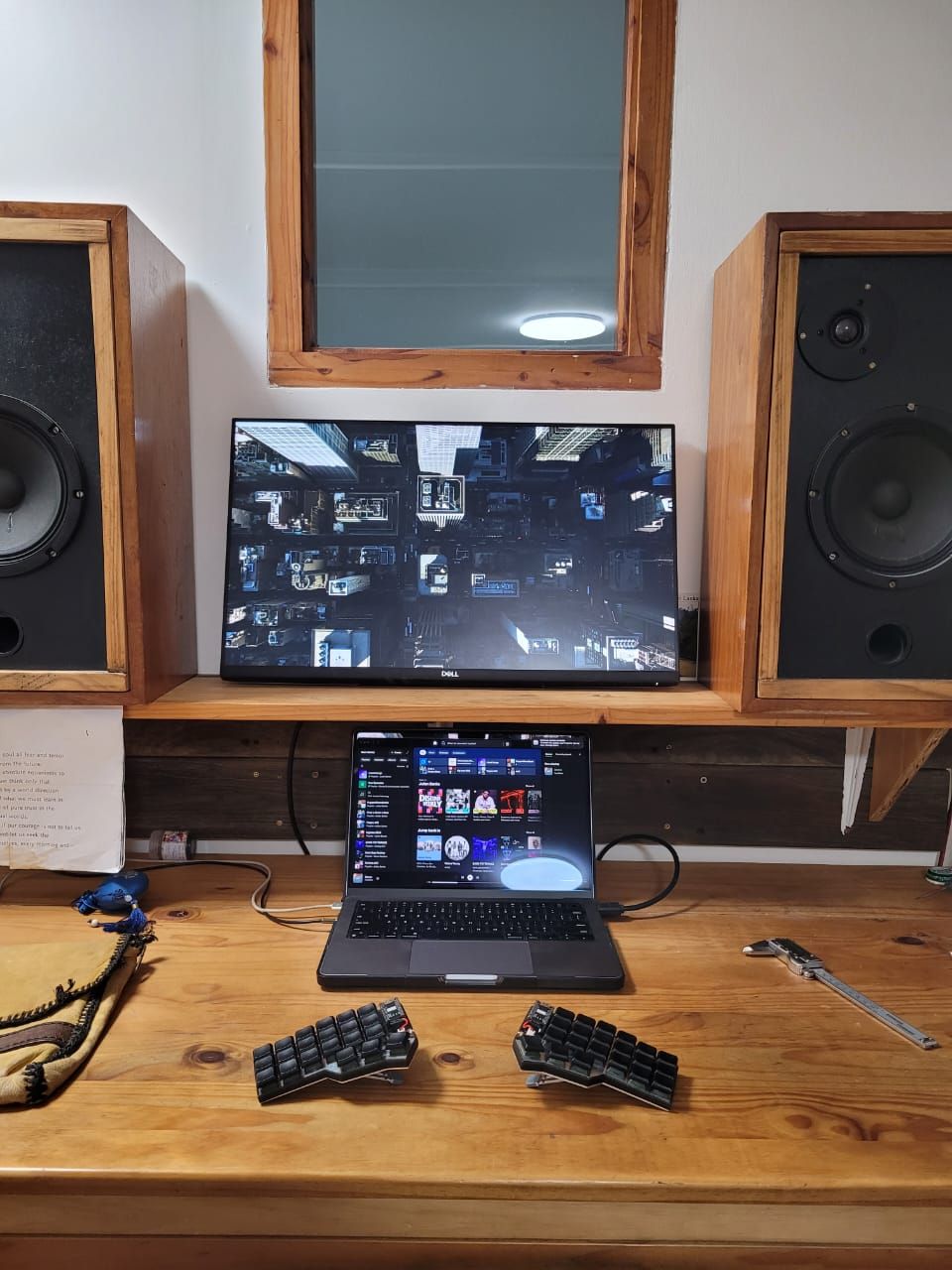
My Corne V4 Choc build
Corne chocoflan is an open-source printed circuit board by Julian-Banks, from the Julian-Banks/Corne_choc repository on GitHub. It is a 2-layer board of 276.5 × 91.6 mm with 118 parts on 90 nets, routed with 1,341 tracks and 59 vias.
It is built around the 1N4148WL and 1N4148W RH. Its parts include 42 diodes, 4 connectors, 4 switches and 2 ICs. It belongs with the keyboards and input boards and the AVR (ATmega, ATtiny) boards of this library.
A wireless, hot-swappable Corne (crkbd) split keyboard built around Kailh Choc V2 switches and the Corne Chocoflan PCB.
| Decision | Choice |
|---|---|
| Layout | Corne (3×6 + 3 thumb, split) |
| PCB | Corne Chocoflan (wireless, choc-spaced) |
| Switches | Kailh Choc V2 Low Profile — White Rain, Black Cloud, Ghost |
| Microcontroller | SuperMini nRF52840 (cheap Nice!Nano-compatible alternative) |
| Wireless | Yes (ZMK / nRF52840) |
| OLED | Yes — SSD1306 |
| Hot-swap | Yes — Kailh Choc sockets |
| LEDs | No (skipped to preserve battery on wireless) |
| Keycaps | Choc V2 blanks (surprisingly nice quality) |
| Case | Wireless Corne Chocoflan minimal case |
| Part | Specific Part | Link | QTY | Notes |
|---|---|---|---|---|
| Microcontroller | SuperMini nRF52840 | 2 | Cheap alternative to the Nice!Nano | |
| MCU headers | AliExpress | 10 × 40-pin (400 pins) | ||
| PCB | Corne Chocoflan | repo | 5 pairs | |
| Switches | Kailh Choc V2 Low Profile — White Rain | AliExpress | 90 | |
| Switches | Kailh Choc V2 Low Profile — Black Cloud | AliExpress | 90 | |
| Switches | Kailh Choc V2 Low Profile — Ghost | AliExpress | 90 | |
| Hot-swap sockets | Kailh Choc sockets | AliExpress | 220 | |
| Keycaps | Choc V2 blanks | AliExpress | 220 | Nicer quality than expected |
| Diodes | 1N4148W SMD | AliExpress | ||
| OLED display | SSD1306 | AliExpress | 10 | |
| On/off switch | AliExpress | 20 | ||
| Reset buttons | Momentary push buttons | AliExpress | 100 | |
| Battery | LiPo 3.7V 120mAh (PH2.0 connector) | DIY Electronics | 2 |
Driven by the Chocoflan PCB and the minimal case choice.
| Part | Specific Part | Link | QTY | Notes |
|---|---|---|---|---|
| Case | Wireless Corne Chocoflan minimal case | Printables | 1 set | 3D printed |
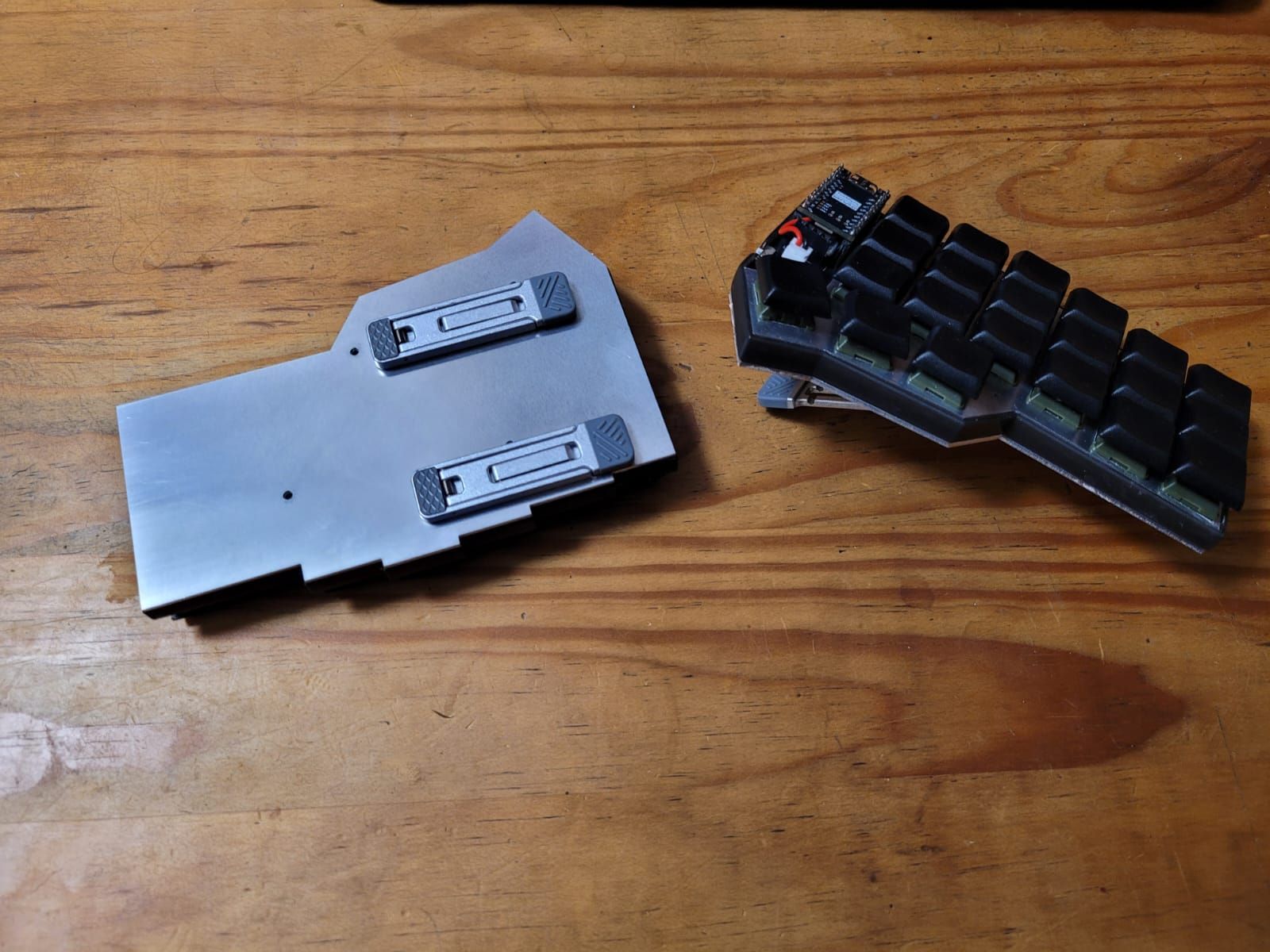
| Bottom Plate | See plate_cut*.dxf / .svg in repo | lazer cut from Aluminimum | ||
| Switch plate | See plate_cut*.dxf / .svg in repo | lazer cut from Aluminimum | ||
| Standoffs + screws | ||||
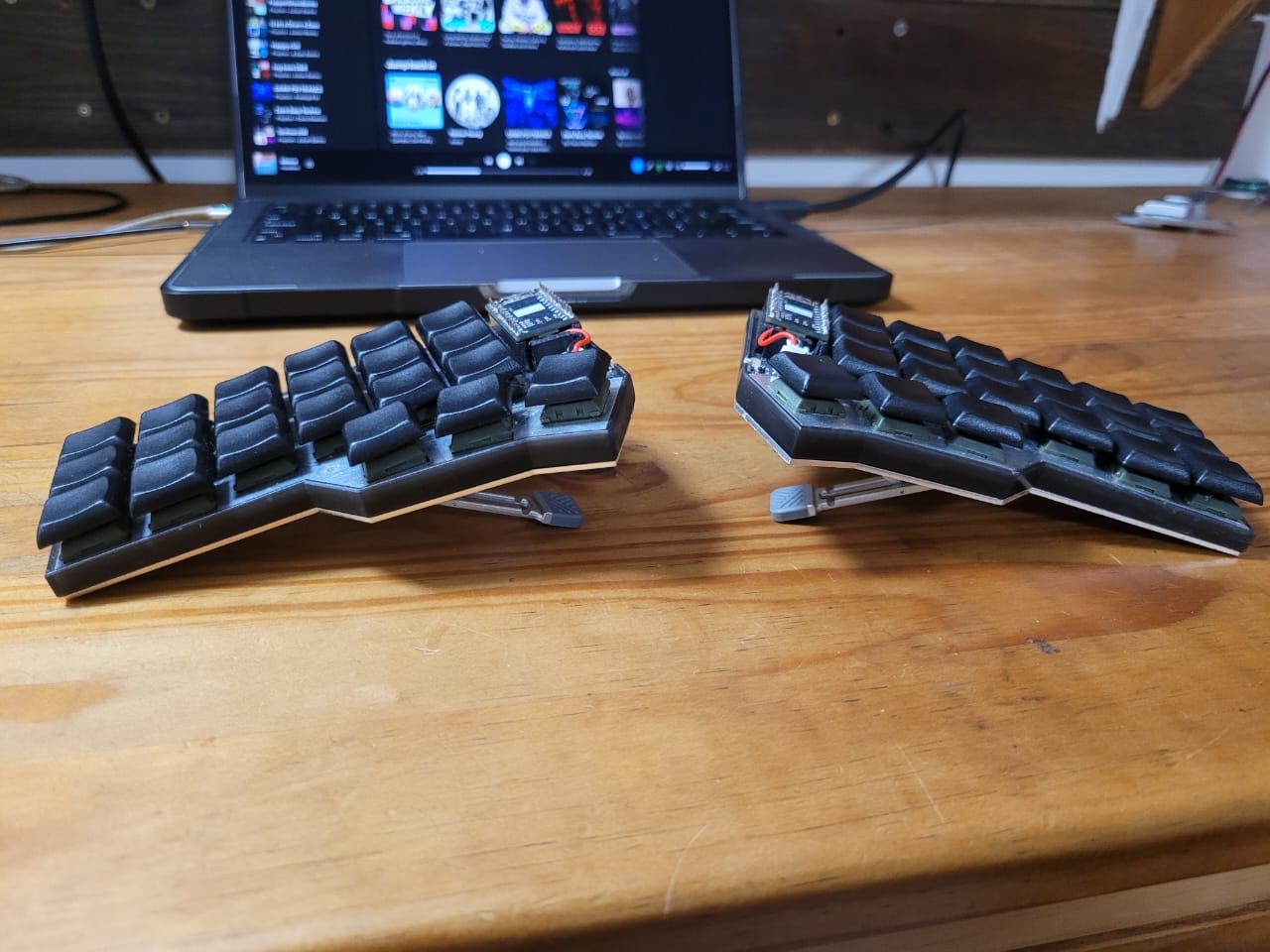
| PK-662 tenting stands |
This board runs ZMK. Firmware is built in the cloud by GitHub Actions — no local toolchain needed. Full guide: zmk.dev/docs/user-setup.
Setup (once):
zmk init) to create your config repo.Cornenice_nano_v2 (the SuperMini nRF52840 is nice!nano-compatible)Configure:
config/corne.keymap — edit layers, combos, behaviors here.config/corne.conf — e.g. enable the OLED and disable RGB:
CONFIG_ZMK_DISPLAY=y
# no underglow / per-key LEDs on this build
Build & flash:
git push → GitHub Actions builds automatically.firmware artifact from the Actions tab — it contains the .uf2 files (one per half, plus a settings_reset)..uf2 onto the USB drive that appears. Repeat for the other half.PCB/ are vendored from this open-source project.PCB/ — pointer to the external Corne Chocoflan PCB design (no source vendored).Laser Cutting/ — switch/plate cut files (.dxf, .svg, .pdf).3D Prints/ — case and cover models (.step, .stl, .f3d), including a custom MK2 chassis and carry case explored during design.images/ — build photos.brainstorming.md — original decision notes and research (kept for history).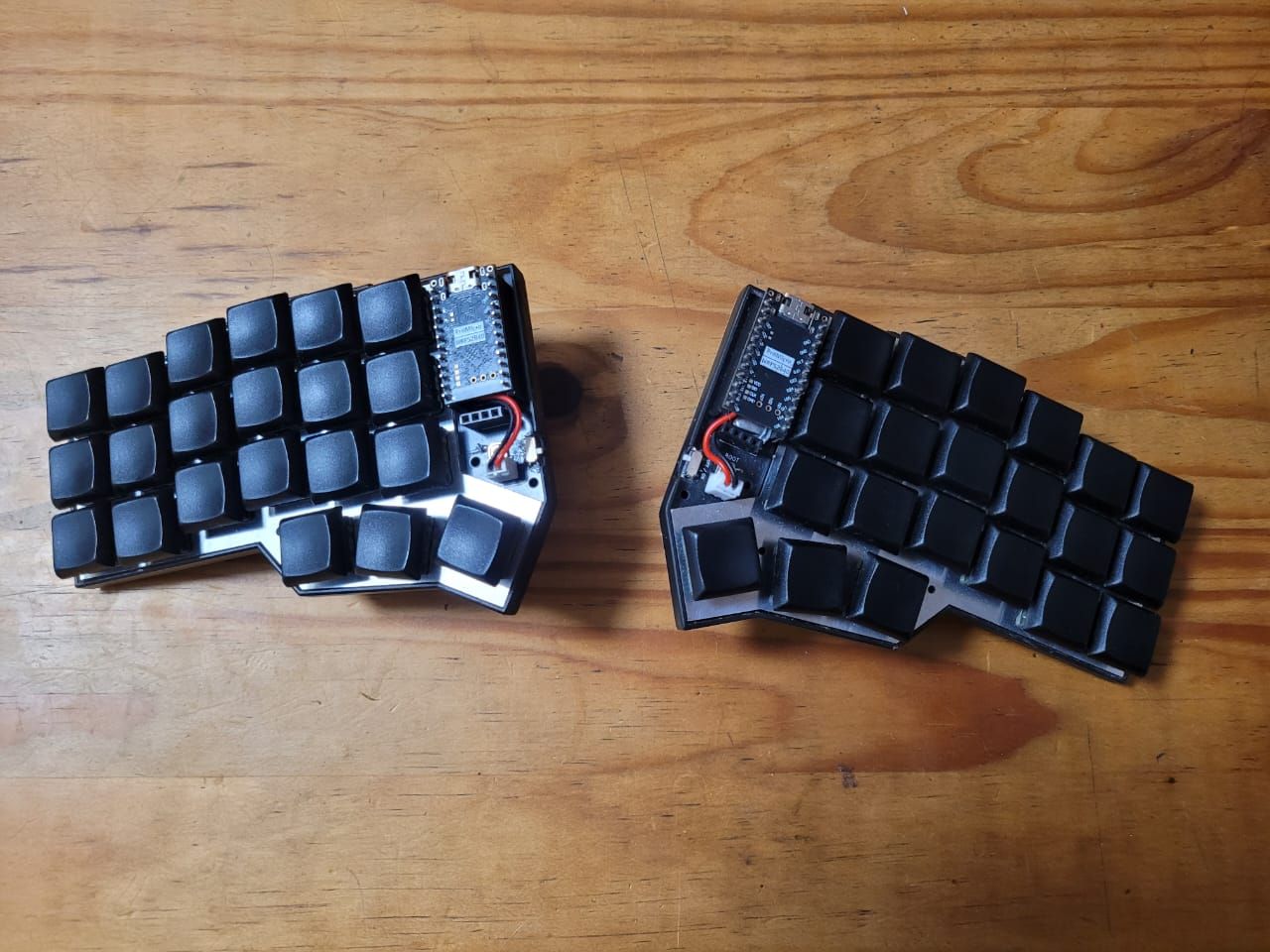
| Qty | Value | Footprint | References |
|---|---|---|---|
| 21 | 1N4148W_L | Diode_SMD:D_SOD-123 | D1, D2, D3, D4, D10, D11, D12, D13, D14, D15, D16, D17, D18, D19, D20, D21 +5 |
| 21 | 1N4148W_R | Diode_SMD:D_SOD-123 | D22, D23, D24, D25, D26, D27, D28, D29, D30, D31, D32, D33, D34, D35, D36, D37 +5 |
| 20 | 1u_L | HorrorTroll_lib:SW_choc_v1_v2_HS_1u_corne | MX1, MX2, MX3, MX4, MX5, MX10, MX11, MX12, MX13, MX14, MX15, MX16, MX17, MX18, MX19, MX20 +4 |
| 20 | 1u_R | HorrorTroll_lib:SW_choc_v1_v2_HS_1u_corne | MX22, MX23, MX24, MX25, MX26, MX27, MX28, MX29, MX30, MX31, MX32, MX33, MX34, MX35, MX36, MX37 +4 |
| 7 | Screw_M2_TH_L | HorrorTroll_lib:M2_HOLE_v2 | TH1, TH2, TH3, TH4, TH5, TH6, TH7 |
| 7 | Screw_M2_TH_R | HorrorTroll_lib:M2_HOLE_v2 | TH10, TH11, TH12, TH13, TH14, TH15, TH16 |
| 4 | Mouse_Bite | HorrorTroll_lib:mousebites_2mm_big_width | M1, M2, M3, M4 |
| 2 | LOGO | HorrorTroll_lib:Ergomech_logo | G***, G*** |
| 2 | Screw_M2_PCB_L | HorrorTroll_lib:M2_HOLE_v2_corne_2.2mm | TH8, TH9 |
| 2 | Screw_M2_PCB_R | HorrorTroll_lib:M2_HOLE_v2_corne_2.2mm | TH17, TH18 |
| 1 | 1.5u_L | HorrorTroll_lib:SW_choc_v1_v2_HS_1.5u_corne | MX21 |
| 1 | 1.5u_R | HorrorTroll_lib:SW_choc_v1_v2_HS_1.5u_corne | MX42 |
| 1 | BOOT_Pin_L | Button_Switch_SMD:SW_SPST_TL3342 | SW2 |
| 1 | BOOT_Pin_R | Button_Switch_SMD:SW_SPST_TL3342 | SW4 |
| 1 | Battery_L | Connector_PinHeader_2.54mm:PinHeader_1x02_P2.54mm_Vertical | J2 |
| 1 | Battery_R | Connector_PinHeader_2.54mm:PinHeader_1x02_P2.54mm_Vertical | J3 |
| 1 | DIP_L | Button_Switch_SMD:SW_SPDT_PCM12 | SW1 |
| 1 | DIP_R | Button_Switch_SMD:SW_SPDT_PCM12 | SW3 |
| 1 | OLED/E-Ink_L | Connector_PinHeader_2.54mm:PinHeader_1x05_P2.54mm_Vertical | J1 |
| 1 | OLED/E-Ink_R | Connector_PinHeader_2.54mm:PinHeader_1x05_P2.54mm_Vertical | J4 |
| 1 | ProMicro_L | HorrorTroll_lib:ProMicro_v3 | U1 |
| 1 | ProMicro_R | HorrorTroll_lib:ProMicro_v3 | U2 |

entropia/Teebeutel-Hardware
Teebeutel (eng. Teabag) is an electronic, Entropia themed con-badge for the GPN20, featuring an ESP32 microprocessor running micropython.

fritzk/kinesis-rgb-pcbs
Kinesis Advantage thumb clusters with sk6812 mini-e leds


makerspacelt/wiscale-hw
This is ESP8266 (ESP-12F) and HX711 based weight monitoring device.

punkfab/pcb-corpus
235 real KiCad boards from open-source hardware repositories, prepared as a placement and routing benchmark

It measures 276.5 × 91.6 mm and has 2 copper layers, 1.6 mm thick.
118 parts, built around the 1N4148WL and 1N4148W RH. The full list of its parts is on this page, with links to each part's symbol and footprint where PCBKit's library has them.
From the Julian-Banks/Corne_choc repository on GitHub, at the commit this page was made from: the board is PCB/Corne-chocoflan/pcb/rev2/corne_chocoflan.kicad_pcb and its schematic PCB/Corne-chocoflan/pcb/rev2/corne_chocoflan.kicad_sch. PCBKit opens the board in the browser, with nothing to install.
Its repository states no licence, so its author keeps all rights: ask Julian-Banks before reusing the design.