2 layers155 × 80 mm

 Fern518/Chesters-Keyboard
A custom build keyboard with an OLED display that shows the current track, and a rotary encoder to control volume and play/pause
Keyboard is an open-source printed circuit board by Fern518, from the Fern518/Chesters-Keyboard repository on GitHub. It is a 2-layer board of 358.1 × 123.2 mm with 171 parts on 142 nets, routed with 982 tracks and 147 vias.
Its parts include 84 diodes, 1 IC and 1 switch. It belongs with the keyboards and input and lEDs and displays boards and the RP2040 boards of this library.
A custom TKL keyboard built for the Hack Club Blueprint program.
It functions as a miniature media dashboard: the display shows the current track (TO BE IMPLEMENTED), the knob controls volume, and the six keys can be bound to any shortcut.
Everything fits together using 4 M3 Bolts and Heatset inserts, one in each corner.
It has 2 separate printed pieces. The base, where the PCB sits, and the top cover, which protects the PCB.
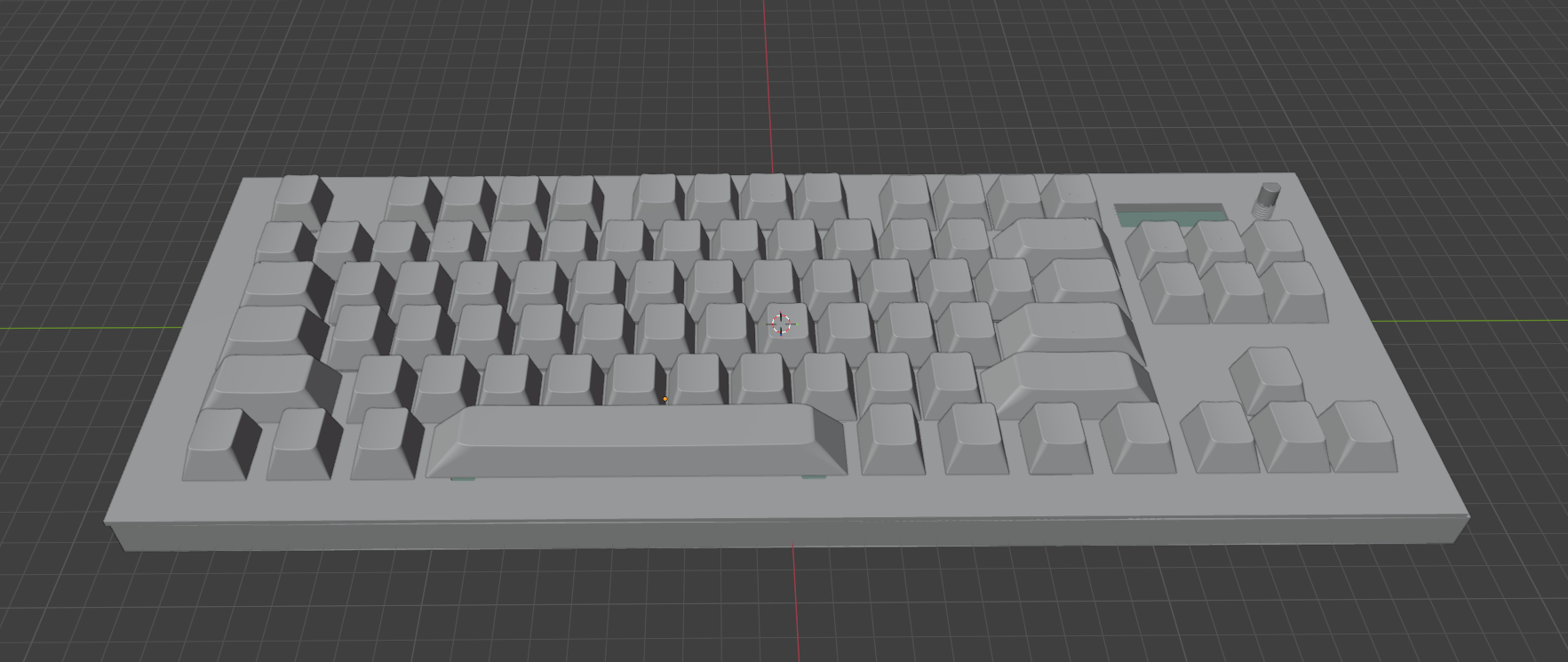
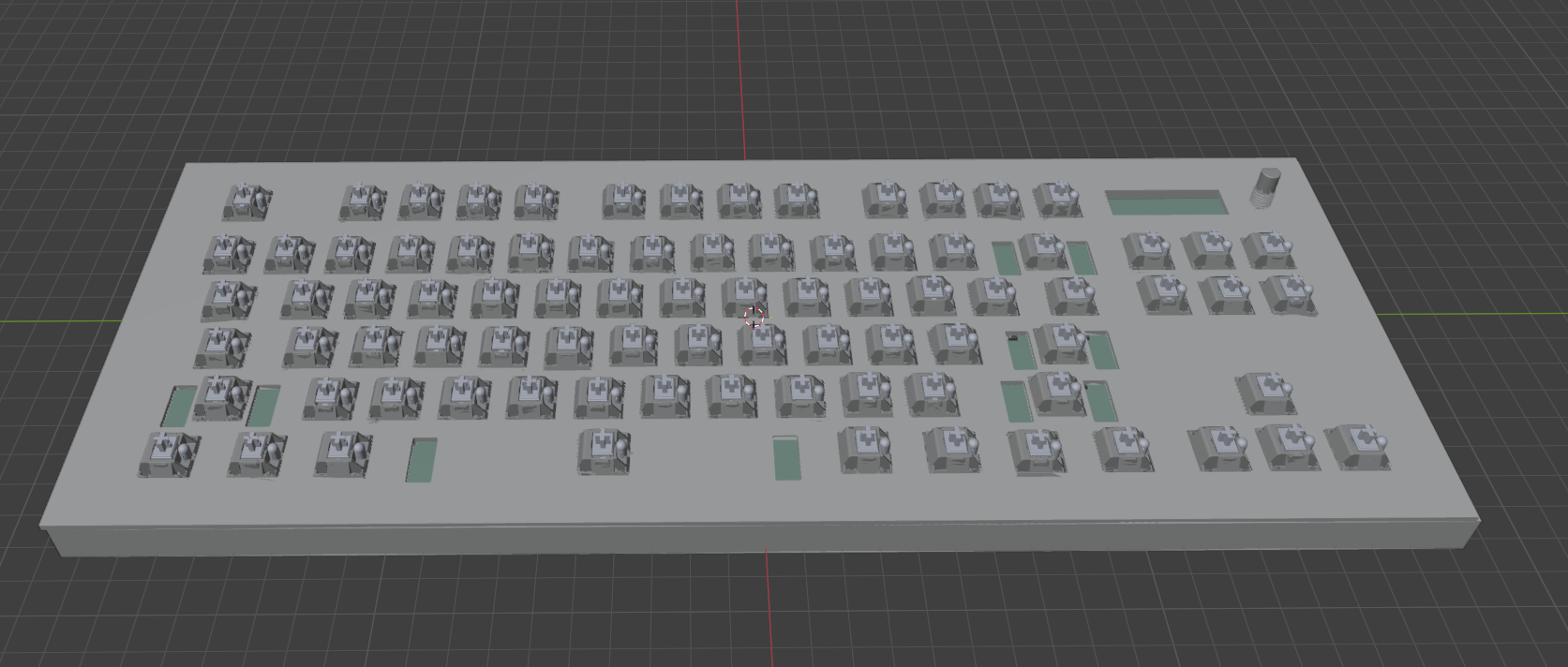
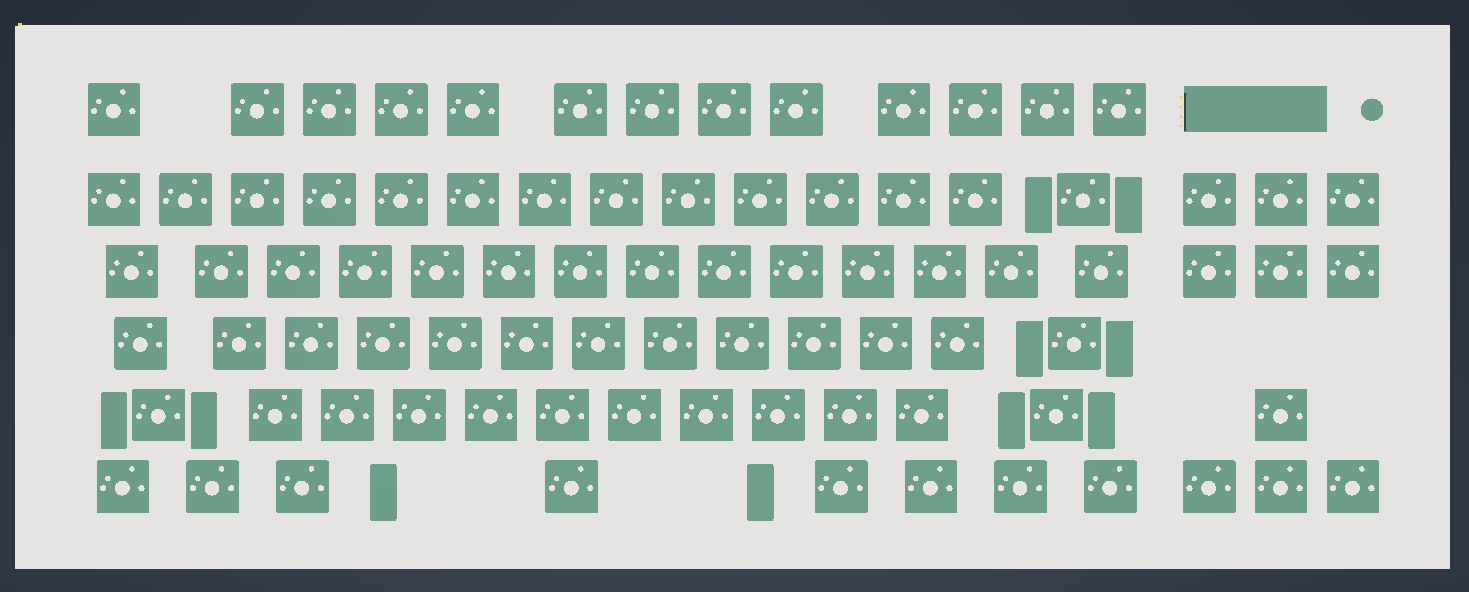
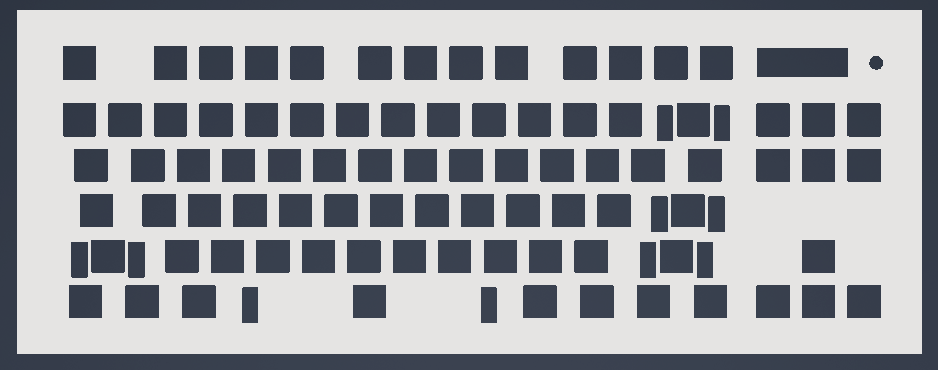
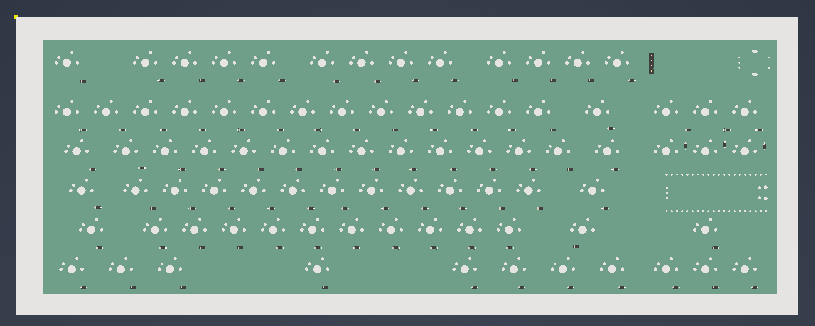
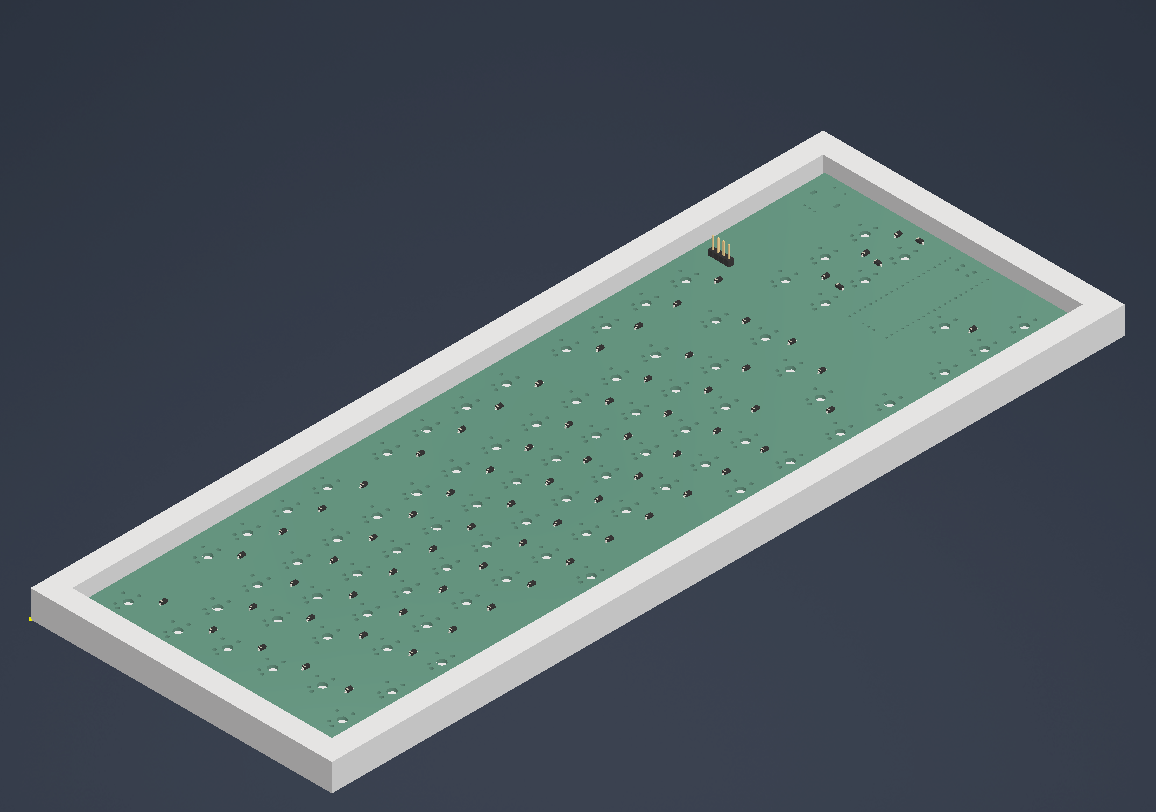
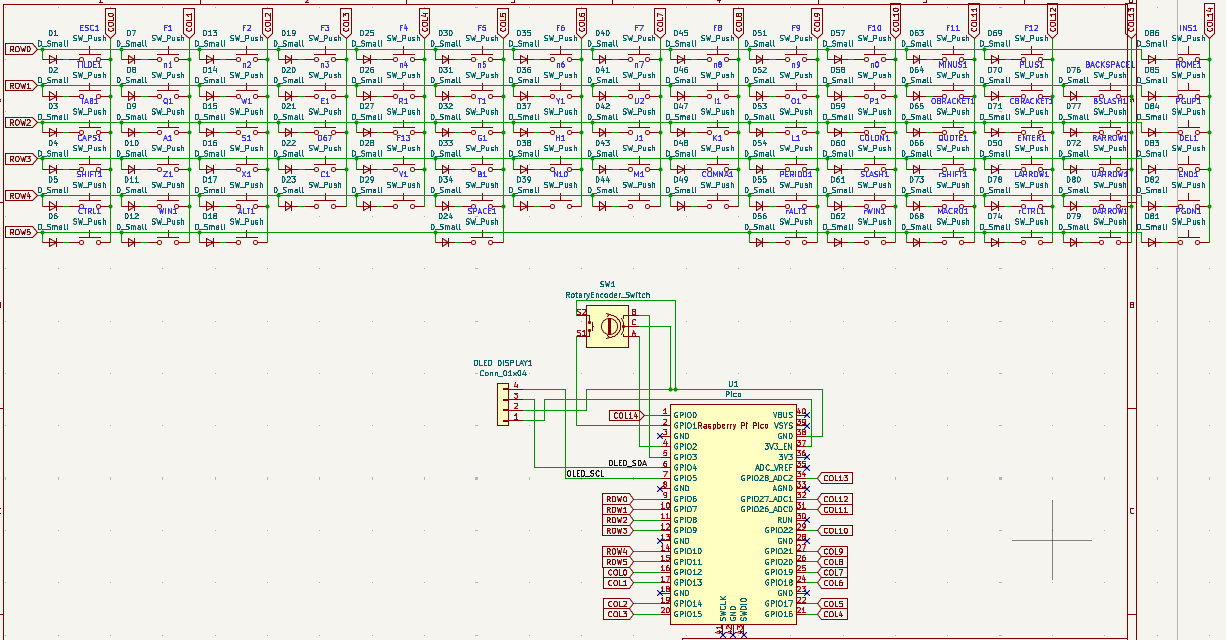
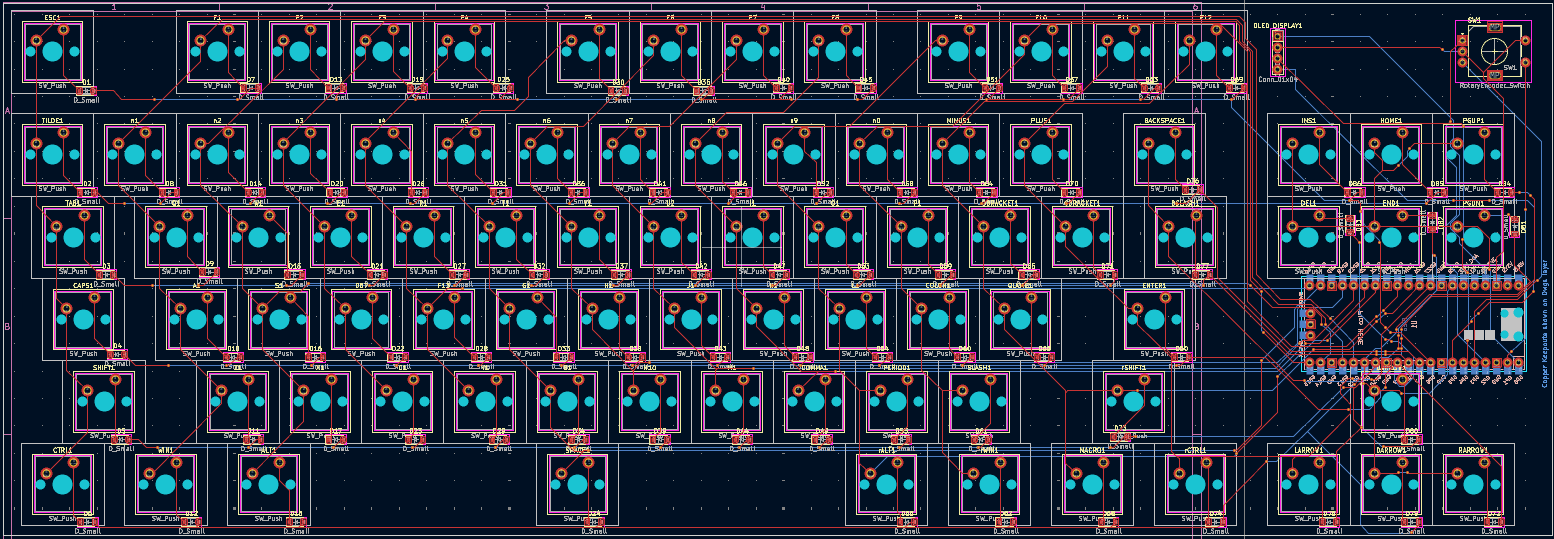
My PCB was designed in KiCad. The rPi Pico is mounted on the bottom of the PCB between the home keys and arrow keys to make it as compact as possible.
Schematic:
PCB:
| Qty | Value | Footprint | References |
|---|---|---|---|
| 84 | D_Small | Diode_SMD:D_SOD-123 | D1, D2, D10, D11, D12, D13, D14, D15, D16, D17, D18, D19, D20, D21, D22, D23 +68 |
| 84 | SW_Push | Button_Switch_Keyboard:SW_Cherry_MX_1.00u_PCB | A1, ALT1, B1, BACKSPACE1, BSLASH1, C1, CAPS1, CBRACKET1, COLON1, COMMA1, CTRL1, D67, DARROW1, DEL1, E1, END1 +68 |
| 1 | Conn_01x04 | Connector_PinHeader_2.54mm:PinHeader_1x04_P2.54mm_Vertical | OLED DISPLAY1 |
| 1 | Pico | MCU_RaspberryPi_and_Boards:RPi_Pico_SMD_TH | U1 |
| 1 | RotaryEncoder_Switch | Rotary_Encoder:RotaryEncoder_Alps_EC11E-Switch_Vertical_H20mm | SW1 |


16n-faderbank/16nx
16nx is a controller for musical instruments. Sixteen faders,MIDI over USB and jack, CV out, and I2C out. Based around RP2040.


Alzymologist/Kampela
Hardware signer and key storage for Substrate ecosystem


mayermakes/00Keyboard
an open source ortholinear BLE keyboard. from scratch, including Firmware, video on element14presents
It measures 358.1 × 123.2 mm and has 2 copper layers, 1.6 mm thick.
171 parts. The full list of its parts is on this page, with links to each part's symbol and footprint where PCBKit's library has them.
From the Fern518/Chesters-Keyboard repository on GitHub, at the commit this page was made from: the board is PCB/keyboard.kicad_pcb and its schematic PCB/KiCad-RP-Pico-main/Test/Test.kicad_sch. PCBKit opens the board in the browser, with nothing to install.
Its repository states no licence, so its author keeps all rights: ask Fern518 before reusing the design.