
4 layers95 × 95 mm
Cube motherboard
willem-pennings/balancing-cube
A cube that balances itself in a corner or edge using reaction wheels
52 parts1.1kGPL-3.0
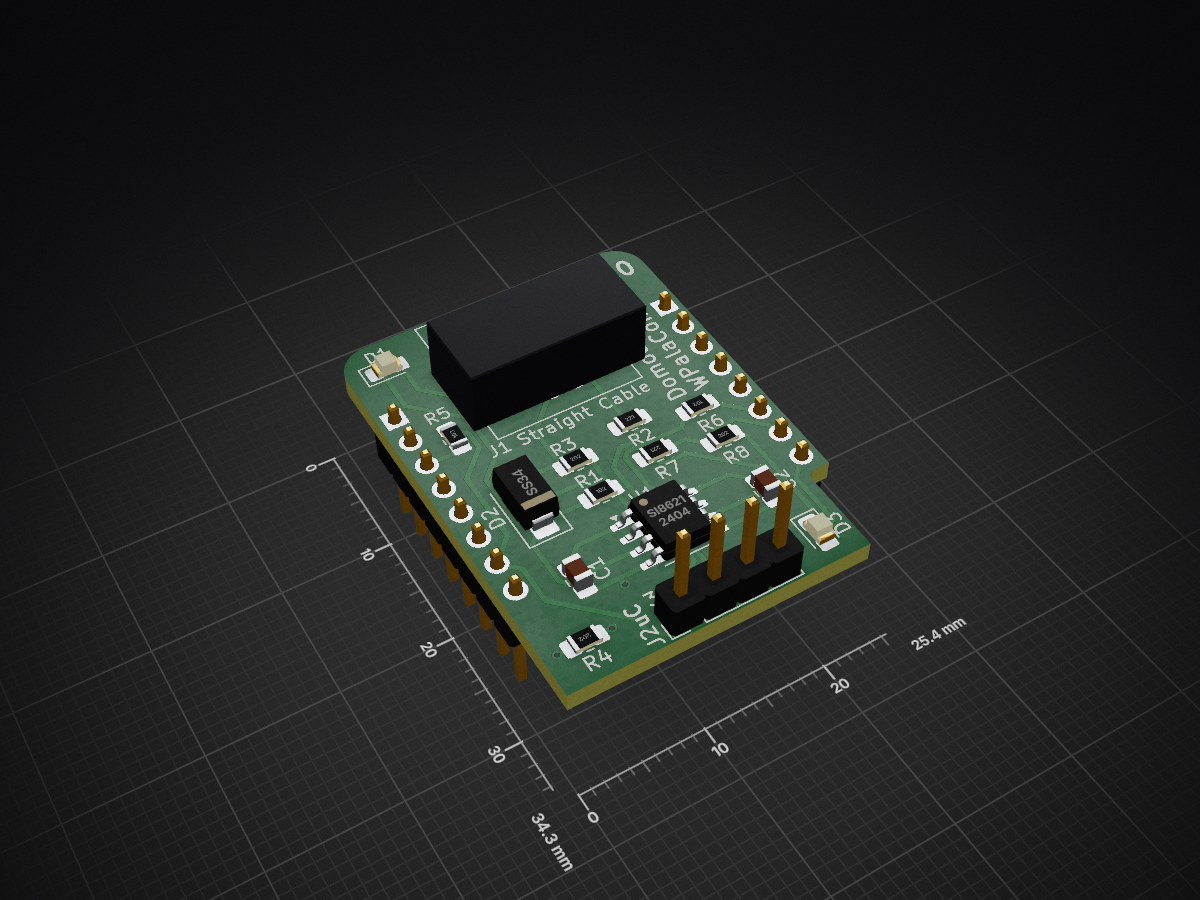
 Domochip/WPalaControl76
D1Mini to replace Palazzetti, Jotul, TurboFonte, Godin stove ConnectionBox
WirelessPalaControl is an open-source printed circuit board by Domochip, from the Domochip/WPalaControl repository on GitHub. It is a 2-layer board of 25.4 × 34.3 mm with 18 parts on 25 nets, routed with 119 tracks and 3 vias.
It is built around the SS34. Its parts include 8 resistors, 4 connectors, 3 diodes, 2 capacitors and 1 IC. It belongs with the home automation and IoT boards of this library.


WPalaControl is a device designed to control and monitor Fumis-based stoves using a D1 Mini.
It allows you to power on/off, adjust the set point, change fan speeds, and retrieve status, alarms, and temperature data from your stove.
It supports native HTTP requests which makes it fully compatible with all existing Palazzetti/Fumis home automation plugins/apps.
It also integrates with MQTT to monitor/control your stove in a much more efficient way.
WPalaControl is compatible with stoves using the Fumis Controller, which is used by many manufacturers, including:
Palazzetti / Jotul / TurboFonte / Godin / Fonte Flamme / Invicta / Casatelli / Alpis / Faizen / HETA / ...
To determine if your stove is compatible with WPalaControl, look for the following Control Panel or Motherboard:
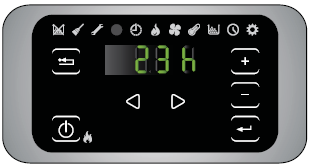
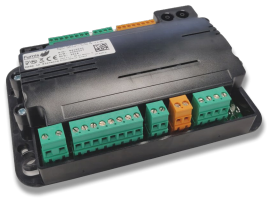
 | MQTT Integration (autodiscovery) Most options and fans control | 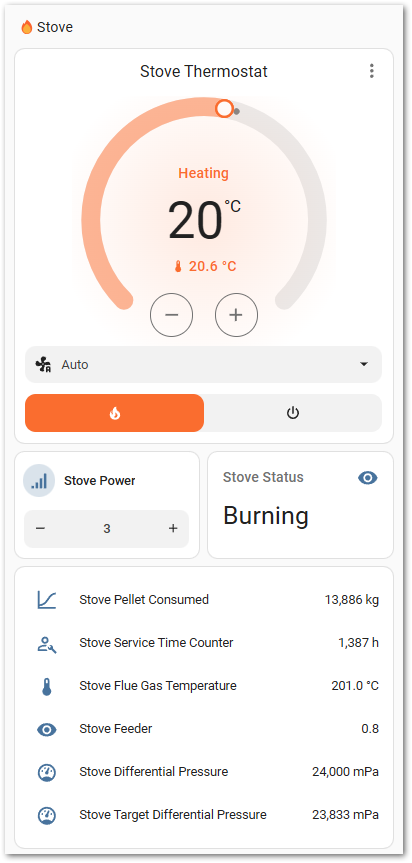 |
|---|---|---|
| Palazzetti Integration (2024.11 minimum) Basic implementation for now | 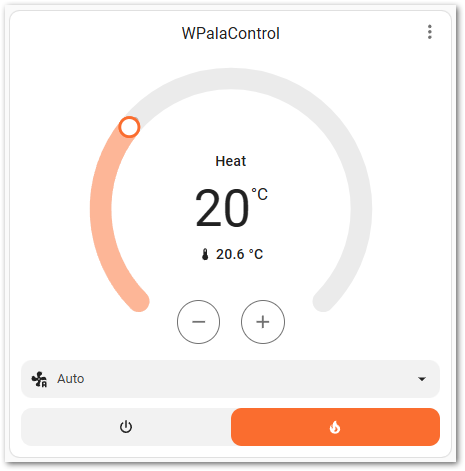 |
 | Palazzetti plugin | 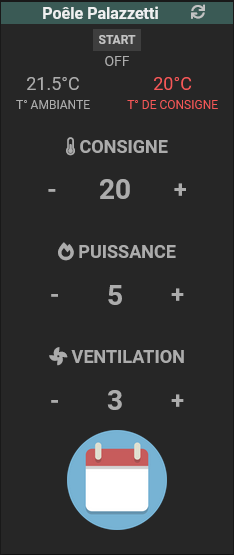 |
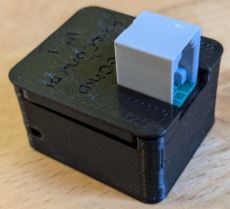
🔧 If you want to build it yourself, you can find all details here : BUILD 🔧
🛍️🚀 Otherwise, I'm producing some small batches and offering it ready-to-use here :

⚠️ Before connecting, please check that you are using the correct cable
For Hardware V1.x: please use a Crossed cable
For Hardware V2.x: please use a Straight cable
(Hardware version is written on the box and on the PCB)
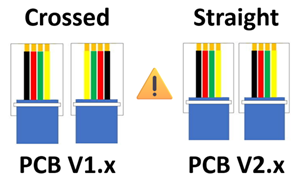
✅If your stove has an accessible RJ12 connector, simply connect the cable.
🔍If not, you'll need an additional cable and a splitter.
➡️ More details can be found in the Splitter Cabling documentation
During the first Boot, the WPalaControl creates its own Wi-Fi network (AP mode)
Firmware version 3.2.0 and higher:
WPalaControlpasswordVersion 3.1.x and lower:
WirelessPalaControlXXXXPasswordPalaControlYou should be automatically redirected to the module page.
If not, go to 👉 http://wpalacontrol.local 👈
Provides useful informations about the module and the stove.
The stove SN appears then followed, 1 minute later, by refreshed stove information
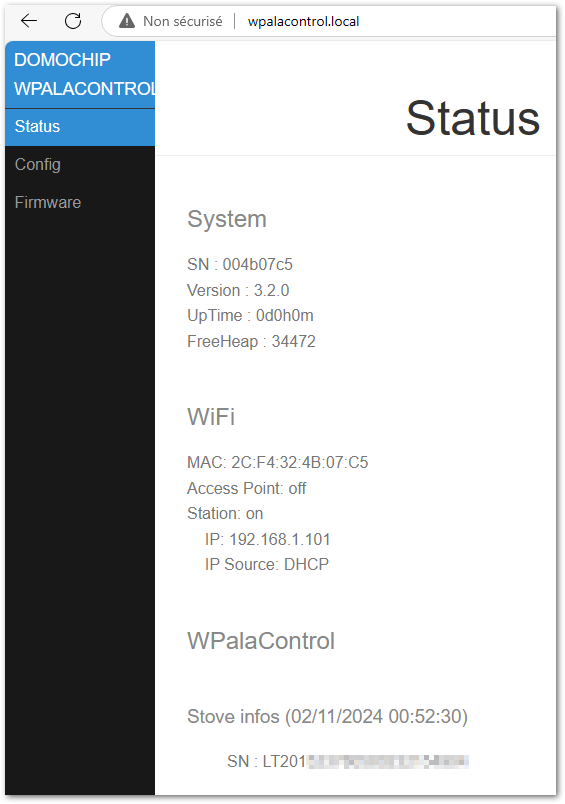
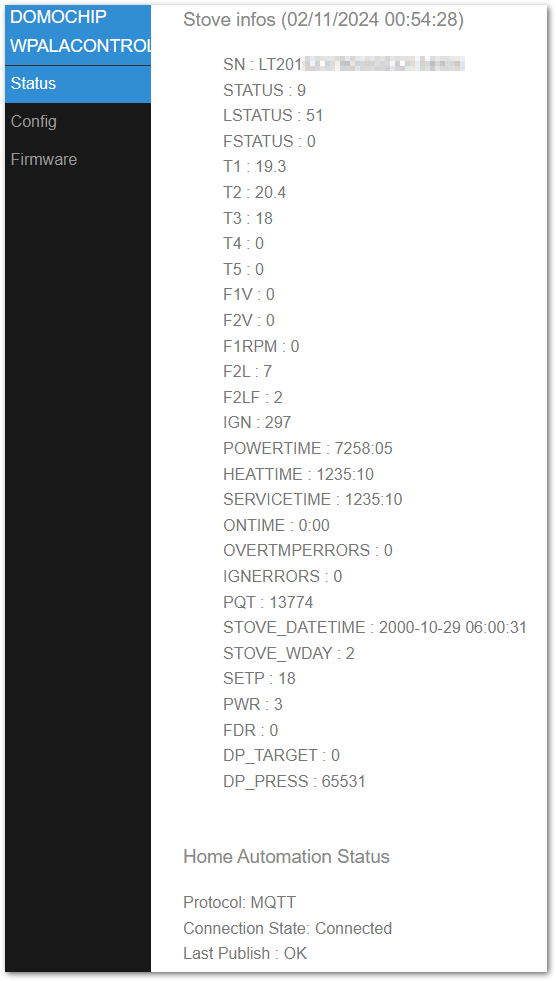
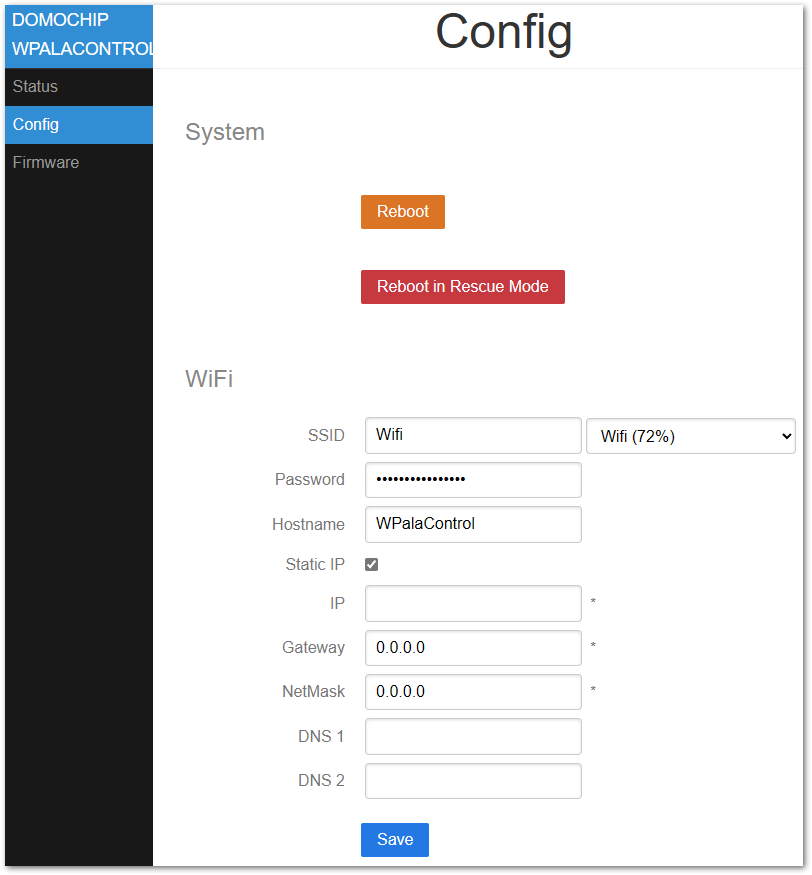
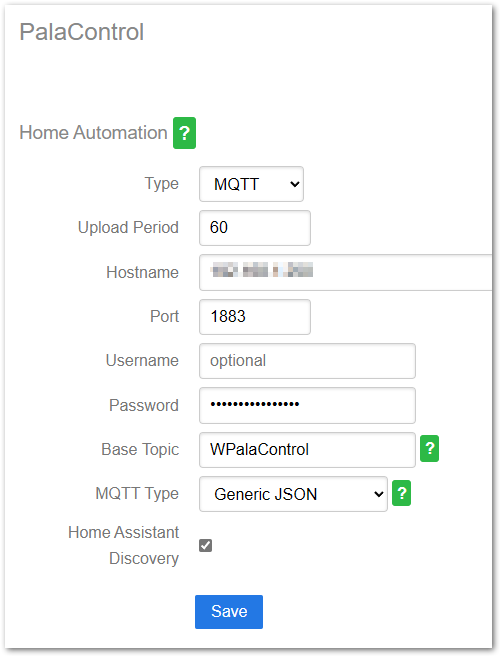
Aallows you to flash a new firmware version directly from GitHub releases or using WPalaControl.*.bin or WirelessPalaControl.*.bin file:
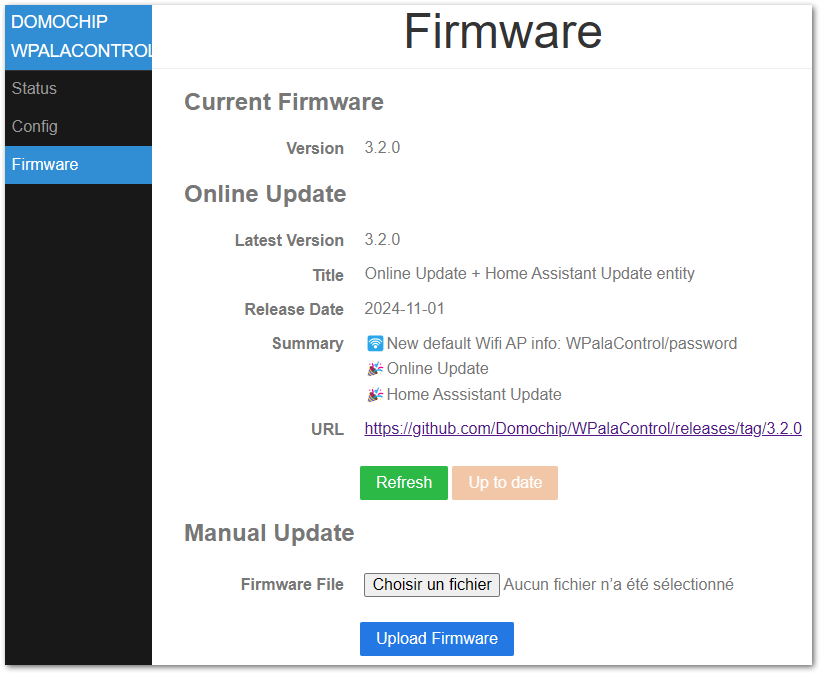
Ensure the module has Internet access and/or DNS configured if IP address is static
Natively, HTTP GET request can be sent directly to the module.
http://wpalacontrol.local/cgi-bin/sendmsg.lua?cmd={command}Send commands via MQTT to %BaseTopic%/cmd topic once MQTT is configured.
Execution result is:
%BaseTopic%/result in JSON formatModule connection status is published to %BaseTopic%/connected:
GET+STDT: get static dataGET+ALLS: get all status dataGET+STAT: get status of the stove⏲️GET+TMPS: get temperatures of the stove⏲️GET+FAND: get Fan values⏲️GET+SETP: get current Set Point (desired temperature)⏲️GET+POWR: get current power (1-5)⏲️GET+CUNT: get some countersGET+CNTR: get some counters (same as GET+CUNT)⏲️GET+DPRS: get delta pressure data⏲️GET+TIME: get stove clock data⏲️GET+IOPT: get IO ports statusGET+SERN: get stove Serial NumberGET+MDVE: get stove model and fw versionGET+CHRD: get chrono dataGET+PARM+92: get parameter (ex : 92=pellet type (1-3))GET+HPAR+57: get hidden parameter (ex : 57=% of pellet to feed for pellet type 3)BKP+PARM+CSV: get all parameters in a CSV file (HTTP only) ✨BKP+PARM+JSON: get all parameters in a JSON file (HTTP only) ✨BKP+HPAR+CSV: get all hidden parameters in a CSV file (HTTP only) ✨BKP+HPAR+JSON: get all hidden parameters in a JSON file (HTTP only) ✨CMD+ON: turn stove ONCMD+OFF: turn stove OFFSET+POWR+3: set power (1-5)SET+PWRU: increase power by 1 unitSET+PWRD: decrease power by 1 unitSET+SETP+20: set Set Point (desired temperature)SET+STPF+19.8: set Set Point with a 0.2° precision (depend of your stove model)✨SET+STPU: increase Set Point by 1 unitSET+STPD: decrease Set Point by 1 unitSET+RFAN+7: set Room Fan value (0-5;6=Max;7=Auto)SET+FN2U: increase Room Fan by 1 unitSET+FN2D: decrease Room Fan by 1 unitSET+FN3L+0: set Room Fan 3 value (0-5)SET+FN4L+0: set Room Fan 4 value (0-5)SET+SLNT+0: set Silent mode value (0-1)SET+TIME+2023-12-28+19:42:00: set stove Date and Time (2000-2099) (1-12) (1-31) (0-23) (0-59) (0-59)SET+CSST+0: set Chrono Status value (0-1)SET+CSTH+2+18: set Chrono Program Start Hour (1-6) (0-23)SET+CSTM+2+30: set Chrono Program Start Minute (1-6) (0-59)SET+CSPH+2+22: set Chrono Program Stop Hour (1-6) (0-23)SET+CSPM+2+45: set Chrono Program Stop Minute (1-6) (0-59)SET+CSET+2+19: set Chrono Program Set Point (1-6) (desired temperature)SET+CDAY+7+3+6: set Chrono Program for week day (Day-Mem-Prog) (1-7) (1-3) (1-6)SET+CPRD+1+19+18+30+22+45: set Chrono Program data (Prog-Temp-StartH-StartM-StopH-StopM) (1-6) (temperature) (0-23) (0-59) (0-23) (0-59)SET+PARM+92+2: set parameter 92 to value 2 (ex : 92=pellet type (1-3))SET+HPAR+57+95: set hidden parameter 57 to value 95 (ex : 57=% of pellet to feed for pellet type 3)⏲️: Published automatically
✨: WPalaControl specific commands
MQTT infos published every "Upload Period":
STATUS, LSTATUS, FSTATUS: status of the stoveT1, T2, T3, T4, T5: temperature of the stoveF1V, F2V, F2L, F2LF, F3L, F4L: fan values (meaning depend of your stove model)IGN: ignition counterIGNERRORS: ignition error counterPOWERTIME: total heating time (hour:minute)HEATTIME: ??? (hour:minute)SERVICETIME: heating time since last maintenance (hour:minute)ONTIME: time from last power ON (hour:minute)OVERTMPERRORS: overtemperature error counterPQT: wood pellet consumptionSTOVE_DATETIME: date of the stoveSTOVE_WDAY: week day of the stoveSETP: current Set Point (desired temperature)SECO: ECO Mode Restart Temperature Threshold (PAR50: 6 -> 0.6°C)BECO: ECO Mode ActivePWR: current power (1-5)FDR: feederDP_TARGET: delta pressure targetDP_PRESS: actual delta pressure| Qty | Value | Footprint | References |
|---|---|---|---|
| 3 | 2K | Resistor_SMD:R_0805_2012Metric_Pad1.20x1.40mm_HandSolder | R3, R4, R8 |
| 2 | 100n | Capacitor_SMD:C_0805_2012Metric_Pad1.18x1.45mm_HandSolder | C1, C2 |
| 2 | 1K | Resistor_SMD:R_0805_2012Metric_Pad1.20x1.40mm_HandSolder | R1, R6 |
| 2 | 220 | Resistor_SMD:R_0805_2012Metric_Pad1.20x1.40mm_HandSolder | R2, R7 |
| 2 | RED | LED_SMD:LED_0805_2012Metric_Pad1.15x1.40mm_HandSolder | D1, D3 |
| 1 | 10K | Resistor_SMD:R_0805_2012Metric_Pad1.20x1.40mm_HandSolder | R5 |
| 1 | 6P4C | MyRJ:Ali_RJ11 | J1 |
| 1 | MCU UART | Connector_PinHeader_2.54mm:PinHeader_1x04_P2.54mm_Vertical | J2 |
| 1 | SI8621 | Package_SO:SOIC-8_3.9x4.9mm_P1.27mm | U1 |
| 1 | SS34 | Diode_SMD:D_SMA | D2 |
| 1 | WeMos_mini_Hat_Left | wemos_d1_mini:WeMos_D1_mini_Hat_Left | J3 |
| 1 | WeMos_mini_Hat_Right | wemos_d1_mini:WeMos_D1_mini_Hat_Right | J4 |
willem-pennings/balancing-cube
A cube that balances itself in a corner or edge using reaction wheels

Arrow-air/project-quiver
Project Quiver documentation, designs, and project artifacts.


Arrow-air/project-caribou
Project Caribou documentation, designs, and project artifacts.

FujiNetWIFI/fujinet-hardware
Schematics and design files for FujiNet hardware


CrashOverride85/zc95
4 channel EStim box inspired by the mk312bt, with Lua scripting support

It measures 25.4 × 34.3 mm and has 2 copper layers, 1.6 mm thick.
18 parts, built around the SS34. The full list of its parts is on this page, with links to each part's symbol and footprint where PCBKit's library has them.
From the Domochip/WPalaControl repository on GitHub, at the commit this page was made from: the board is schematic/WirelessPalaControl.kicad_pcb and its schematic schematic/WirelessPalaControl.kicad_sch. PCBKit opens the board in the browser, with nothing to install.
Its repository states no licence, so its author keeps all rights: ask Domochip before reusing the design.