

2 layers72 × 143.4 mm
Tasta mea
AndreiasM5/IVA_DECK
Custom ESP32 macro keyboard with a KiCad PCB, nine mechanical keys, three audio controls, a PyQt6 desktop app, and a Random Forest behavioral-recognition experiment.
27 parts1

 AndreiasM5/IVA_DECK1
Custom ESP32 macro keyboard with a KiCad PCB, nine mechanical keys, three audio controls, a PyQt6 desktop app, and a Random Forest behavioral-recognition experiment.
Tasta mea is an open-source printed circuit board by AndreiasM5, from the AndreiasM5/IVA_DECK repository on GitHub. It is a 2-layer board of 72 × 143.4 mm with 32 parts on 49 nets, routed with 426 tracks and 83 vias.
It is built around the S8050 and VL53L0X. Its parts include 9 diodes, 9 switches, 2 resistors and 1 transistor. It belongs with the keyboards and input boards and the ESP32 boards of this library.
9 mechanical keys · 3 volume controls · LCD + microSD · USB / Bluetooth · Python + PyQt6
Download Windows app · Install V5 · Demo · Get started · Hardware · Protocol · AI experiment · Română
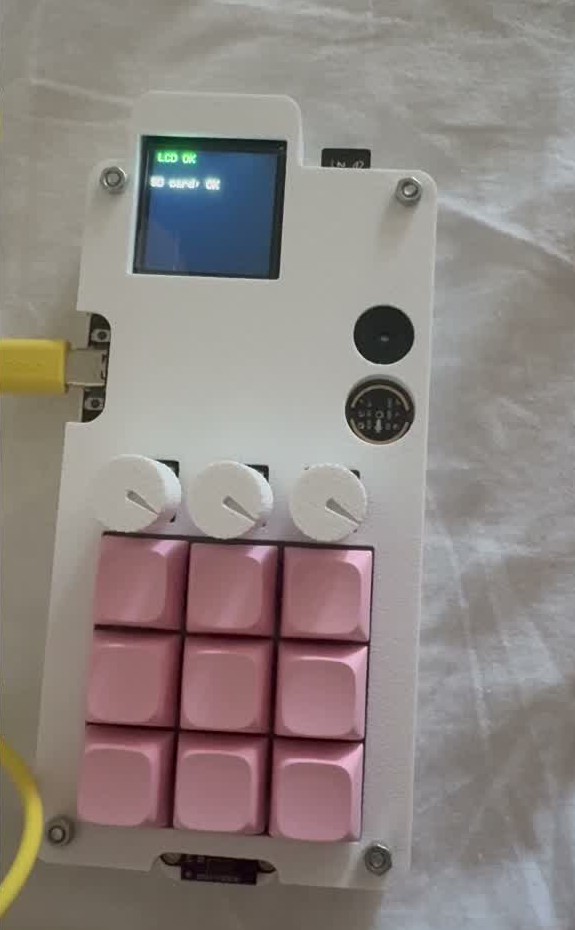
Designed and built by Ioan-Andrei Ivașcu
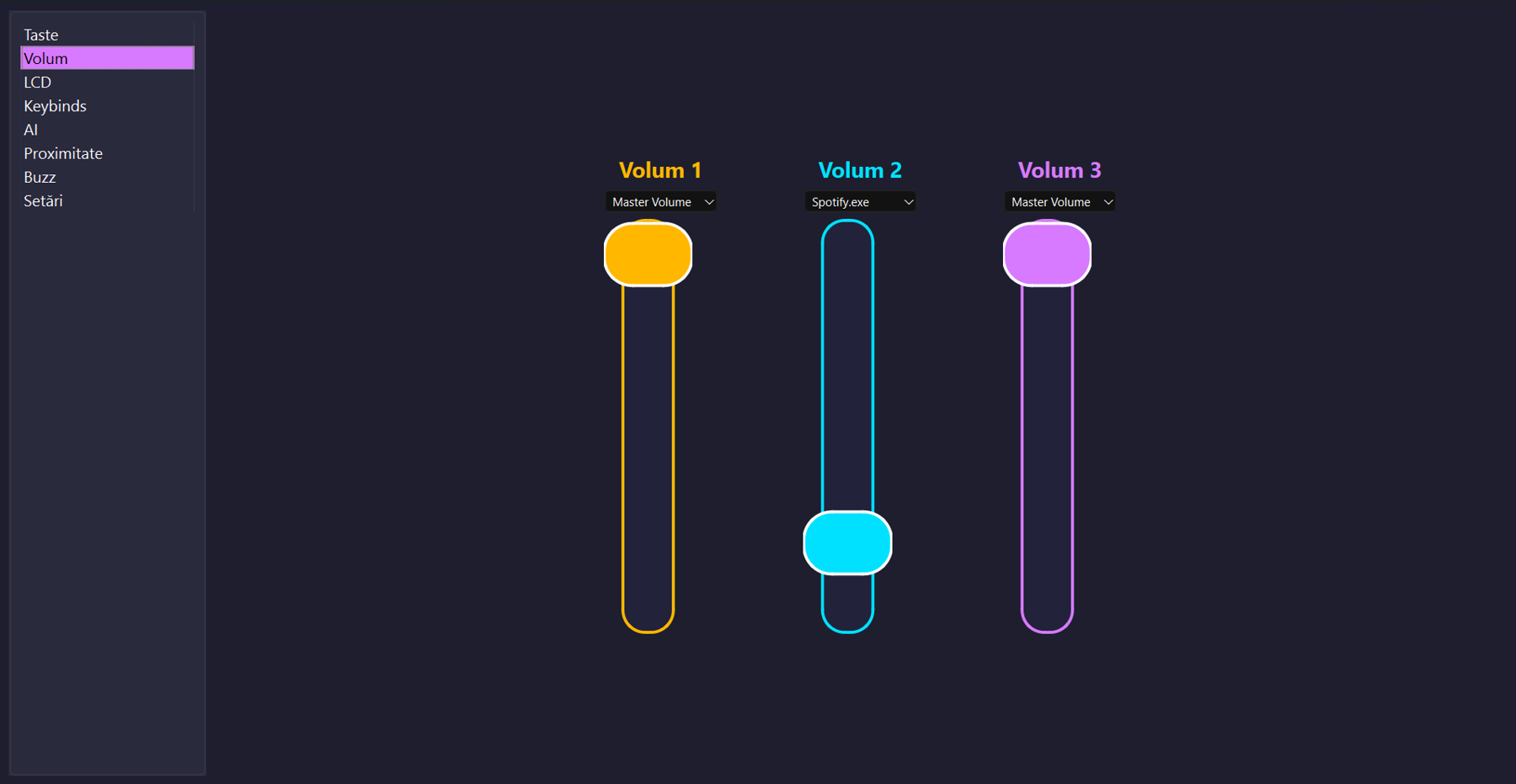
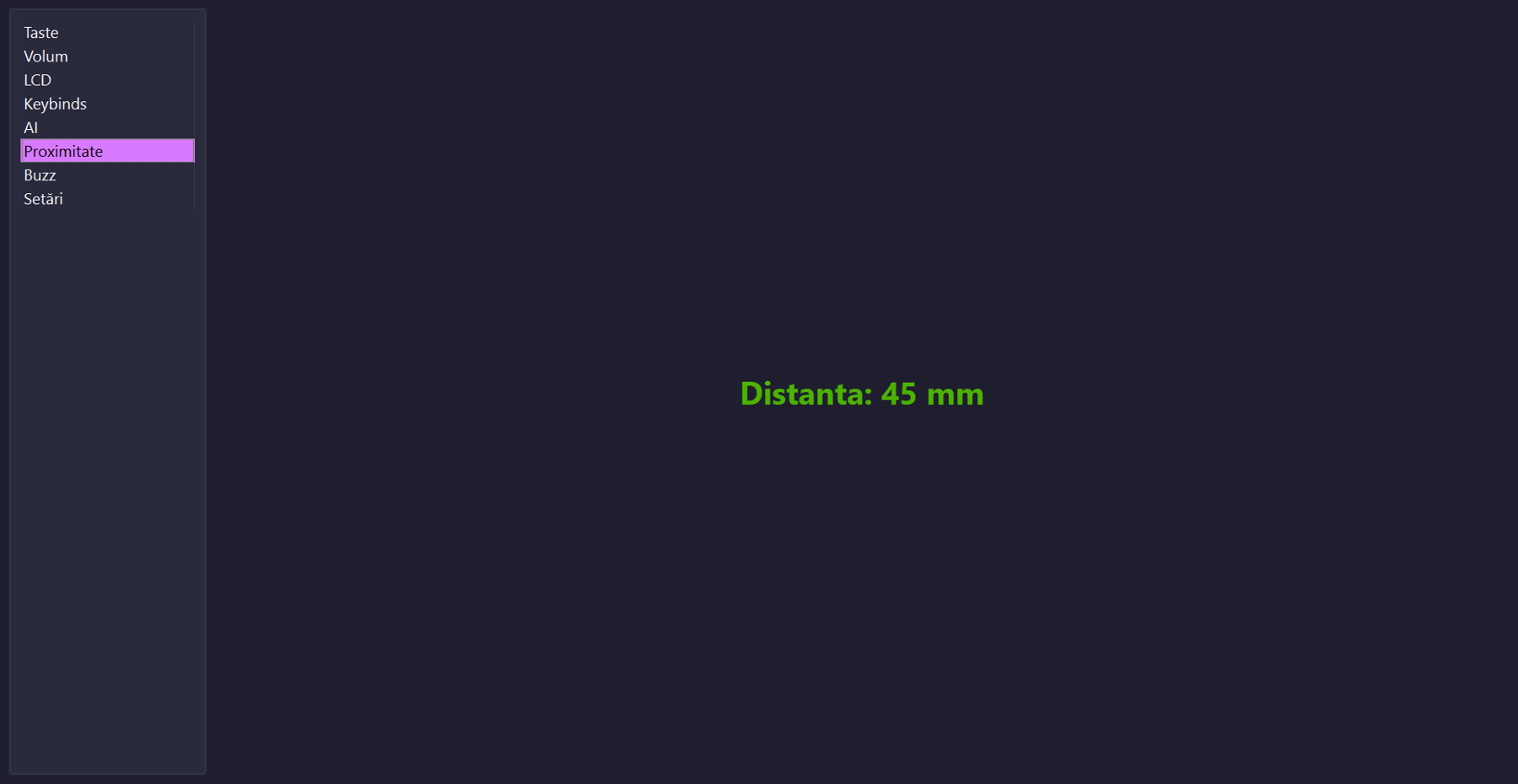
IVA DECK combines a custom PCB, ESP32 electronics, embedded software, a Windows desktop application, and a behavioral recognition experiment. Nine programmable keys handle shortcuts and media actions, three physical knobs control application volume, and the companion app exposes the display, storage, buzzer, and proximity sensor.
The original academic project was presented in June 2025 at the Faculty of Mathematics and Computer Science, University of Bucharest, as “Tastatură Inteligentă cu Recunoaștere Comportamentală asistată de AI.”
Download the Windows installer · Ghid de instalare în română · Source and build instructions
Install IVA-DECK-5.0.0-Setup-x64.exe, pair your deck over Bluetooth or connect USB, then select its port in Conexiune. No separate Python installation is needed. Supports Windows 10 21H2+ / Windows 11 x64.
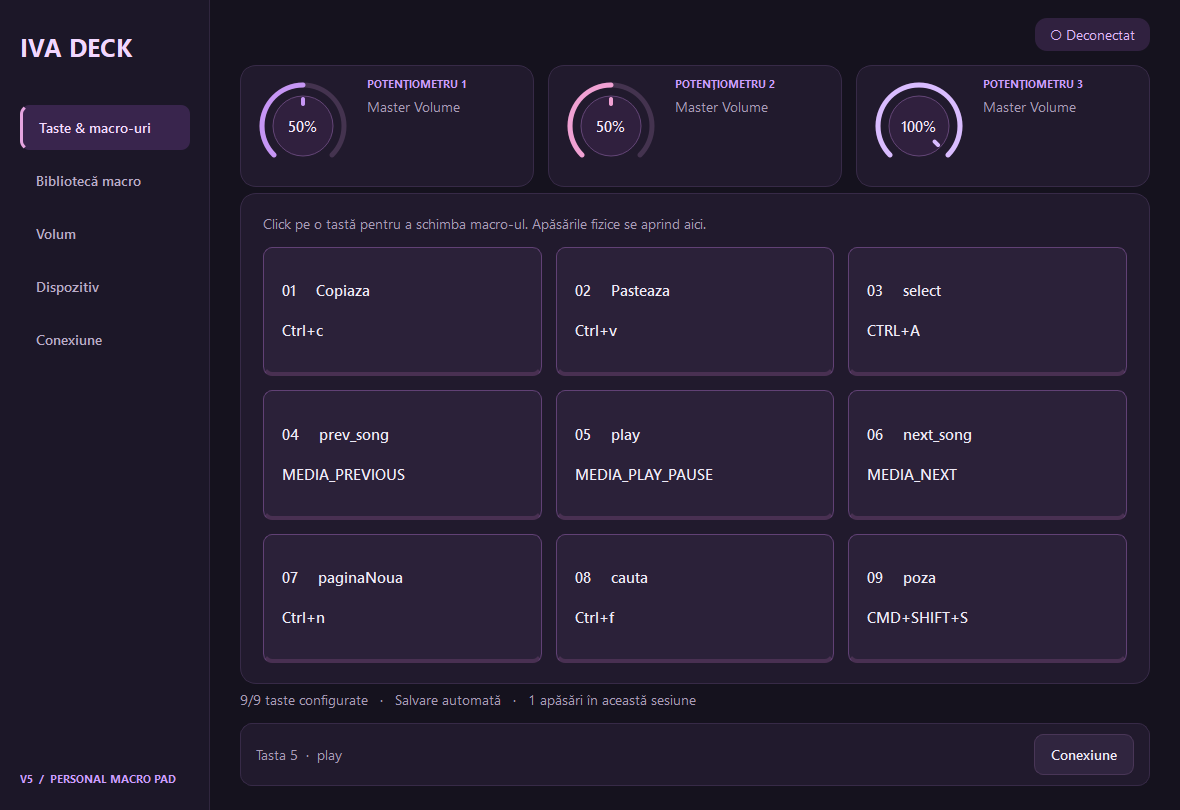
V5 adds a purple/pink interface, macro labels and assignment dialogs, an editable macro library and three animated potentiometers. The Volum page selects audio targets. Macros, audio targets and the last port are saved per user. AI and SD-image workflows are outside this release. V4 and the historical project documentation remain available.
The V5 application is free software under GPLv3. This first installer is unsigned; see the release notes and SHA-256 checksums.
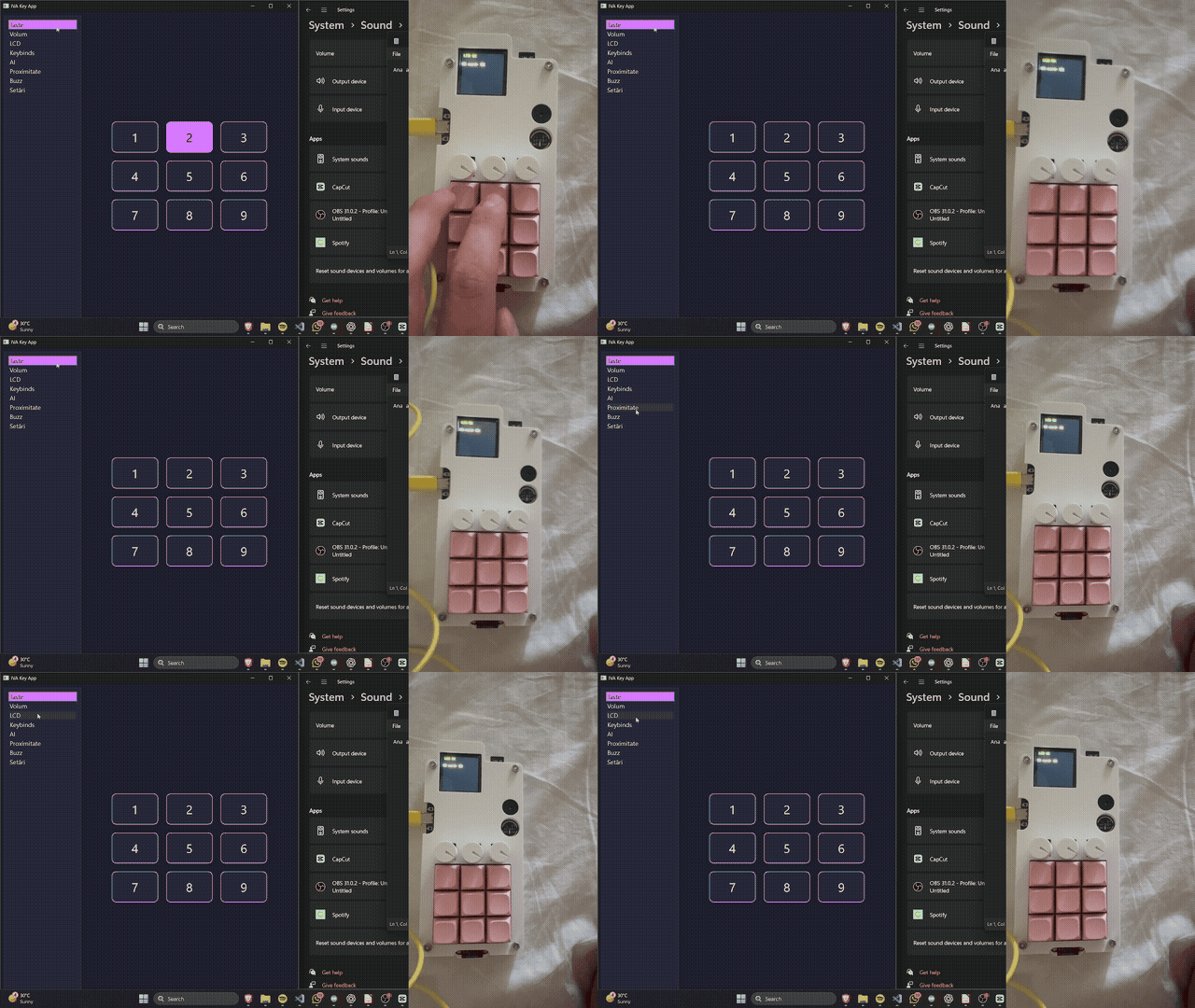
Full demonstration with audio — 2 min 8 sec
The recording shows key presses, macro configuration, audio controls, proximity feedback, display interaction, and behavioral analysis. The GIF is a silent excerpt. Open or download the MP4 for the complete recording.
| Layer | Contribution |
|---|---|
| Hardware | Custom KiCad PCBs, 3×3 key matrix, three potentiometers, peripheral integration, and enclosure |
| Embedded | ESP32 peripheral control and bidirectional serial messaging |
| Desktop | PyQt6 interface for macros, Windows volume control, device commands, and logging |
| AI experiment | Feature extraction and Random Forest recognition using keys, timing, distance, and volume |
| Live keys | Application volume |
|---|---|
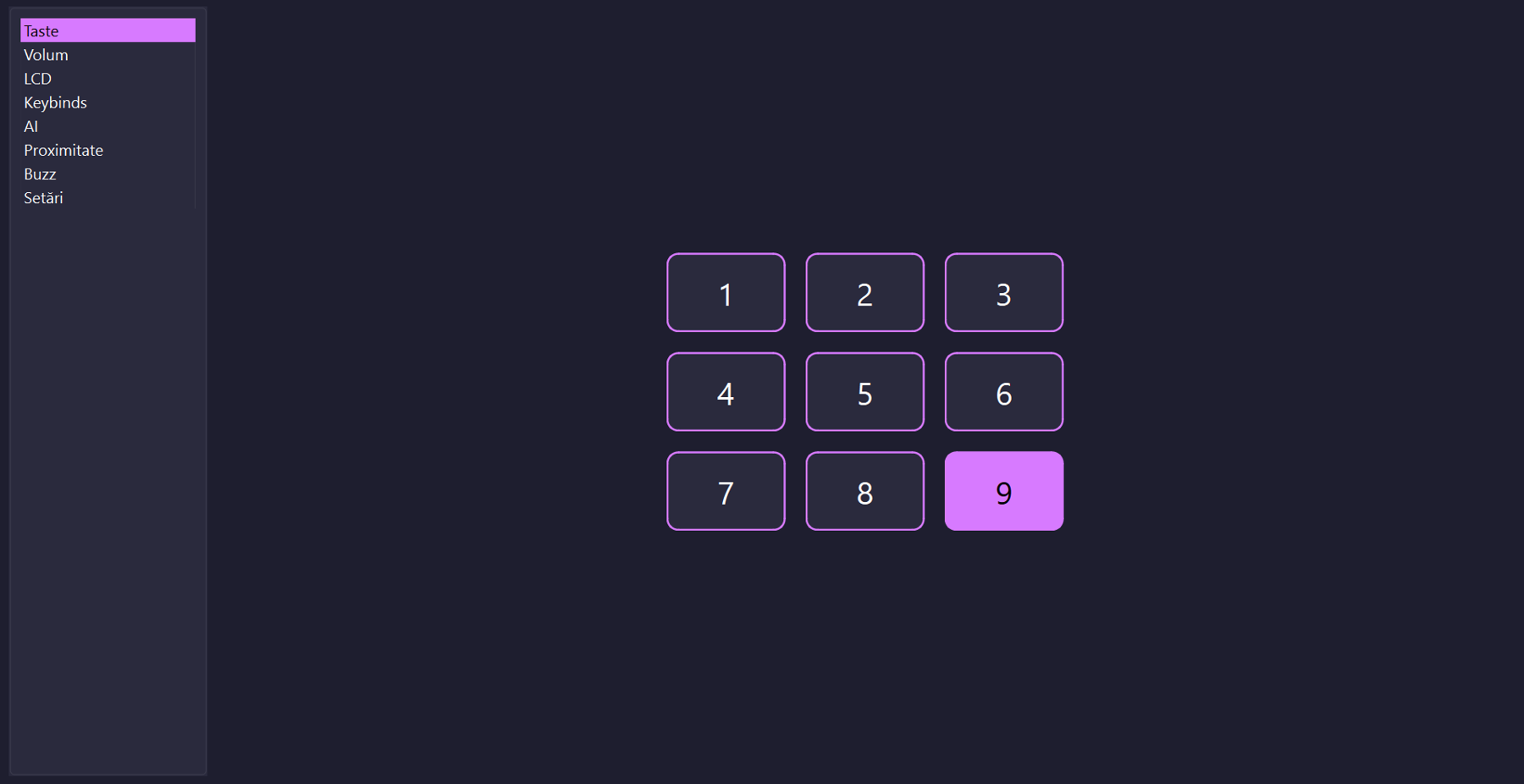 |  |
| Macros | Display and storage |
|---|---|
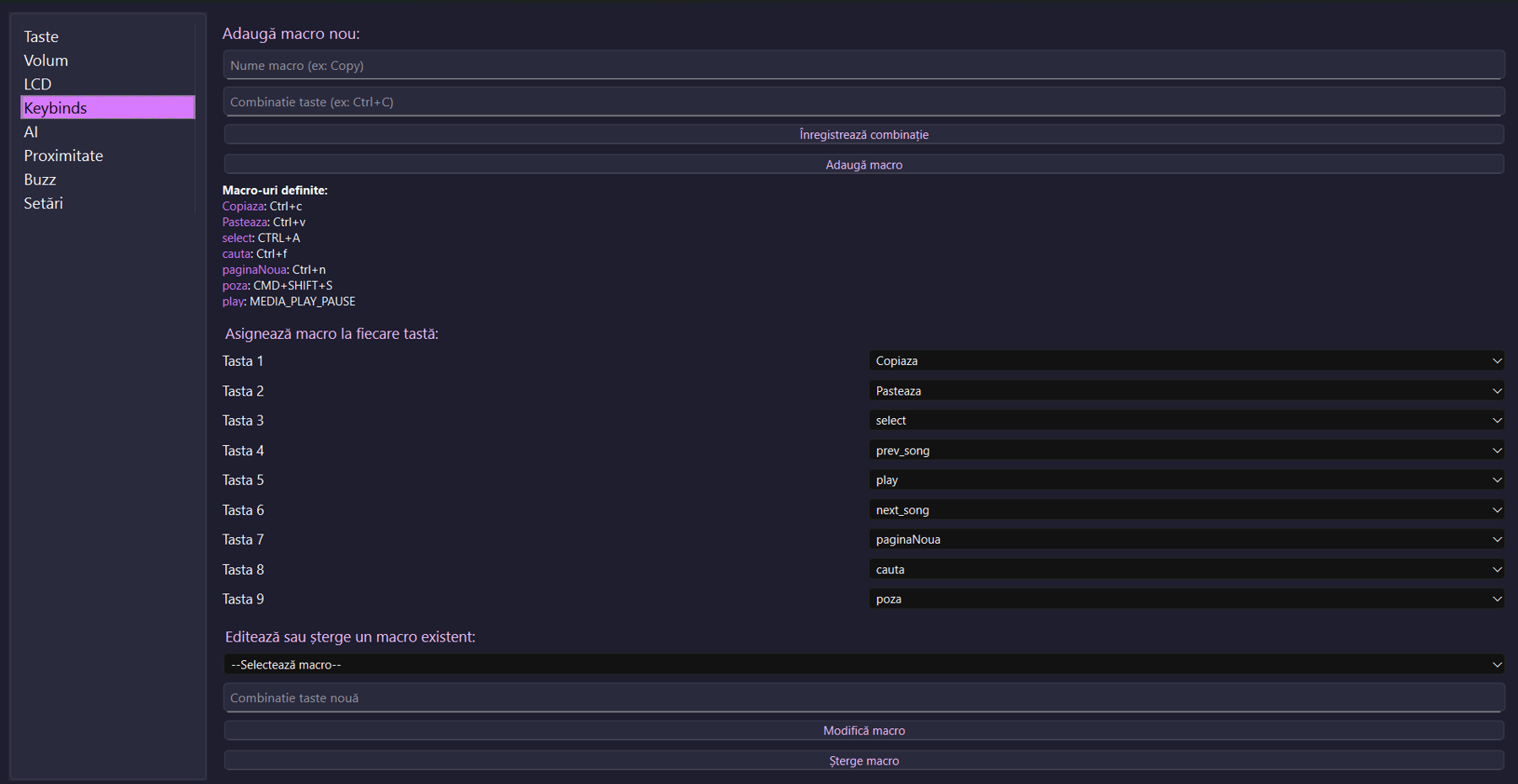 | 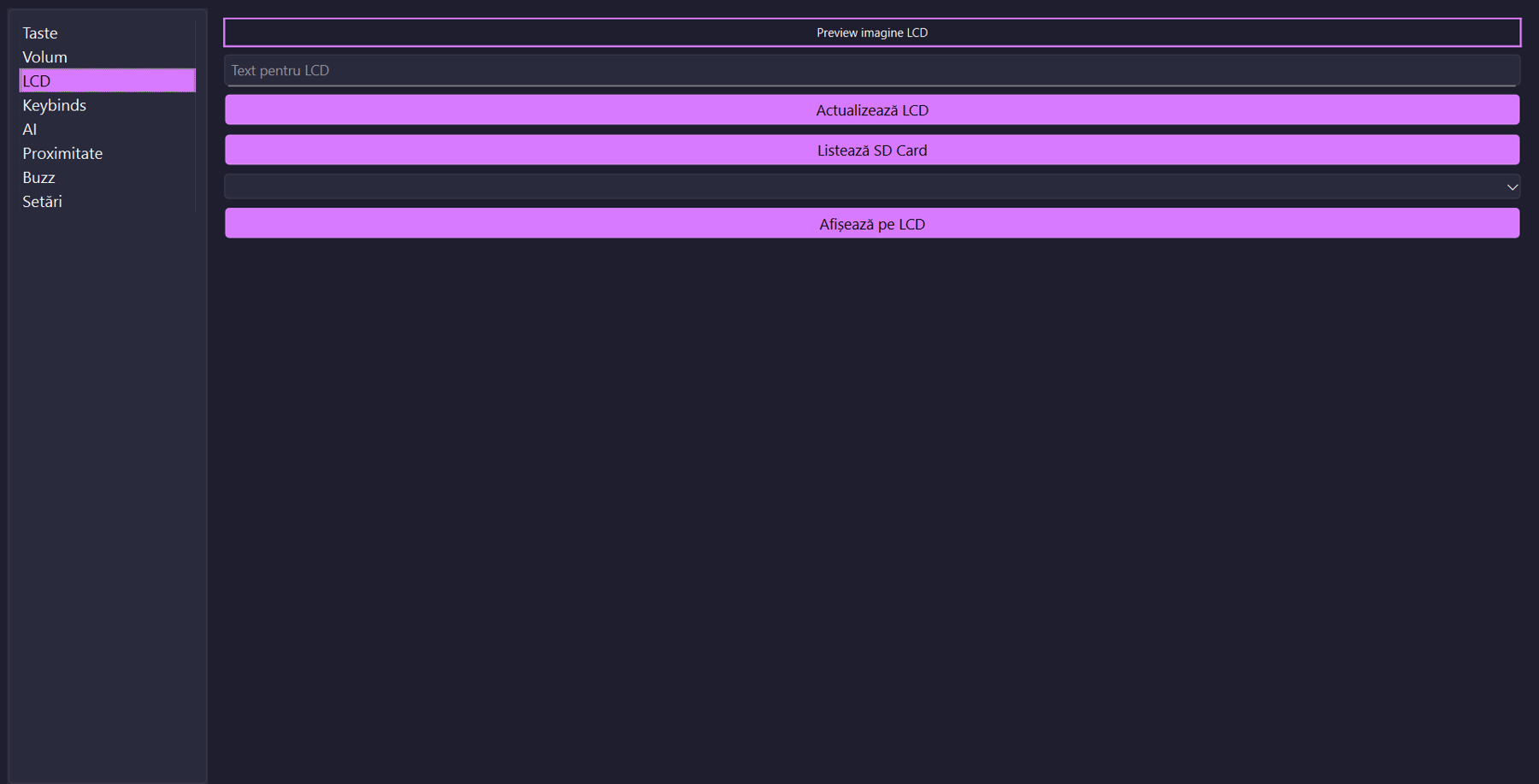 |
The application targets Windows, using pycaw and Windows COM APIs for audio-session control. Its interface is in Romanian.
| Proximity | Connection settings |
|---|---|
 | 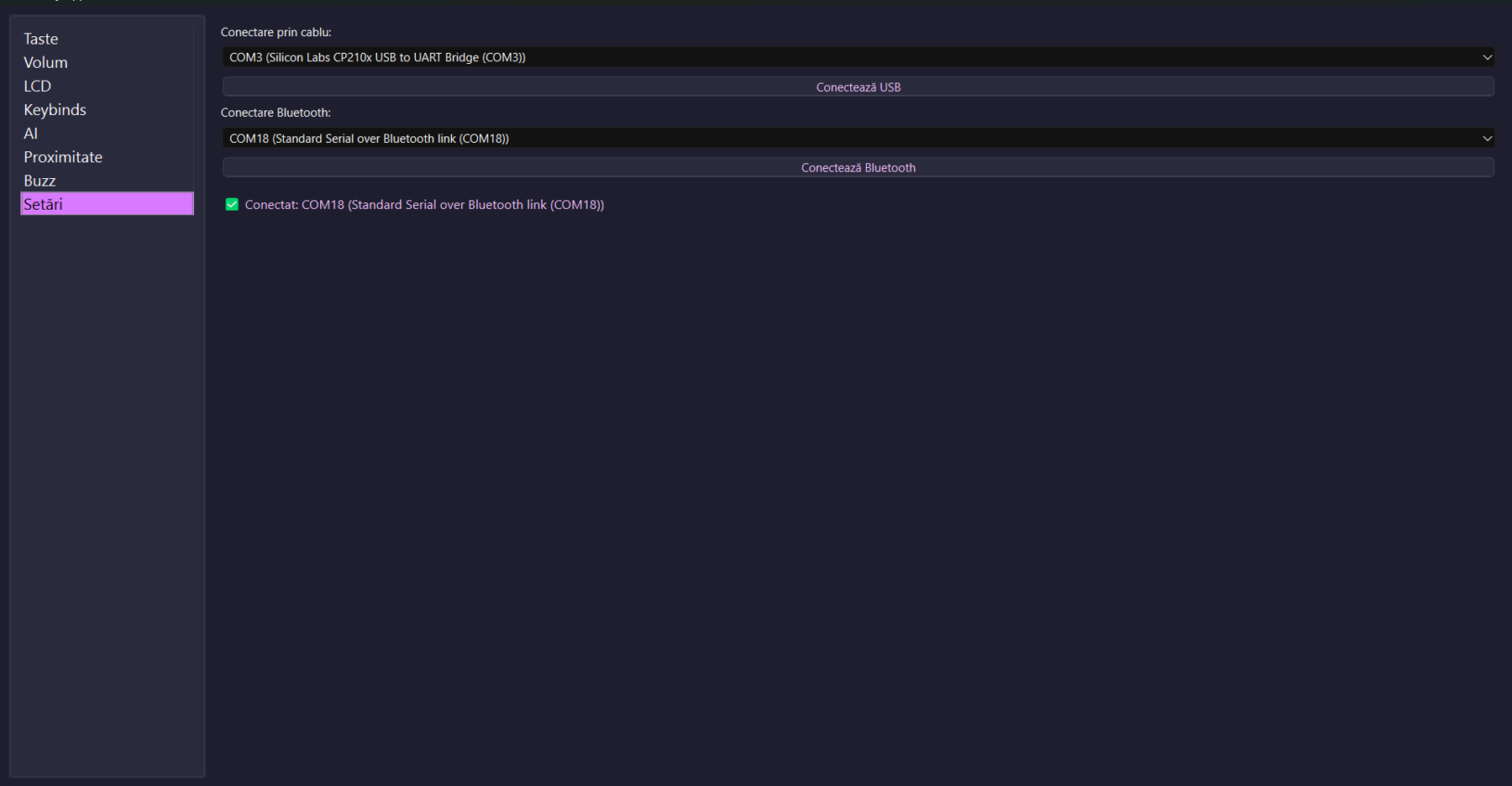 |
flowchart LR
  Keys[3x3 matrix] -->|GPIO| ESP[ESP32]
  Knobs[Three knobs] -->|ADC| ESP
  ToF[VL53L0X] -->|I2C| ESP
  ESP -->|SPI| LCD[ST7789]
  ESP <-->|SPI| SD[microSD]
  ESP --> Buzzer[Buzzer]
  ESP <-->|JSON over USB or Bluetooth serial| App[PyQt6 app]
  App --> Macros[OS macros]
  App --> Audio[Windows audio]
  App --> Logs[Local logs]
  Logs --> Features[Feature extraction]
  Features --> RF[Random Forest]
The INMP441 microphone is included in the hardware design. Full host audio streaming and voice control are unfinished, rather than demonstrated features.
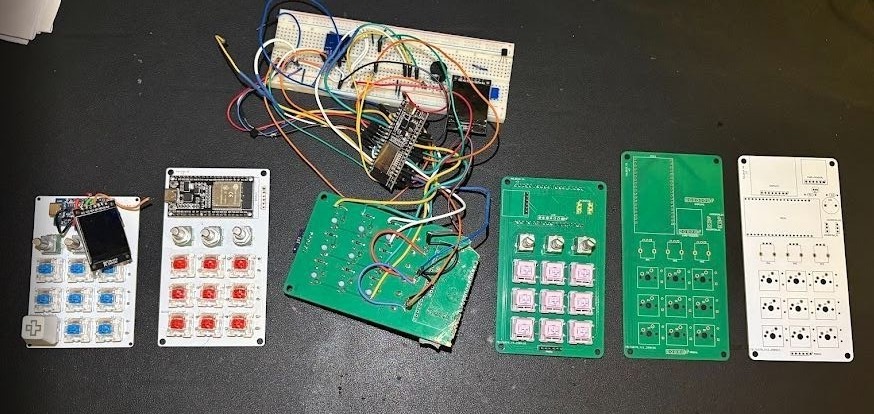
| PCB layout | Enclosure design |
|---|---|
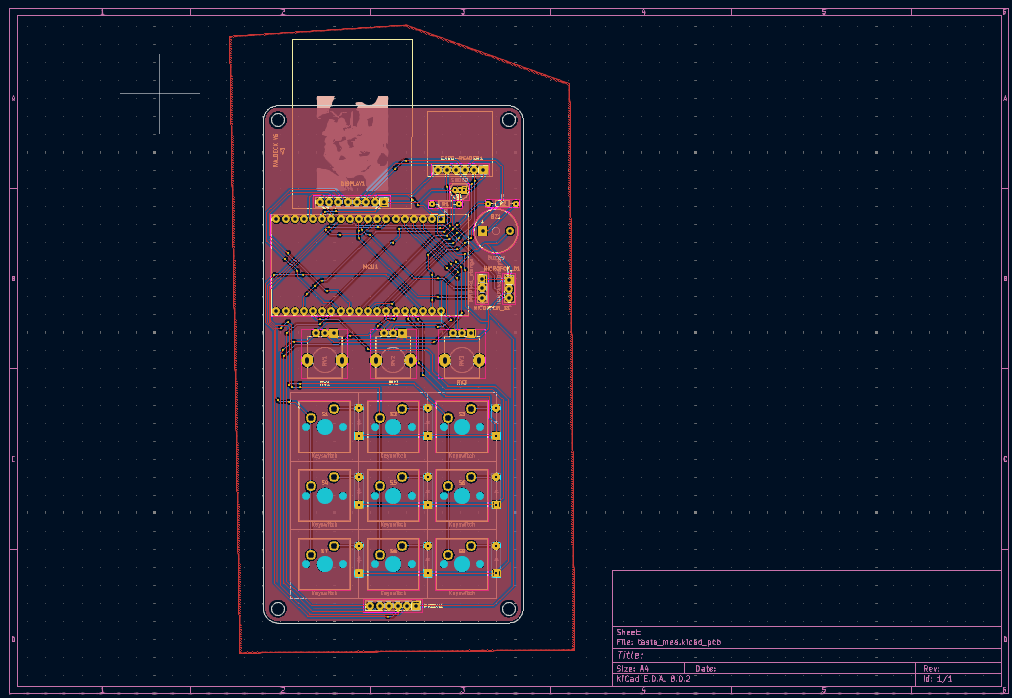 | 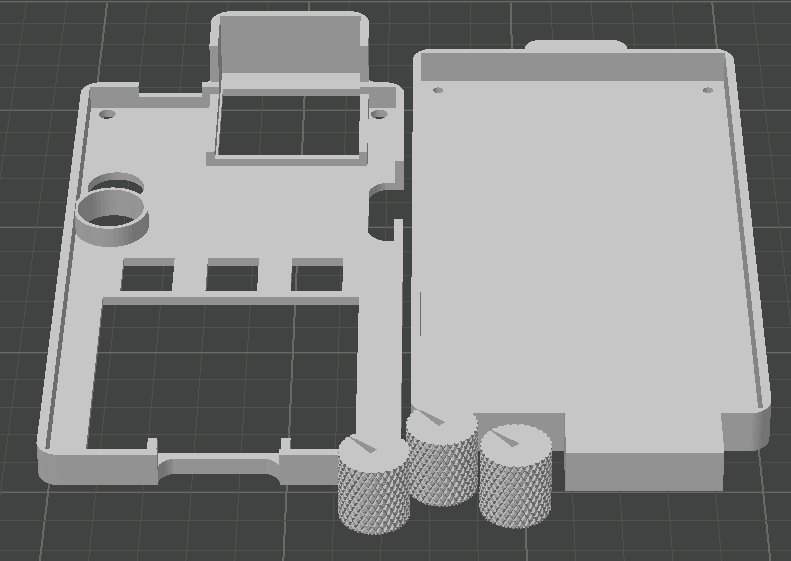 |
Original hardware iterations are preserved. Start with revision v6 and the hardware guide.
| Material | Contents |
|---|---|
| Getting started | Windows installation and connections |
| Desktop source | PyQt6 app and configuration |
| ESP32 v6 | Sketches and firmware status |
| KiCad hardware | Schematics, layouts, and production exports |
| Protocol | Host messages and commands |
| Behavioral recognition | Training workflow and evaluation limits |
| Thesis | Original 52-page Romanian academic documentation |
| Presentation PDF | Romanian defense presentation |
| Editable slides | Original slide deck |
The desktop source, AI script, KiCad projects, and peripheral tests are available. A complete historical ESP32 sketch was recovered from the author's development chat and is included with provenance and compatibility notes. It has not been verified as the exact firmware used in the demo; see the firmware status.
The thesis reports approximately 70% behavioral recognition in its experiment. This is a historical reported result, not a newly reproduced benchmark or an authentication guarantee. See the AI guide.
Documentation and media were checked against the supplied materials and repository source. Fresh hardware operation, firmware compilation, and desktop integration have not been revalidated during this documentation update.
Ioan-Andrei Ivașcu · @AndreiasM5
Custom hardware, firmware development, companion software, and behavioral-recognition research for the original academic project.
| Qty | Value | Footprint | References |
|---|---|---|---|
| 9 | Diode | ScottoKeebs_Scotto:DO-35 | D1, D2, D3, D4, D5, D6, D7, D8, D9 |
| 9 | Keyswitch | ScottoKeebs_MX:MX_PCB_1.00u | S1, S2, S3, S4, S5, S6, S7, S8, S9 |
| 3 | R_Potentiometer | Potentiometer_THT:Potentiometer_Alpha_RD901F-40-00D_Single_Vertical | RV1, RV2, RV3 |
| 2 | R | Resistor_THT:R_Axial_DIN0204_L3.6mm_D1.6mm_P7.62mm_Horizontal | R1, R2 |
| 1 | Buzzer | Buzzer_Beeper:Buzzer_12x9.5RM7.6 | BZ1 |
| 1 | Card_reader | Connector_PinHeader_2.54mm:PinHeader_1x06_P2.54mm_Vertical | CARD-READER1 |
| 1 | ESP32-DEVKITC-32D | esp32:MODULE_ESP32-DEVKITC-32D | MCU1 |
| 1 | IMNP441_Dreapta | Connector_PinHeader_2.54mm:PinHeader_1x03_P2.54mm_Vertical | MICROFON_D1 |
| 1 | IMNP441_stanga | Connector_PinHeader_2.54mm:PinHeader_1x03_P2.54mm_Vertical | MICORFON_S1 |
| 1 | LOGO | esp32:mitzy25 | G*** |
| 1 | S8050 | Package_TO_SOT_THT:TO-92_Inline | Q1 |
| 1 | ST7789 | Connector_PinHeader_2.54mm:PinHeader_1x08_P2.54mm_Vertical | DISPLAY1 |
| 1 | VL53L0X | Connector_PinHeader_2.54mm:PinHeader_1x06_P2.54mm_Vertical | PROXI1 |
AndreiasM5/IVA_DECK
Custom ESP32 macro keyboard with a KiCad PCB, nine mechanical keys, three audio controls, a PyQt6 desktop app, and a Random Forest behavioral-recognition experiment.

AndreiasM5/IVA_DECK
Custom ESP32 macro keyboard with a KiCad PCB, nine mechanical keys, three audio controls, a PyQt6 desktop app, and a Random Forest behavioral-recognition experiment.

AndreiasM5/IVA_DECK
Custom ESP32 macro keyboard with a KiCad PCB, nine mechanical keys, three audio controls, a PyQt6 desktop app, and a Random Forest behavioral-recognition experiment.

AndreiasM5/IVA_DECK
Custom ESP32 macro keyboard with a KiCad PCB, nine mechanical keys, three audio controls, a PyQt6 desktop app, and a Random Forest behavioral-recognition experiment.

jaxfry/Ultimate-Useless-Box
The Ultimate Useless Box, a box that does nothing, with style! Heavily inspired by LuuMa EV3, I wanted my own useless box, until I realized that Lego's Mindstorm is prohibitively expensive.


embedded-purdue/IntelliThings
From IoT to AIoT: ESP32-C6 sensor nodes, Home Assistant and an LLM agent that acts through MCP

festlv/laser-distance-sensor
Laser distance sensor with USB and serial output

Lukikato101/LogiBot
Low-cost autonomous mobile robot (AMR) for warehouse material transport and automation.

project-neon/Esguicho
Neste repositório temos os principais arquivos que usamos para os 3 capítulos, Eletrônica, Mecânica e Software. Segue abaixo uma lista do que temos em cada uma das pastas:
It measures 72 × 143.4 mm and has 2 copper layers, 1.6 mm thick.
32 parts, built around the S8050 and VL53L0X. The full list of its parts is on this page, with links to each part's symbol and footprint where PCBKit's library has them.
From the AndreiasM5/IVA_DECK repository on GitHub, at the commit this page was made from: the board is HARDWARE/v6_esp32/tasta_mea.kicad_pcb and its schematic HARDWARE/v1..2_arduino_micro/tasta_mea.kicad_sch. PCBKit opens the board in the browser, with nothing to install.
Its repository states no licence, so its author keeps all rights: ask AndreiasM5 before reusing the design.