
2 layers299 × 82.5 mm
PixelWave
hackclub/OnBoard
💡 Join 1,000 teenagers and make your first PCB with a $100 grant!
663 parts915

 ANYplays77/ANYDECK-Macropad6
ANYDECK is a compact, open-source 6-key mechanical macropad built around the Seeed Studio XIAO RP2040. Featuring dual rotary encoders, a built-in OLED display, and customizable RGB lighting, it's the perfect desktop companion to streamline your workflow and control your media.
Pcb (.pcb) is an open-source printed circuit board by ANYplays77, from the ANYplays77/ANYDECK-Macropad repository on GitHub. It is a 2-layer board of 99.7 × 65.2 mm with 20 parts on 24 nets, routed with 192 tracks and 4 vias.
It is built around the SK6812. Its parts include 10 diodes, 8 switches, 1 IC and 1 connector. It belongs with the lEDs and displays and keyboards and input boards and the RP2040 boards of this library.
ANYDECK is a 6-key mechanical macropad I designed to be simple and useful. It uses a XIAO RP2040 controller and features two rotary encoders, a small OLED screen, and RGB lighting.
The goal was to make a sturdy desktop tool that is easy to build for managing shortcuts or volume.
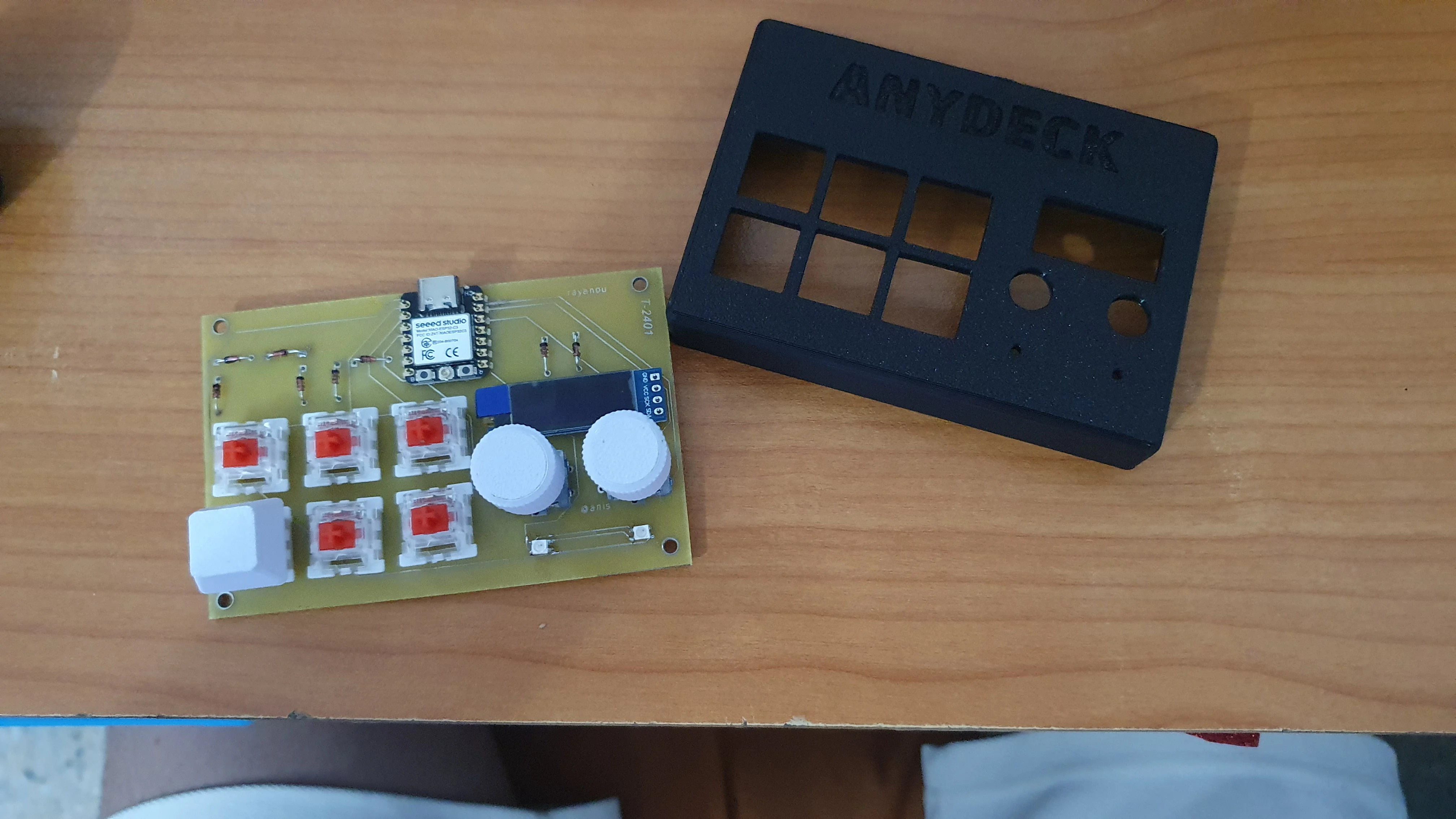
This is a photo of the finished macropad inside its 3D printed case.
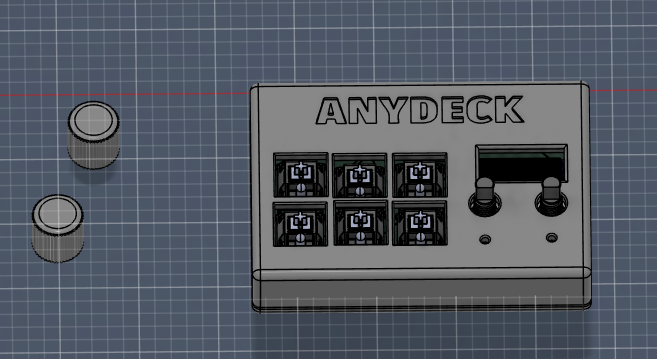
The build uses a XIAO RP2040. The keys are wired with diodes to prevent signal conflicts.
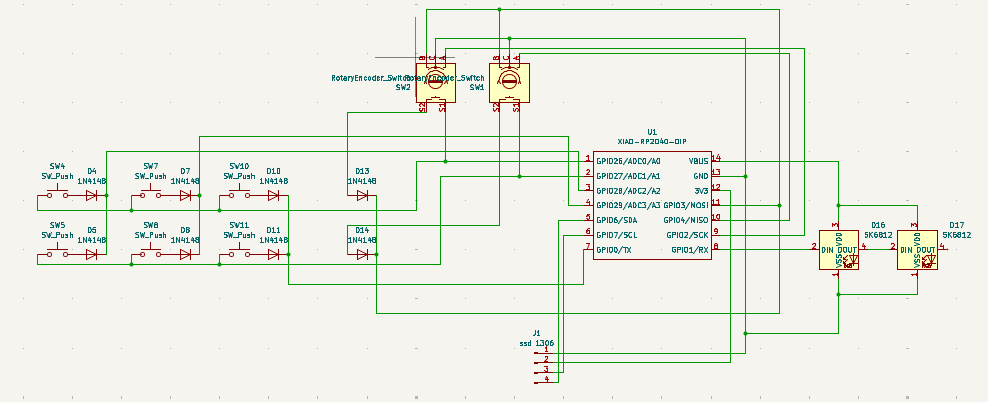
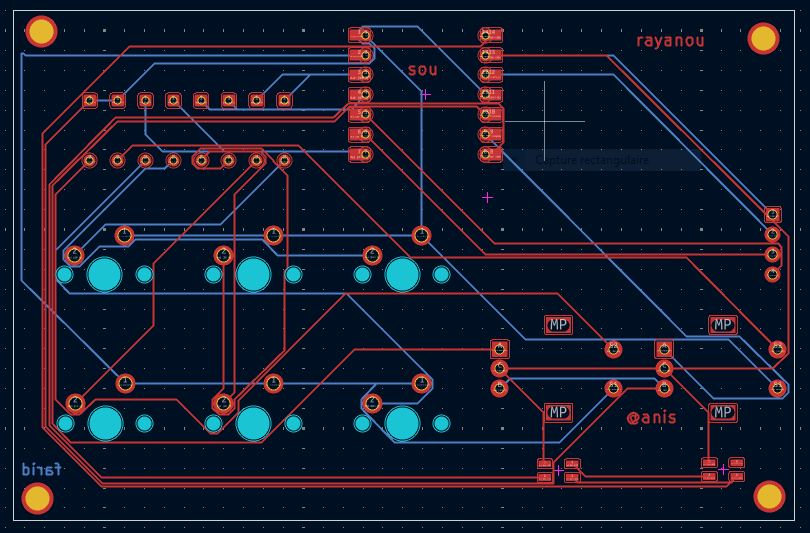
The printed circuit board is a compact double-layer design that holds all parts,
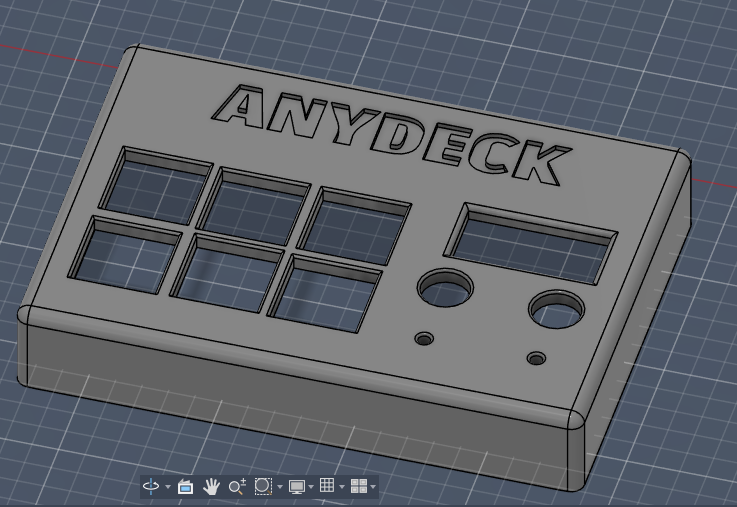
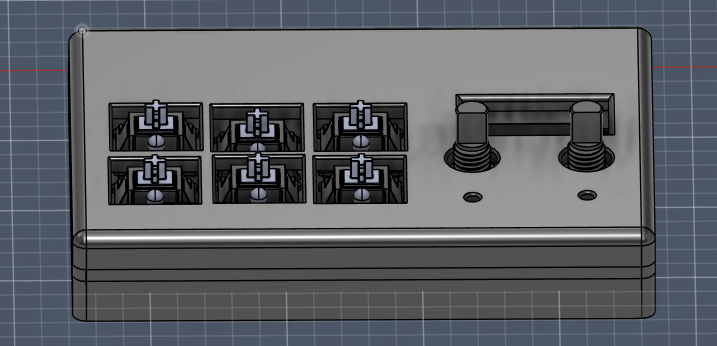
The case is designed in two parts. The switches click into the top plate before being soldered to the PCB to keep everything solid.
Top case view:
Internal assembly:
Once you plug it in via USB-C, your computer will see ANYDECK as a keyboard. You can change shortcuts by opening the code.py file on the USB drive (using CircuitPython/KMK). The encoders control volume and scrolling by default, and the screen shows your current navigation info.
https://www.instagram.com/reel/DYsDTL5I2ws/?igsh=YTVxaW56M2NmeHox
| Qty | Value | Footprint | References |
|---|---|---|---|
| 8 | 1N4148 | Diode_THT:D_DO-35_SOD27_P7.62mm_Horizontal | D4, D5, D7, D8, D10, D11, D13, D14 |
| 6 | SW_Push | Button_Switch_Keyboard:SW_Cherry_MX_1.00u_PCB | SW4, SW5, SW7, SW8, SW10, SW11 |
| 2 | RotaryEncoder_Switch | ADHG:RotaryEncoder_Alps_EC11E-Switch_Vertical_H20mm | SW1, SW2 |
| 2 | SK6812 | LED_SMD:LED_SK6812MINI_PLCC4_3.5x3.5mm_P1.75mm | D16, D17 |
| 1 | XIAO-RP2040-DIP | opl 2:XIAO-RP2040-DIP | U1 |
| 1 | ssd 1306 | ADF:SSD1306-0.91-OLED-4pin-128x32 | J1 |
hackclub/OnBoard
💡 Join 1,000 teenagers and make your first PCB with a $100 grant!

conol-ai/openmicrokbd
Open-source recreation of OpenAI's Codex Micro macropad — PCB written in CoHDL, an AI-native hardware description language. Rust firmware (embassy) + companion app (makepad). MIT licensed. https://openmicrokbd.org


cormoran/dya-dash-keyboard
DYA Dash portable wireless split keyboard with 25mm trackball

w4ilun/neofighter
A MIDI controller using arcade buttons with RGB lighting effects

miliar/saiboard
An open-source, wooden electronic Go board that integrates with KataGo.

256foundation/emberone00-pcb
KiCAD design files for the emberOne/00 hashboard
It measures 99.7 × 65.2 mm and has 2 copper layers, 1.6 mm thick.
20 parts, built around the SK6812. The full list of its parts is on this page, with links to each part's symbol and footprint where PCBKit's library has them.
From the ANYplays77/ANYDECK-Macropad repository on GitHub, at the commit this page was made from: the board is ANYDECK/PCB/pcb (.pcb).kicad_pcb and its schematic ANYDECK/PCB/pcb.kicad_sch. PCBKit opens the board in the browser, with nothing to install.
Its repository states no licence, so its author keeps all rights: ask ANYplays77 before reusing the design.