2 layers98 × 27 mm

 zeyadhost/verispeed
A 3-key macropad with a KiCad PCB and a 3D case
Audio is an open-source printed circuit board by zeyadhost, from the zeyadhost/verispeed repository on GitHub, published under the MIT licence. It is a 2-layer board of 22 × 57.4 mm with 5 parts on 14 nets, routed with 16 tracks and 0 vias.
Its parts include 3 switches and 1 IC. It belongs with the keyboards and input and audio and music boards of this library.
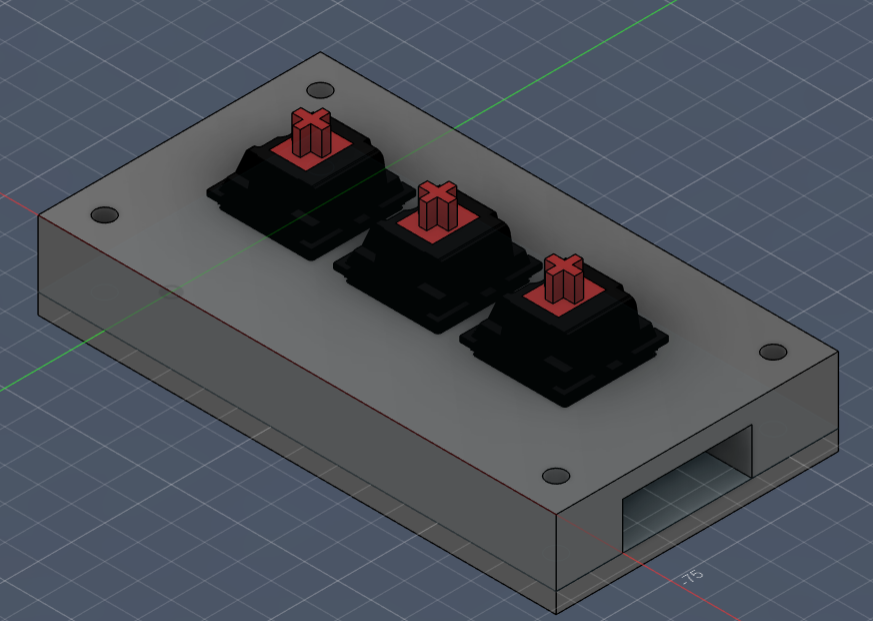
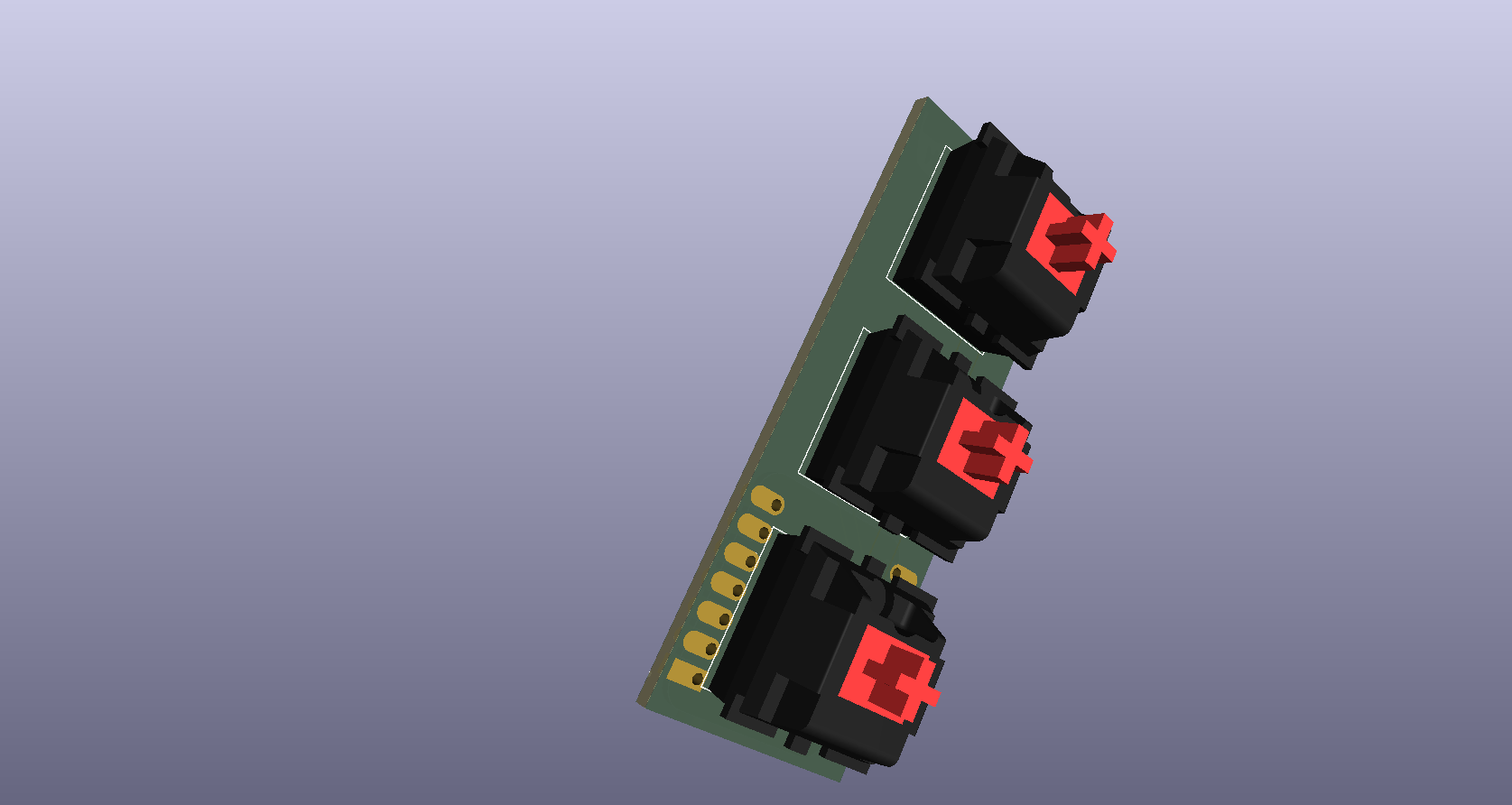
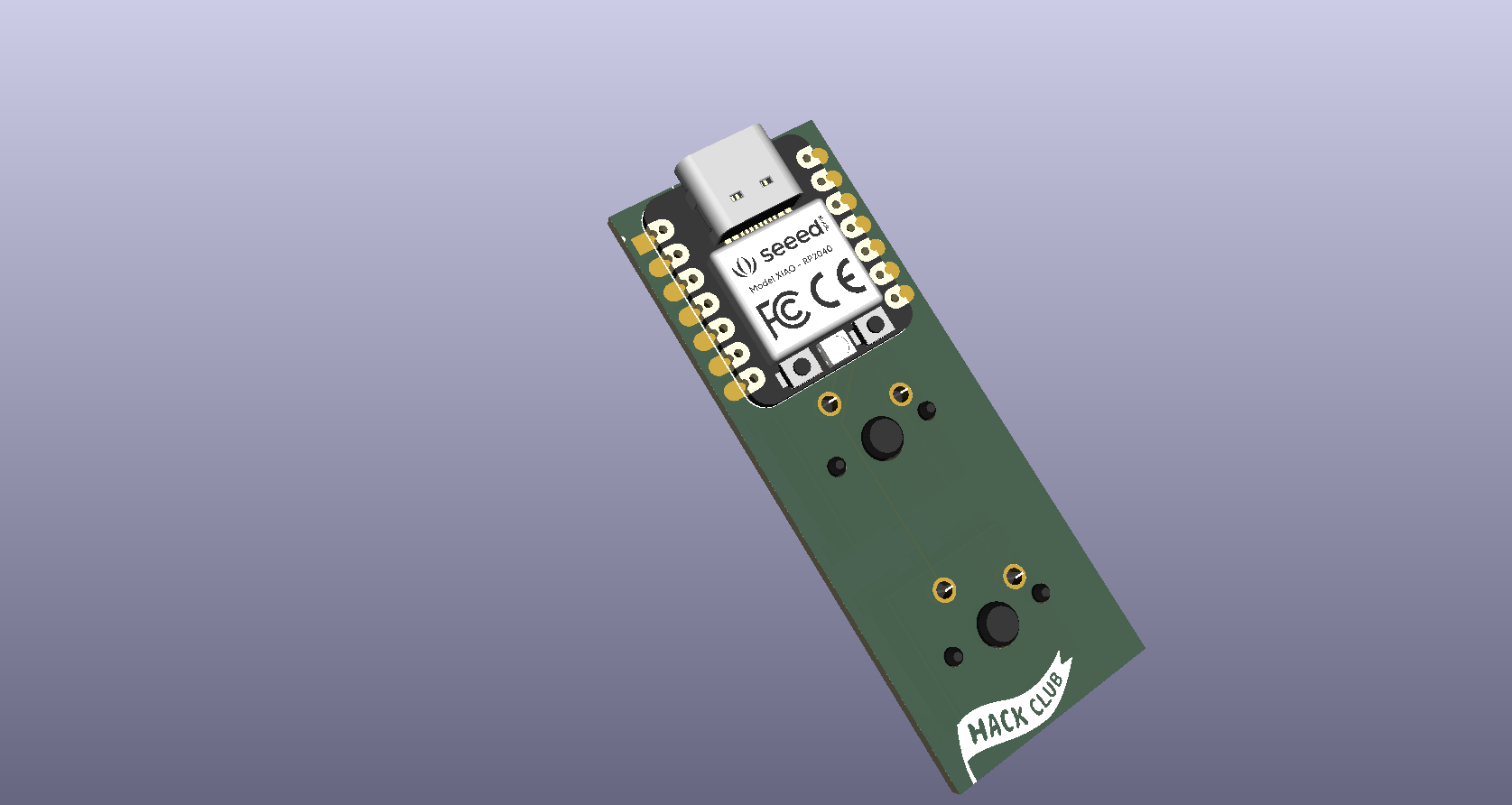
A 3-key macropad built around the Seeed Studio XIAO RP2040. The project includes the KiCad PCB design, the Fusion 360 case, and the QMK firmware.
| Feature | Detail |
|---|---|
| MCU | Seeed Studio XIAO RP2040 |
| Keys | 3 (MX-style switches) |
| Firmware | QMK (RP2040) |
| Case | 3D printed (Fusion 360) |
verispeed/
├── pcb/                          # KiCad project
│   ├── audio.kicad_pro
│   ├── audio.kicad_sch
│   ├── audio.kicad_pcb
│   ├── audio.step                # 3D export (PCB + switches + XIAO)
│   └── fp-lib-table              # points at ../libraries/footprints.pretty
├── case/
│   ├── verispeed_case.f3d        # final case
│   └── verispeed_pcb_model.f3d   # PCB + switches + XIAO (the case derives this)
├── firmware/
│   └── QMK/                      # QMK keyboard definition
│       ├── keyboard.json
│       ├── readme.md
│       └── keymaps/default/keymap.c
├── libraries/
│   ├── symbols/
│   │   ├── XIAO_RP2040.kicad_sym
│   │   └── SK6812MINI-E.kicad_sym
│   ├── footprints.pretty/
│   │   ├── XIAO-Generic-Hybrid-14P-2.54-21X17.8MM.kicad_mod
│   │   ├── SK6812MINI-E_fixed.kicad_mod
│   │   └── hackclub-logo.kicad_mod
│ └── 3dmodels/ # STEP models used by the PCBThe Cherry MX switch 3D model comes from ConstantinoSchillebeeckx/cherry-mx-switch (MIT license).
| Qty | Part | Notes |
|---|---|---|
| 1 | Seeed Studio XIAO RP2040 | Controller |
| 3 | MX-compatible switches | PCB mount, soldered |
| 3 | Keycaps | MX stem |
| 1 | PCB | See pcb/ |
| 1 | 3D-printed case | See case/ |
Open pcb/audio.kicad_pro in KiCad 8/9. Footprints resolve via
${KIPRJMOD}/../libraries/footprints.pretty, and the 3D models via
${KIPRJMOD}/../libraries/3dmodels, so keep the pcb/ and libraries/
folders side by side.
To export the 3D model:
kicad-cli pcb export step --subst-models --drill-origin \
--min-distance=0.001mm -f -o audio.step audio.kicad_pcbOpen case/verispeed_case.f3d in Fusion 360. The case derives the PCB
assembly from case/verispeed_pcb_model.f3d (Insert Derive). If the link
does not resolve on your machine, insert verispeed_pcb_model.f3d into the
case manually.
The QMK keyboard definition is in firmware/QMK/. Copy it into your QMK tree,
then build:
cp -r firmware/QMK ~/qmk_firmware/keyboards/verispeed
qmk compile -kb verispeed -km default
qmk flash   -kb verispeed -km default
To flash the XIAO: double-tap RESET (it mounts as RPI-RP2), then drag
verispeed_default.uf2 onto that drive.
The keys are wired as direct pins (no diodes):
| Key | XIAO pin | QMK pin |
|---|---|---|
| SW1 | D10 | GP3 |
| SW2 | D9 | GP4 |
| SW3 | D8 | GP2 |
Default keymap: Copy, Paste, Cut.
Released under the MIT License.
| Qty | Value | Footprint | References |
|---|---|---|---|
| 3 | SW_Push | Button_Switch_Keyboard:SW_Cherry_MX_1.00u_PCB | SW1, SW2, SW3 |
| 1 | MOUDLE-SEEEDUINO-XIAO | footprints:XIAO-Generic-Hybrid-14P-2.54-21X17.8MM | U1 |
The 4 most common of 5 parts.

joypad-ai/joypad-os
Universal controller firmware for building adapters, dongles, and custom controllers.

OLIMEX/OLINUXINO
OLINUXINO is Open Source / Open Hardware, low cost from EUR 24 Linux Industrial grade Single Board Computer capable to operate -25+85C

jamro/tiny-engineer
A small desktop robot that brings an AI coding assistant to life, physically acting out when it reads files, thinks, writes code, and finishes work.

hackclub/OnBoard
💡 Join 1,000 teenagers and make your first PCB with a $100 grant!


Luos-io/luos_engine
Open-source and real-time orchestrator for cyber-physical-systems, to easily design, test and deploy embedded applications and digital twins.
It measures 22 × 57.4 mm and has 2 copper layers, 1.6 mm thick.
5 parts. The full list of its parts is on this page, with links to each part's symbol and footprint where PCBKit's library has them.
From the zeyadhost/verispeed repository on GitHub, at the commit this page was made from: the board is pcb/audio.kicad_pcb and its schematic pcb-v2/audio.kicad_sch. PCBKit opens the board in the browser, with nothing to install.
Its repository publishes it under the MIT licence: you may reuse it on that licence's terms (keep the author's notice, and for a copyleft licence share your changes alike).