2 layers103 × 30.5 mm

 xChicken669/goosepad
My own macro goose themed keyboard that uses 6 switches,xiao rp2024 microcontroller and a 0.91 inch 128x32 oled display.
Macro keyboard is an open-source printed circuit board by xChicken669, from the xChicken669/goosepad repository on GitHub. It is a 2-layer board of 59.9 × 57.1 mm with 9 parts on 14 nets, routed with 36 tracks and 0 vias.
Its parts include 6 switches, 1 IC and 1 connector. It belongs with the keyboards and input and lEDs and displays boards of this library.
A custom 6-key macro pad powered by the Seeed XIAO RP2040 and running QMK Firmware.
Goosepad is a compact DIY hackpad designed for shortcuts, macros, and custom controls. It features six individually wired keys, an OLED status display, and a custom PCB with a 3D printed case.
Used fusion 360 to design the case.
The case is divided into two parts:
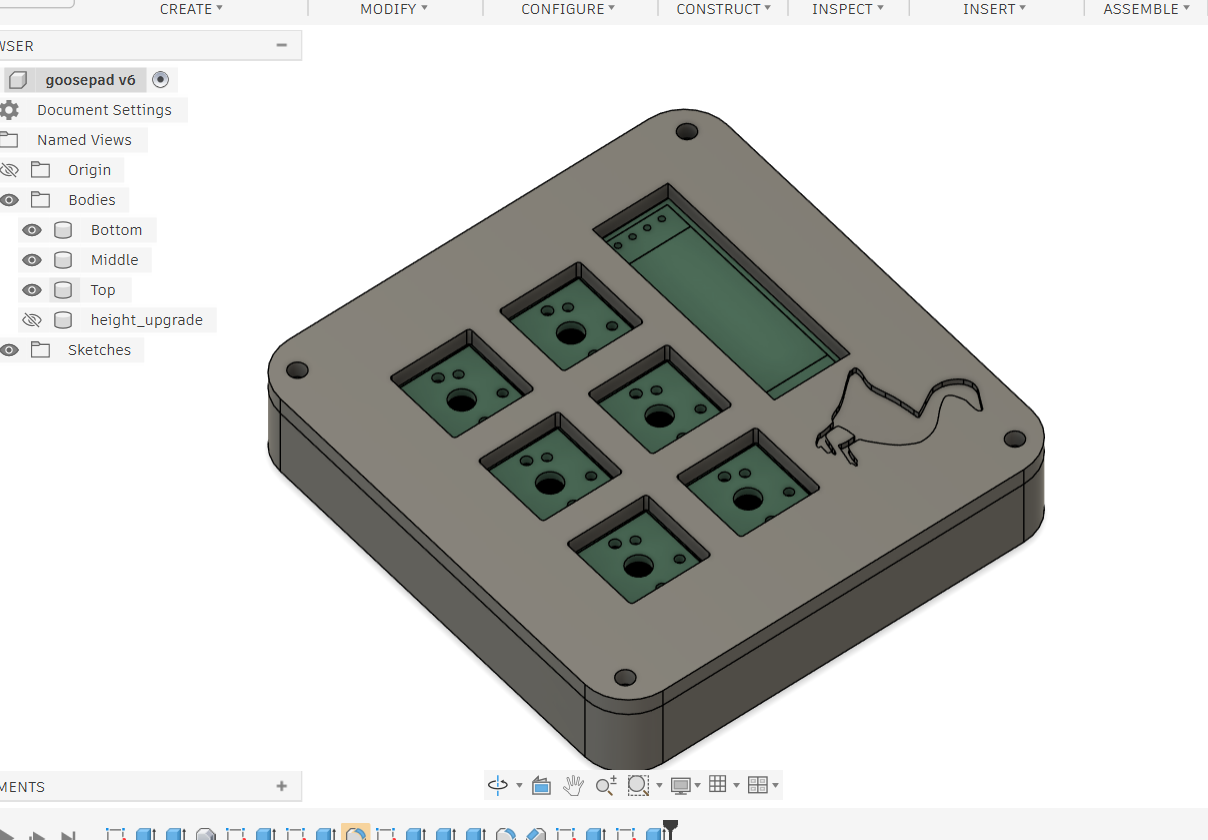
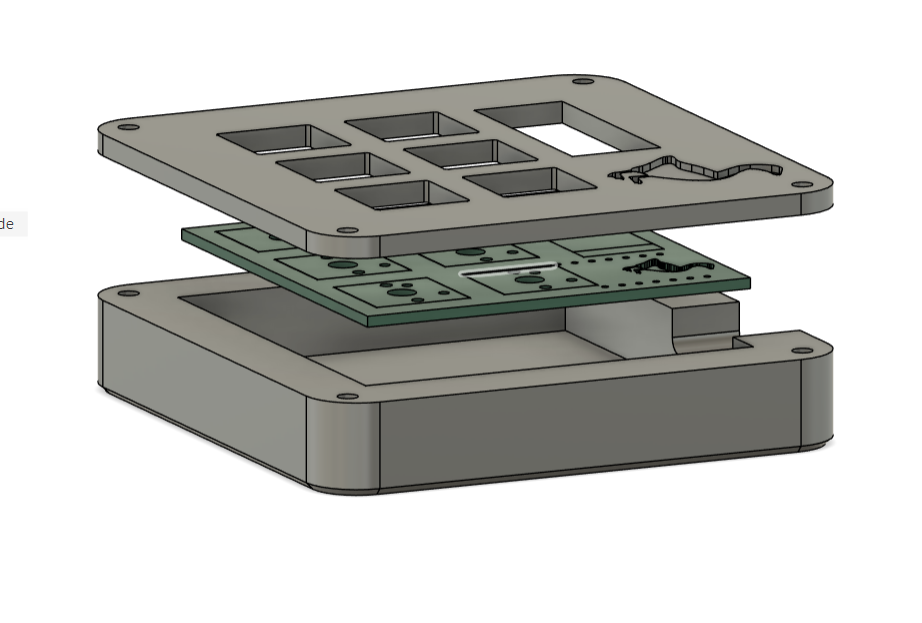
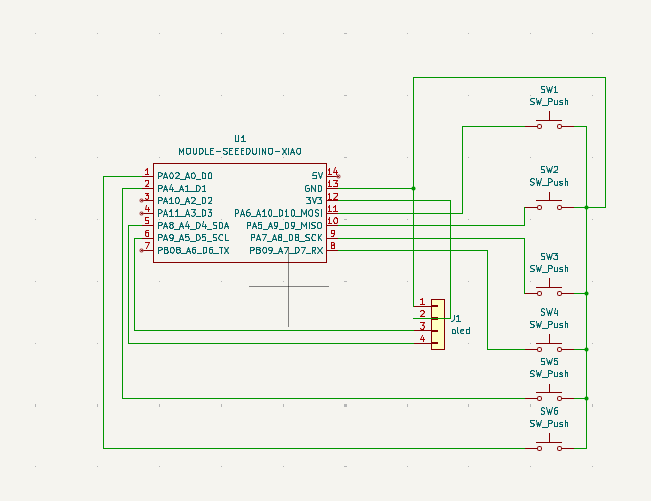
I created the schematic in KiCad, here it is:
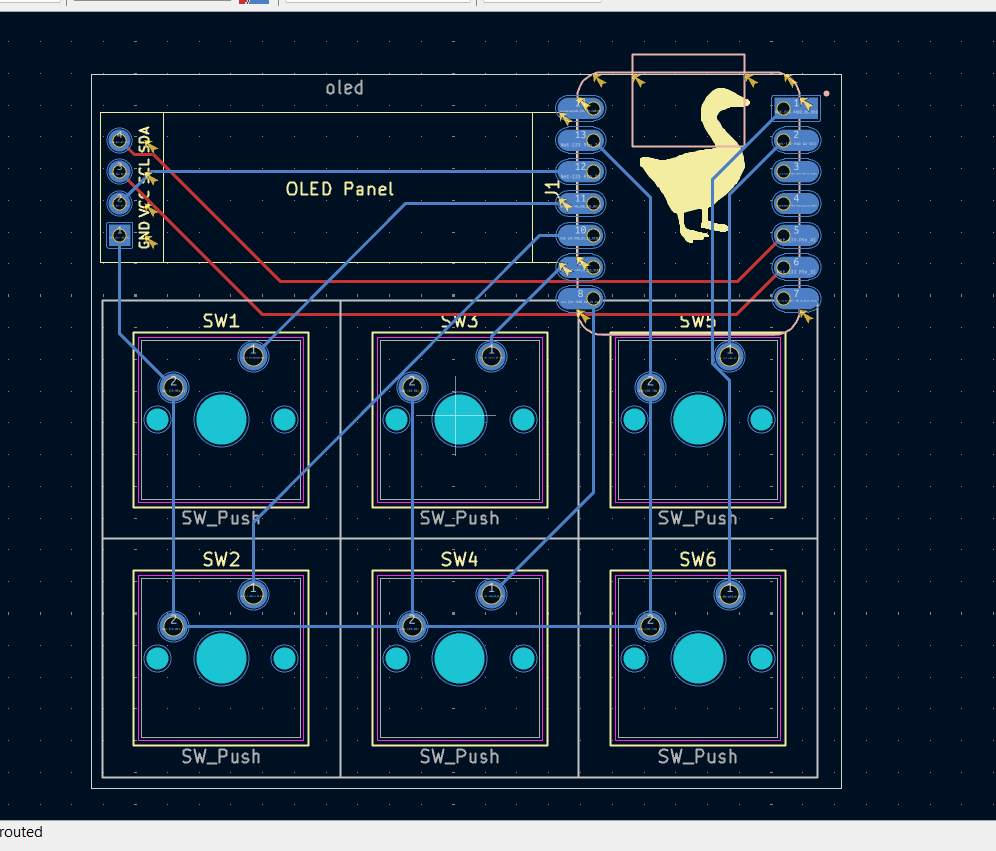
This is my pcb design that i created in KiCad,it was really fun and chill tracing the pcb
This hackpad uses QMK firmware for everything.
-6 programmable switches that can control anything you want :)
-OLED display that can display anything
-6x cherry MX switches
-1x 0.91" 128x32 OLED Display
-3D printed case
-PCB
-4x M3x16mm SHCS Bolts
-1x XIAO RP2040
-that was everything I hope that it gets approved. NOTE: I used chatgpt to help me with the firmware coding.
| Qty | Value | Footprint | References |
|---|---|---|---|
| 6 | SW_Push | Button_Switch_Keyboard:SW_Cherry_MX_1.00u_PCB | SW1, SW2, SW3, SW4, SW5, SW6 |
| 1 | LOGO | goose:goose | G*** |
| 1 | MOUDLE-SEEEDUINO-XIAO | footprints:XIAO-Generic-Hybrid-14P-2.54-21X17.8MM | U1 |
| 1 | oled | KiCad-SSD1306-0.91-OLED-4pin-128x32.pretty-master:SSD1306-0.91-OLED-4pin-128x32 | J1 |


FrameworkComputer/ExpansionCards
Reference designs and documentation to create Expansion Cards for the Framework Laptop

VoronDesign/Voron-Hardware
Cool Hardware designed by the Voron Design group

hackclub/OnBoard
💡 Join 1,000 teenagers and make your first PCB with a $100 grant!


adamws/kicad-kbplacer
KiCad plugin for automatic keyboard's key placement and routing
It measures 59.9 × 57.1 mm and has 2 copper layers, 1.6 mm thick.
9 parts. The full list of its parts is on this page, with links to each part's symbol and footprint where PCBKit's library has them.
From the xChicken669/goosepad repository on GitHub, at the commit this page was made from: the board is goosepad/PCB/macro_keyboard.kicad_pcb and its schematic goosepad/PCB/macro_keyboard.kicad_sch. PCBKit opens the board in the browser, with nothing to install.
Its repository states no licence, so its author keeps all rights: ask xChicken669 before reusing the design.