2 layers50 × 35 mm

 wintermute-zion/PCC
A six key macropad created as part of Hack Club's Hackpad program.
Macropad is an open-source printed circuit board by wintermute-zion, from the wintermute-zion/PCC repository on GitHub. It is a 2-layer board of 67.1 × 65.5 mm with 17 parts on 20 nets, routed with 93 tracks and 0 vias.
Its parts include 6 diodes, 6 switches and 2 ICs. It belongs with the keyboards and input boards and the RP2040 boards of this library.
PCC is a macropad with six keys and a rotary encoder. I designed it to control things like my PC's volume and media playback (hence the "Physical Control Center" name) but you can build a new firmware to map the keys to do anything, really.
Designed for Hack Club's Hackpad program. (view it here)
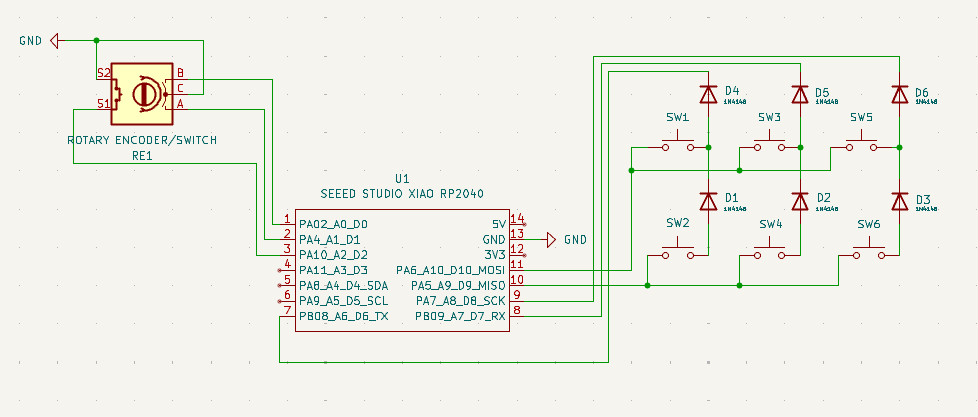
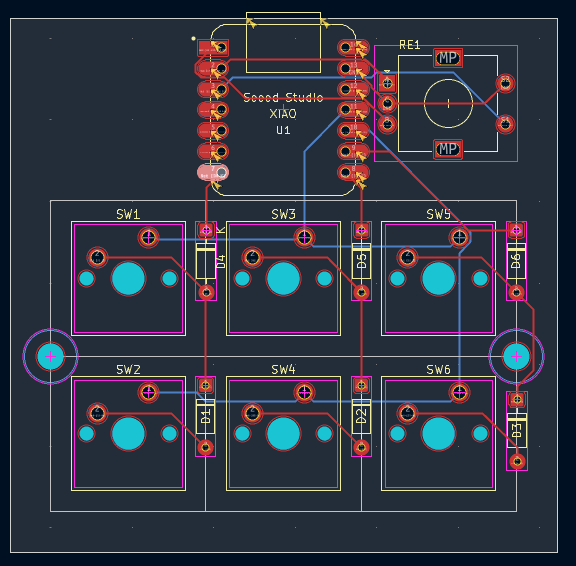
Some pictures of the macropad's PCB with all its components.
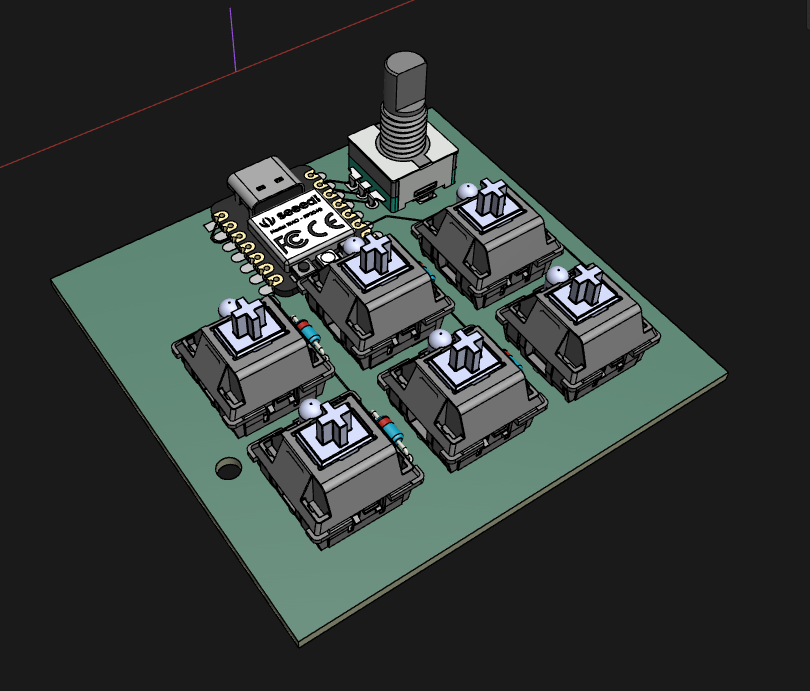
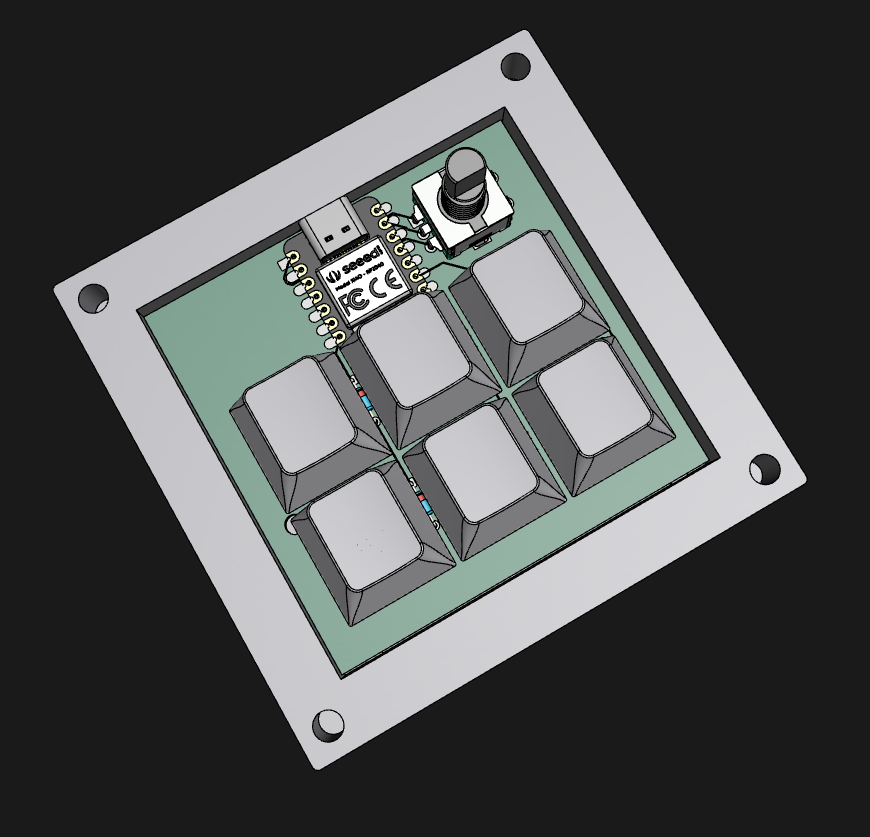
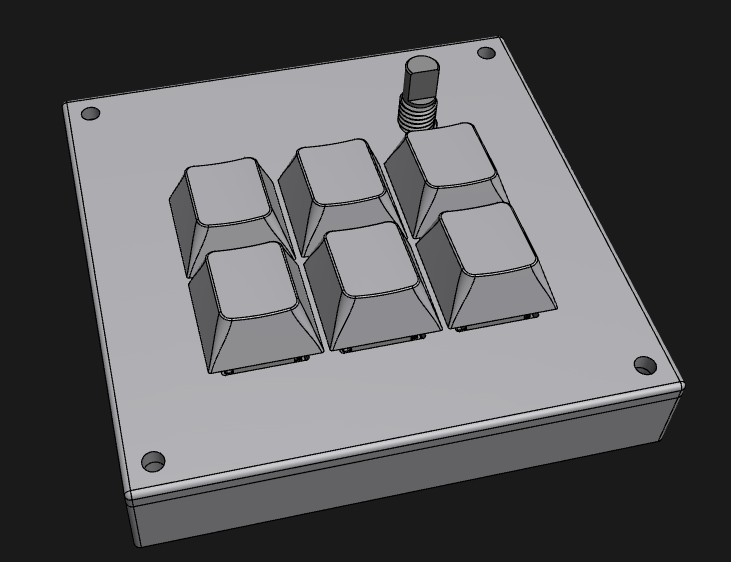
I haven't recieved my PCB or kit from Hack Club as of yet, so both the case and firmware code are not guaranteed to work with this macropad on the first try (the case may not fit, the firmware may reference a key that doesn't exist, I don't know). Obviously once I recieve everthing I will fix any problems that should arise, but until then, continue cautiously.
The case is in two parts, held together with screws driven through holes in the top case's corners. All screws in the case screw into heat-set inserts, so to allow easier disassembly, if that's something you'll need.
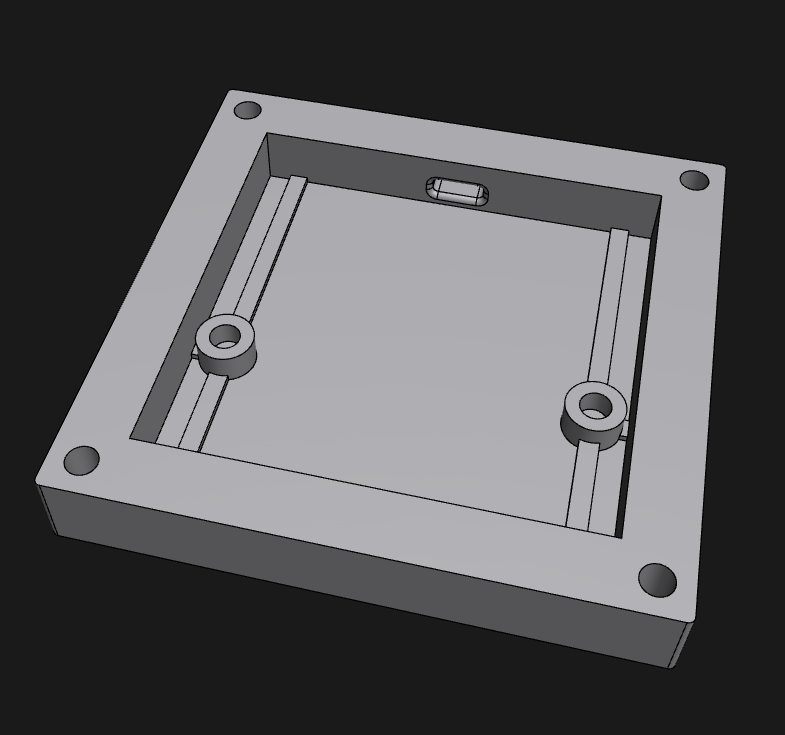
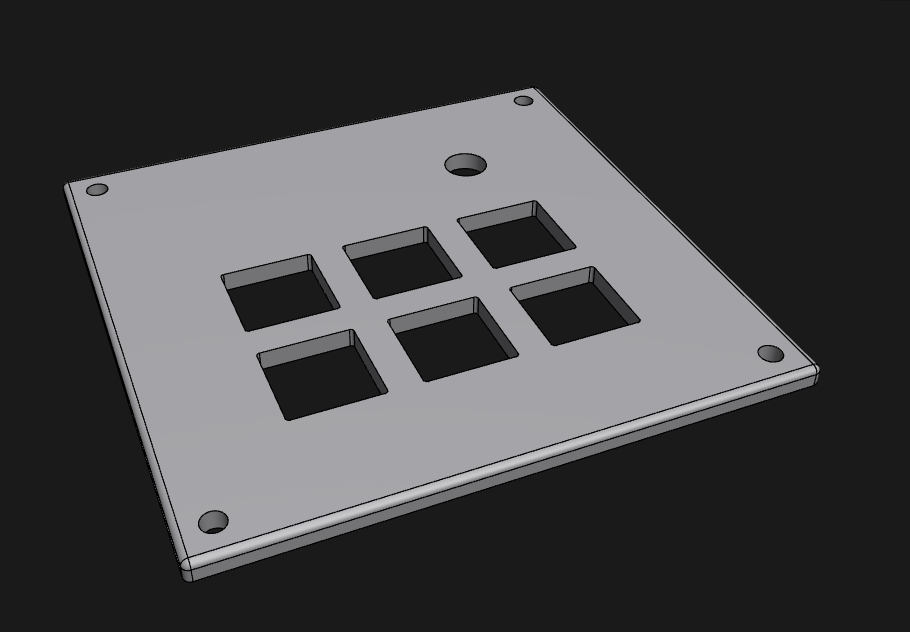
KMK firmware is used for this macropad, though I'm sure you could make a QMK version if you so please. I chose KMK since it uses Python though. View the firmware code here.
| Row/Column | Digital GPIO Pin | GPIO Pin |
|---|---|---|
| Row 1 | D10 | GPIO3 |
| Row 2 | D9 | GPIO4 |
| Column 1 | D6 | GPIO0 |
| Column 2 | D7 | GPIO1 |
| Column 3 | D8 | GPIO2 |
| Pin | Digital GPIO Pin | GPIO Pin |
|---|---|---|
| A | D1 | GPIO27 |
| B | D0 | GPIO26 |
| S1 | D2 | GPIO28 |
| Column 1 | Column 2 | Column 3 | |
|---|---|---|---|
| Row 1 | Play/Pause Media | Stop Track (Win) | Show Desktop (Win) |
| Row 2 | Previous Track (Win) | Next Track (Win) | Lock PC (Win) |
| Knob turn left | Volume Down |
| Knob turn right | Volume Up |
| Knob button push | Audio Mute |
A list of everything you'd need to build this. You can view this as a .csv file here.
| Qty | Value | Footprint | References |
|---|---|---|---|
| 6 | 1N4148 | Diode_THT:D_DO-35_SOD27_P7.62mm_Horizontal | D1, D2, D3, D4, D5, D6 |
| 6 | SW_Push | Button_Switch_Keyboard:SW_Cherry_MX_1.00u_PCB | SW1, SW2, SW3, SW4, SW5, SW6 |
| 1 | 1x0.91 IN. OLED | Display:ER_OLEDM0.91_1x-I2C | U2 |
| 1 | ROTARY ENCODER/SWITCH | Rotary_Encoder:RotaryEncoder_Alps_EC11E-Switch_Vertical_H20mm | RE1 |
| 1 | SEEED STUDIO XIAO RP2040 | footprints:XIAO-Generic-Hybrid-14P-2.54-21X17.8MM | U1 |
The 15 most common of 17 parts.


hoglet67/RGBtoHDMI
Bare-metal Raspberry Pi project that provides pixel-perfect sampling of Retro Computer RGB/YUV video and conversion to HDMI


hackclub/OnBoard
💡 Join 1,000 teenagers and make your first PCB with a $100 grant!

DDeGonge/OS-ARM
This arm is not industrial and it will not be fast, but that is not my goal. But it will hopefully be a very nice looking arm fully capable of 6dof motion, cheap enough to keep it accessable but capable enough to…


It measures 67.1 × 65.5 mm and has 2 copper layers, 1.6 mm thick.
17 parts. The full list of its parts is on this page, with links to each part's symbol and footprint where PCBKit's library has them.
From the wintermute-zion/PCC repository on GitHub, at the commit this page was made from: the board is pcb/macropad.kicad_pcb and its schematic pcb/macropad.kicad_sch. PCBKit opens the board in the browser, with nothing to install.
Its repository states no licence, so its author keeps all rights: ask wintermute-zion before reusing the design.