
2 layers20.5 × 24.8 mm

A simple presentation clicker implemented during a 15 minute talk given at the Recurse Center.
Rc demo is an open-source printed circuit board by willbicks, from the willbicks/Recurse-Presentation-Clicker repository on GitHub. It is a 2-layer board of 108.5 × 26 mm with 8 parts on 37 nets, routed with 37 tracks and 0 vias.
Its parts include 3 resistors, 2 switches and 1 diode. It belongs with the RP2040 boards of this library.
This project was created as a 15 minute intro to circuit board concepts and design, including a live demonstration of the process of schematic capture and PCB design for this simple presentation clicker.
The slides for the talk leading up to the demo are available here.

The schematic and board design are made with KiCAD 9.0, available from kicad.org. The project file is at rc-demo.kicad_pro.
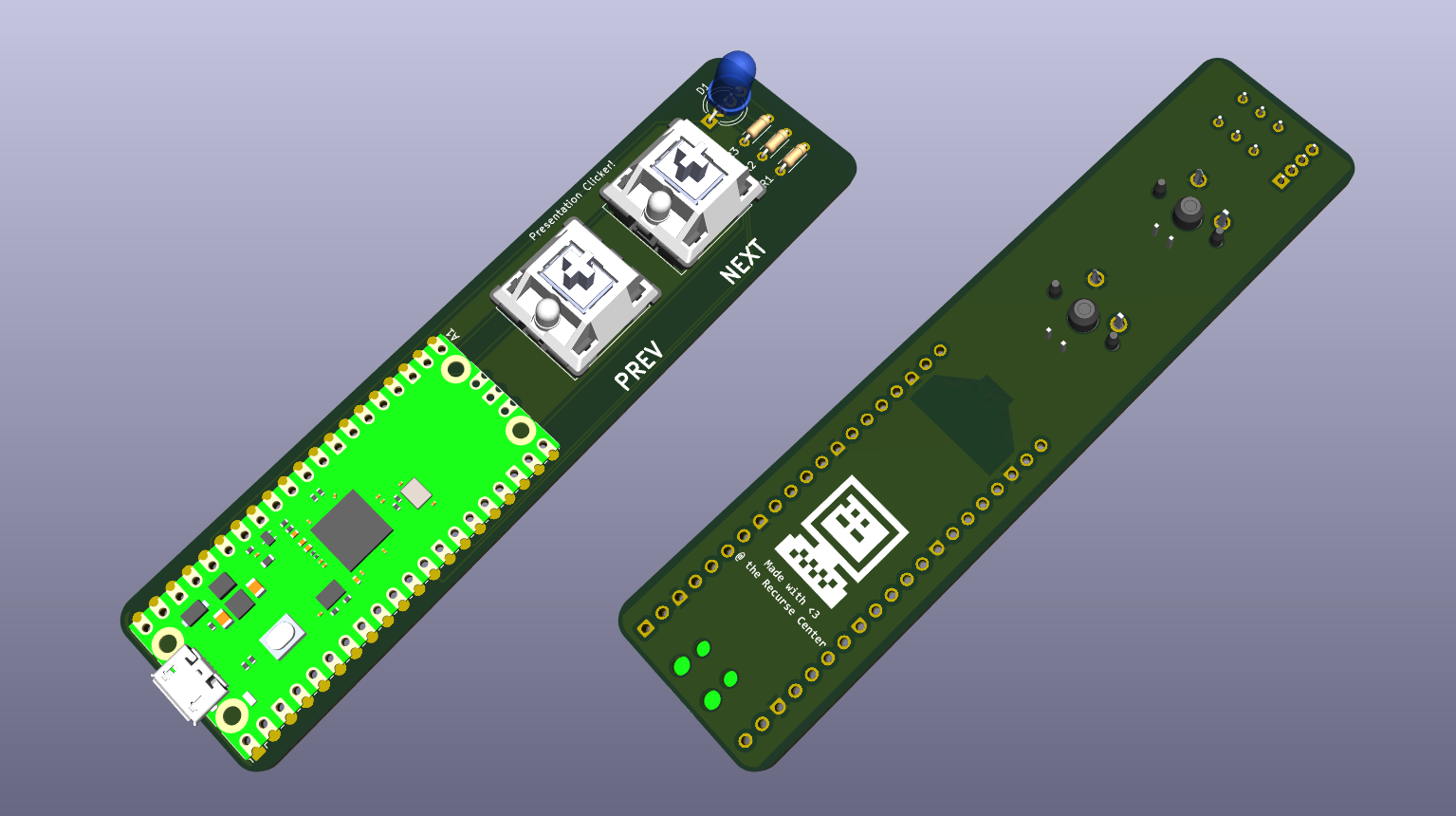
The schematic and board layours were done live in front of an audience in around 10 minutes, so there's lots of room for improvement or expansion. Try tweaking the design to fit your sensibilities, or deleting the current design and starting fresh!
To learn more about KiCAD, check out their getting started guide.
The firmware for the remote is written in Rust, using the rp_pico board support package and embedded-hal traits, and using the usbd_human_interface_device crate to implement the USB HID protocol for a keyboard. The firmware entrypoint is at src/main.rs.
If you've installed the rust toolchain with rustup, the appropriate extras will be installed automatically as defined in the rust-toolchain.toml file. The only additional requirement is to install one (or both) of the following tools for flashing the firmware to the RP2040:
# Install probe-rs for flashing and debugging with debugging probe (requires cargo-binstall)
cargo binstall probe-rs-tools
# Install elf2uf2-rs to flash via RP2040 USB bootloader
cargo install elf2uf2-rs
By default, cargo run will use probe-rs to load and debug the firmware:
cargo runTo flash the firmware via the RP2040 USB bootloader, you can use:
cargo build
elf2uf2-rs ./target/thumbv6m-none-eabi/debug/usb-presentation-remote
And then copy the ./target/thumbv6m-none-eabi/debug/usb-presentation-remote.uf2 to the RPI-RP2 drive that appears when you hold the BOOTSEL button on the RP2040 board while plugging it into your computer.
| Qty | Value | Footprint | References |
|---|---|---|---|
| 3 | 50 | Resistor_THT:R_Axial_DIN0204_L3.6mm_D1.6mm_P5.08mm_Horizontal | R1, R2, R3 |
| 1 | LED_ARGB | LED_THT:LED_D5.0mm-4_RGB_Wide_Pins | D1 |
| 1 | LOGO | RC_Demo:rc-logo | G*** |
| 1 | NEXT | Button_Switch_Keyboard:SW_Cherry_MX_1.00u_PCB | SW1 |
| 1 | PREV | Button_Switch_Keyboard:SW_Cherry_MX_1.00u_PCB | SW2 |
| 1 | RaspberryPi_Pico | Module:RaspberryPi_Pico_Common_Unspecified | A1 |
It measures 108.5 × 26 mm and has 2 copper layers, 1.6 mm thick.
8 parts. The full list of its parts is on this page, with links to each part's symbol and footprint where PCBKit's library has them.
From the willbicks/Recurse-Presentation-Clicker repository on GitHub, at the commit this page was made from: the board is rc-demo.kicad_pcb and its schematic rc-demo.kicad_sch. PCBKit opens the board in the browser, with nothing to install.
Its repository states no licence, so its author keeps all rights: ask willbicks before reusing the design.

joeycastillo/Sensor-Watch
A board replacement for the classic Casio F-91W wristwatch

rusefi/rusefi
rusefi - GPL internal combustion engine control unit

hoglet67/RGBtoHDMI
Bare-metal Raspberry Pi project that provides pixel-perfect sampling of Retro Computer RGB/YUV video and conversion to HDMI

shanteacontrols/OpenDeck
A platform for building interactive control and sensing devices using MIDI and OSC built with Zephyr RTOS.

hackclub/OnBoard
💡 Join 1,000 teenagers and make your first PCB with a $100 grant!

dangiu/PicoMemcard
Emulating PSX Memory Card (or controller) using a Raspberry Pi Pico

OLIMEX/DIY-LAPTOP
Do It Yourself Open Source Hardware and Software Modular Hacker's Friendly Laptop