2 layers21 × 51 mm

 uinika/UINIO-MCU-RP20401
the evaluation board base on RP2040 by Raspberry Pi.
UINIO MCU RP2040 is an open-source printed circuit board by uinika, from the uinika/UINIO-MCU-RP2040 repository on GitHub. It is a 2-layer board of 62 × 27.9 mm with 50 parts on 64 nets, routed with 441 tracks and 102 vias.
It is built around the RP2040, SGM2019-3.3YN5G/TR and LESD5D5.0CT1G, with the DMG1012T among its other parts. Its parts include 15 capacitors, 14 resistors, 5 diodes, 3 ICs and 3 connectors. It belongs with the RP2040 boards of this library.


UINIO-MCU-RP2040 是一款基于树莓派 RP2040 微控制器的核心板,该主控芯片采用 ARM Cortex-M0+ 双核心,运行频率高达 133MHz,片上内置有 264KB 容量的 SRAM 内存,并且能够外接高达 16MB 容量的片外 Flash 闪存(通过专用的 QSPI 总线进行连接),并且还集成有 DMA 控制器,以及 30 个 GPIO 引脚(其中 4 个可用作模拟输入)。除此之外,片上还拥有 2 个 UART 控制器、2 个 SPI 控制器、2 个 I²C 控制器,以及 16 个 PWM 通道。同时还支持 USB 1.1 设备和主机模式,以及 USB 大容量存储启动模式和拖放式编程。
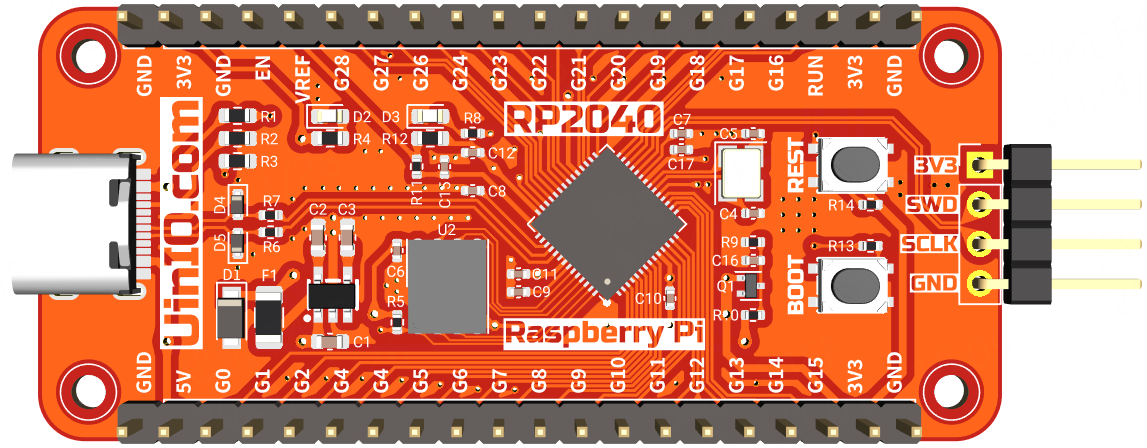
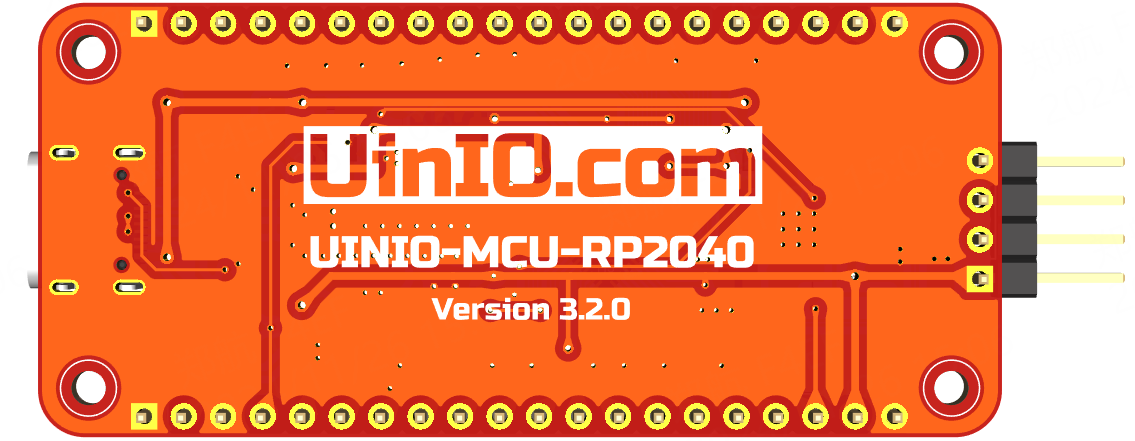
WSON8 封装;SOD123 封装的肖特基势垒二极管,用于防止正负级错误的反接;2mm 的固定螺丝孔,便于安装至 3D 打印外壳,或者搭建成套的产品原型;GPIO23 和 GPIO24 两个引脚资源,并且在 GPIO25 引脚采用了与 Pico 相同的测试用 LED 发光二极管;IOVDD(3.3V)的反向二极管,所以采用了 FET 场效应管 DMG1012T 防止在 RP2040 没有上电的时候,这些引脚上施加的电压通过 ADC3 引脚泄露到 3.3V 电源网络;注意: 核心板引脚顺序并不完全兼容官方的 Raspberry Pi Pico 开发板。
UINIO-MCU-RP2040 的固件更新操作流程如下面步骤所示:
UinIO.com 电子技术实验室 为 UINIO-MCU-RP2040 开源项目提供了如下一系列技术参考资料:
| Qty | Value | Footprint | References |
|---|---|---|---|
| 6 | 0.1uF | Capacitor_SMD:C_0402_1005Metric | C6, C7, C8, C10, C11, C17 |
| 4 | Hole-2mm | Uinio:Hole-2mm | HOLE**, HOLE**, HOLE**, HOLE** |
| 3 | 2.2uF | Capacitor_SMD:C_0402_1005Metric | C9, C12, C15 |
| 2 | 12pF | Capacitor_SMD:C_0402_1005Metric | C4, C5 |
| 2 | 1uF | Capacitor_SMD:C_0603_1608Metric | C1, C2 |
| 2 | 27R | Resistor_SMD:R_0402_1005Metric | R6, R7 |
| 2 | 5.1K | Resistor_SMD:R_0603_1608Metric | R2, R3 |
| 2 | Conn_01x20_Pin | Connector_PinHeader_2.54mm:PinHeader_1x20_P2.54mm_Vertical | J1, J2 |
| 2 | LESD5D5.0CT1G | Diode_SMD:D_SOD-523 | D4, D5 |
| 1 | 0.01uF | Capacitor_SMD:C_0603_1608Metric | C3 |
| 1 | 1.5K | Resistor_SMD:R_0402_1005Metric | R5 |
| 1 | 100K | Resistor_SMD:R_0402_1005Metric | R9 |
| 1 | 10K | Resistor_SMD:R_0402_1005Metric | R14 |
| 1 | 12MHz | Crystal:Crystal_SMD_3225-4Pin_3.2x2.5mm | Y1 |
| 1 | 1K | Resistor_SMD:R_0402_1005Metric | R13 |
| 1 | 1N4007 | Diode_SMD:Nexperia_CFP3_SOD-123W | D1 |
| 1 | 1R | Resistor_SMD:R_0402_1005Metric | R11 |
| 1 | 1nF | Capacitor_SMD:C_0402_1005Metric | C16 |
| 1 | 200K | Resistor_SMD:R_0402_1005Metric | R10 |
| 1 | 200R | Resistor_SMD:R_0603_1608Metric | R12 |
| 1 | 2K | Resistor_SMD:R_0603_1608Metric | R4 |
| 1 | 470R | Resistor_SMD:R_0402_1005Metric | R8 |
| 1 | 512R | Resistor_SMD:R_0603_1608Metric | R1 |
| 1 | 60V 1A | Fuse:Fuse_1206_3216Metric | F1 |
| 1 | Conn_01x04_Pin | Connector_PinHeader_2.54mm:PinHeader_1x04_P2.54mm_Vertical | J3 |
| 1 | DMG1012T | Package_TO_SOT_SMD:SOT-523 | Q1 |
| 1 | LED_Blue | LED_SMD:LED_0603_1608Metric | D3 |
| 1 | LED_Red | LED_SMD:LED_0603_1608Metric | D2 |
| 1 | RP2040 | Package_DFN_QFN:QFN-56-1EP_7x7mm_P0.4mm_EP3.2x3.2mm | U3 |
| 1 | SGM2019-3.3YN5G | Uinio:SOT-23-5_L3.0-W1.7-P0.95-LS2.8-BR | U1 |
| 1 | SPI-25-Flash-WSON8 | Package_SON:WSON-8-1EP_6x5mm_P1.27mm_EP3.4x4.3mm | U2 |
| 1 | USB_Type_C_16Pin | Uinio:USB-C-SMD_TYPEC-304J-BCP16 | USB1 |
| 1 | ~{RESET} | Uinio:KEY-SMD_4P-L4.2-W3.4-P2.15-LS4.7 | SW1 |
| 1 | ~{USB_BOOT} | Uinio:KEY-SMD_4P-L4.2-W3.4-P2.15-LS4.7 | SW2 |


shishir-dey/pcb-custom-simm-40-rp2040
Clone of the Raspberry Pi Pico board on a custom SIMM (single in-line memory module) footprint with 40 pins. Made with KiCad

dragonruler1000/Custom-Devboard
BOM: | Item Count | item name | Unit price $ | Total Price | Price with discounts | Link | Running total $ | Running total with coupons | part number | Notes |…

georges-mars/Docimeter
A wearable redesign of the OpenDosimeter platform focused on compact electronics, custom PCB integration, embedded firmware, and practical radiation-monitoring applications.

Gopinath-T-Z/RS2040-Development-board
RP2040-based custom development board designed in KiCad (4-layer PCB).
It measures 62 × 27.9 mm and has 2 copper layers, 1.6 mm thick.
50 parts, built around the RP2040, SGM2019-3.3YN5G/TR, LESD5D5.0CT1G and DMG1012T. The full list of its parts is on this page, with links to each part's symbol and footprint where PCBKit's library has them.
From the uinika/UINIO-MCU-RP2040 repository on GitHub, at the commit this page was made from: the board is UINIO-MCU-RP2040.kicad_pcb and its schematic UINIO-MCU-RP2040.kicad_sch. PCBKit opens the board in the browser, with nothing to install.
Its repository states no licence, so its author keeps all rights: ask uinika before reusing the design.