2 layers18.5 × 26 mm
24g2usb rp2350zero
joypad-ai/joypad-os
Universal controller firmware for building adapters, dongles, and custom controllers.
4 parts1.7kApache-2.0

 trzy/PixArt31
PAJ7025R2 for 6dof tracking: code (Arduino, Windows) and PCB (KiCad).
PixArt is an open-source printed circuit board by trzy, from the trzy/PixArt repository on GitHub. It is a 2-layer board of 49.5 × 49.5 mm with 4 parts on 19 nets, routed with 48 tracks and 5 vias.
Its parts include 2 capacitors, 1 IC and 1 connector.
Copyright 2017-2019 Bart Trzynadlowski
The PixArt PAJ7025R2 is an infrared camera with integrated DSP capable of tracking multiple IR light sources at high frame rates. Its predecessor was used in Nintendo's Wii Remote controller. Johnny Chung Lee, Oliver Kreylos, and Franklin Ta have each demonstrated how to use the Wii sensor for fun 6dof tracking applications.
In 2017, I got the idea to use the sensor in conjunction with Microsoft HoloLens for 6dof tracking of a tennis racket. I only got as far as fabricating a test PCB to mount the chip before I shelved it. Two years later, feeling bad that I had never done anything with the boards, I built a PC interface using Arduino and wrote a simple program to track and render an IR target in real-time.
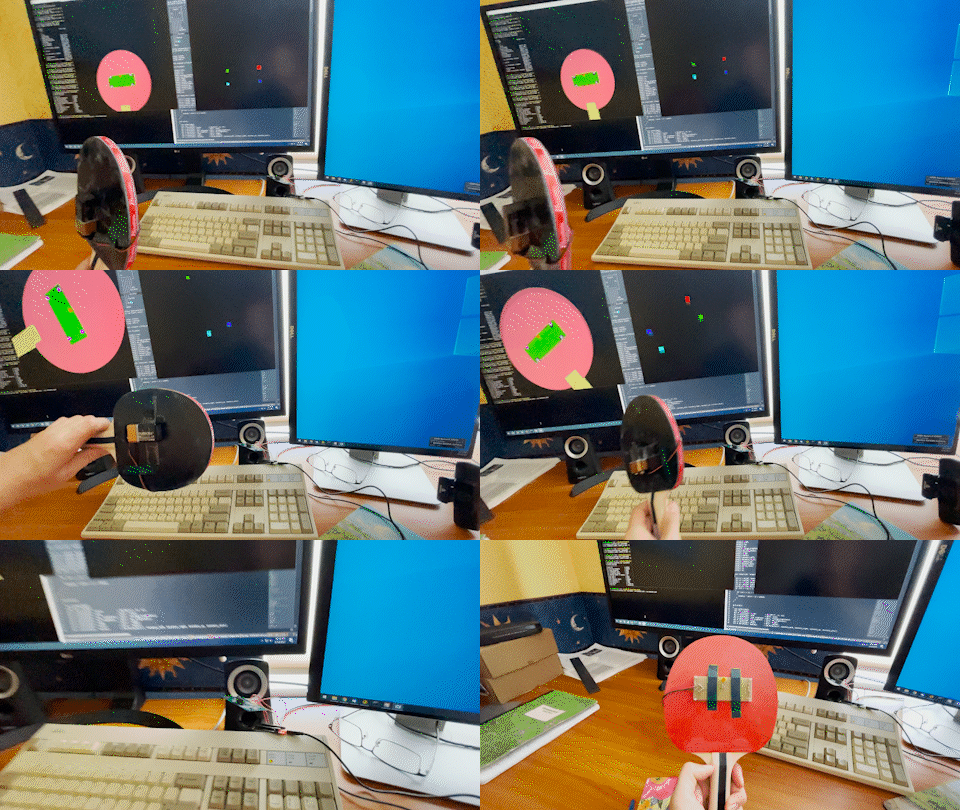
This repository includes:
The Arduino reads out the detection report for each frame and sends it to the Windows program, which runs OpenCV's perspective-n-point (PnP) solver to estimate the 6dof pose of a target with known dimensions.
A PAJ7025R3 part with a wider field of view exists. To my knowledge, it is the exact same IC but with a different lens, meaning a simple modification of the camera
intrinsics in code/win32/src/include/pixart/camera_parameters.hpp would be the only change needed to support it.
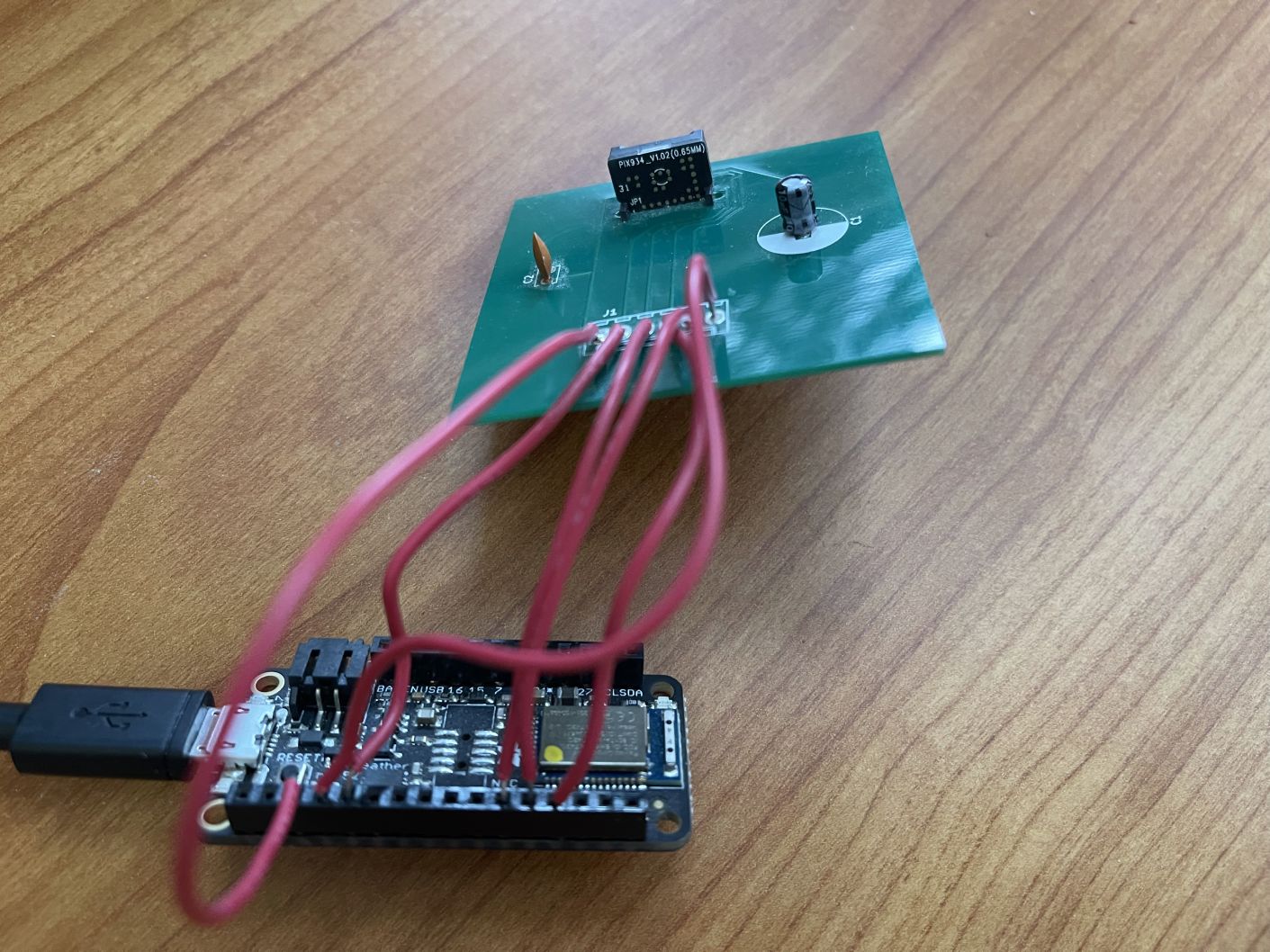
The Arduino code is located in code/arduino/pa_driver. The other Arduino programs are simple tests. Follow the instructions from Adafruit for
installing the BSP and loading the code onto the board.
Connections between the PixArt PCB and the Arduino board are listed in the table below.
| PixArt PCB | nRF52832 |
|---|---|
| J1 (VDDMA) | +3.3v (recommend pin nearest GND) |
| J2 (G9/CSB) | A0 |
| J3 (G10/SCK) | SCK |
| J4 (G11/MISO) | MISO |
| J5 (G12/MOSI) | MOSI |
| J6 (GND) | GND |
The Windows program located in code/win32 depends on:
Newer versions of Boost and OpenCV are untested but should work.
A Makefile for GCC on Windows is included. Edit the Search Paths section as needed. I used MSYS2 to install GCC and SDL2 via pacman. OpenCV and Boost were installed manually.
Once ready simply run Make from the code/win32 directory in an MSYS2 shell or Windows Command Prompt:
makeVisual Studio users will unfortunately have to manually create a project. I will happily accept a pull request for Visual Studio or CMake.
In code/win32 run:
bin/object_visualizer.exeTwo windows will appear (probably atop each other), one showing the raw objects detected by the sensor and the other showing a visualization of
a ping pong paddle in 3D. This assumes that an identical IR target to mine is being used. The target is defined in code/win32/src/apps/object_visualizer/perspective_window.cpp.
If there is an error opening the COM port, make sure the USB drivers were installed. These should come bundled with the Arduino IDE but can also
be obtained directly (instructions here).
To test without any hardware, some recorded data is provided in code/win32/recordings. For example, try:
bin/object_visualizer.exe --replay-from=recordings/paddle0.binTo learn about command line options, run:
bin/object_visualizer.exe --help| Qty | Value | Footprint | References |
|---|---|---|---|
| 1 | 0.1uF | Capacitors_THT:C_Disc_D3.8mm_W2.6mm_P2.50mm | C2 |
| 1 | 10uF | Capacitors_THT:CP_Radial_D10.0mm_P2.50mm | C1 |
| 1 | PAJ7025 | PixArt:PAJ7025 | U1 |
| 1 | PIN HEADER | Molex:Molex_KK-6410-06_06x2.54mm_Straight | J1 |
It measures 49.5 × 49.5 mm and has 2 copper layers, 1.6 mm thick.
4 parts. The full list of its parts is on this page, with links to each part's symbol and footprint where PCBKit's library has them.
From the trzy/PixArt repository on GitHub, at the commit this page was made from: the board is pcb/PixArt.kicad_pcb. PCBKit opens the board in the browser, with nothing to install.
Its repository states no licence, so its author keeps all rights: ask trzy before reusing the design.
joypad-ai/joypad-os
Universal controller firmware for building adapters, dongles, and custom controllers.


hackclub/OnBoard
💡 Join 1,000 teenagers and make your first PCB with a $100 grant!

tardate/LittleArduinoProjects
a collection of "Little Electronic & Arduino Projects", most involving electronics or an Arduino in one way or another!

drandyhaas/KiCadRoutingTools
A set of Python/Rust tools to aid routing in KiCad

osy/XG_Mobile_Station
Open source eGPU dock for ROG Ally and ROG Flow

Luos-io/luos_engine
Open-source and real-time orchestrator for cyber-physical-systems, to easily design, test and deploy embedded applications and digital twins.

NVNTLabs/switch2-SDEX2M2
Micro SD Express to M.2 NVME Adapter for Nintendo Switch 2