
2 layers277.2 × 107.5 mm
Corne V4 Pro Micro Edition
klouderone/CorneV4ProMicroEdition
The Corne V4 with Pro Micro Micocontrollers, made specifically for beginners and support for wireless microcontrollers
112 parts208CC-BY-4.0

 tompi/expensivo7
Wireless, diodeless Cheapino-shaped split keyboard: reversible nice!nano PCB, ZMK config and 3D-printed case
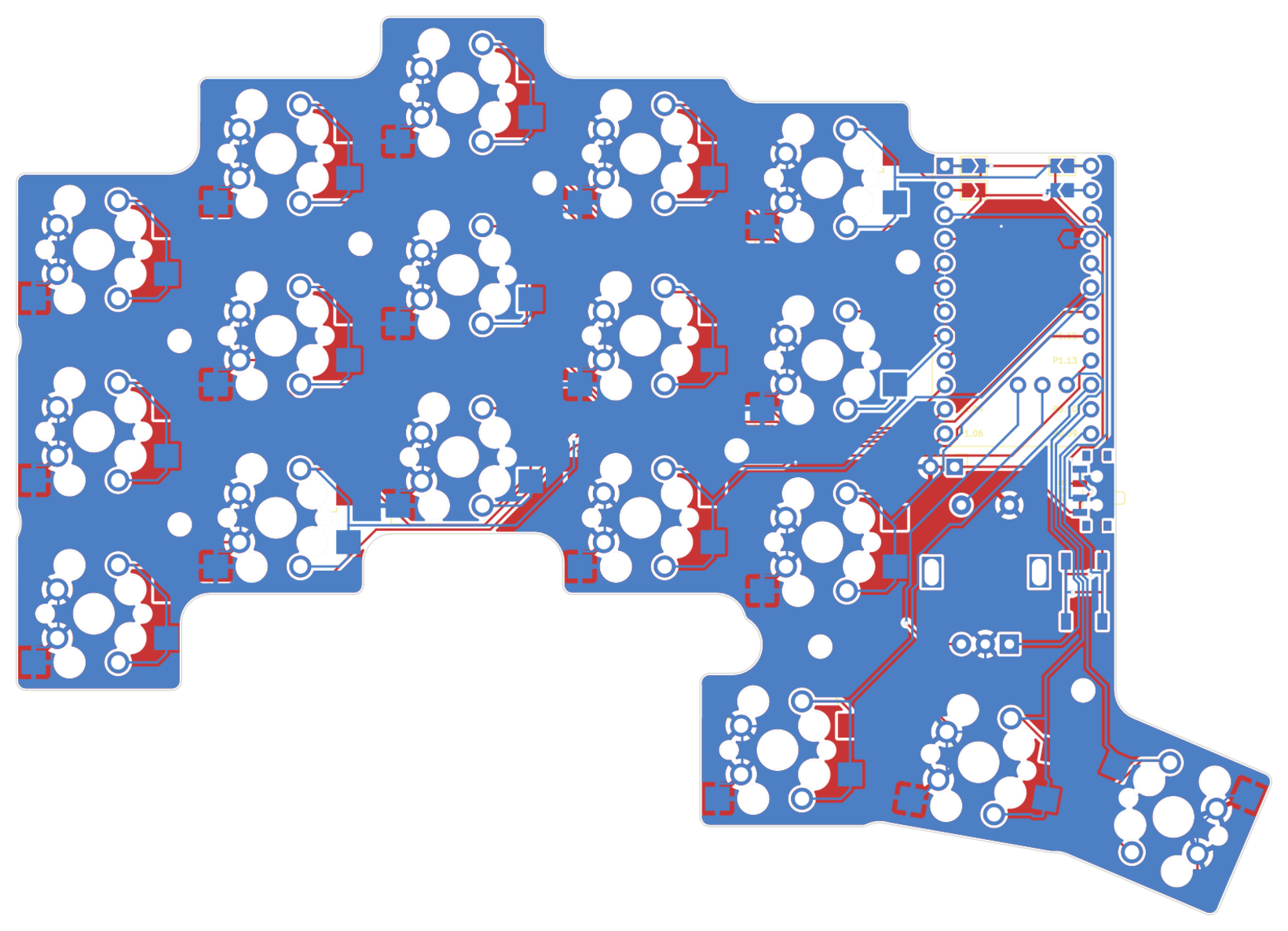
Expensivo is an open-source printed circuit board by tompi, from the tompi/expensivo repository on GitHub, published under the CC-BY-4.0 licence. It is a 2-layer board of 131 × 93.8 mm with 41 parts on 34 nets, routed with 707 tracks and 17 vias.
It is built around the PCM12SMTR. Its parts include 22 switches and 1 IC. It belongs with the keyboards and input boards and the nRF52 and nRF5x boards of this library.
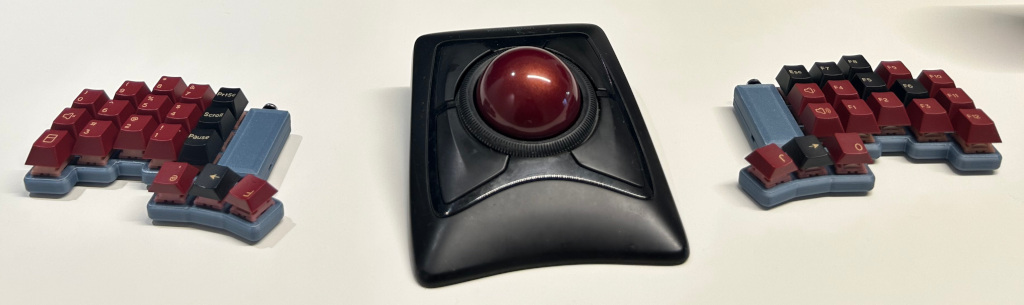
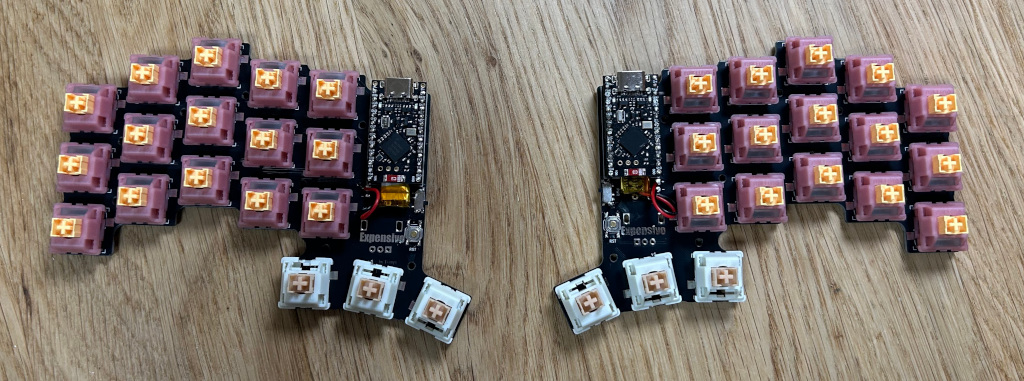
A wireless version of the Cheapino: same shape and key layout, but with a nice!nano in each half, ZMK and Bluetooth between the halves. Not quite as cheap anymore, hence the name.
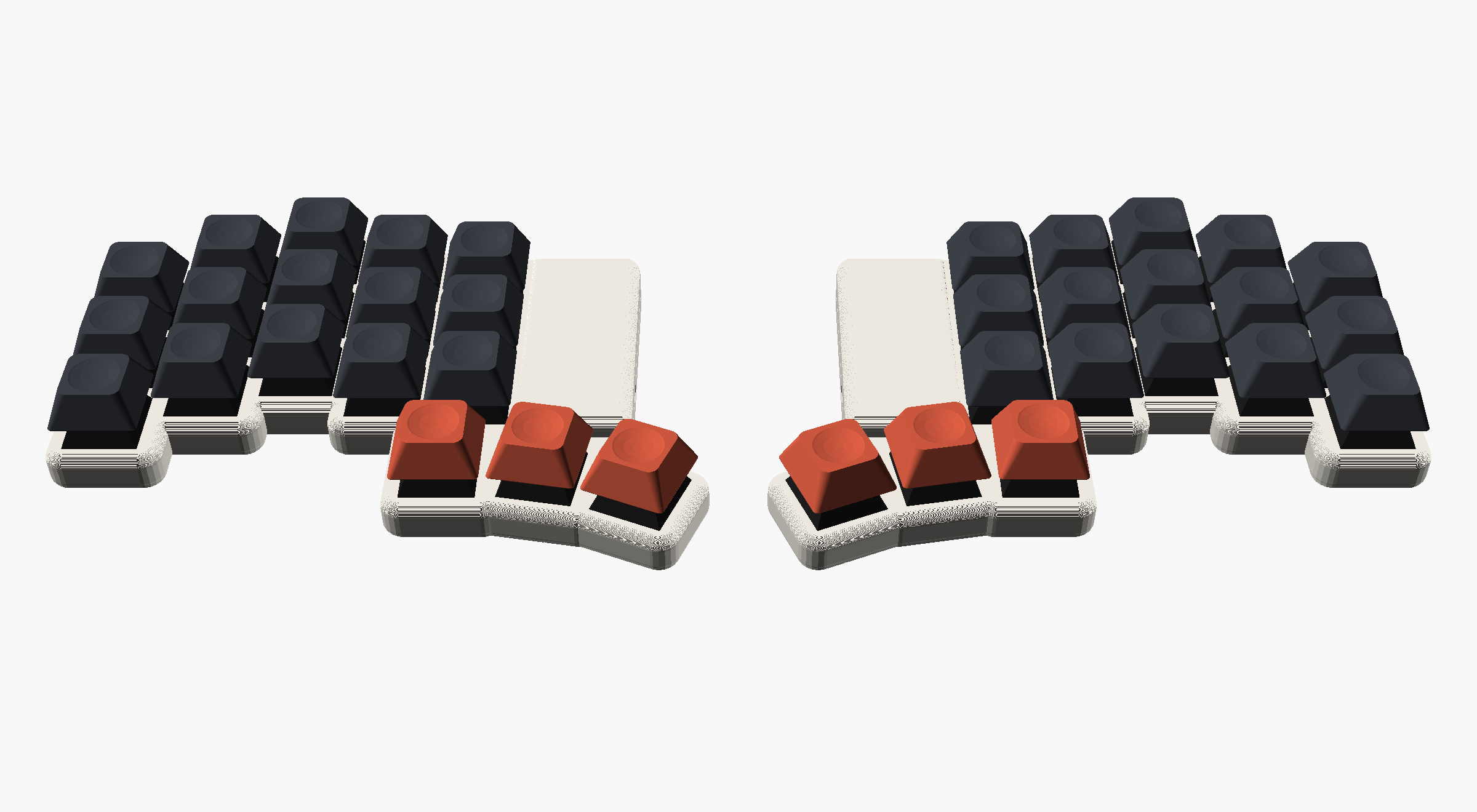
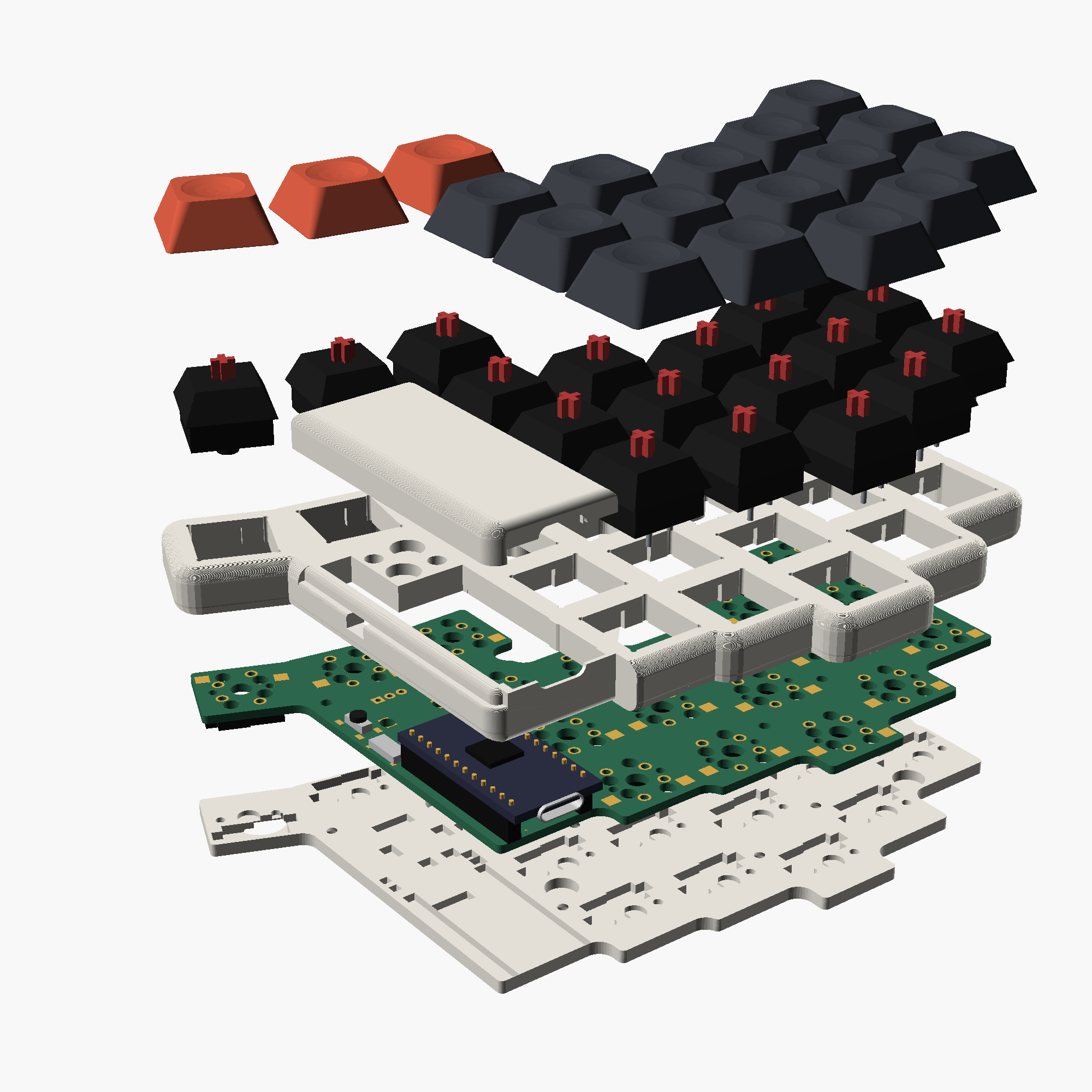
| Part | Qty | Notes |
|---|---|---|
| PCB | 2 | same board for both halves, see Ordering the PCB |
| nice!nano v2 | 2 | or a compatible nRF52840 Pro Micro clone |
| Sockets + pins for the nice!nano | 2 sets | 12-pin single row; the case assumes the nano sits 4.9 mm above the PCB |
| LiPo battery | 2 | fits under the nano between the sockets, e.g. 301230 (3 x 12 x 30 mm); may stick out ~6 mm past the nano |
| MX switches | 36 | |
| Kailh MX hotswap sockets | 36 | MX, not low profile |
| Slide switch PCM12SMTR | 2 | one per half |
| Tactile switch TL3342 | 2 | reset, one per half |
| Keycaps | 36 | |
| EC11 encoder | 0-1 | optional, right half only |
For the case, per keyboard: 16 M2 heat-set inserts (4 mm long, 3 mm OD), 16 M2x5 countersunk screws, silicone bumpers (10 mm), 8 + 8 6x2 mm magnets (8 in the bottom plates, 8 for the two covers).
The PCB is reversible, so it matters which side you solder on:
The schematic shows how it is wired, including which nano pin ends up on which hole on each side.
ZMK, built by GitHub Actions on every push (see the Actions tab for the
.uf2 files). The left half is the central and has ZMK Studio enabled.
To flash, double-tap reset and copy the matching .uf2 to the drive that
shows up. Flash settings_reset first if the nanos were used before.
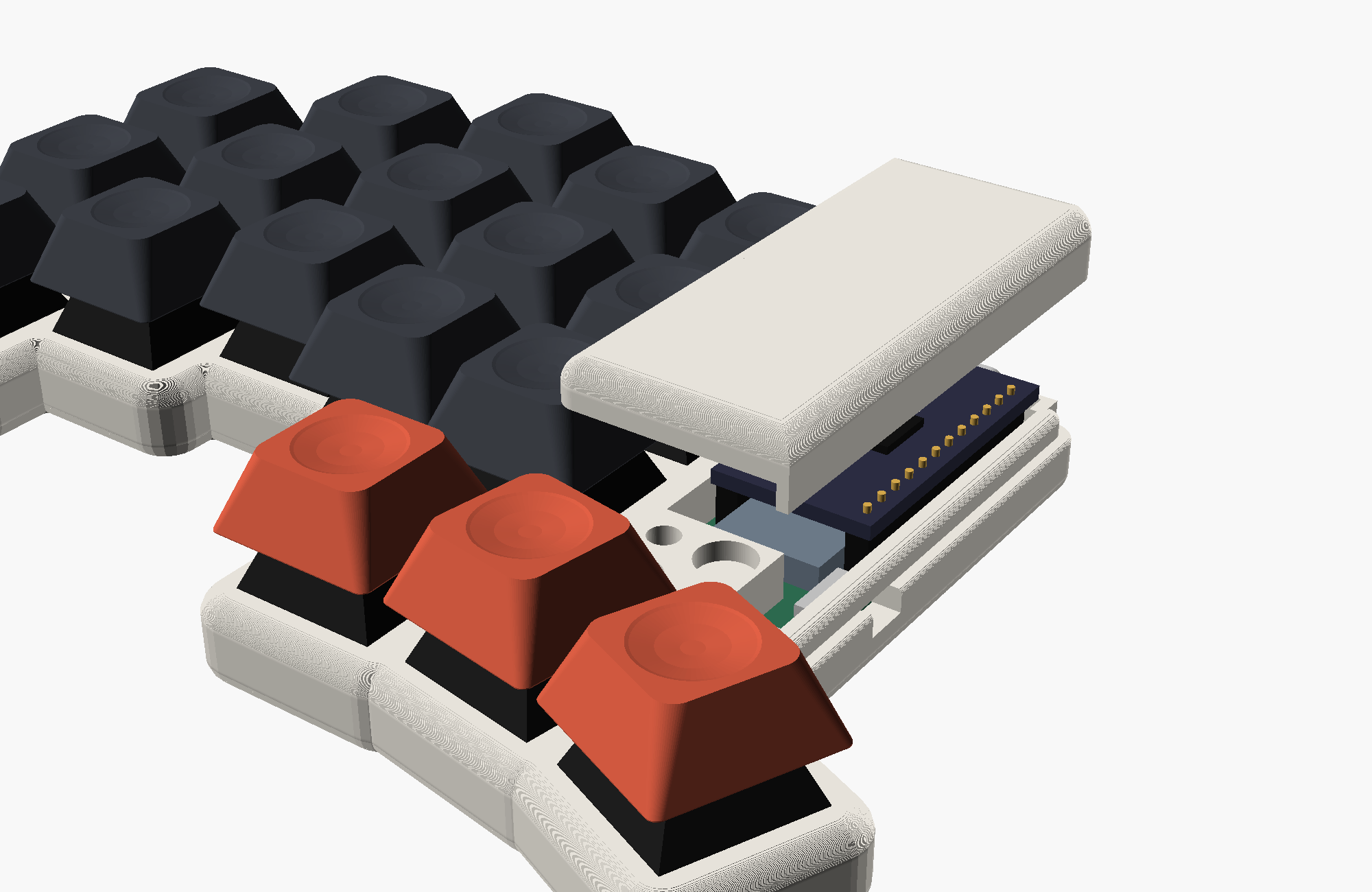
OpenSCAD files in case/, see case/readme.md. The top frames print top face down without supports, so do the covers; the covers hold on with magnets and can be left off.
scripts/gerbers.sh writes build/expensivo-jlcpcb.zip, ready for JLCPCB:
2 layers, 1.6 mm, default settings. 5 boards is two keyboards and a spare.
Choose ENIG if you want the copper logo to stay shiny.
Everything is generated by scripts, so edit those rather than the outputs:
| Script | Makes |
|---|---|
scripts/build.sh | the full board build: footprint, PCB, routing, DRC/ERC, schematic, case data |
scripts/build_pcb.py | the PCB, starting from the Cheapino board: parts, nets, outline, logo |
scripts/gen_nano_footprint.py | the reversible nice!nano footprint |
scripts/gen_schematic.py | the schematic, from the PCB's parts and nets |
scripts/gen_zmk.py | the ZMK shield pin lists |
scripts/gen_case.py | PCB geometry for the OpenSCAD case |
scripts/gerbers.sh | Gerbers and drill files for JLCPCB |
The pin map shared by the PCB, schematic and firmware is in
scripts/layout.py. Routing is done by Freerouting (downloaded on first run,
needs Java). The scripts expect KiCad 8 in /Applications/KiCad.
This work is licensed under a Creative Commons Attribution license.
| Qty | Value | Footprint | References |
|---|---|---|---|
| 18 | MX | expensivo:Kailh_socket_MX_optional_reversible | K1, K2, K3, K4, K5, K6, K7, K10, K11, K12, K13, K14, K15, K16, K17, K18 +2 |
| 8 | MountingHole_2.2mm_M2 | MountingHole:MountingHole_2.2mm_M2 | H1, H2, H3, H4, H5, H7, H8, H9 |
| 4 | back | Jumper:SolderJumper-2_P1.3mm_Open_TrianglePad1.0x1.5mm | JP5, JP6, JP7, JP8 |
| 4 | front | Jumper:SolderJumper-2_P1.3mm_Open_TrianglePad1.0x1.5mm | JP1, JP2, JP3, JP4 |
| 2 | PCM12SMTR | Button_Switch_SMD:SW_SPDT_PCM12 | SW1, SW2 |
| 2 | RESET | Button_Switch_SMD:SW_SPST_TL3342 | SW3, SW4 |
| 1 | Battery | Connector_PinHeader_2.54mm:PinHeader_1x02_P2.54mm_Vertical | BT1 |
| 1 | EC11 (optional) | Rotary_Encoder:RotaryEncoder_Alps_EC11E-Switch_Vertical_H20mm | ENC1 |
| 1 | nice!nano v2 | expensivo:nice_nano_reversible | U1 |
It measures 131 × 93.8 mm and has 2 copper layers, 1.6 mm thick.
41 parts, built around the PCM12SMTR. The full list of its parts is on this page, with links to each part's symbol and footprint where PCBKit's library has them.
From the tompi/expensivo repository on GitHub, at the commit this page was made from: the board is pcb/expensivo.kicad_pcb and its schematic pcb/expensivo.kicad_sch. PCBKit opens the board in the browser, with nothing to install.
Its repository publishes it under the CC-BY-4.0 licence: you may reuse it on that licence's terms (keep the author's notice, and for a copyleft licence share your changes alike).
klouderone/CorneV4ProMicroEdition
The Corne V4 with Pro Micro Micocontrollers, made specifically for beginners and support for wireless microcontrollers

Goga64/ULK
Low profile split keyboard with Corne 42 Layout and Cerry ULP switches. (6mm height)

klouderone/SeagullMacropad
The Seagull Macropad is based off the Rhino Pad, that supports both MX and Choc switches. The Macropad features an aesthetic but functional diode layout, an encoder, and pads for a battery and battery switch for…

tedraykov/spliteo
Ergonomic split keyboard with a 3x6 matrix layout and a 4 key thumb cluster.

klouderone/Kiwi36-Split
A 36 Key Split Keyboard for beginners packed full of features, such as USB-C interconnect, an extensive case library, and wireless support

ffxx68/Sharp_ce140f_emul
At the time (I'm talking about mid '80s early '90s), what I thought my Sharp-PC was missing the most was a convenient way to store and load programs.

klouderone/therhinopad
The Rhino Pad is a compact Macro Pad tailored for Computer-Aided Drawing, with 13 keys and an encoder that can be programmed for any macro in your program.

antmicro/d1600e-psu-breakout
Breakout board for DELL D1600E-S0 Power Supply Unit