Skip to the content
2 layers100 × 100 mm4 lines umemory, the printed circuit board in 3D

The project is made in Kicad. If you want to learn more about it visit howcpuworks.com.

Size
100 × 100 mm
Copper layers
2
Thickness
1.6 mm
Parts
117
Nets
110
Pads
420
Tracks, vias
1,744, 18
Routed
Yes
KiCad
KiCad 5 (file 20171130)
Created
25 Oct 2023
Updated
25 Oct 2023

Overview

4 lines umemory is an open-source printed circuit board by tensorway, from the tensorway/2000transistors repository on GitHub. It is a 2-layer board of 100 × 100 mm with 117 parts on 110 nets, routed with 1,744 tracks and 18 vias.

Its parts include 68 transistors, 20 resistors, 20 switches, 5 connectors and 4 diodes.

README

README.md

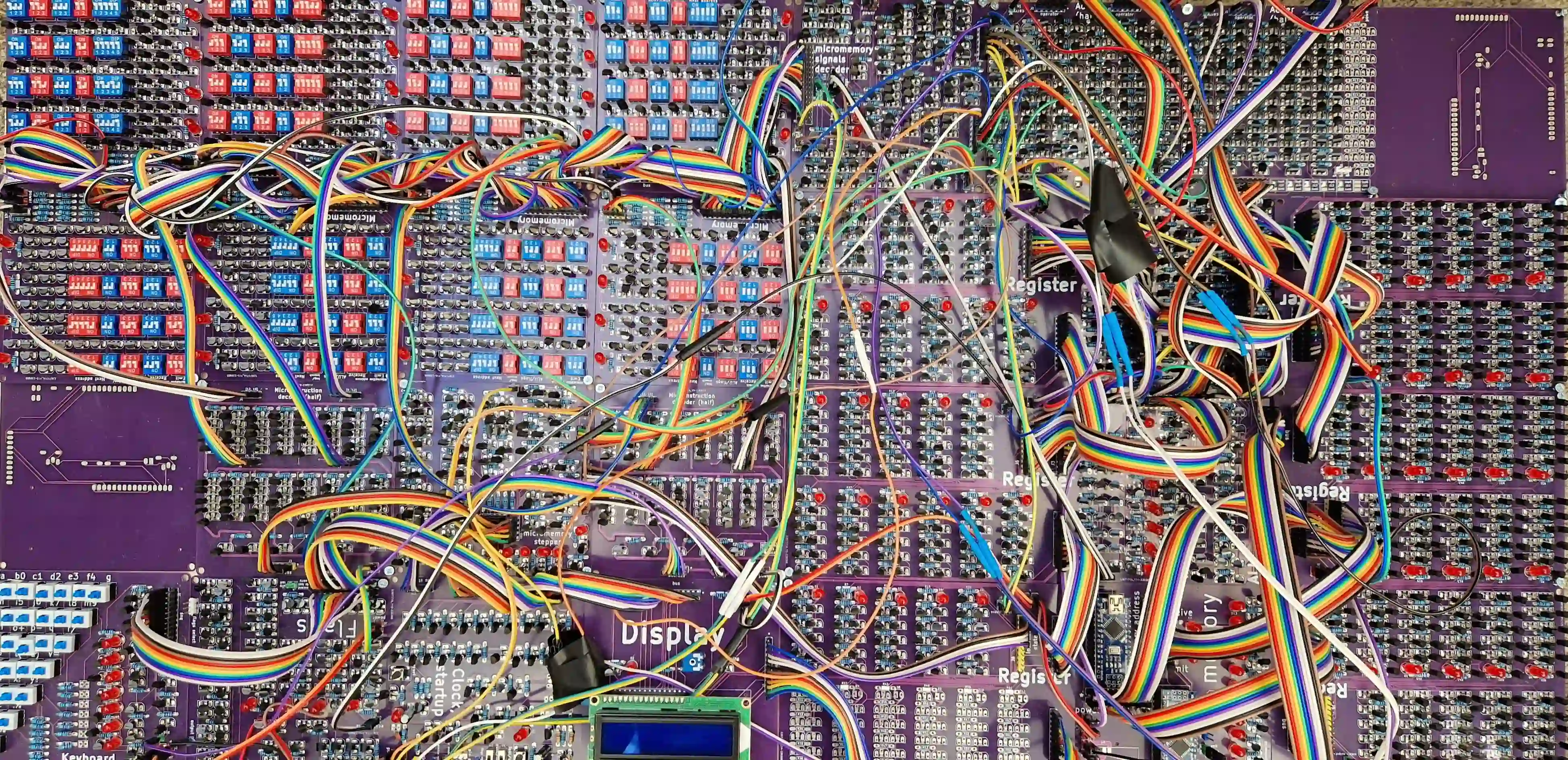
2000 MOSFET processor

The project is made in Kicad. If you want to learn more about it visit howcpuworks.com.

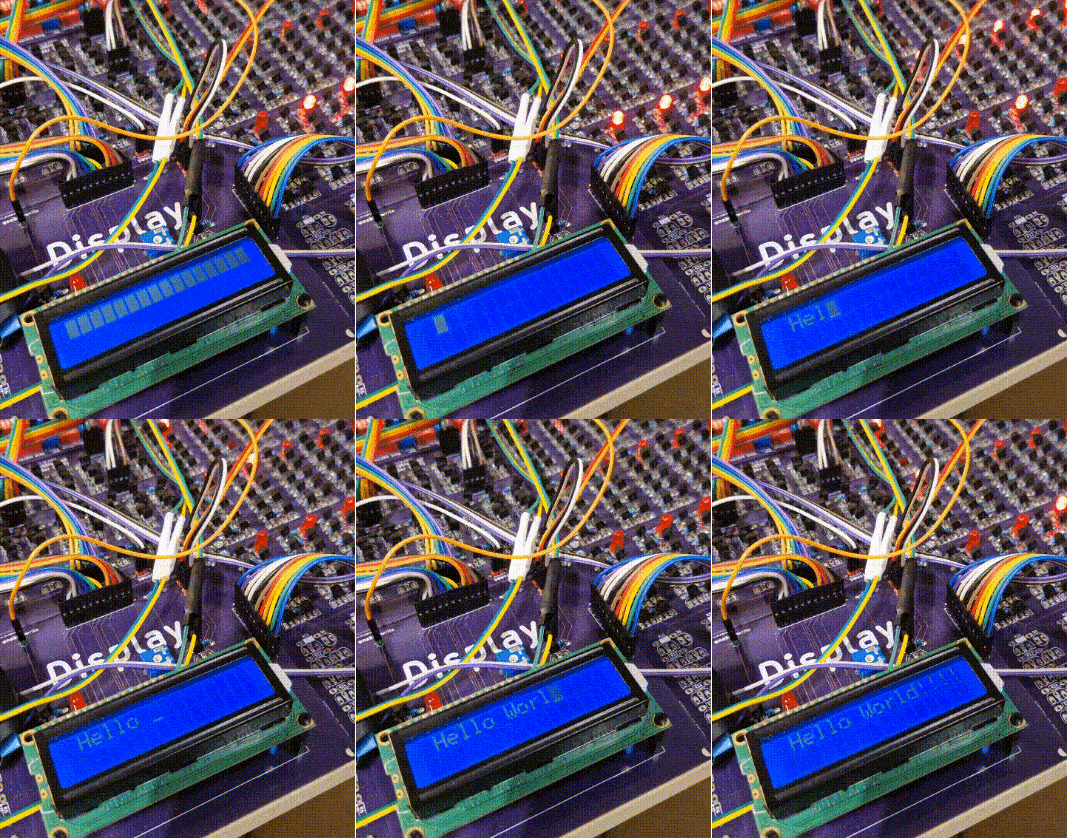
Full cpu Hello world

Conventions

  • all transistors on a board point into the same direction (or 2 perpendicular ones if needed)
  • all leds point into the same direction
  • 1k resistors are labeled with white rectangle, 1M with empty one (only violation is in the Clock board and two voltage divider resistors in LCD board)
  • "*" means high significance bits
  • "+" means positive 5V

Tips

  • you dont need to use extra usb for the power, powering through arduino is enough
  • Adder is made out of 2 smaller 6 bit adders, this means that you do not have to solder one bit (6+6=12 != 11)
  • instruction register needs only 5bits which means you do not have to solder upper 6 bits (all registers are the same board to lower costs)
  • when soldering
    • first put resistors
    • than transistors from the top left (top right if left handed)
    • leds and pin headers last

Important

  • to lower costs all registers have the same board, but TMP and IR registers do not have input and output connected to the bus, this means you have to connect it on other registers
  • You need to find the voltage that works for your LCD contrast and put those resistors

Components

  • 2N7000 MOSFETs
  • BC547 (BJT) only 4 for the astable
  • 1000 ohm registers for leds
  • 1M ohm for logic

Bugs

While I could fix the bugs I do not want to check is everything working again because I would need to solder things again. This is why I list them, so you can either fix them yourselves before or after soldering (I did after). Some bugs are just layout bugs, which means you need to be aware of them but not necessarily fix them.

Micromemory:

  • shuffled by row led, select and switches - layout bug
  • 0th line not connected to rest

Micromemory stepper:

  • shuffeled LED state order - layout bug
  • add delay from clock to it (for example RC)

Keyboard

  • same signals for simetrical (with respect to keyboard diagonal) switches
    • effectively half the number of switches
  • 1 bit not connected

Flags

  • second to last carry and last carry labels mixed - layout bug
  • flags selector selects 0 always

Clock

  • manual clock does not have a debouncer

ALU

  • add OR between ALU decoded ops and give Adder the output

Parts

117
QtyValueFootprintReferences
682N7000processor2:2n7000_tightQ1, Q2, Q10, Q11, Q12, Q13, Q14, Q15, Q16, Q17, Q18, Q19, Q20, Q21, Q22, Q23 +52
16Rprocessor2:resistor_tightR1, R2, R3, R4, R5, R6, R7, R8, R9, R10, R11, R12, R13, R14, R15, R16
12SW_DIP_x03processor2:dip3_switchSW1, SW2, SW3, SW6, SW7, SW8, SW11, SW12, SW13, SW16, SW17, SW18
4LEDprocessor2:led_5mm_tightD1, D2, D3, D4
4Rprocessor2:resistor_led_tightR17, R18, R19, R20
4SW_DIP_x02processor2:dip2_switchSW4, SW9, SW14, SW19
4SW_DIP_x05processor2:dip5_switchSW5, SW10, SW15, SW20
2Conn_01x02_Maleprocessor2:2pin_tightJ2, J3
2Conn_01x16_Maleprocessor2:16pin_tightJ4, J5
1Conn_01x04_Maleprocessor2:4pin_tightJ1

More from tensorway/2000transistors

12
  • 2 layers100 × 100 mmAdder, the printed circuit board in 3D

    Adder

    tensorway/2000transistors

    The project is made in Kicad. If you want to learn more about it visit howcpuworks.com.

    208 parts
  • 2 layers150 × 100 mmRegister, the printed circuit board in 3D

    Register

    tensorway/2000transistors

    The project is made in Kicad. If you want to learn more about it visit howcpuworks.com.
    206 parts
  • 2 layers100 × 100 mmAdd select board, the printed circuit board in 3D

    Add select board

    tensorway/2000transistors

    The project is made in Kicad. If you want to learn more about it visit howcpuworks.com.
    203 parts
  • 2 layers100 × 100 mmPc step board, the printed circuit board in 3D

    Pc step board

    tensorway/2000transistors

    The project is made in Kicad. If you want to learn more about it visit howcpuworks.com.

    185 parts
  • 2 layers100 × 100 mmUmem distribution, the printed circuit board in 3D

    Umem distribution

    tensorway/2000transistors

    The project is made in Kicad. If you want to learn more about it visit howcpuworks.com.

    168 parts
  • 2 layers100 × 100 mmFlags board, the printed circuit board in 3D

    Flags board

    tensorway/2000transistors

    The project is made in Kicad. If you want to learn more about it visit howcpuworks.com.

    158 parts
  • 2 layers100 × 100 mmAlu, the printed circuit board in 3D

    Alu

    tensorway/2000transistors

    The project is made in Kicad. If you want to learn more about it visit howcpuworks.com.

    157 parts
  • 2 layers100 × 100 mm5decoder32 half, the printed circuit board in 3D

    5decoder32 half

    tensorway/2000transistors

    The project is made in Kicad. If you want to learn more about it visit howcpuworks.com.

    114 parts
  • 2 layers100 × 100 mmClock board, the printed circuit board in 3D

    Clock board

    tensorway/2000transistors

    The project is made in Kicad. If you want to learn more about it visit howcpuworks.com.

    109 parts
  • 2 layers100 × 100 mmKeyboard, the printed circuit board in 3D

    Keyboard

    tensorway/2000transistors

    The project is made in Kicad. If you want to learn more about it visit howcpuworks.com.

    103 parts
  • 2 layers100 × 100 mmMemory board, the printed circuit board in 3D

    Memory board

    tensorway/2000transistors

    The project is made in Kicad. If you want to learn more about it visit howcpuworks.com.

    53 parts
  • 2 layers100 × 100 mmLcd board, the printed circuit board in 3D

    Lcd board

    tensorway/2000transistors

    The project is made in Kicad. If you want to learn more about it visit howcpuworks.com.

    14 parts

Similar boards

  • 2 layers139.1 × 107.7 mmLotus58 Glow 132, the printed circuit board in 3D

    Lotus58 Glow 132

    TweetyDaBird/Lotus-58-Classic

    A split ergo linear keyboard derived from the Lily58 family

    117 parts390
  • 2 layers89 × 100 mmHub16, the printed circuit board in 3D

    Hub16

    joshajohnson/Hub16

    A macro pad with 16 keys, two rotary encoders, a four port USB hub, and plenty of LEDs!

    117 parts388
  • 2 layers224.6 × 74.2 mmKeyboard ch32x-48, the printed circuit board in 3D

    Keyboard ch32x-48

    rgoulter/keyboard-labs

    Repo with my PCB designs and keyboard firmware

    117 parts236
  • 2 layers80 × 84 mmMany485, the printed circuit board in 3D

    Many485

    eddyem/stm32samples

    Code samples and ready projects based on bare-metal STM32

    117 parts208
  • 2 layers60.3 × 139.1 mmOutputBoard, the printed circuit board in 3D

    OutputBoard

    CrashOverride85/zc95

    4 channel EStim box inspired by the mk312bt, with Lua scripting support

    117 parts117GPL-3.0
  • 2 layers113.4 × 56 mmMultiSpectLED, the printed circuit board in 3D

    MultiSpectLED

    benkrasnow/MultiSpectLED

    Array of 15 1W LEDs spanning 280nm to 940nm

    117 parts105MIT
  • 2 layers114.9 × 77 mmTestProject, the printed circuit board in 3D

    TestProject

    Quarren42/SPIN

    12 key, 3 encoder USB-C Macro Pad

    117 parts104CC-BY-SA-4.0

Questions

How big is the 4 lines umemory PCB?

It measures 100 × 100 mm and has 2 copper layers, 1.6 mm thick.

What parts does the 4 lines umemory use?

117 parts. The full list of its parts is on this page, with links to each part's symbol and footprint where PCBKit's library has them.

Where can I download the 4 lines umemory KiCad files?

From the tensorway/2000transistors repository on GitHub, at the commit this page was made from: the board is src/4_lines_umemory.kicad_pcb. PCBKit opens the board in the browser, with nothing to install.

Can I use the 4 lines umemory design in my own project?

Its repository states no licence, so its author keeps all rights: ask tensorway before reusing the design.